[Android] Spotify app won't open, and when it does it won't log in.

Plan
Premium
Country
Canada
Device
LG G7 ThinQ
Operating System
Android 9
My Question or Issue
I've been using spotify as my main source of music for I'd guess 2 years. A bit ago the app wouldn't open, I'd tap on it and it would the basic "Launching the app" sort of screen, a black background with the spotify logo in the middle, and it would sit there until the phone systems realized it wasn't working and offered to force close the app, I waited longer 1 or 2 times but it leaded no change. It will only sometimes open after I reset my phoneand uninstall the app. When it does open, I click log in, input the correct information, click the second log in, it switchs to logging in and the nothing changes. It stayed on the log in screen, the second log in button changed to loggimg in , and nothing happenes, it never logs me in .
Accepted answers
All comments
Thank you for replying @Petya.
I've done everything that you've said to do yet nothing has changed. Everything happens the exact same way. Quick detail that I'd like to add, when the app does open and I try to log in,bthe second log in button switches to logging in and nothing else happens, I can still modify my information, I can still click on the "Forgot your password" button, I can even return to the sign up screen, then go back the log in screen and everything will be how I left it, the log in button will not revert to saying log in, it will still be on logging in and I am unable to progress.
Thank you for your time.

Same with my spotify account. I even uninstalled it and installed again but it doesn't work. It opens in my laptop but not on my phone. I clear all the cache but sill it doesn't work. It keeps repeating on the log in screen.
I don't know if my phone is the problem or my account.

Hey @jncry_perez,
Thanks for posting in the Community and the troubleshooting steps you've already tried.
Would it be possible for you to connect your phone to a different network? Does the issue occur, when you're connected to a WiFi or a mobile data network? Try switching between the two.
It's also worth making sure, that you've cleanly reinstalled the app on your phone with the steps from this page.
Does the same happen, if you use a different account on the phone?
We'd also need some more device setup information like brand/model and operating system of the affected device.
Keep us posted,
Cheers!
Hi, thank you for the reply.
Yes, I followed all of the instructions on the page, but it is still not working. I also changed it from Wifi to a data network, but the cycle repeats.
It's a shame, because I've always relied on Spotify to listen to music whenever and wherever I wanted. And I'm more accustomed to using it on my phone than on my laptop, as the latter is more difficult for me to carry anywhere.

Hey there!
I'm also facing exact same issue.
I reached out to the support and they keep looping me over deleting the app cache, reinstalling the app, try from different device etc. Now it is evident that it is not the ISP who is the culprit, since I'm from a different ISP provider and I also have the same issue.
Android app is not working for -> Samsung + Android 12. This is the pattern. Now I see Im not alone

Hey folks,
Thanks for the posts.
Can you let us know the exact model of your phones, the OS version and Spotify version (if you can check this in the phone's app settings).
Also, let us know when exactly this started happening and if you're using an SD card.
Looking forward to your replies.
Note that the web player is working just fine. Issue is only for the android app.
Model Name: Samsung Galaxy S21 Ultra 5G
Model: SM-G998B/DS
Android version: 12
This issue was not there earlier. Issue started recently after installing updates (It was working well around 1 month back, not remembering the exact date of update though). I have updated the app atleast 2 times during last 1 month.
Hey @rahulraj90,
Thanks for the reply and the info.
Do you get an error message of any sorts when launching the app or just a black screen? It would be helpful if you can attach a screenshot or a video of how things look when you launch the app. One more thing - are you using an SD card?
Looking forward to your reply.
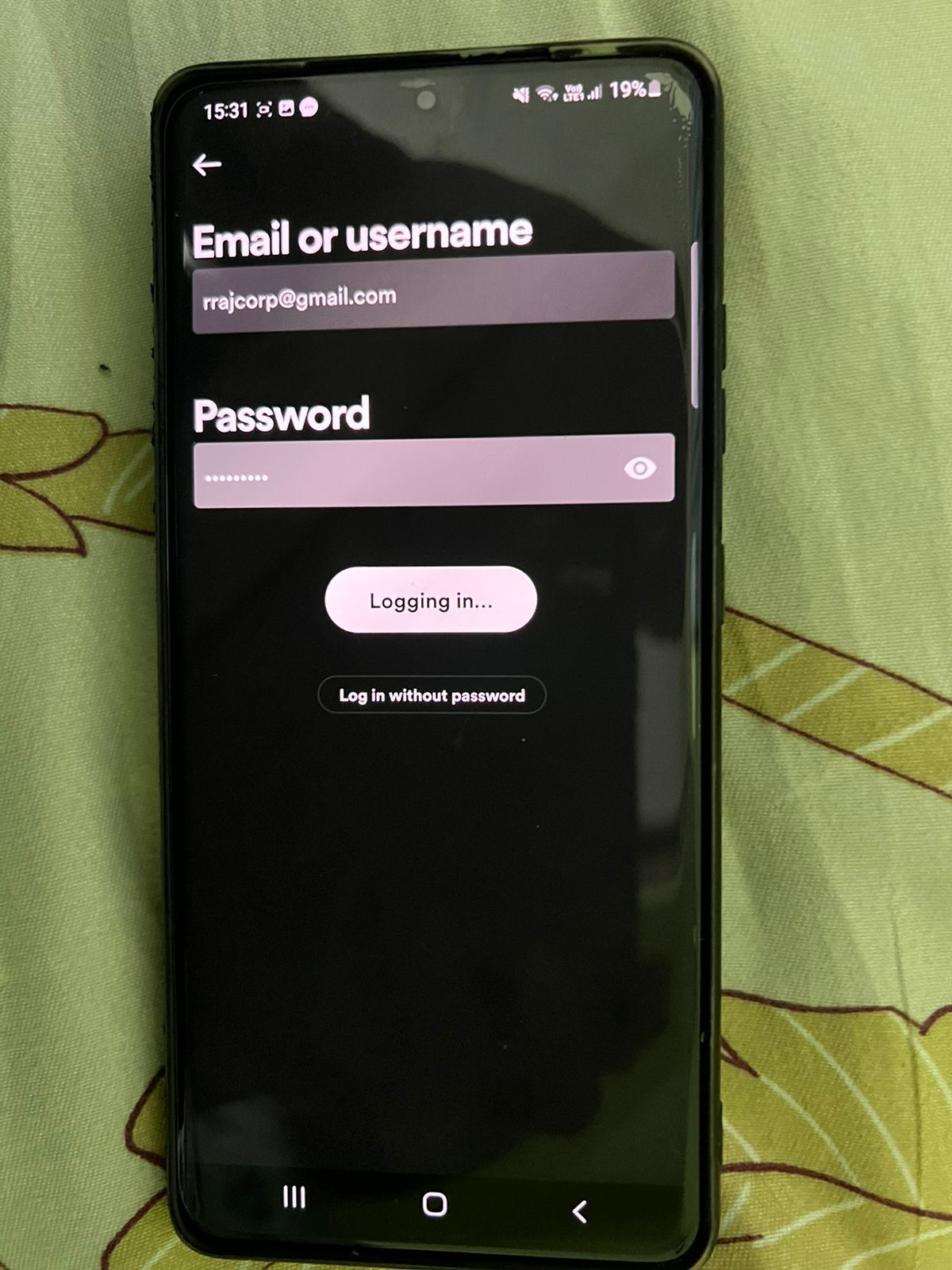
If we try with email/password, the login button will load "forever" and nothing happens (as shown in below snapshot)
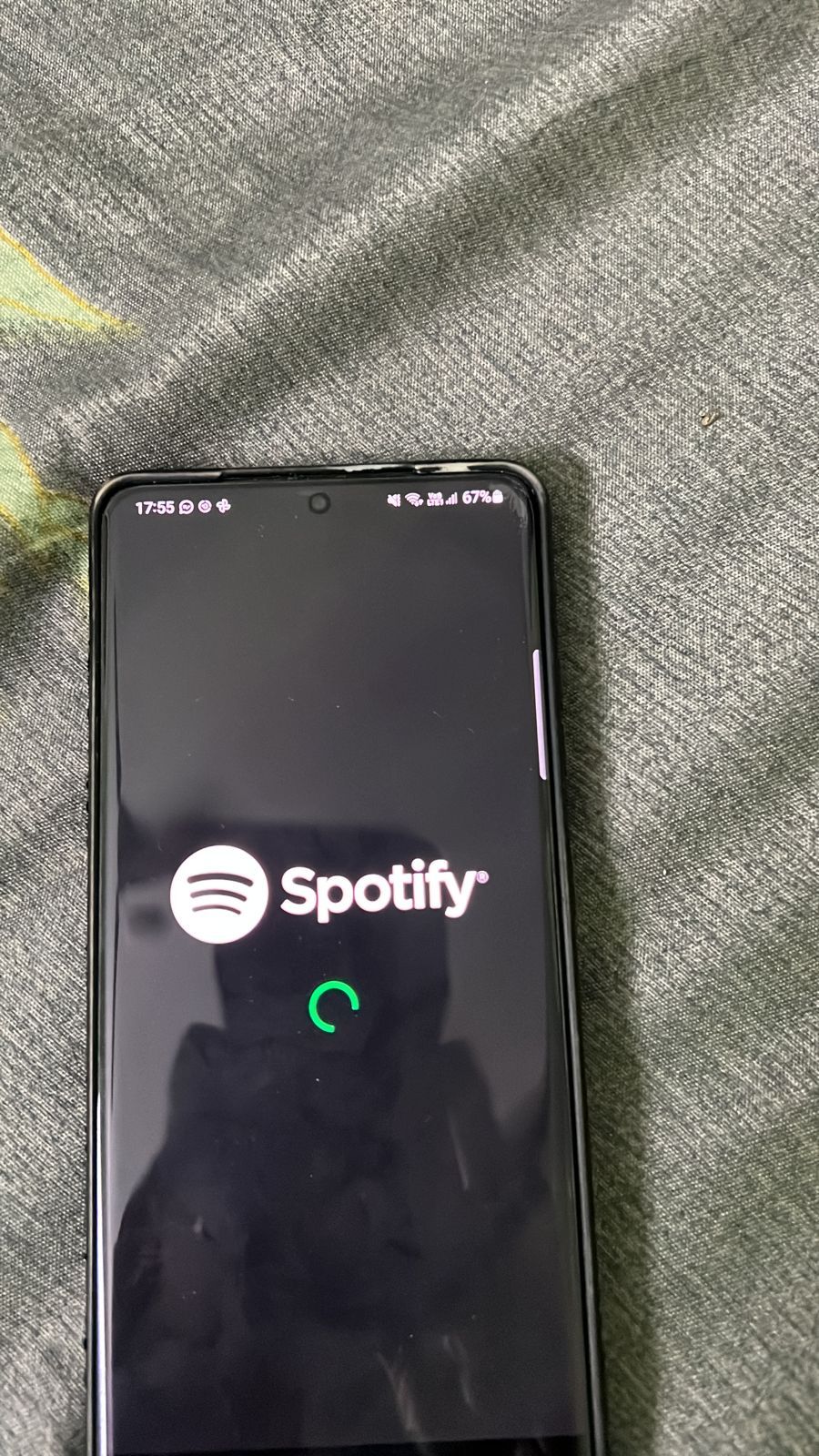
And if we try with gmail link (no password option) , I get a black screen that loads "forever" (as shown below) and nothing happens.
No, I'm not using an SD card.

Hey again @rahulraj90,
Thank you for your reply in this thread and for the provided screenshots.
In this case we suggest that you contact our customer support so that they can have a closer look backstage.
Let us know how everything goes so that we can continue to assist you if you need us to.
Take care 🙂
My Spotify version -> 8.7.32.1554
I have already contacted Spotify customer support several times.
Every time they repeat mentioning : app uninstall, cache deletion & trying from multiple devices ; despite the fact that I tried these steps multiple times and communicated to them the same. No satisfying resolution from their side. Now I'm back to Amazon Music for mobile until this is fixed (hopefully in future updates) and Spotify desktop for desktop usage.
Quick update:
Following steps solved my issue:
1) Installed Spotify latest updates from playstore
2) SIM changed (not for Spotify! just personal preference) to another provider
3) Logged in through "login without password" method.
So, no issues with the password. I don't think its the update that fixed the issue either.
I think something was reset on the phone when I changed the SIM.
Now I can use Spotify as it is and finally enjoying premium from phone after several weeks of uncertainty.

Whenever i open spotify on my phone. It stays on the initial screen. Green spotify logo, black background. And it doesnt load past that point. Ive been having this issue for the last 2 days. My Phone and Spotify Version are below.
note : at the moment of posting this, there are no new avaliable updates to spotify.
Device : Samsung Galaxy A71 -- Android 12
Spotify Version : 8.7.44.968

Same man just started for me 3 days ago.

I have been having this problem for roughly a week. Works on my galaxy tab but not on my phone (Samsung S20+) and I have tried MANY reinstalls, clear cache, everything you could imagine.

Hello did you find solution, i have same issue. Not working on my phone . Spotify wont open . I ve tried everything above

Yeah the exact same thing here, the app on my phone refuses to open past the green Spotify logo since the 3rd week of June 2022. I've done everything support told me to & nothing changed. After 2 hours with support they just gave up and told me to use the webpage on my laptop. Thing is I can't take my laptop on walks or dates or street skating, which begs the question "why am I still paying for this..?!"
Same thing with me since mid-June 2022. Spotify support doesn't really seem to care, but they definitely don't mind still hitting my card for premium payments.

I'm having the same problem exceptI'm stuck on the loading screen, anything fix your spitify ?

Sto riscontrando lo steso problema svuotato cache provato a installare disinstallare o addirittura provare a installare da altri siti però niente
Hey there,
Thanks for the replies.
We're aware of an issue with the app getting stuck while logging in on some Android devices and out tech team is currently investigating the causes of it.
You can check out this thread, where we will be posting the latest updates on the matter.
In the meantime make sure to have the most recent app version installed on your device.
Cheers!
Hey there @Blitzcrow,
Thanks for posting this in the Community, we'll be happy to help you with your app 🙂
To make sure you're using the latest version of the app and to boost the app's performance, we'd recommend you to run a clean reinstall first.
Afterwards, please make sure you do this:
Let us know what happened, we're here for you!