
Accepted answers
All comments

Hi TekChi, I was wondering if you’ve tried including your user URI before the playlist URI code when you try to start a topic in the Playlist Exchange? It should look like this when you post your playlist in the Playlist Exchange:
spotify:user:xxxxxxxxxx:playlist:xxxxxxxxxx
If your URI code is missing the "user:xxxxxxxxxx" part, you can find your user URI by clicking the 3 dots next to your username at the top of your Spotify profile, selecting “Share,” and then “Copy Spotify URI.” Then paste it in front of the playlist URI code, and delete one of the redundant "spotify:" so it looks like the example above.


Hi! As I wrote I have tried a different browser. No it did not work. Thank you anyway.
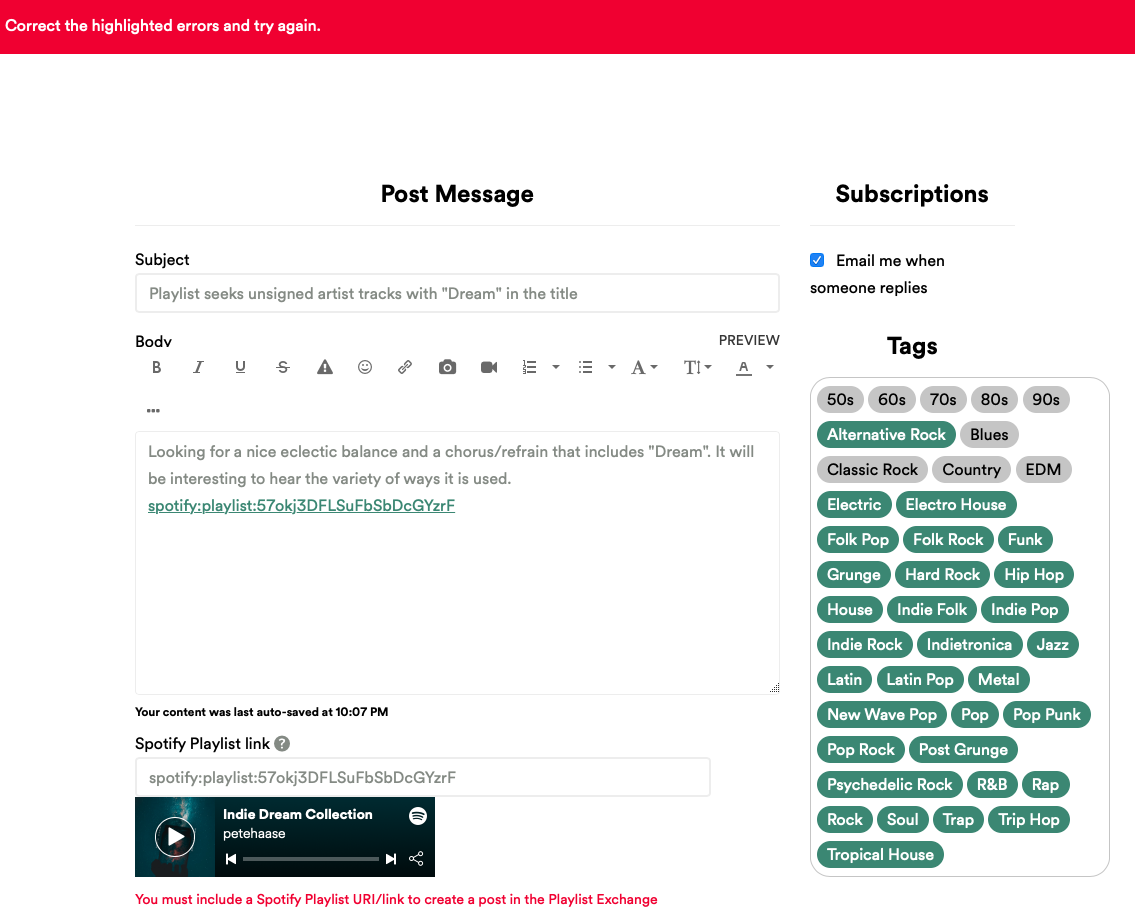
I am also 100% sure I have done it the right way. It even says so. But then, AFTER I have tried posting it the red message appears. Really, it is a bug, I am certain of it. And I have been trying to post playlists for months now. 😞
I tried your incognito mode. Unfortunately it does not work.
Again, nothing is wrong, it is the exact URI (like this: spotify:playlist:4LrP3NUOjcFD4OuwjayuT6
And it says that it's all fine and everything is filledin and capcha too. Then after posting, it's back to this (screen shot).


First set of x's after user: needs to be the playlist creator's ID/username. So it's a composite URI really, at least that's what I did.
Thank you both because yes, for the first time in history I could POST A PLAYLIST! 🙂
A little odd that you and me (and some other people?) have to manually include the users url... But I'm happy now!
Hi TekChi, I was wondering if you’ve tried including your user URI before the playlist URI code when you try to start a topic in the Playlist Exchange? It should look like this when you post your playlist in the Playlist Exchange:
spotify:user:xxxxxxxxxx:playlist:xxxxxxxxxx
If your URI code is missing the "user:xxxxxxxxxx" part, you can find your user URI by clicking the 3 dots next to your username at the top of your Spotify profile, selecting “Share,” and then “Copy Spotify URI.” Then paste it in front of the playlist URI code, and delete one of the redundant "spotify:" so it looks like the example above.