Cannot log in using Facebook for desktop app

Plan
Free
Country
U.S.A.
Device
Desktop
Operating System
(Windows 10)
My Question or Issue
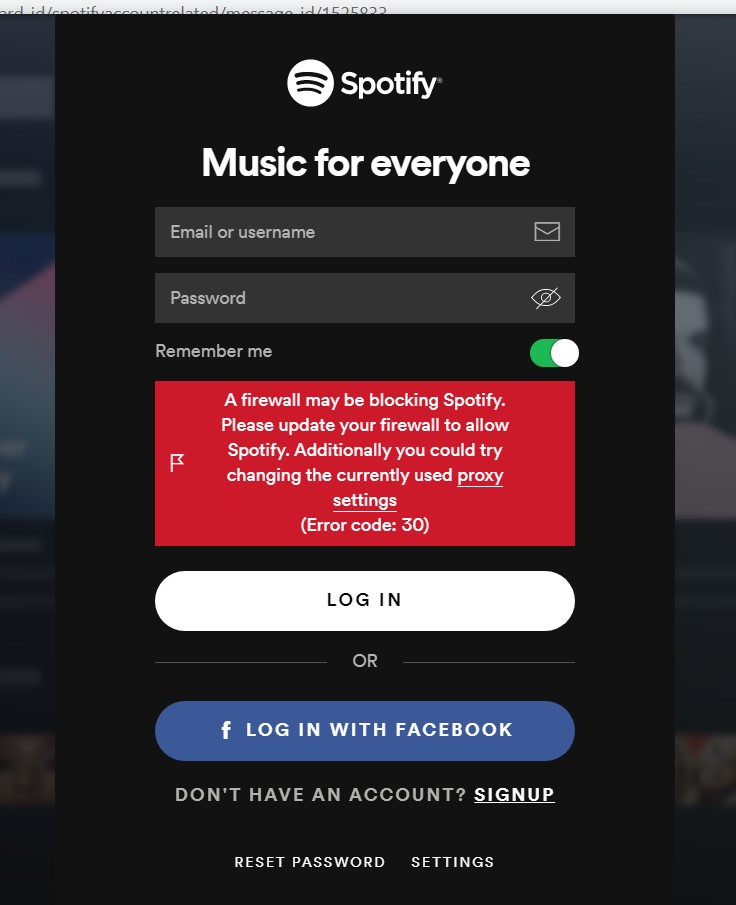
I can log in via web player but not desktop app
I was having problems (desktop lost all my playlist) and reset everything
Now it is saying I have a firewall issue although it has been granted full acess
thanks
Child Item
Child Item
Child Item
Accepted answers
All comments

Hey there @Rocknrollpimp,
Thanks for reaching out to the Community. No worries - we're here to help 🙂
To get the desktop app back and running, we'd first recommend to make sure to cover the following troubleshooting steps:
- Perform a clean reinstall. You can find the exact steps to do so here.
- Check the firewall and make sure Spotify is set as an exception.
- Disable any antivirus or ad-blocking software, and turn off VPN if in use.
- Check if the proxy settings are set to default (Auto-Detect) and switch to No Proxy.
- Remove host files. Head here to find out how.
- If possible, switch to another internet connection (WiFi, mobile data via tethering, or going direct via LAN cable).
- Try accessing the web player before re-attempting to log back in to the desktop client.
- Run Spotify on Safe Mode.
In case the issue persists, it'd be great if you could let us know the following details:
- Your device and its OS version.
- The exact Spotify version.
- Your country.
- The troubleshooting steps you have tried so far.
Once we have that, we will pass it on to the relevant team, who will look further into it.
Hope this helps! Keep us posted 🙂
Child Item
Child Item
no good......