Automatically Shuffles Official Spotify Playlist (Lorem etc.) When Trying To Listen Date Added Order

Student Plan
Premium
USA
MacBook Pro (13-inch, 2019, Two Thunderbolt 3 ports)
Version 10.15.6 MacOS Catalina
My Question or Issue
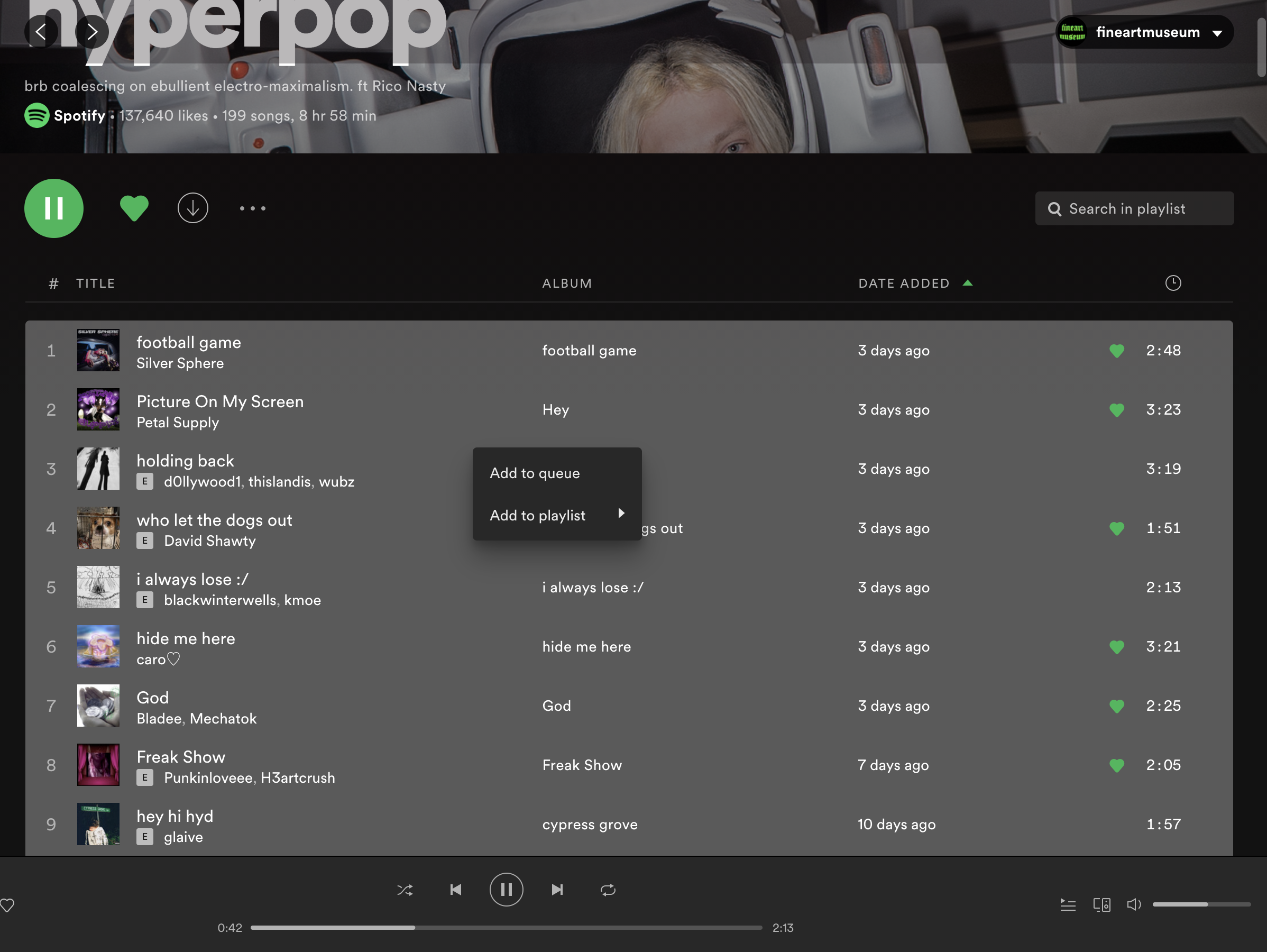
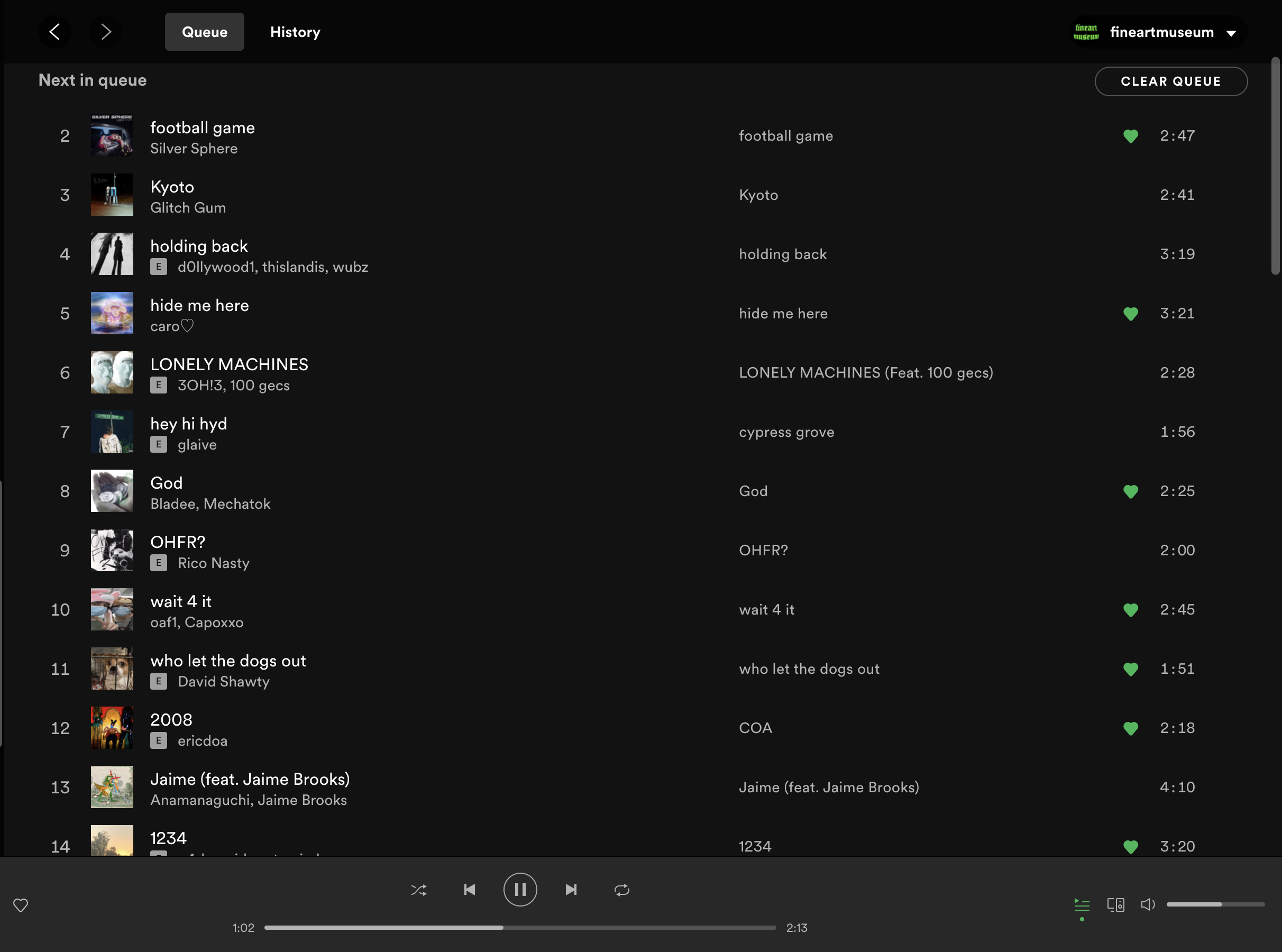
This error only occurs when trying to listen to official Spotify playlists like Oyster, Lorem, and Hyperpop for example and ONLY when trying to listen in Date Added order will it randomly shuffle it. If trying to listen in Album, Title, or Song Length order it works perfectly. When opened Spotify today it said there was a new update, so I wonder if that is the cause. The shuffle button is white I promise. I attached pictures to show even when I selected them in Date Added order and added to Queue it still shuffled them.
Child Item
Child Item
Child Item
Accepted answers
All comments
Child Item
Child Item
Hey @fineartmuseum,
Thanks for reaching out and searching for the answer you need here.
Keep in mind that after you change the sorting options, you need to start a song from the playlist anew in order for the changes to get picked up by the queue. If that's the case and it still doesn't get updated properly, we suggest you run a clean reinstall. This can usually solve issues rendering the Spotify queue to malfunction in the way you're describing. You can find the necessary steps here.
If the issue persists, could you let us know if you can replicate it on another device or with a friend or family members account?
Keep us posted! We'll be happy to lend a hand if you need more help.