Child Item
Getting ads while being premium

Plan
Premium
Country
Mexico
Device
Huawei P30 Lite
Operating System
Android 10
My Question or Issue
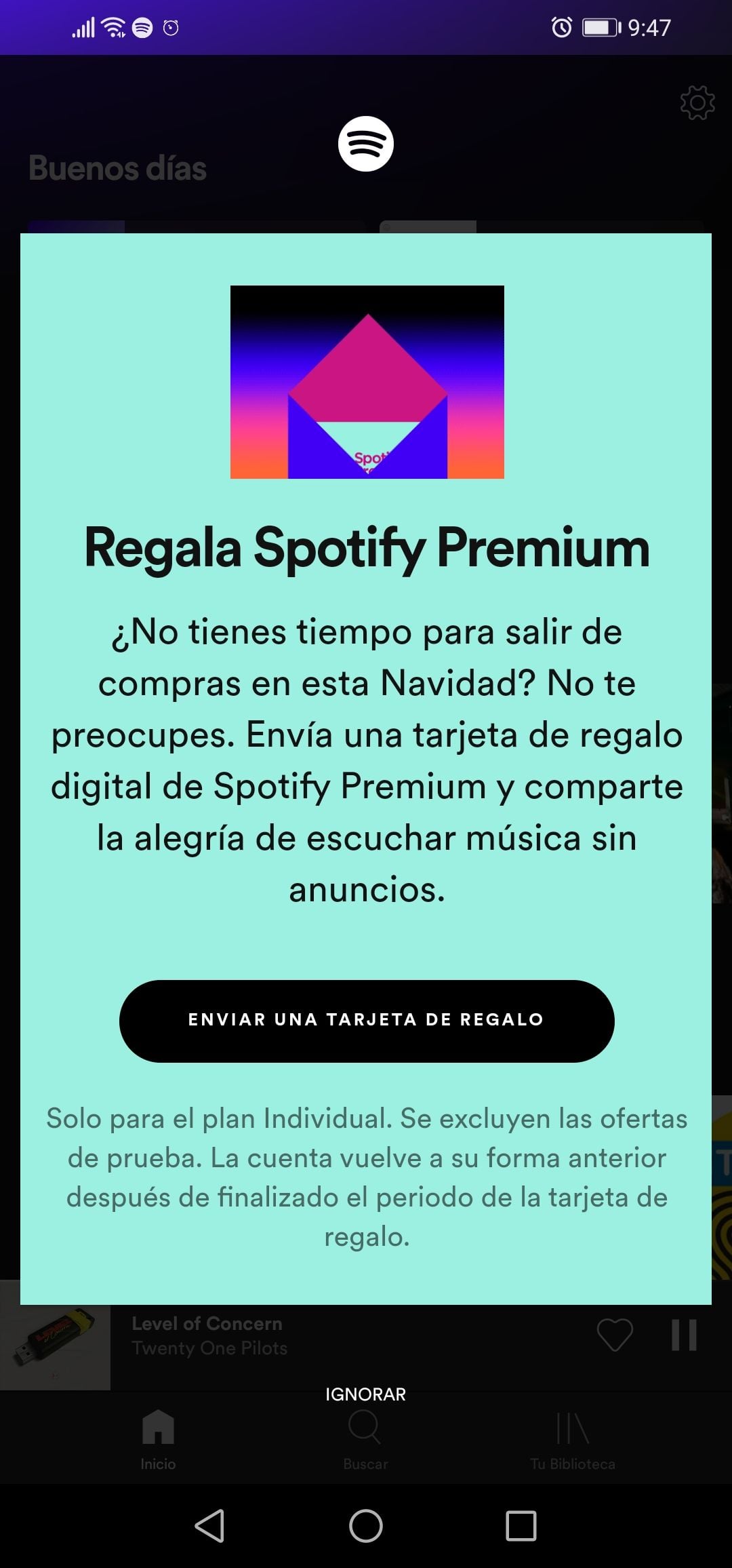
I'm getting these ads every now and then, and I don't know why. I pay Premium specifically to not get ads of any kind. Sometimes is about Spotify, sometimes is about a new artist I can't care less about. Or some new podcast I DON'T CARE AT ALL. How can I disable ALL ads of any kind?


Child Item
Child Item
Child Item
Accepted answers
All comments
Child Item
Child Item
Hi there @manimecker30,
Thanks for reaching out to the Community.
Sometimes, sponsored recommendations are shown to help you find new music and only when you first navigate to Home so they don’t interfere with your listening.
If you’d rather not see them, tap Learn more the next time you receive a notification. From there, you can stop them showing for the artist you received the notification from, or stop them showing altogether.
Regarding the ones about Spotify, like the one in the screenshot, they're just to let you know about offers and promotions that are currently ongoing. When you tap on Ignore, you shouldn't receive any more notifications about the same topic.
We hope this helps. If you have any questions, give us a shout.
Cheers!