Joe Rogan download audio only

Plan
Free/Premium
Country
Device
(iPhone 8, Samsung Galaxy 9, Macbook Pro late 2016)
Operating System
(iOS 10, Android Oreo, Windows 10,etc.)
My Question or Issue
How do I get audio only on the app for iPhone? It always downloads the video.
Accepted answers
All comments
Where is that option?

Hey @Oreski5933,
Thanks for your post.
You can find it in the settings menu of the app on mobile devices. Click on the gear icon in the upper-right corner of the Home menu to access it, you will find the Audio only option in the Data Saver section.
Hope this shines a bit of light on the matter. We'll be here if you have any other questions.

This does not work for me on my iPhone.
unimstalled, reinstalled and updated, still nothing
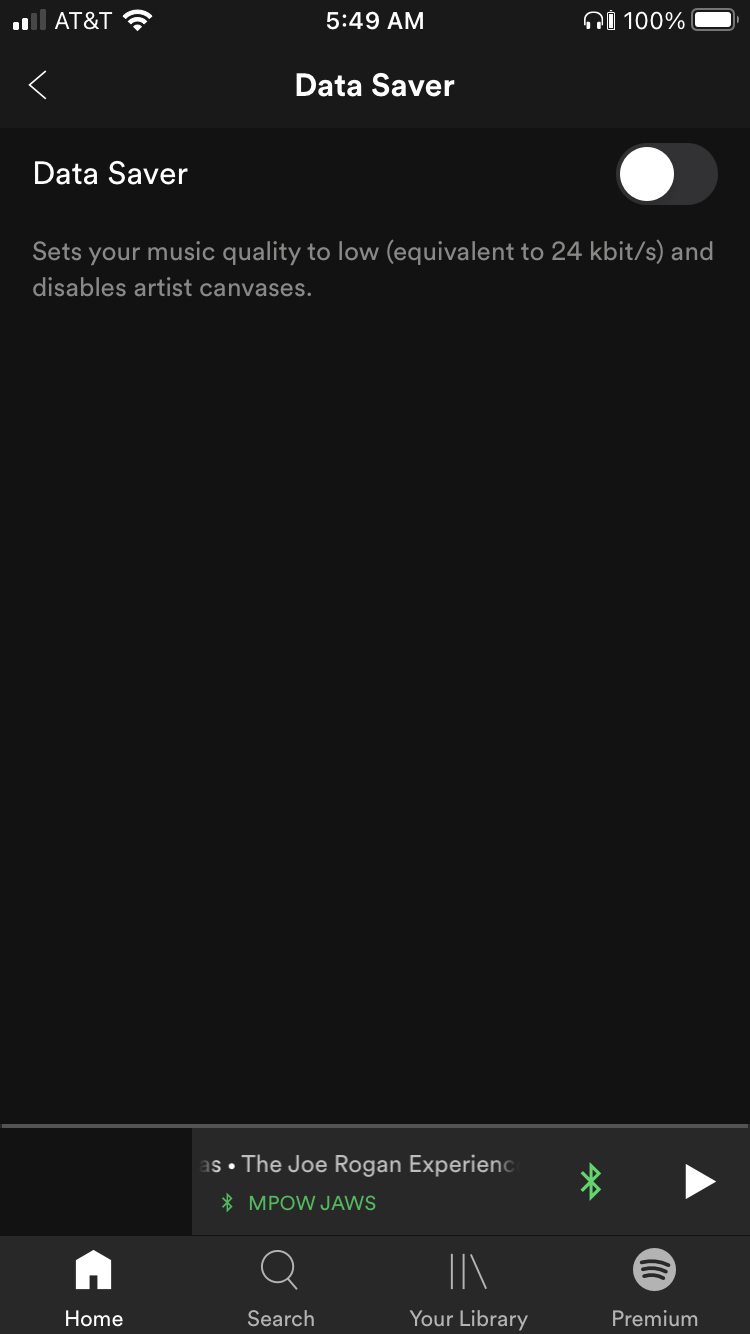
Hey @Mooret83,
Thanks for posting and for the screenshot.
The option should be visible on the Data Saver menu on the first screen. Good job on checking first whether or not a reinstall solves the issue, in most such cases it does. However, could give it another go with these steps and run a clean reinstall? These ones are more thorough. That way you can make sure the cache is not causing this issue.
If that doesn't fix things, could you check if the option is available when you log on on another device or with another account? That would help us a lot in getting to the bottom of this quicker,
Keep us posted, we’ll keep an eye out for your reply.
I preformed the steps you gave me not once, but twice and still nothing. This is extremely disappointing. How can a company acquire one of the biggest podcasts in the world, have several months to prepare for the rollout and just flop on a simple option like this? I know I am not the only one that uses audio only. I am not a regular user for Spotify, I have had an account but I only came back for the Rogan podcast. The app is very clunky and I am learning your website is not very mobile friendly either, all of this doesn’t not make me want to explore other content on your platform, it’s very annoying and off putting.

Hey again @Mooret83,
Thank you for your reply.
Can you try with a soft reset of the device and also ensure that the device has enough storage space?
Keep us posted.
Cheers!
I tried the soft reset, it did nothing. Storage space has never been an issue. I can download several video podcasts without issue. I work outdoors and am able to listen but not watch, so when I tried listening to a video podcast without watching, the app drained my battery. Because of this I am unable to listen.
Hey @Mooret83,
Thank you for getting back to us.
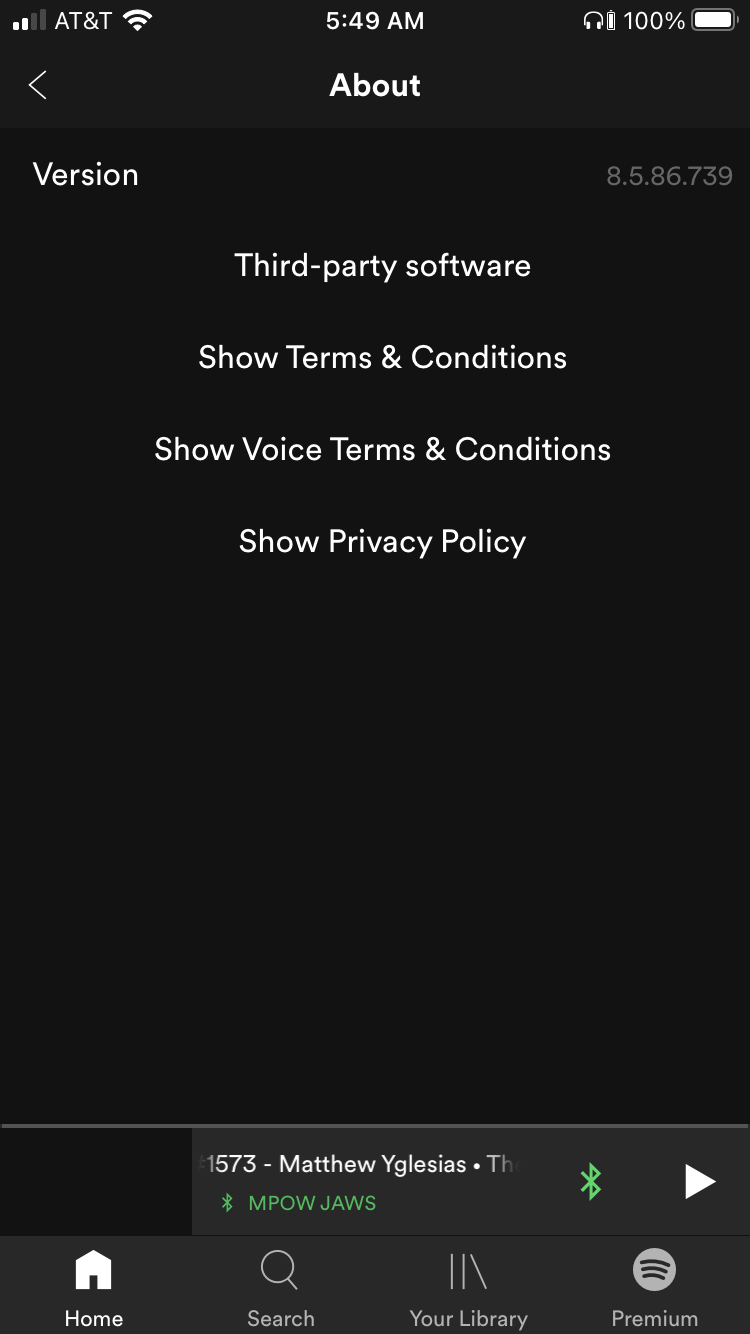
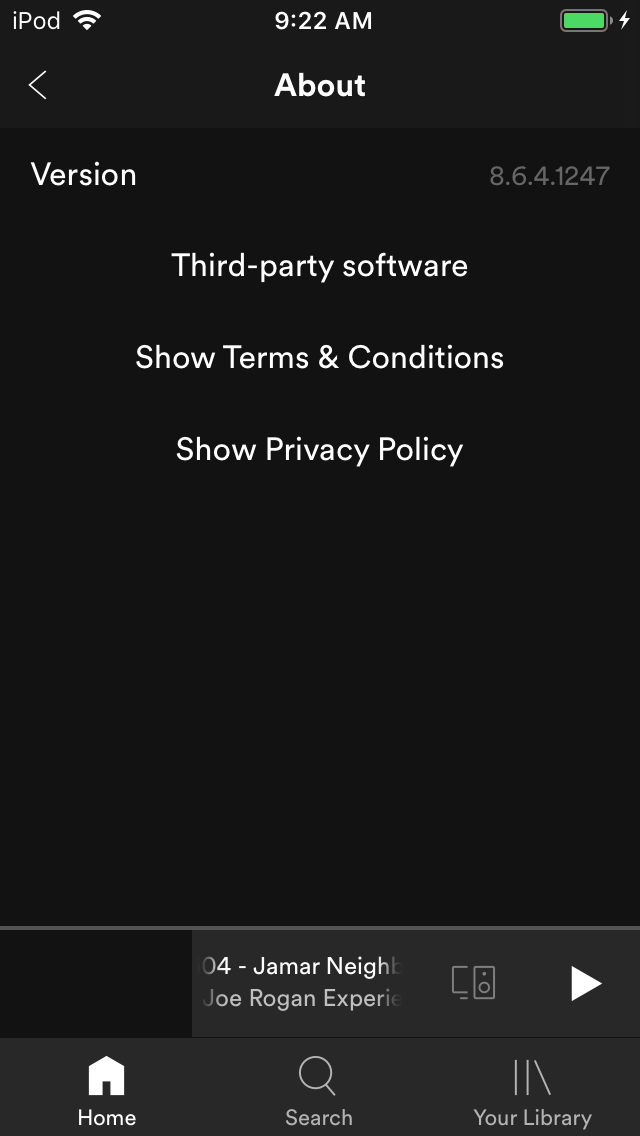
Can you let us know which version of the app you have?
We'll keep an eye out for your reply.
Cheers!
I posted the screenshot yesterday.
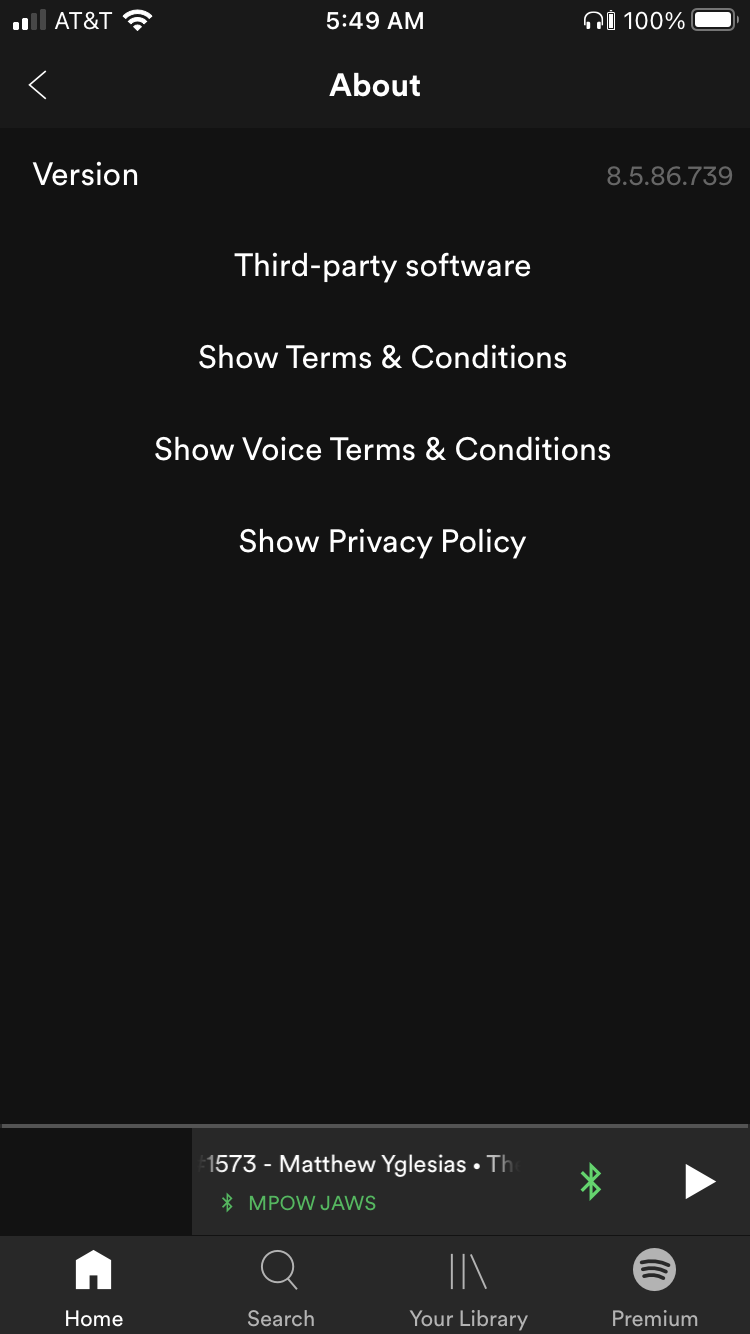

Hi again @Mooret83,
Thanks for keeping in touch and for all the info you've shared with us.
We're sorry for the mix-up, but the option to download audio-only podcasts is one of the new features we're still testing, therefore it isn't currently available for everyone. We appreciate your feedback and will make sure to pass it on to the right folks.
However, when you're listening to a video podcast with the app running in the background or when the screen is locked, the battery consumption shouldn't be the same as if the video was playing on-screen.
We recommend trying that way and let us know how it goes.
If you have any questions, give us a shout.
Of course my screen is off and locked, I am not an **bleep**, but thanks. And I understand that it shouldn’t drain my battery when used in that manner, but it does. How is audio only an option that you are just working on...seems like a day one type of thing.

Hi @Mooret83,
Thanks for getting back in touch.
Since you mention that this is happening even with the screen locked, you might be experiencing this issue. You can add your +Vote and Subscribe to the thread. That way you can stay up-to-date with any relevant news about this.
On another note, we recommend keeping your Spotify app up-to-date to guarantee you get the latest features and fixes.
If you have any questions, just let us know!

I have the same problem. I cannot download only audio for JRE on an iPhone. When I'm in the data saver setting the only option is to make the music a lower quality. I tried the recommended deleting of app, powering off and reinstalling. Didn't do anything.
There is no reason to have to download such a large file and a video for an audio podcast. I'm not sure if you understand why podcasts are so successful but its because you can download one, put your headphones on and go do things. Chores, drives, walks, etc. etc. I don't need the video. I'll watch it on the desktop version if I want video. Thank you. Please resolve this quickly.
Hey @Yiorgos88,
Thanks for reaching out to the Community.
Apologies for the confusion, as @CarlosE mentioned, the download audio-only option for podcasts isn't fully rolled out to all accounts yet. The reason for this is that we're constantly running tests in order to provide you with the best music experience possible. So it's possible that you might see something on the app your friend doesn’t, or get a brand-new feature for only a temporary period. Click here to learn more about Spotify tests. We recommend keeping your app up to date, as software improvements come with every update.
Hope this is helpful but don't hesitate to let us know if you have any further questions!
Still no audio only option. Pathetic. I am still having issues with your app eating my battery. In 25 minutes it drained my battery 23% ! I was listen on my headphones with my phone I’m my pocket and no apps running. I checked my battery info...Spotify usage in the background 48!!!!!! What the heck
os that?! It even specified 1
min on screen 4hrs in the background. So if I use your app I have to walk around with a battery charger. Cool. Keep up the good work.

Is this option just for paid Spotify memberships? Because I did all the steps in the reinstall and I still don’t have the option for audio only

- Hi can’t find audio only option for iPhone 11 latest version ios also tried to uninstall and reinstall app
Still no audio only version of JRE. Is anyone working on this? It has been over two months since my original post. The amount of time this is taking is absurd. How is this possible? Why would anyone buy premium if you can’t even get the free version right?

Hey folks,
Thanks for your replies.
@Keyvo, not to worry. Keep in mind that this is not related to your subscription type.
@Shoeyod, @Mooret83, this feature is still being tested and this is the reason why it's not available to everyone. We'd recommend keeping your app up to date so that you don't miss it when this feature becomes available to all users.
We appreciate your feedback regarding this, and will make sure to pass it onto the right team.
If anything else comes up, we're always a message away.
Have a good one.


I was kinda stoked when Joe was making the move to Spotify since it gave me an excuse to consider changing my music listening paradigm and joining the world of streaming, but it turned out to be the worst app I've ever had the misfortune of being acquainted with.
Still no ability to download audio only:
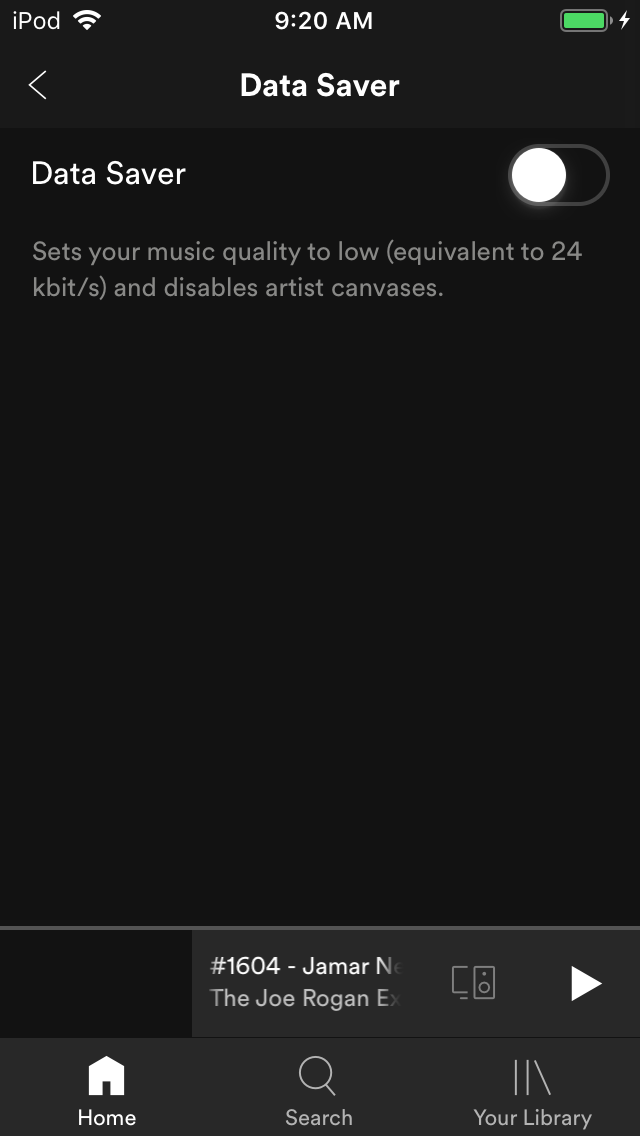
Haven't been able to listen to Rogan since January 30th and don't see any ability to do so in the future. The app simply will not play any podcast EVEN if the file is fully downloaded—regardless if 'go offline' switch is on on off/whether or not I'm connected to WIFI:
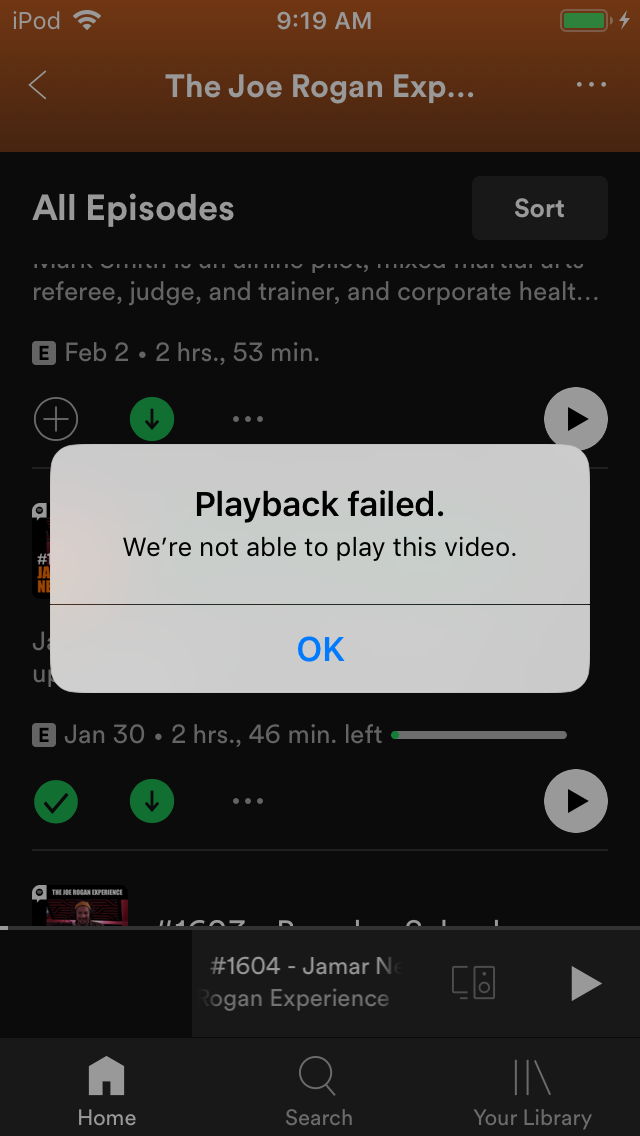
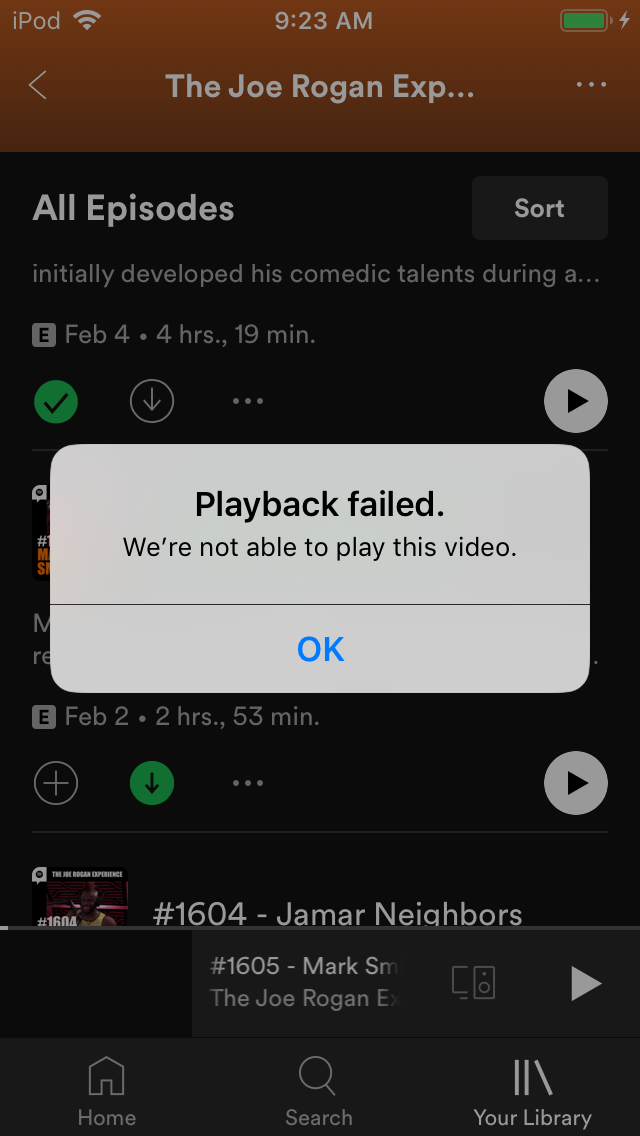
I have followed the instructions for a clean reinstall and experience the same problem on my:
1) iPod touch 6th generation
2) iPhone Xs
3) latest iPad Pro
I literally have no choice but to completely abandon this podcast/app.
So in the end, the entire issue comes down to extending everyone the ability to download audio only—which is the subject of this thread.
Hey @Oreski5933,
Thanks for searching for the answer you need here.
You should be able to download only the audio of the podcasts by turning on the option Audio Only Podcasts in the Data Saver section of the setting menu on mobile devices.
If the option isn't available, let us know if this issue persists once you've performed a clean reinstall on the affected device. We recommend this step since it'll get you the latest app version with all necessary updates and remove any corrupted files from previous installations.
If that doesn't fix things, could you let us know the Spotify app version you see at your end, as well as the respective make, model and OS version of the device you're using? We'd appreciate it if you also attach to your post a screenshot of how your setting menu looks like
Keep us posted! We'll be happy to lend a hand if you need more help.