Spotify eating up huge amounts of CPU!!

Device
Macbook Pro 16 inch 2019
Operating System
Catalina V10.15.7
My Question or Issue
I've tried uninstalling and reinstalling spotify many many times but no matter what, spotify instantly eats up my entire CPU and my macbook pro 16 inch heats up tremendously!
Here's a screenshot of my activity monitor within seconds of launching the app:

And here's what happens after I quit spotify. It always says application not responding! The only way to truly quit it is Force Quit. If I don't Force Quit the app just stays open and lags my entire computer
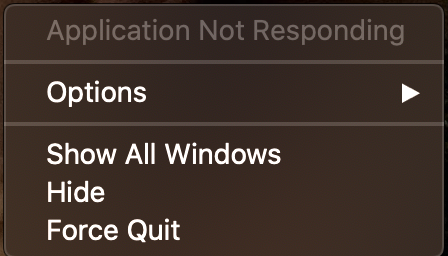
please help, my macbook has 0 issues apart from this spotify app and i really miss being able to listen to music
Accepted answers
All comments
I tried the steps that you listed and the same issue still persists
One thing I noticed is that after deleting all the 'Spotify' folders and shutting down my computer in the clean reinstall guide, Spotify started up again on restart. Can't tell if this is desired.

Hey @sqr_08,
Thanks for getting back to us.
Could you make sure that the option Open Spotify automatically after you log into the computer in the Startup section of the settings menu is set to No?
As for the high CPU usage - it's possible that the app scans the device for local files to import. We recommend that you navigate to Settings>Local Files and enable Show local Files. That will reveal the section Show songs from appear. Untick everything you see and then disable Local Files again.
Keep us posted! We'll be happy to lend a hand if you need more help.
Hey I am still having trouble with this issue, is there anybody who is able to offer any more help?

Hey Jeremy, I can confirm I followed those steps
Here is my settings
My 'Serato DJ Music Library' folder is quite large, and I wonder if thats the issue
It is 53gb and has many many subfolders
I just wonder if Spotify local files can't handle a folder that big with that many folders
Thanks



Hey @sqr_08,
Thanks for keeping in touch and for the info.
Having such a large source enabled for Spotify to scan for Local files can lead to the issues you're describing with the CPU usage.
If you want to import Local files to Spotify, we suggest creating a new folder with only the files you'd like to import and enable only that folder in the Local files sources selection, making sure to disable any other folders that appear there.
Hope this helps. Keep us posted on how it goes.
Hey @sqr_08,
Thanks for reaching out.
Could you let us know if the issue persists after disabling Hardware Acceleration in the Advanced Setting menu of the app? If it does, it's a good idea to also clean reinstall Spotify on the device where this occurs. This step lets you start afresh with the latest app version by removing any corrupted files from previous installations.
Hope this helps. Keep us posted on how it goes.