Spotify if taking 1.3GB of memory on Windows

Plan: Premium
Country : India
Device: Lenovo Legion Laptop
Operating System: Windows
My Question or Issue: Spotify is taking up way too much memory. All the sudden my computer froze and when I checked the task manager and I found that it was using 1.3GB all the sudden.
Accepted answers
All comments

I've reported this too, to no response, my computer freezes up even when Spotify is idle. The desktop app is a complete waste of space. I can just about get the web player to work but have to restart it every hour or so. Most programmers would treat this sort of issue as a top priority bug to get fixed. Spotify don't seem to give a damn.

Hi there folks,
Thank you for your posts here in the Community.
Can you let us if and what troubleshooting steps you've taken so far?
We also suggest that you perform a clean reinstall of the app. This will make sure there's no old cache files causing this.
It would also be great if you can let us know if you have the same issue with other devices?
We'll keep an eye out for your replies.
Take care!
Hey,
I had done a clean reinstall. The issue hasn't come about after that but when I run Spotify, more than one instance of it is there in the task manager sometimes.
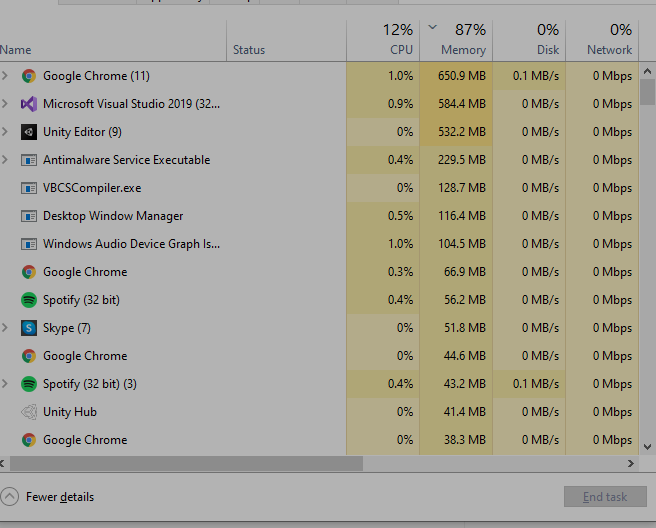
I don't know what this was for or if this is intended. Just thought I'd post it here.

Hey @AadityakiranS,
Thanks for keeping us in the loop.
If you still observe the same after a clean reinstall we recommend checking your hosts file for entries that need to be deleted. Follow the steps described here on how you can do that.
It's also a good idea to clear the cache on your device by following the steps listed here.
Hope this helps, keep us posted.
https://community.spotify.com/t5/Spotify-Answers/Can-t-access-the-Web-Player/ta-p/4631438
Has something to do with accessing the web player. That has nothing to do with what I posted right? Was that a mistake?
Hey @AadityakiranS,
Thanks for getting back.
The article linked describes how to clean up the hosts file on your device from entries that might need to be removed. The title is related to the Spotify web player since the same steps work for another type of issue.
Make sure you scroll down to find the relevant steps depending on the device in use and feel free to follow them.
Let us know how it goes.
Hi again @AadityakiranS,
Thank you for your reply and confirmation.
Let us know if we can help you with anything else 🙂
Take care!

After a complete reinstall the problem is still there.
Some furter testing shows that the escalating memory consumption starts after a couple of minutes after staring Spotify.
My activities in Spotify does not seem to make any difference. Same thing happens whatever I am doing (or not doing).
Hi there @gfredhei,
Thank you for your reply.
It would be really helpful if you can send us screenshots, and if possible a video that showcases how the app continues to use up memory even without any activity in the app.
Also, can you let us know the exact windows version, including current build and revision?
We'll keep an eye out for your reply,.
Cheers!
hI!
I was only able to capture a video of the taskbar window.
As you can see in the video I start Spotify and just wait for the memeory consuption to start. After about two and a half minute the memory consumtion starts.
All I do is start Spotify, wait, then stop the vide capture after about 5 minutes.
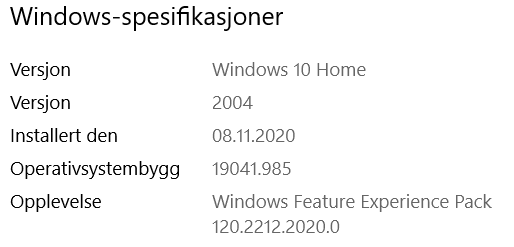

Hey @gfredhei,
Thanks for getting back to us and for the video.
Could check if toggling the Enable hardware Acceleration feature on/off in the Settings menu makes a difference? It's a good idea to go to Settings>Local Files and disable any unmercenary sources from the list Show songs from bellow.
Keep us posted how things work out.
Changing the Enable Hardware Acceleration does not make any difference

Hey @gfredhei,
Thanks for bearing with us and for trying all our suggestions.
Try heading to the app Settings and toggle the option Local Files on > toggle off all the sources that appear there > toggle Local Files back off.
Let us know if this does the trick. We'll be on the lookout.

Hi all, I suffer from the same problem, but to me it looks that the memory leak happens only when sorting playlists. When I simply use spotify to browse around and play music, memory usage remains stable at <200MB. As soon as I start sorting playlists by clicking at the top of a column, memory usage starts rising and doesn't go down again. If I keep sorting (just keep on clicking) memory usage goes up and up until at some point things get slow and ultimately the whole UI crashes.
The suggestions given in this topic do not help...
Is anyone else also seeing this memory leak (and UI crash) when sorting playlists?
Hi there @sajdvbdhjxdzcsd,
Thank you for your post in this thread. We're happy to help.
Can you let us know which app you're using - The Microsoft Store version or the one that can be downloaded and installed from our website? It would be great if you can try the one that you don't use to see if the issue persist.
Also, can you provide us a screen recording of your whole screen so that we can have a closer look directly from your end?
We'll keep an eye out for your reply.
Cheers!

**bleep** , "solution" , "resolved" , "new update is great"
clearly, no one gives a **bleep**, and they are marking these things because it doesn't matter to anyone higher up. Think about that. No one cares. Enjoy.
I already cancelled switched to a new platform. Will I ever come back? Will my kids? Will my wife?
New update destroyed spotify for music fans.
Hi there @first_time_post,
Thank you for your post and feedback.
We're sorry that you feel this way.
Let us know if we can help you with some troubleshooting when or if you ever come back.
We always take new ideas and feedback into consideration to improve the app.
Take care!

I'll give vote to also just explore music, add to playlist etc. Memory usage it's like Pacman eating those dots and your score increasing. I don't remember exactly how long the playlist was (maybe 200+ tracks) , but the crash was very easy to replicate ( < 2min) with just sorting playlist.
Win10Pro, 64 bit
Spotify: 1.1.59.714.g7e040462-a

Hey @Blueberry,
Thanks for the post.
Could you share a screen recording of this?
You can attach it to your next post or add a link to an external video sharing platform.
Also, does this happen with a particular playlist, or is it everyone?
Hi, I haven't managed to make a screen recording that shows both spotify and the memory increase in task manager at the same time. However the issue is easy to reproduce:
1. Open spotify
2. Open task manager next to spotify to keep an eye on memory usage
3. Click on a playlist (any playlist, does not matter how large, however for bigger playlists memory usage seems to increase faster)
4. Start clicking on the "title" column to sort the playlist, and simply keep on clicking
5. Result: memory usage of spotify app increases fast. Sometimes it decreases a little, but in general it keeps on increasing. At some point (for me around 1.5GB) first everything gets very slow, and then the spotify UI goes black and restarts.
Some more info:
- Version 1.1.59.714.g7e040462-a, however I also saw the issue with previous versions with the new GUI
- Problem shows both on the app version from Microsoft Store and from the website, just checked it with a fresh install
I hope this helps in finding the rootcause. I encountered quite some bugs in spotify on windows recently, but I would say this is the most serious one...

Hey there @sajdvbdhjxdzcsd,
Thanks for sending us those steps.
We tried this on our end, but we couldn't replicate it.
In this case, would you mind sending us a screen recording in which we can see the issue happening so we can take a closer look? Or could you send us some screenshots where we can see the task manager difference when filtering/playing music? Make sure not to send any private info.
Lastly, could you let us know the exact make/model, operating system and Spotify version of your device?
We'll be on the lookout.

Try heading to the app Settings and toggle the option Local Files on > toggle off all the sources that appear there > toggle Local Files back off.
Doesn't make any sense but it just worked.

Hey @elcoso,
Thanks for reaching out about this, and welcome to the Community 🙂
We're glad to hear that you were able to sort this out.
Don't hesitate to let us know if anything else comes up.
Have a good one.

me too.. 😭 the UI needs a full overhaul.. its so buggy and sluggish.. need this to be optimized very soon before it is too late.
This memory leak doesn't happen anymore I think but now it's crashing all the time. It's no use posting in this forum. They don't really update you if resolve it or something. Now it's crashing some of the time and when I open it again, I have to go into the task manager and clear all the background processes which are associated with Spotify to make the damn thing start again. They shouldn't have so many bugs right? I don't know.

I had the same problem. Surprisingly, I switched to using Spotify on Firefox, and Spotify RAM usage is stable at below 150MB.
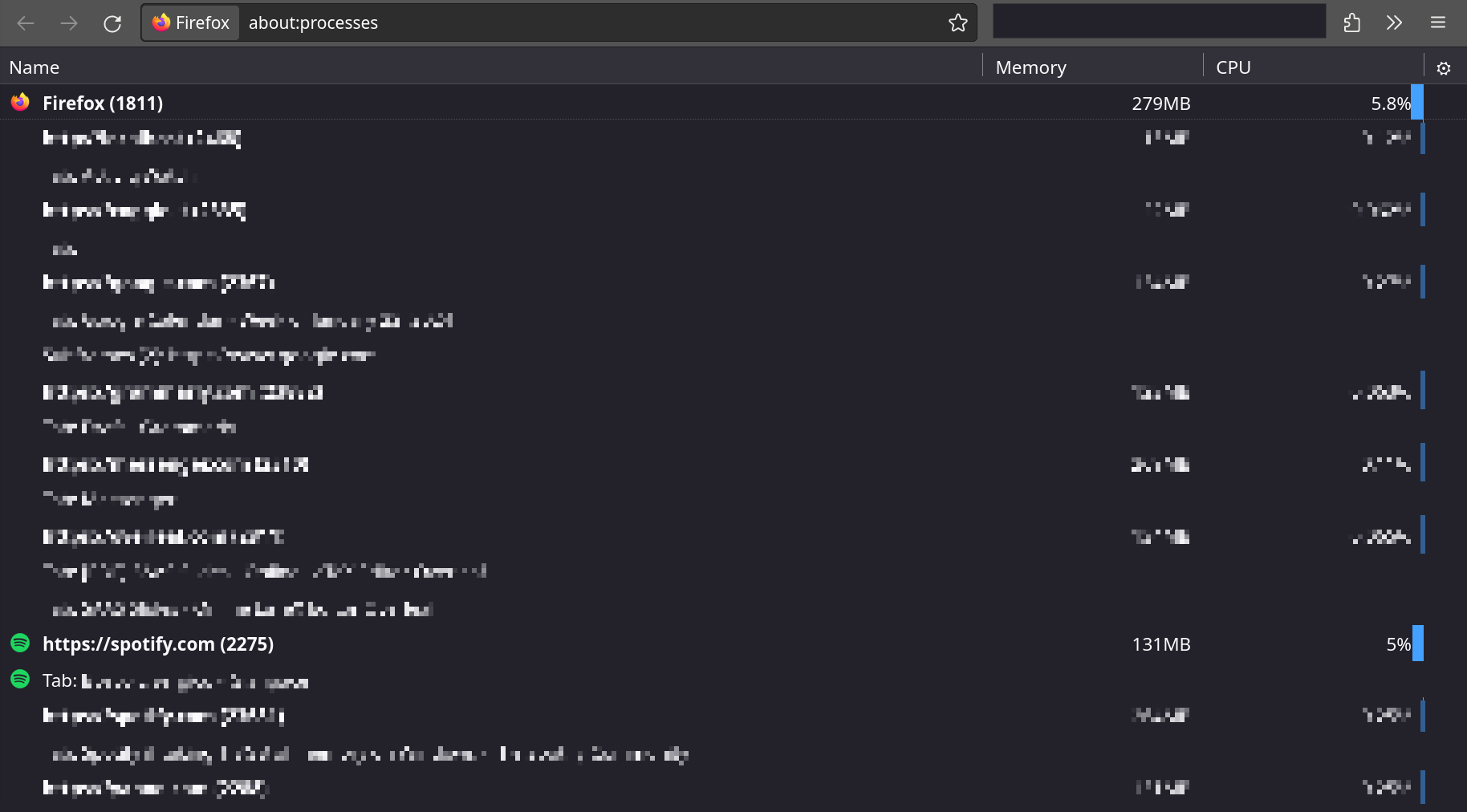

From their various "Spotify Engineering" blog posts, it's clear that Spotify engineers don't know what they are doing. For instance, moving their simplistic platform to the Google Cloud some time back. They had to do this as Spotify doesn't have engineers who know how to make what is essentially a very simple content distribution network function well. Even if they wanted to fix the many problems of the desktop clients, they don't have the staff that can do it. Another example is "Spotify HiFi" which Spotify couldn't get working. One more... the recurring rash of "can't play this file" that people run into because the Spotify client is buggy. One could on and on as there are thousands of unfixed issues with the client and service. The answer that more and more people are arriving at is to move to some other platform where there is greater depth of the engineering talent.
It seems like Spotify has a memeory leak. On my computer Spotify has started to use more and more memory. At some point, when there is no more memory available it chrashes.
Spotify has become absolutley useless now.