Mac Desktop Queue everything is playing

Plan
Premium
Country
Netherlands
Device
Macbook Pro mid 2015
Operating System
MacOS Big Sure 11.1
My Question or Issue
Steps to reproduce:
1 - start playing an album or playlist
2 - go to queue to see what song is up next
Expected behavior: only one song appears as "playing"
Actual behavior:
Every song in the queue is highlighted green (playing) and has the fake equalizer effect left of it.
Accepted answers
All comments
Hi, unfortunately, the issues persists:
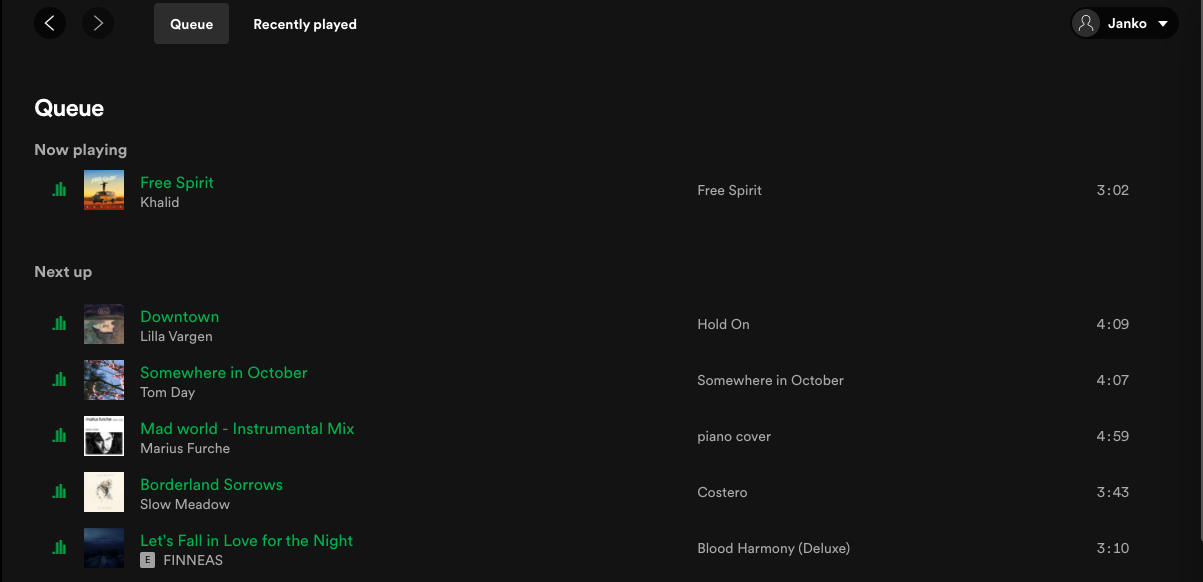
I followed all the steps for the clean install and I double checked my "/private/etc/hosts" file, it did not have any spotify related records.
A kind note: the Mac Clean reinstall does not mention moving Spotify to Trash and cleaning the trash. I would assume this is a necessary action for reinstalling.
Is there anything else I can try?

Hi again @jankovd,
Thank you for your reply and confirmation.
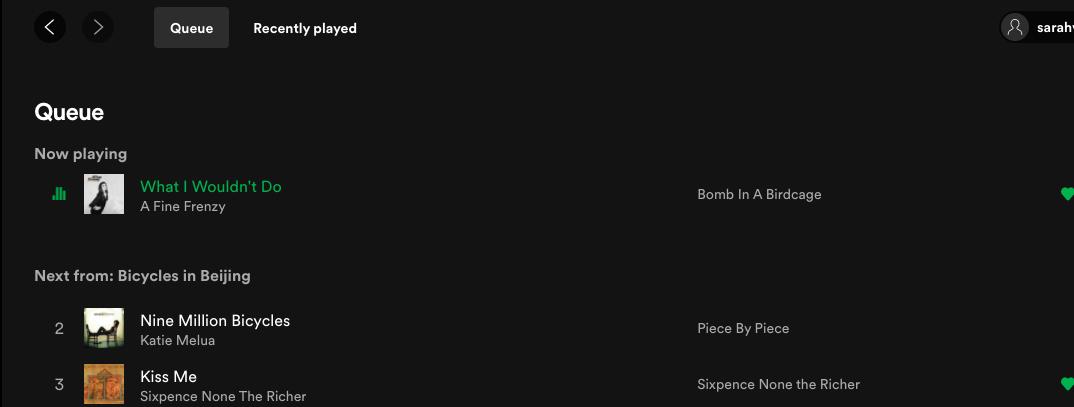
Can you log in with a different account - such as a friend's or a family member's to see if the issue persist? This will we'll know if it's account related or not.
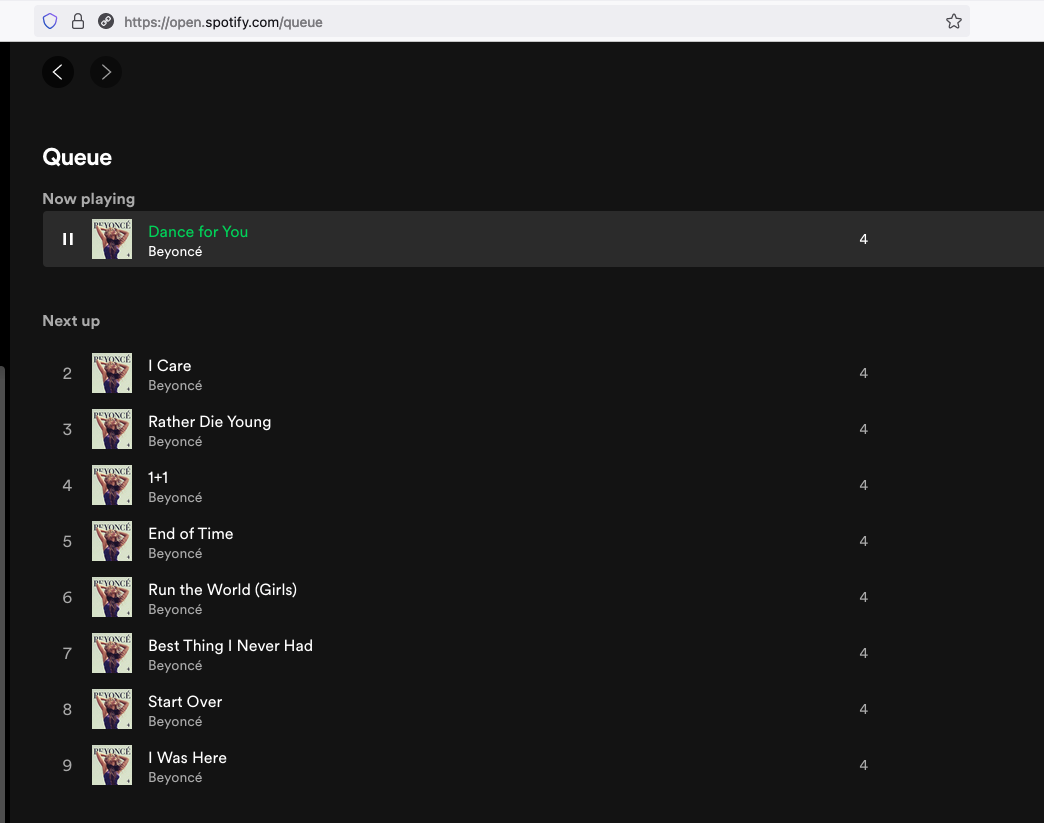
On another note, do you get the same behavior if you're using the web player?
Cheers!
Web Player works fine:
Another user account works fine too:
When I play the music directly on my computer, it works fine too:

But I normally listen on a third party device over spotify connect.
Maybe the spotify connect client is outdated?
On Mac
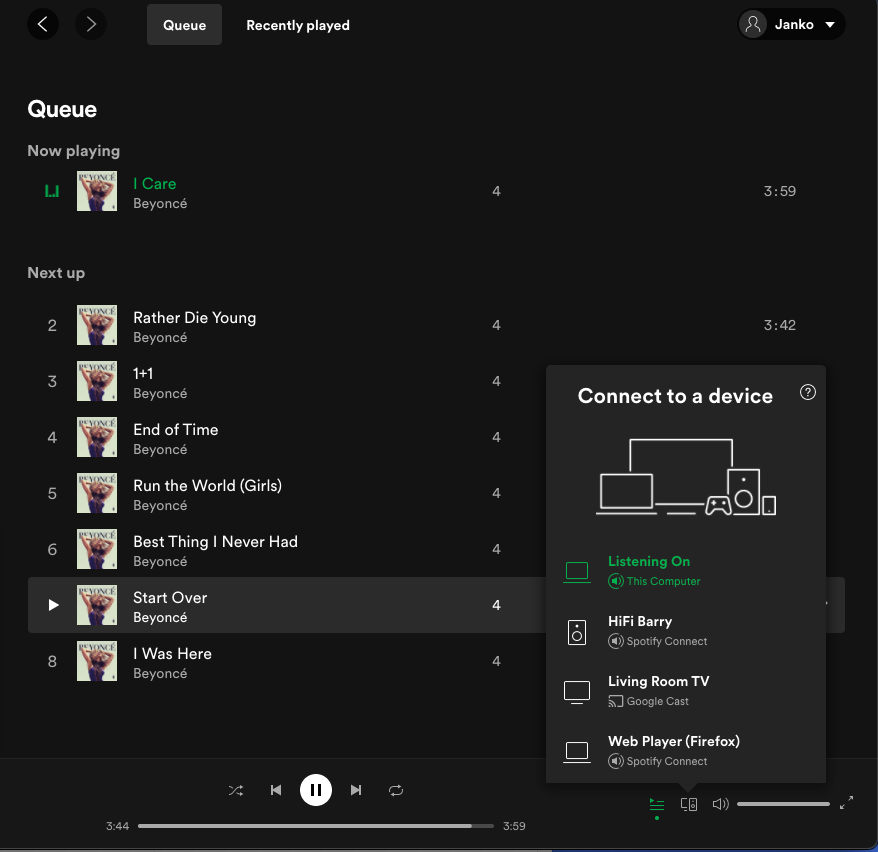
On Spotify Connect:
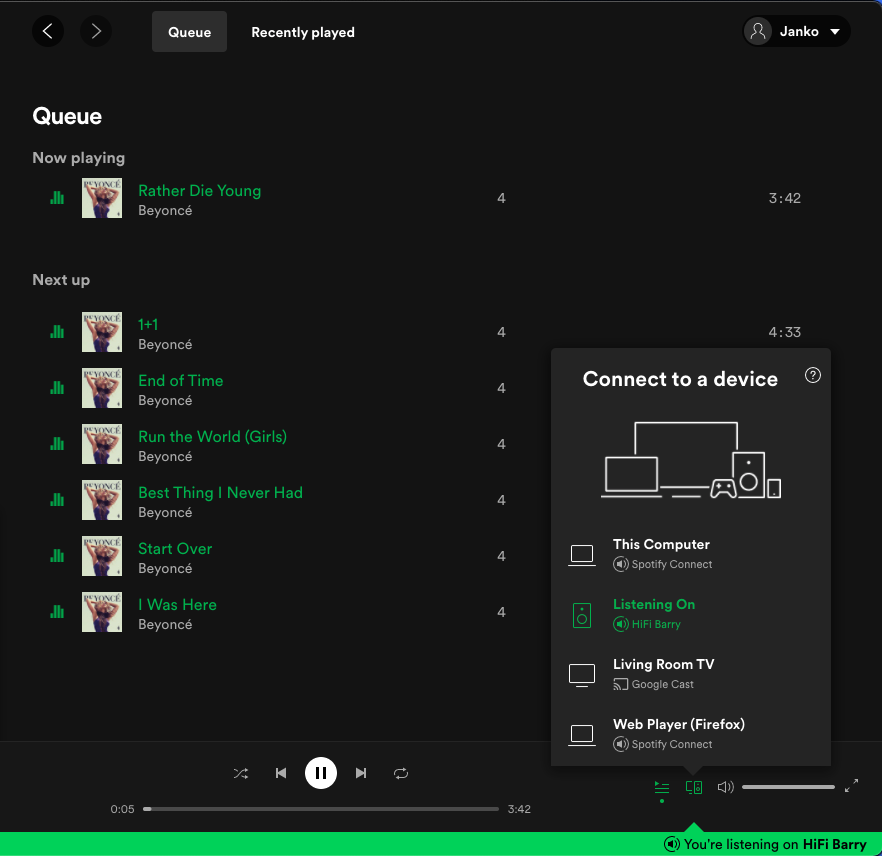
Unfortunately, I do not have another spotify connect device lying around to test with.
Kind regards,
Janko
Hi again @jankovd,
Thank you for your reply.
Just to confirm - does everything work as it should when you're not using connect with both yours and the other account?
Can you try to restart your router?
We also suggest that you make sure that the connect device not pending any updates.
Cheers!
Hi there @jankovd,
Thank you for reaching out to the Community. We're happy to help.
Can you perform a clean reinstall of the app? This will make sure there's no old cache files causing this.
Another useful step to try is to remove all lines of your hosts file that are blocking Spotify by following the steps bellow:
Let us know how it goes.
Take care!