Globe Prepaid Payment Method is gone?

Plan
Student Premium
Country
Philippines
Device
Redmi Note 7
Operating System
My Question or Issue
Good day all,
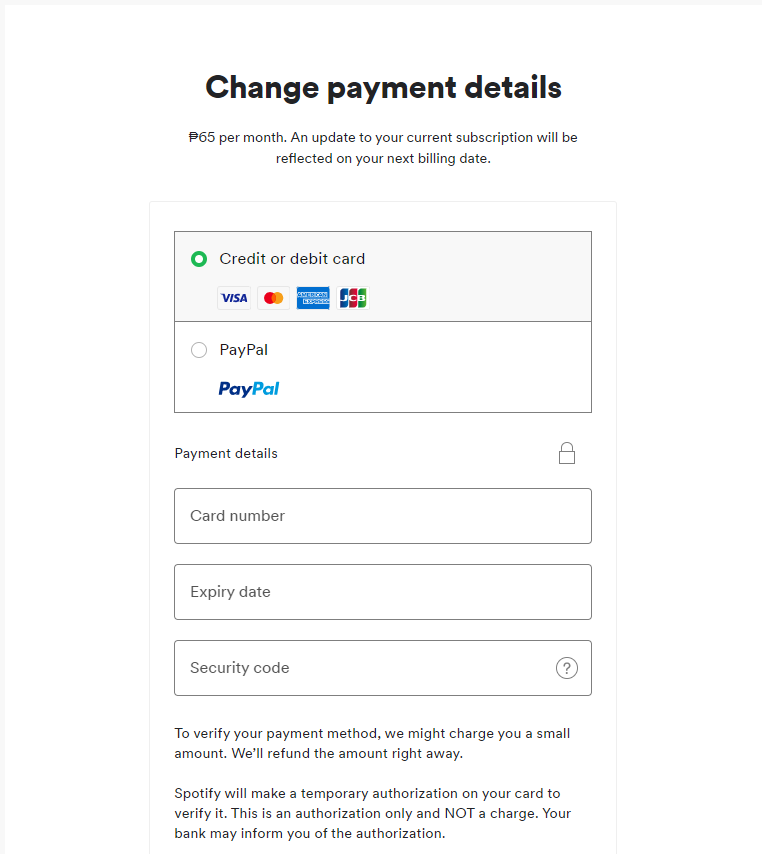
I'm currently on student premium plan (charges me 65 php monthly), and my payment method is Globe Prepaid (an additional 10 php is charged) but when I'm about to pay again, the option to choose Globe Prepaid doesn't show up, instead gives me two options (Credit card/paypal) *see image below*
My question is the prepaid load for Globe as a payment method is gone? If not, how can I make it show up instead?
Accepted answers
All comments
Hey there,
I tried updating it with Google Chrome the payment methods still offer the two mentioned previously. (see image below)
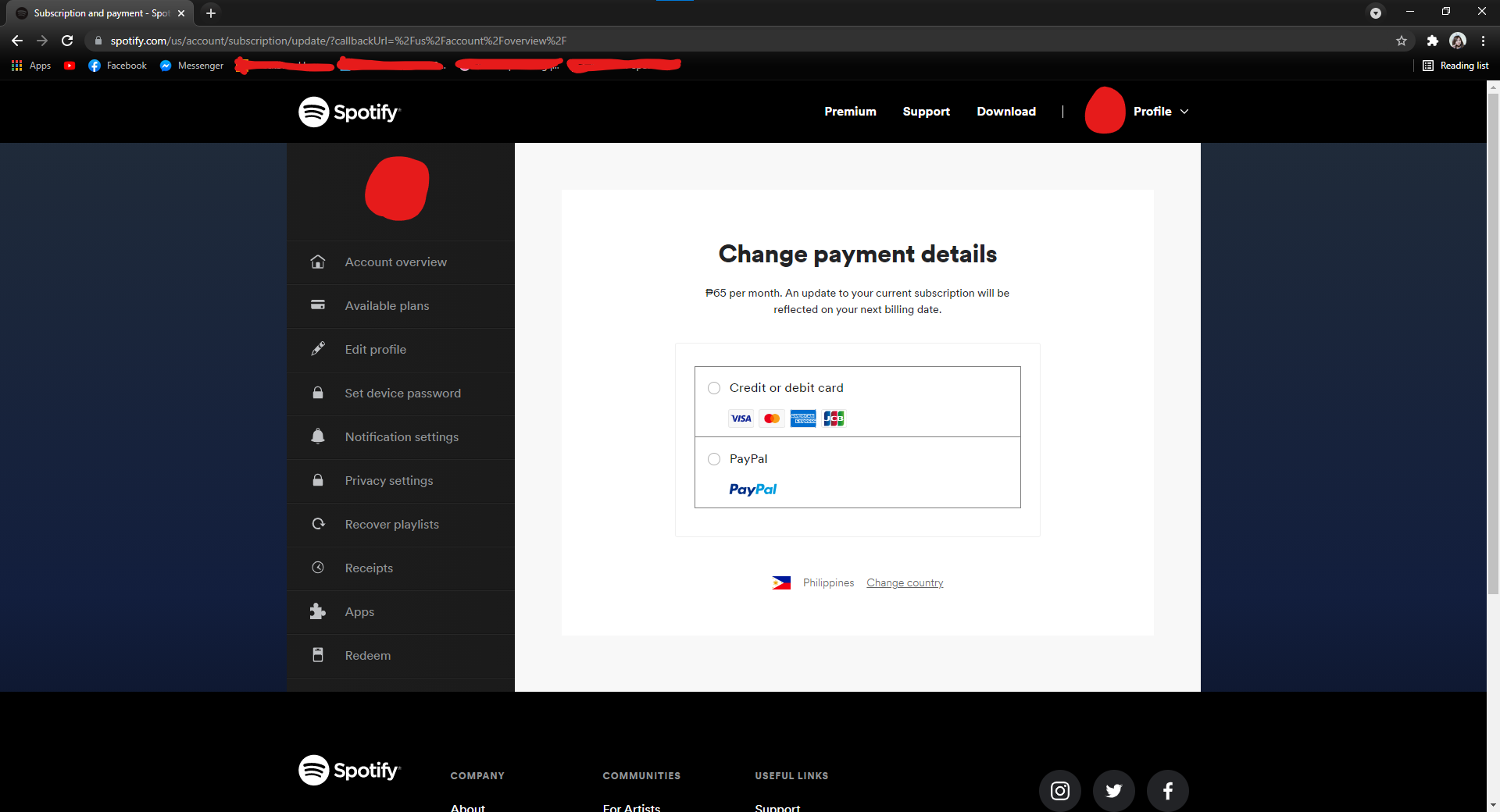
I also tried doing it via my phone, unfortunately when the window pops up, it says my plan was Spotify duo but when I'm going to select change plan, the window pops out, but the payment methods include the prepaid load which is my choice to go.
Waiting for your reply,
Thanks.

Hey @Zelvade,
Thanks for getting back to us 🙂
Could you try clearing the cache and cookies to see if that makes a difference?
It's also a good idea to try with another network to see if that helps.
Let us know how it goes.
UPDATE: The problem is now fixed.
I cancelled my premium and got it immediately and the payment method I was looking for showed up.
Thanks for the help!
Hey there @Zelvade,
Thanks for reaching out about this.
You should still be able to pay your subscription using Globe.
In this case, we suggest that you try again from an incognito window and a different browser.
Also, it's worth trying from a different device to check if that makes the difference.
Keep us posted.