Spotify Blend - Leaving a Blend

Plan
Premium
Country
United States
Device
Google Pixel 3 XL
Operating System
Android 11
My Question or Issue
Hello! I was wondering what would happen to a blend I have created with a friend if I were to leave the blend. Would they still be able to view it and would it continue to update daily, or would it be completely removed for us both? Thanks!
Accepted answers

Hey @amzephyr,
Thanks for joining the thread!
As @Yordan has pointed out, in order for the Blend to be available, there needs to be at least two users in it. When there's only one person left in the Blend, it will become unavailable to all past participants, regardless of who had first created it.
If there are multiple people in the Blend, there will be no notification when you leave but your absence will be made noticeable by the missing songs under your name.
Hope this helps! Let us know in case there's anything else.
All comments

Hey @DS3211,
Thanks for the post!
If you have joined Blend and If your right click and remove it from the library, it still stays under Made for you, for whenever you want to listen to it again. On Mobile, you can Leave it, and this way you'll lose access to the playlist.
If you're the creator, you can Leave the playlist or delete it. This will make it unavailable both for you and the person who has joined 🙂
Hope this answers your question.
Cheers.

Hi! i wanted to add to this discussion. What can i do if i accidentally left a blend? my friend and i created a blend and when i left it, we could no longer access it. so she has left it too, but she is unable to join with a new link i sent her and now we can't have a blend. is there any way i can recover the blend or anyway spotify can help us and create a new blend?

Hi @ANTMlover24,
Thank you for posting on this thread!
If you and a friend leave a blend, you should be able to access the same one again. Could you let us know what's the error message your friend gets when trying to accept your invitation?
You can also ask her to send you the link instead, while you try to join.
Keep us posted.

every time I try to leave a blank that I joined it says please try again later. Can you please explain why this is happening? I’m really trying to leave it.

Hi there @gailninette,
Thanks for reaching out.
Can you try logging out from your account, restarting your device, and logging back in? If the issue persists, try using a different connection and alternatively, a different device.
Keep us posted on how it goes.

The same is happening with me. But I'm trying to join the link through the browser. I'll try with the app. I'm from India btw.

Hey there @Sunidhi,
Thanks for getting in touch about this here in the Community.
First up, we suggest that you make sure that your browser and Spotify app are up to date.
If this doesn't make any difference, would you mind sending us a screenshot of the error message you're getting? Make sure not to send any private info.
Lastly, we'd like to know if this is the first time you want to create a Blend or if you've already created one and then you left it.
We'll be on the lookout.
I think it's a web player problem.
I could restart the blend when my boyfriend accepted the request with his
app.
I think Spotify created the Blend before and I left it. And then when I
tried to create it again, the link was not being accepted in the web
player.
Hey @Sunidhi,
Thanks for your reply.
Just to confirm, were you able to join the Blend again?
Keep us posted.

If someone leaves a Spotify blend does it still update with their music if they weren’t the creator, only the invited?

Hi @Strwby04,
Thanks for your post.
If a friend of yours leaves a blend you've created with them, the songs your friend likes should stop updating, as the blend will not be able to fetch new info about your friend. This, however, might not be reflected immediately and a couple of additional updates regarding track position or new entries might still occur. These updates will be based on your music taste though, as you're the only one left in the blend.
Hope this clears things up. The Community is always here if there's anything else you need assistance with.
Cheers!

I'd love to join this discussion
I made a blend with a friend, once I did that we both had "liked" the playlist
a day ago I misclicked and dropped a "like" on the playlist
now I can't find it anyways (including "Made for you" )
my friend still likes it but it seems to be gone. what should I do?
Hi @Lostdawn,
Thanks for reaching out!
If you were the owner of the blend and you left it, you'll have to create the blend again, just make sure your friend leaves the previous one as well. There might also be some temporary cache issue in case your friend is still able to access it, so we'd recommend clearing the app's cache by going to the app's settings > Storage > Clear cache before creating a new blend.
Hope this helps. The Community is always here if there's anything else you need assistance with.
Cheers!

Hi, I had a question about the blends…
I created a blend with my friend a few months ago but it’s no longer on my library. I listened to it a lot and I haven’t removed it but I think she’s left it for some reason.
If she did leave the blend, is it normal that I can’t access it on my library anymore, even though I was the creator?
Hi @katieeve2005!
Welcome to the Community and thanks for reaching out!
In order for the blend to be available, there needs to be at least two users in it. So, let's say you created a blend with just your friend: when either one of you leaves, the blend will be disbanded and will become unavailable for the other user as well, regardless of who created it. You can always create a new one though, if you ever change your mind.
Hope this clears things up. Cheers!

Hi, quick question
if the creator deletes his account or does not pay for Spotify premium any longer will the blend playlist be deleted too?

If it only says one follower does that mean the other person I made the blend with left?
Hey folks,
@GRYNNN, if the account gets deleted all information in it gets deleted. This includes playlists, saved songs/ artists/ albums, user preferences, personal info etc. If you cancel your Premium account, all playlists and info remain intact 🙂 The only difference will be that you can't download music for offline listening and you'll hear ads in-between songs.
@Veltor - yes. You can check the active members of a blend playlist if you click the profile picture icons.
Hope this answers your questions.

Hi.
I accidentally made a blend with a famous artist (it was from a link on instagram). I don't want to be part of that blend. I have tried literally everything and NOTHING works. I can't delete it, I can't leave. I've tried deleting all my spotify apps and downloading them again, I've cleared everything from the apps, NOTHING WORKS.
I don't wanna have to make a new account on Spotify, but if that's what it takes to delete everything then I guess I have to..
Please help!!
Hey @queenfluffy98,
Thanks for posting.
Could you try the steps to leave a blend on this page and tell us where exactly the issue is?
Are you trying to leave the blend from the mobile app?
Keep us posted,
Cheers!

Hey, I was just wondering if it was possible to remove someone from a blend? my friends and I created one but somehow someone random got the link and joined, and we don't want them in it. would we just have to make another blend?
Hi there @asceofspades,
Thanks for the post.
You can't kick people out of a Blend playlist. What you can do with your friend is to both leave the Blend. This will remove the playlist entirely.
After that you can set up a new Blend between yourselves.
Hope this helps.

Hi
I recently joined a blend with just one other user, but I left it pretty quickly. Now i wonder if my music will still be visible/available for the other user?
I don’t want to be in the blend nor have my music in it, is that possible?

Hello, I joined a blend with my friends not to long ago, but I joined on a Web player and my phone but the problem is that both devices have a different email. I was trying to leave the blend on the Web player but I can't find a way to leave it. Is there anyway I can leave it?

Hey @rodriguez031,
Welcome to the Community and thank you for joining the conversation.
Since a Blend playlist can only be created from the mobile app, the option to leave it is not available on Desktop or the Web Player.
In this case, as the accounts you've mentioned previously were created with different emails, we'd recommend logging out from your current account on your mobile device and log back in using the account you have on the Web Player. Once you access it, you can leave the playlist and repeat the process to log back in to your regular mobile account.
In addition, we'd always recommend having just one account to avoid confusion between them. In this case, we'd also recommend merging your accounts into one so all your info will be in the same place 🙂
To do so, you just need to reach out to our Customer Support team in any of these channels (except Community) so they can check the accounts and help you further.
Hope this helps. If anything else comes up, don't hesitate to ask.

Hi @OscarDC, my blend is currently showing two users in blend (myself and my friend).
Today, I noticed there is only one green heart on the blend when there used to be two.
Does this mean the other person has left the blend? Do both users have to like the blend in order for Spotify to pull songs/update daily?
Its a little strange because I can still see the person in the blend and they are showing as a member, but only one green heart is showing?
Also, the playlist hasn’t refreshed , I’ve cleared the cache and logged in/out.
Any ideas on this?!? Thanks!

Thanks for reaching out. Could you provide us some screenshots of what exactly you see? Also see if the playlist is the same and still doesn't refresh if you open it from another device.
Keep us posted.
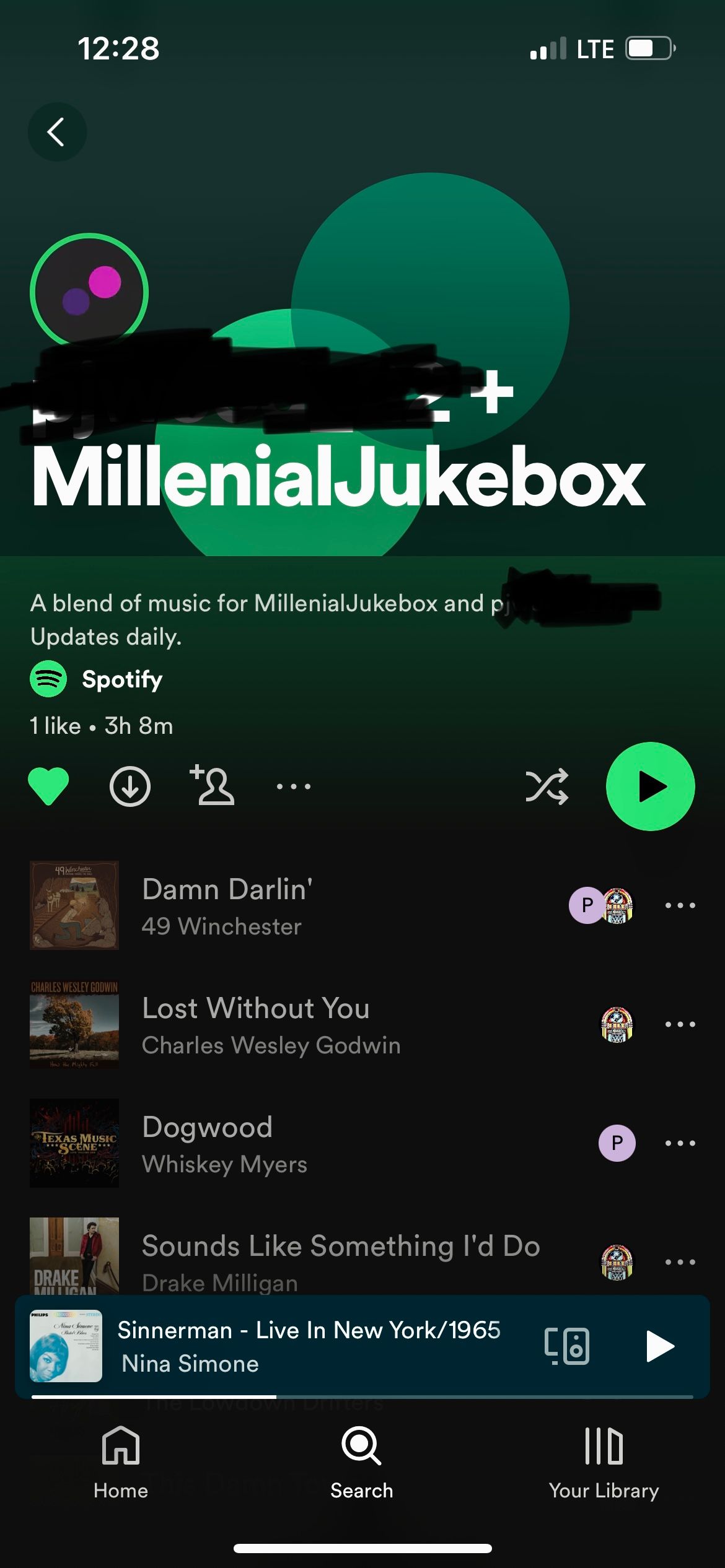
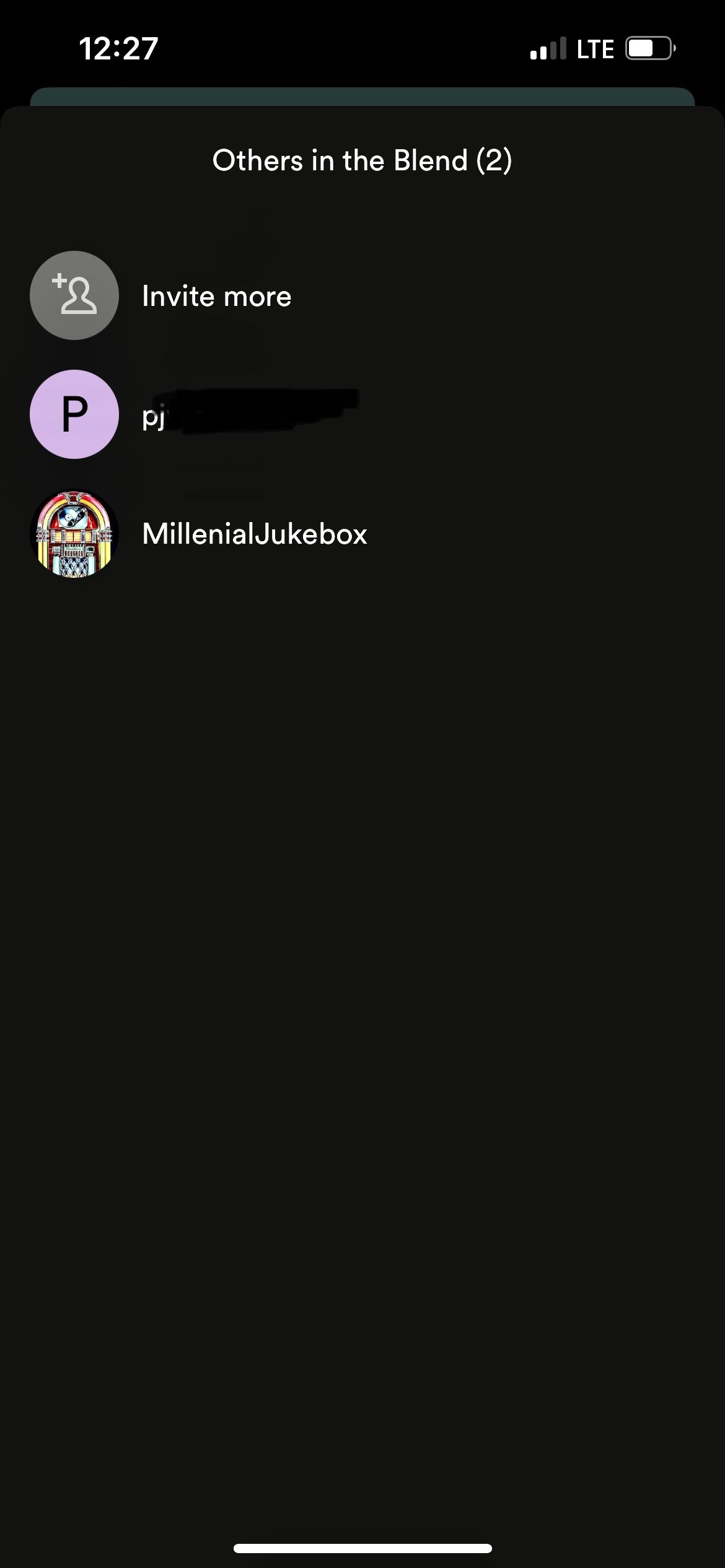
Hi Joan, I attached screenshots of who is showing in the blend, as well as one showing one green heart, with both of us in the blend. The playlist updated the day before yesterday. I logged in from my desktop, both playlists are showing the same at this time.
Thanks again!
Hi @katieeve2005!
Welcome to the Community and thanks for reaching out!
In order for the blend to be available, there needs to be at least two users in it. So, let's say you created a blend with just your friend: when either one of you leaves, the blend will be disbanded and will become unavailable for the other user as well, regardless of who created it. You can always create a new one though, if you ever change your mind.
Hope this clears things up. Cheers!