"Hey Spotify" feature not working on Android

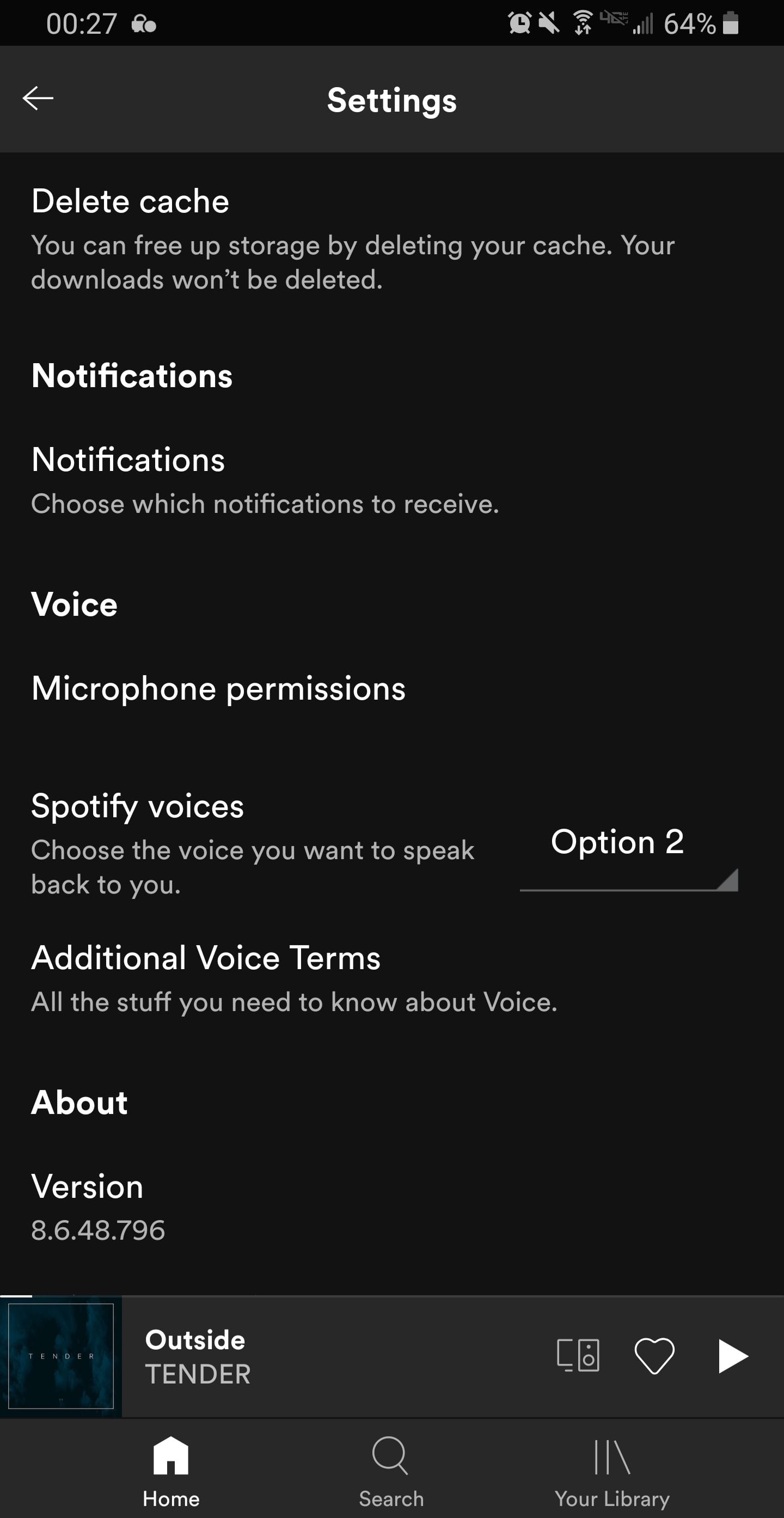
Hello. I updated my Spotify and activated the "Hey Spotify" feature but nothing happens when I say "Hey Spotify..." with the app open AND after updating it. Normal voice search works and mic permission is on. I tried deactivating and then reactivating it but no results. I don't see the options under Voice that I think I should be seeing. Force closing and opening also did not help. I'm on a Samsung and in the US.
Accepted answers
All comments

I have this same issue.

Hey folks,
Thanks for reaching out here in the Community, and welcome. Apologies for the delayed response, we just came across this thread.
Would you mind letting us know your device's make, model, exact OS version and the exact Spotify version you're running at the moment?
It would also be helpful to know if you've tried any troubleshooting steps, this will help us give you better suggestions.
We'll be on the lookout for your replies.

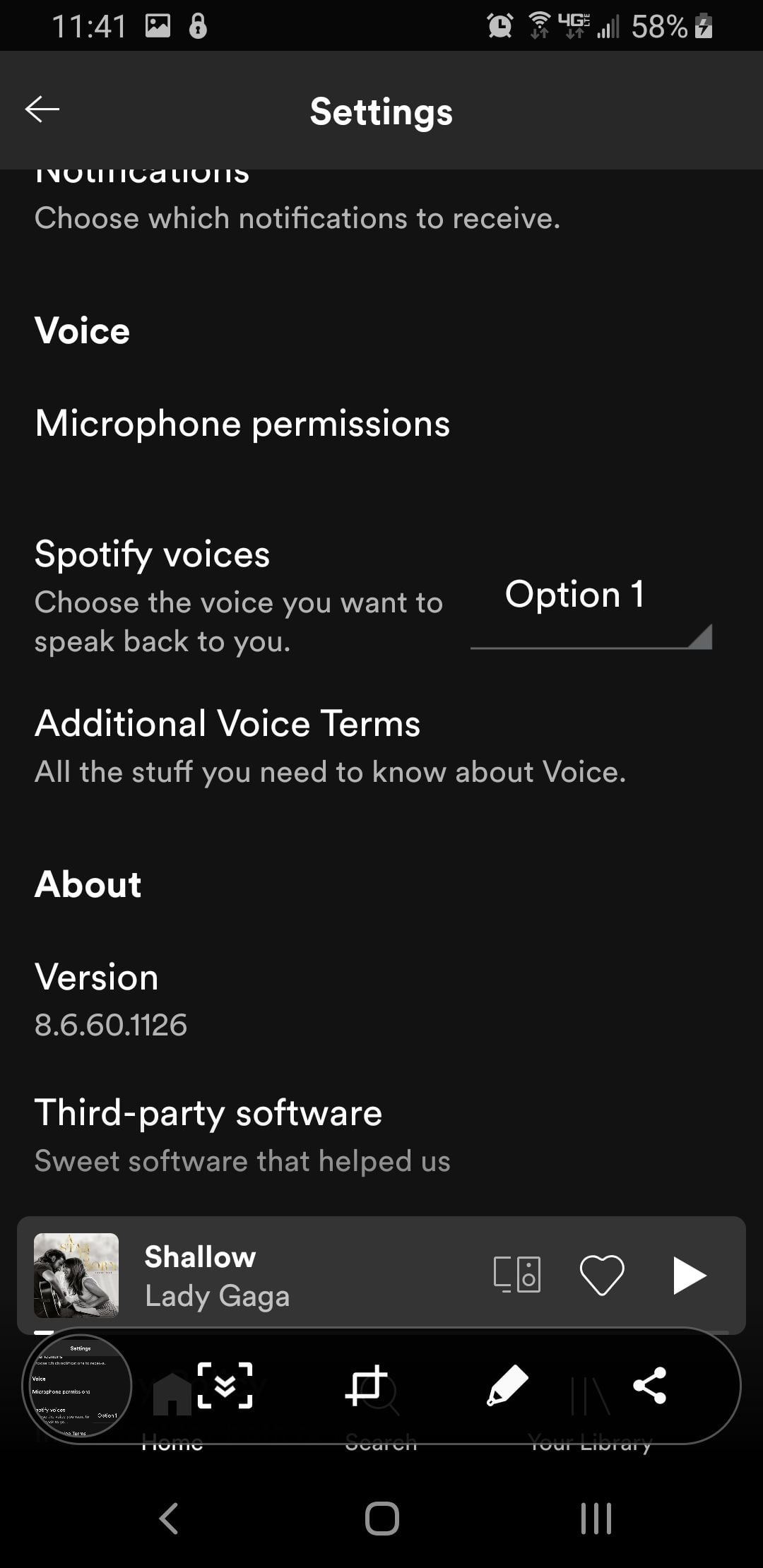
I have the same problem. I am using a Samsung Galaxy S8 plus with android 9. Spotify ver is 8.6.60.1126. If I press the mic button Spotify voice commands work as normal but Hey Spotify wake command does not. I have tried logging in and out of Spotify, clearing the Spotify app data and cache, uninstalling and reinstalling the Spotify app, restarting my phone, turning off and on the mic permissions for the Spotify app, turning off mic permissions and turning back on the Hey Spotify feature from the search page of Spotify. I do not have an option under voice on the settings page of Spotify to turn on or off the Hey Spotify wake feature even though it seems like I should.

Hey @Bammcclure,
Thanks for the post.
Can you clarify if you're trying to use the "Hey Spotify" command when the app is minimized? Because that won't work. The feature is designed to be used as a voice command tool similar to Siri. It will work while the Spotify app is open and active.
Keep us posted on how you get on.
Hey @callahan09,
Thanks for your message.
Would you mind letting us know if you've already tried any troubleshooting steps? This way we'll avoid repeating any steps.
It would also be helpful to know when you started noticing this behavior.
Keep us posted!

I have this problem as well. I've had it for a couple of months, hoping each update would fix it... but no.
Galaxy Note 20 5G
Android 11
Spotify 8.6.64.1081
Have done all troubleshooting steps. Spotify is the foreground app (not minimized).
After clearing cache, clearing data, uninstalling, rebooting, reinstalling:
Log in with Samsung? No/Dismiss. Select "continue with facebook". Click search then the microphone. Click Turn on "hey spotify". Click "Allow audio recording". Choose "while using the app". Say a band name and it will search and play. Now say "Hey Spotify" and nothing happens. The voice search works if I click the microphone FAB.

Hey there @xamslp,
Thanks for reaching out about this here in the Community.
Just to confirm, have you already tried following these steps?
If so, would you mind sending over a screen recording where we can take a better look at this behavior? You can send a link to it or attach it using the Insert Video option in the post editor. Make sure not to send any private info.
We'll be on the lookout for your reply.

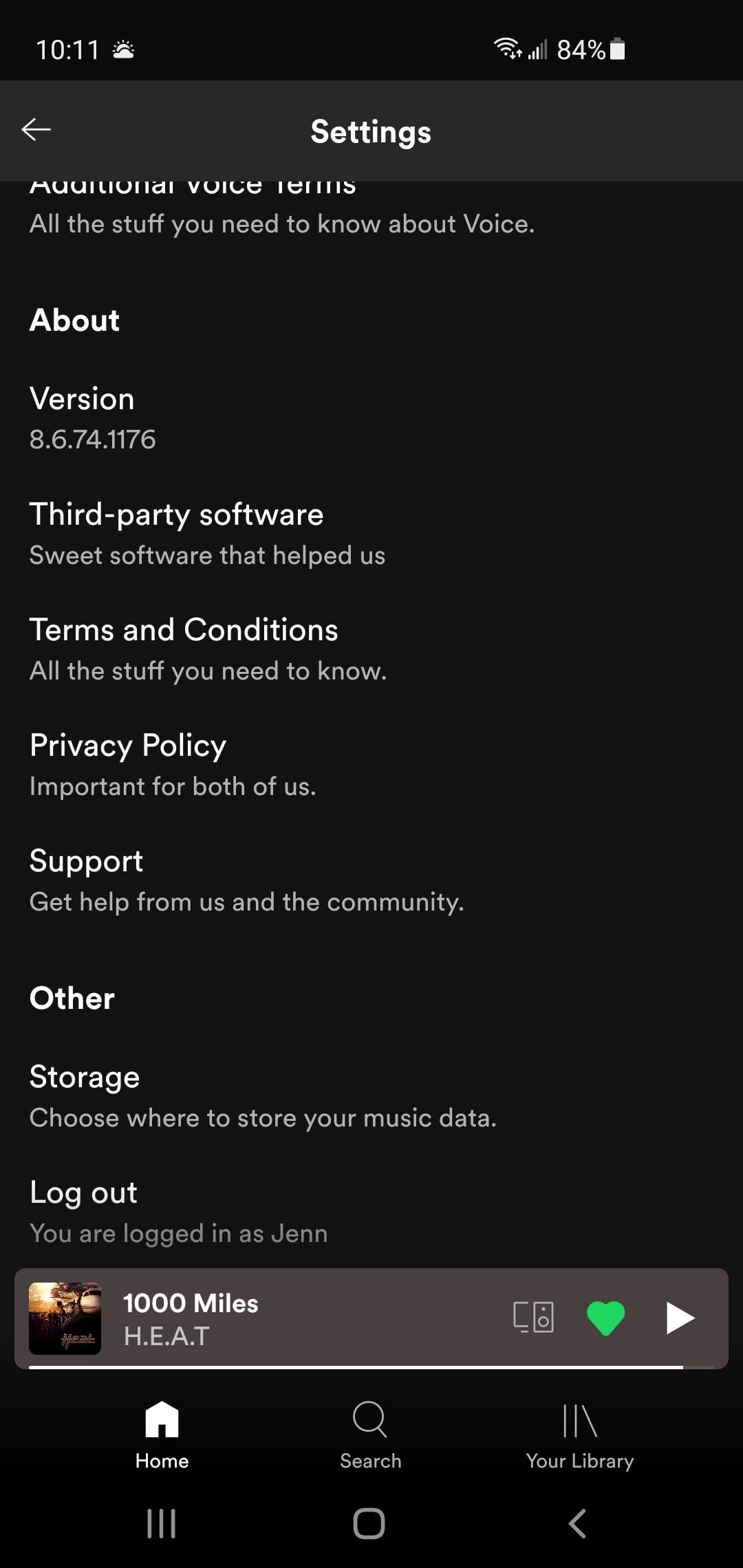
Same problem, plus no landscape mode in car mode, Samsung Galaxy S10e, USA
Hey @adp7rvunfwnr0pn,
Thanks for the post.
The new Car Mode, which has replaced Car View is still in testing and currently does not have landscape mode.
When in Car Mode you should be able to switch between the simplified Car Mode, which should have a Mic icon in place of the Search icon. If you tap that you should be able to control the app using voice commands.
Can you let us know if that is working at all?
Keep us posted.
car mode works just fine minus landscape mode. hey spotify still not working
Hi there @adp7rvunfwnr0pn,
Thanks for your reply.
Just to make sure, have you tried the steps @Alex sent previously?
Additionally, could you send us a video of what happens when you try to control the app using voice commands so we can take a closer look? You can send a link to it or attach it using the Insert Video option in the post editor.
We'll be on the lookout for your reply.
yes. several times

Hey @adp7rvunfwnr0pn,
Thanks for confirming.
As @Eni asked above, could you also send us a short video of the situation, and list all the troubleshooting steps you did yourself, so we can investigate it deeper
We'll be keeping an eye out for your reply, thanks!

I have the same problem on Android 12. Mic search works. But "hey Spotify" doesn't do anything. Should I start a separate thread? or do you have other recommendations?

Hey @jojojo3632,
Thanks for reaching out to the Community.
Can you list all the troubleshooting steps mentioned in this thread that you've tried so far? This is so we don't repeat ourselves and know where to start.
We'll be on the lookout.

Hey Spotify doesn't work on my Galaxy S10.
There is no "microphone above the search bar" in my Spotify app. There is a microphone to the right of the search bar and if I click on that, the voice command works but it doesn't understand "Hey Spotify"
So microphone works but Hey Spotify does not.
Hey @oliver2711,
Thanks for reaching out and welcome to the Community.
Can you let us know if you've tried all the troubleshooting steps mentioned in this thread? This is so we avoid repeating anything and it'll help us narrow down the possible cause of this behavior.
Keep us posted.

Hey @oliver2711,
Thanks for getting back to us.
We'll need more information in order to investigate this further.
Could you please share with us the troubleshooting steps that you've tried so far? That will help us get a better overview of the issue.
Keep us in the loop.

Hi @oliver2711,
Thank you for your swift reply.
After reviewing the previous posts, we can see the steps weren't posted before.
In any case, we did some research and can confirm that the microphone button is a feature that Spotify is testing. Spotify often tests improvements and new features for its content, this means you might not see something on the app that someone else does, or get a new feature to try temporarily. You can read more about it here.
If you have any other questions, feel free to share them with us!

Is this supposed to be a solution? Or are you just saying "we're working on it" without acknowledging that it is a problem?" It's still a problem. I've had Spotify for years and wanted Hey Spotify to work but it never has, no matter how many times I uninstall and reinstall or clear cache or get a new phone or whatever else. Bummer it's still not fixed, because I might purchase premium if it worked like it should, but I'm not that confident in it.

Why do you "moderators " keep asking for more "troubleshooting" info on every post? After reading this entire string, it is quite clear that all of the info that you have requested has been provided multiple times! This is clearly something that worked when I first signed up for Premium service and is now NOT working. Why is it not working now? This feature was one of the reasons I subscribed! This issue is why I will cancel!

Hey folks,
Thanks for your reply in this thread 🙂
We really appreciate your feedback, we know you want to make the best out of your listening experience.
At Spotify, we’re always working to deliver features that our users love. In order to make way for future innovations, we will be removing the current “Hey Spotify” voice feature within our app. Users will be able to easily access other voice assistants from our integrated partners on their mobile devices. For more information visit our support pages.
We'll be here if anything else comes up. Once again, thanks for the feedback.

Samsung S10+
Android Version 12
SP1A.210812.016.G975U1UEU6IVD2
Spotify Version 8.7.52.1010
I too am having the SAME issue. I have used “Hey Spotify” in my car up until I upgraded from a single Premium Plan, to a Family Plan. I have not changed ANYTHING else, and all my phones permissions are still enabled for it. The microphone icon is missing from search where it once was, and now the “Hey Spotify” no longer works. Please don’t tell me you now have to also buy a “Car Thing” device in order to be able to use the “Hey Spotify” functionality. I even uninstalled, and re-installed, and cleared the cache. I am quite miffed.
Seems now you will have to enable Google Voice Assistant or Siri in order to use these functions on our cell phones now. That is likely, unless you want to purchase their “Car Thing” for $50.00 in order to be able to use it. The more plausible theory.

Plan
Premium
Country
USA
Device
Samsung Note20
Operating System
Android
In the search bar there used to be a little microphone icon that when pressed would activate voice search ability. This microphone icon has recently ceased to exist for no apparent reason which for me is quite irritating. From when the mic icon was there to when the mic icon wasn't I myself changed nothing in settings of either the app or my phone. I do not recall if an update happened between those two times though. I have also uninstalled and reinstalled the app and the mic icon has yet to come back. Again, quite irritating. I use this feature when driving because I do not wish to risk getting into an accident simply to find a song. I did see something online that said to press and hold the search icon on the bottom but this yield nothing.

I was just looking for an answer to that question. I'm having the same issue. Also I used to be able to voice search just by saying "Hey Spotify ", but that seems to have disappeared as well. Please someone help us. I can't use Spotify anymore if there's no voice search option.

What a foolish thing to remove. So I have to open alexa to change songs without touching the app now? So I have to use my phone to open alexa....while driving. Instead of just saying "hey spotify"
Hey folks,
Thanks for your reply in this thread 🙂
We really appreciate your feedback, we know you want to make the best out of your listening experience.
At Spotify, we’re always working to deliver features that our users love. In order to make way for future innovations, we will be removing the current “Hey Spotify” voice feature within our app. Users will be able to easily access other voice assistants from our integrated partners on their mobile devices. For more information visit our support pages.
We'll be here if anything else comes up. Once again, thanks for the feedback.