[Desktop] Desktop Mac App Playback Issue (skipping, popping, echoing, etc.)

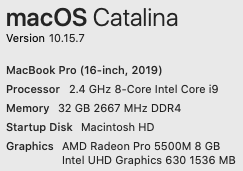
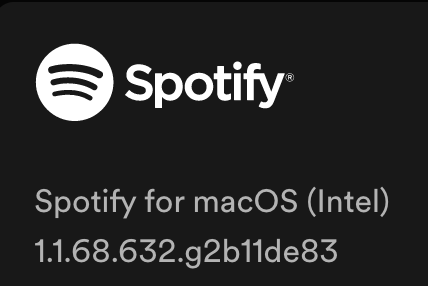
Having playback issues on desktop. Popping, delay, skipping type of sound (see video). It happens when I'm on another virtual desktop in macOS. When I switch back to the virtual desktop I keep the Spotify app open on (#4), the issue stops. It then starts up again a few minutes after switching to a different virtual desktop. This is only the second or third day that I've had this problem but today it is happening constantly. My internet speeds are fine: hardwired via ethernet @ ~900 Mbps down and ~950 Mbps up. I can provide a video of the skipping if helpful. Thoughts?
Accepted answers
All comments

Hi @disc_count,
Thank you for posting on the Community!
To start, please keep in mind that if you open several apps across your virtual desktops, they may be consuming a big amount of resources. Could you check your Activity Monitor to see how much memory is being consumed when you start having playback issues?
On another note, it seems like the video you mentioned wasn't posted. Just attach the file to your next response to us by using the Insert Video option in the post editor. This way we can take a closer look at the issue.
Keep us posted.
Thank you for your response. I have actually ruled out Spotify specifically as it happens with the Apple Music app as well. There's something else going on and I think it may be a hardware power issue or something to do with the many peripherals I use.
Hi @disc_count,
Thank you for posting on the Community!
To start, please keep in mind that if you open several apps across your virtual desktops, they may be consuming a big amount of resources. Could you check your Activity Monitor to see how much memory is being consumed when you start having playback issues?
On another note, it seems like the video you mentioned wasn't posted. Just attach the file to your next response to us by using the Insert Video option in the post editor. This way we can take a closer look at the issue.
Keep us posted.