Connect - Autoplay DISABLED, but still ACTIVE

Plan
Premium
Country
Germany
Device
Samsung Galaxy A51, Windows 10 notebook
Operating System
Android 11, Windows 10
My Question or Issue
I'm listening on several Sonos speakers via Connect. Recently, Spotify has started playing other music once the album I listen to has finished - i.e. it's using the Autoplay feature. Problem is: Autoplay is DISABLED on all devices, but it's still being used. How do I fix this? (I've already reinstalled Spotify on all devices.)
Accepted answers
All comments

Since yesterday autoplay seems to have been forced on the web player, despite having it turned off on every other device I use. I see no option to turn it off in the browser, is there really not a way to do it?

Hey @JalapenoMunich,
Thanks for posting here 🙂
It's a good idea to give these steps a go and log out from everywhere to see if that helps.
In case nothing changes, could you send us a video recording of what you're seeing? We'll look into this further.
Keep us posted.

Came here to say this. wth! Every change Spotify makes to its user interface is more and more alienating to me and the way I enjoy listening to music.

Having the same problem. I hate it. It's making it difficult for me to use this service that I pay for.
I've had the same problem, logged out everywhere and logged back in. Nothing fixes it.

Yes, this is truly so stupid, especially since it has functioned without this forever. I can't use the desktop app on my work computer because it's too slow and the desktop app itself is already kind of broken. Why does the web player just not have access to the settings? Spotify why do you do this!!!
I logged out everywhere and for a second I thought the problem had disappeared ... but that was only because I was listening via my notebook's internal speaker. As soon as I change to one of the Sonos speakers, the queue is populated with Autoplay songs.
Please find attached a video. It starts with me listening via the notebook's internal speakers - no Autoplay songs in the queue. I then switch to one of the Sonos speakers and immediately, the queue is populated with Autoplay songs. I then try to remove two of the Autoplay songs from the queue to no effect. Last, I remove one of the original songs from the queue - works without a problem.


I am having the exact same problem.
If I listen to music using my computer's speakers autoplay is not on and the album stops when it is finished. If I switch to my Sonos speakers it automatically populates the queue and I can not get rid of the songs in the queue.
This will happen mid-album as well. If I start the album off on my computer speakers the queue will only contain the remaining songs but if I switch to my Sonos speakers it automatically populates the queue with additional recommended songs.
App has been uninstalled and reinstalled. Computer has been shut down and restarted. Problem still persists.
Yep, mid-album for me too (the video I posted above was taken mid-album).
It's also worth noting that I first noticed the problem on the day I opened this thread or the day before. Not sure if it's the same for others, but that could be an indication that the issue is caused by a recent update.

This has been a recent issue for me too. My speaker is a Bose Soundtouch.

Hey folks,
Thanks for reaching out to the Community!
Could you let us know which browser you're using and if the same happens when using a different one? Does it persist when using an incognito/private window?
We'd also like to know when this started happening.
Keep us posted.

Hi, I'm having the same issue.
It ONLY happens when playing on a Google Cast device or in a web player, it does not happen on my Android phone or on my Windows 11 PC.
Example:
1. Playing an album on the Windows. No autoplay as it should be.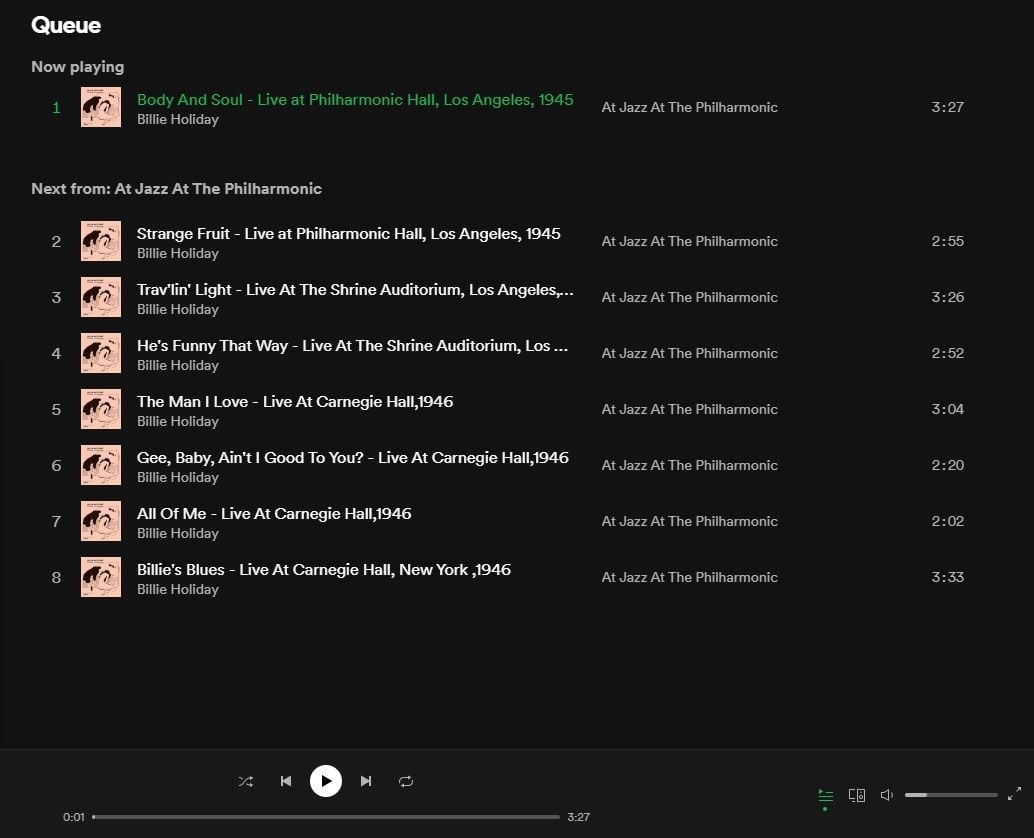
2. Casting to a Google Nest Mini. Autoplay songs instantly show up in "Next from".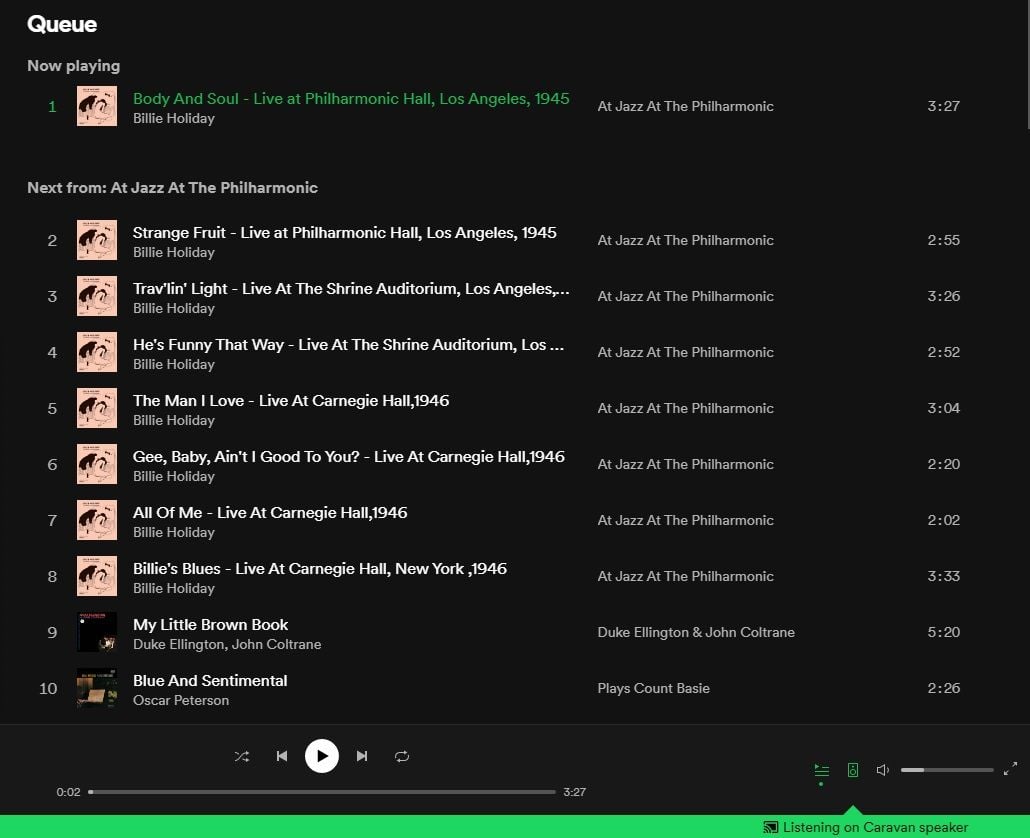
3. Change to playing in Web player. Autoplay songs refresh with different songs.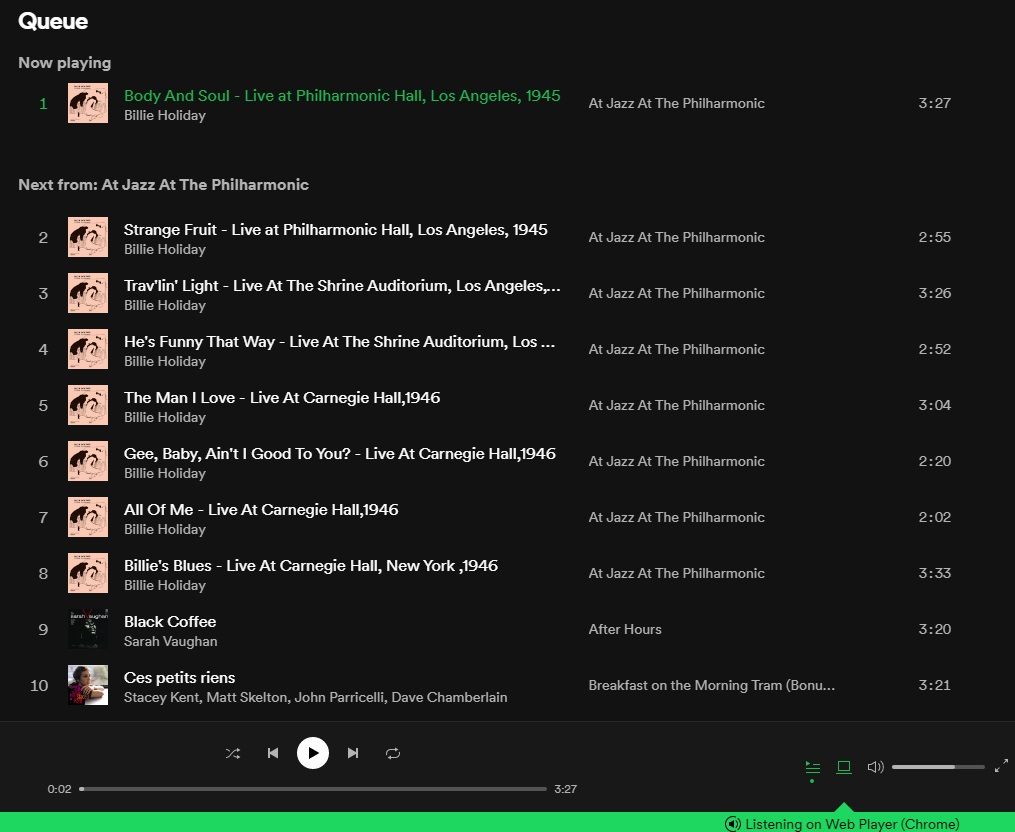
4. Changing back to playing back on this computer instantly removes all the autoplay songs.
I tested it with the web player in Firefox, Edge, and Vivaldi and had the same behavior in all of them. So far I haven't found any workaround to disable autoplay in web browsers and Google Cast devices.

Have the same problem on Chrome Version 95.0.4638.54 (Official Build) (64-bit) on Windows 10 enterprise 20H2.
The problem happens in incognito mode as well, in all three of the browsers I tried.
I first noticed it on Monday 18, but I did not use the web player on the 2 days before.

Same issue here with Windows 10 desktop app and iOS.
Autoplay is toggled off on both devices - I am able to toggle it.
Playing a single, for example, will immediately queue up a bunch of songs after it despite Autoplay being off. I can see them in the queue as soon as I start playing the single I came to listen to.
It only happens when playing via Spotify Connect (Sonos speakers). If I play directly to the PC speakers, it doesn't queue additional songs. If I play to my Sonos, it queues additional tracks.
Hey everyone,
Thanks for your replies.
To further look into this, could you let us know the make, model and OS version of the devices where you're experiencing this, and if the same happens in any other devices where you use the web player?
Additionally, let us know if it keeps happening when using a different connection, like another WiFi network or a mobile hotspot.
We'll be on the lookout.

Hey folks!
Thanks for all the info you've sent so far.
Could you share with us the following? We'll look into this further.
- Device + OS,
- Exact Spotify version,
- The troubleshooting steps you've tried so far.
We'll be waiting for your replies.
I have the same behavior now in both Chromium Version 94.0.4606.81 (Official Build) Arch Linux (64-bit) and Firefox 93.0 (64-bit) on Manjaro Linux. Make/model is probably not really relevant as this is a desktop PC.
CarlosE can you confirm that it isn't simply intended behavior? It looks like this isn't platform-specific, but rather consistent behavior of the web player across all browsers/platforms.
The issue happens on both of my devices:
- Spotify 8.6.72.1273 on iPhone 11 running iOS 15.0.2
- Spotify 1.1.70.610 on PC running Windows 10 21H1
Speakers that have the issue (these are the only speakers I use):
- Sonos Move via Spotify Connect
- Sonos Five via Spotify Connect
I've tried these things:
- Signed out of all devices via web and signed back in
- Uninstall and reinstall app on iOS
- Toggling Autoplay on and off again (both devices)
None of those fixed the issue.
The issue is easy to reproduce for me:
- With Autoplay off and with Spotify connected to a wireless speaker, if I play a single or album, when I go to the queue I can see a bunch of tracks queued up after the single or album I played. The single/album plays and then the other tracks play.
- With Autoplay off and playing via the iPhone or PC speaker, it plays only what I choose to play, which is how I believe it should work.
- If I start playing on the iPhone/PC speaker, with only the selected content queued up, if I then switch to playing on a wireless speaker the additional tracks appear in the queue without me doing anything else.
My devices / OSs:
- Spotify 8.6.72.1121 on Samsung Galaxy A51 running Android 11
- Spotify 1.1.70.610.g4585142b on PC running Windows 10
I've tried these things:
- Signed out everywhere via the button on the website and signed back in
- Uninstalled and reinstalled the app on both devices
- Toggled Autoplay on and off again on both devices
My Devices / OS
Spotify for macOS (Intel)
1.1.70.610.g4585142b
MacBook Pro (13-inch, 2017)
MacOS Big Sur Version 11.6
Toggled Autoplay on and off multiple times
Uninstalled and reinstalled app multiple times
Signed out and signed back in multiple times
1.1.70.610.g4585142b).
@Eni , you don't need to wait for our replies to escalate this. Please try this out yourself in the web player, you will find that this is a real issue.
Here's another thread about the web player that does this too (the web player seems to use Spotify Connect to play in the browser):
https://community.spotify.com/t5/Other-Podcasts-Partners-etc/Web-player-autoplay-can-t-be-turned-off/m-p/5279834
I tried with 3 different networks, the problem persists in all of them

Plan
Premium
Country
France
Device
PC, Firefox
Operating System
Windows 10
My Question or Issue
Since this weekend, it isn't possible anymore to disable autoplay on the web player. I'm paying for this service and I find it extremely annoying when spotify adds random songs I haven't chosen at the end of my queue.
If this is some measure to force the Desktop app adoption or to get the users to stay longer on the site, it's extremely cynical and I expect better from Spotify. I can't install the desktop app and I want to remain in control of what I am listening to.
I hope you will bring back this feature which is the bare minimum for paying customers.


I came here for the same issue! It´s extremely annoying. Please fix it or tell me how to turn this option off because I can´t download the desktop app.
UPDATE 2-7-2023:
The "Autoplay" setting was recently updated. The single "Autoplay" setting in the desktop and mobile apps will now enable or disable Autoplay across all devices on your account. This change makes it easier to manage instead of there being 2 different settings.
You only need to change the Autoplay setting in one of the apps, either desktop or mobile, and it will apply to your account on all devices including the Web Player and Spotify Connect devices.
You can read the support article for more information about the Autoplay feature.
At the end of 2021 a second setting was added to turn on/off Autoplay on the Web Player and Connect devices, but now it's just one single setting.