Plan
Premium
Device
(iPhone 12)
Operating System
(iOS 15)
My Question or Issue
Hi. I'm using iOS Shortcuts app as a low code environment for some simple Spotify API activities. Authentication is working and I'm able to GET and POST with other Spotify APIs (e.g. update playlist tracks, update playlist description). As other forum posts have observed, there's not a lot of detail on how to actually use the Add Custom Playlist Cover Image API. I've authenticated the app with ugc-image-upload, playlist-modify-public, playlist-modify-private scope.
I'm making a PUT call to https://api.spotify.com/v1/playlists/{my playlist ID}/images with headers Accept: application/json, Content-Type: image/jpeg (I've also tried application/json), and Authorization: Bearer {token}
I've encoded my image filed with base64 and confirmed there's no preface text with image/jpeg. My question is how to actually post the encoded image data? I don't think it's part of the URL call (https://api.spotify.com/ ... /images/image=), but rather in the request body. But using a tag of some kind, as a file, etc? All of my various attempts are generating a 400 error: "Bad request"
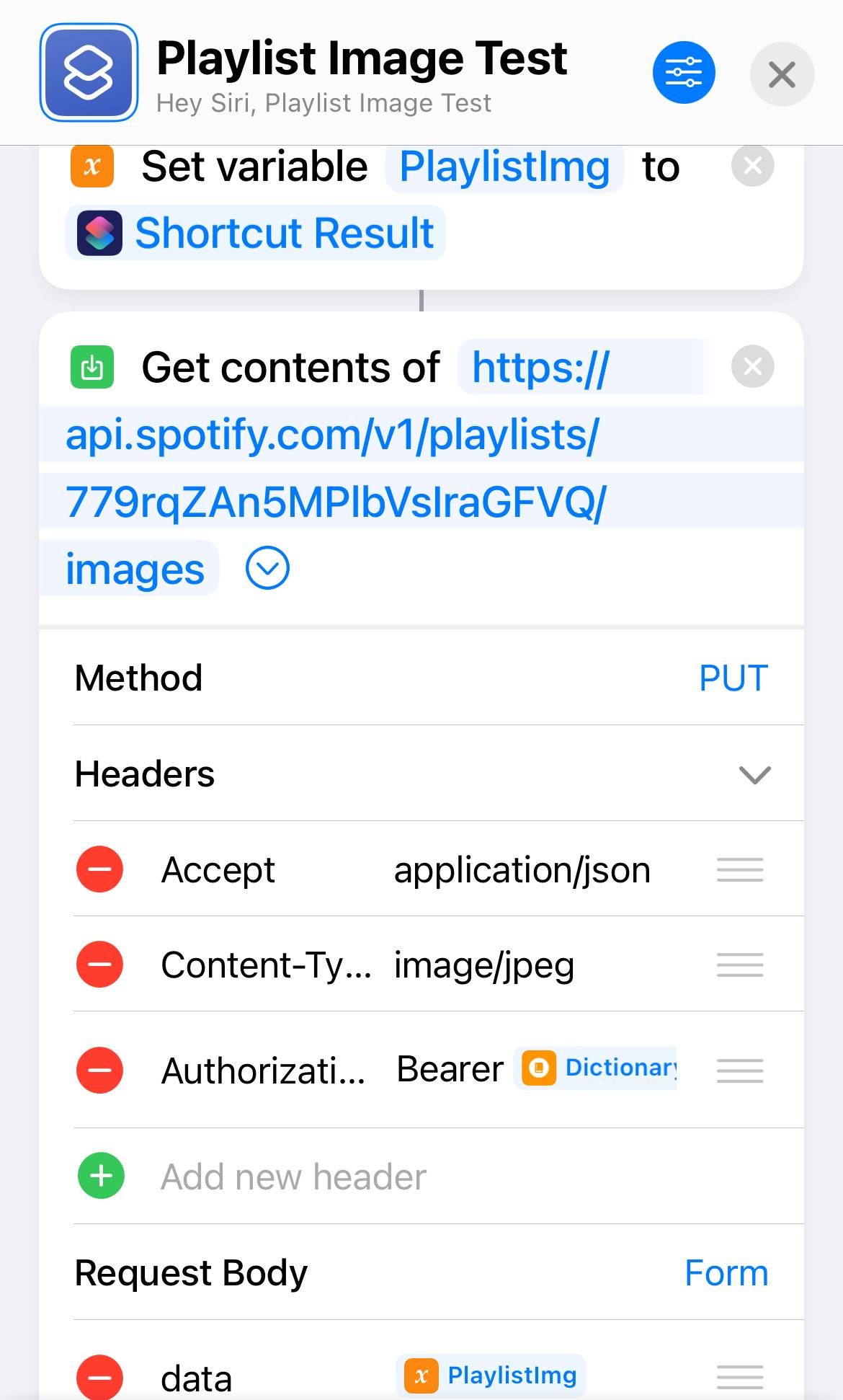
Can anyone shed more light on this? Any verified examples to point to that would show URL, header and body elements? Thanks!


