Text is not properly displayed under PLAYING FROM SEARCH section

Plan
Premium
Country
Romania
Device
Samsung Galaxy A52s 5G
Operating System
Android 12 with One UI 4.1 and Spotify Version is 8.7.36.923
My Question or Issue
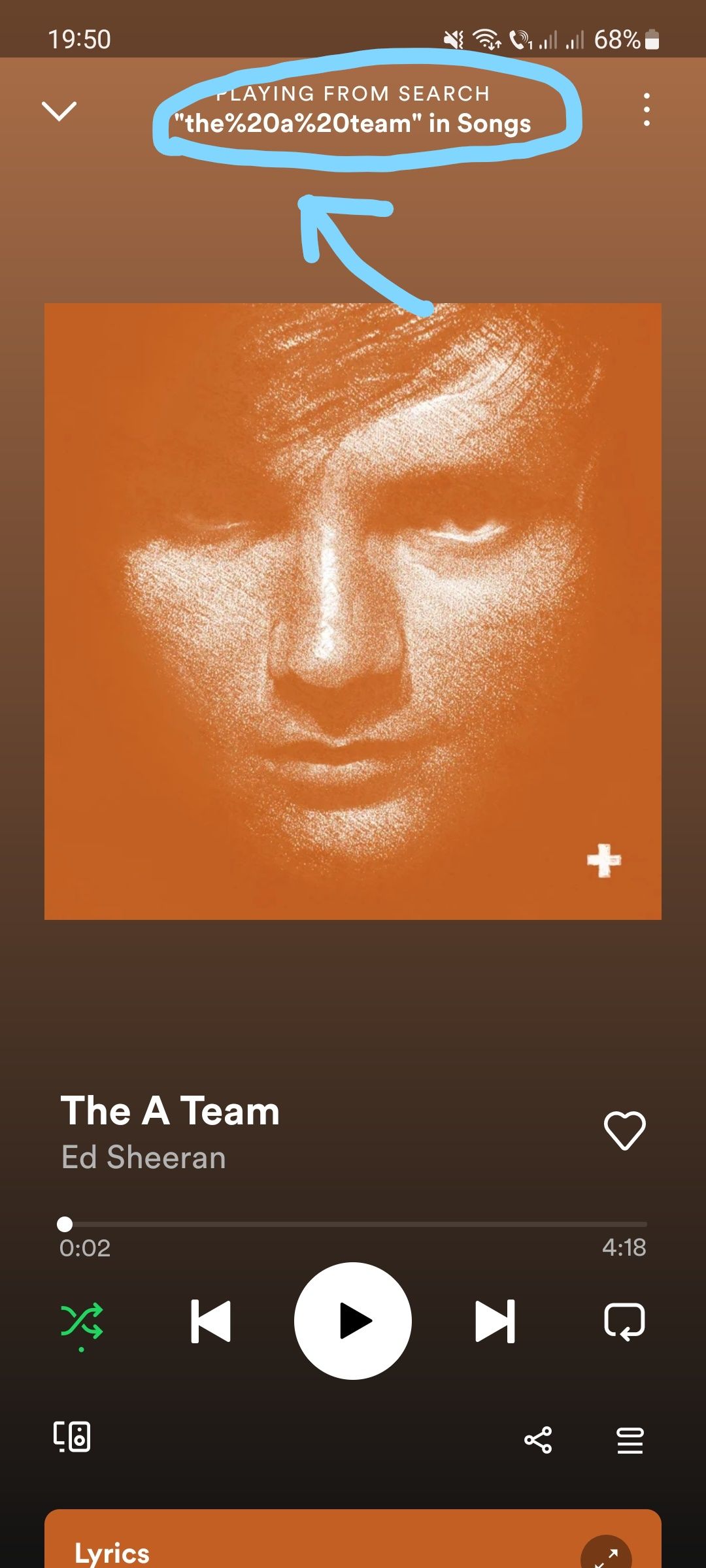
There is a bug in the Android App. The text that was used to search for a specific song is not properly displayed under the PLAYING FROM SEARCH section. It appears as being URL encoded.
Steps to reproduce the issue:
- On the starting screen of the Android app, select Search from the bottom menu.
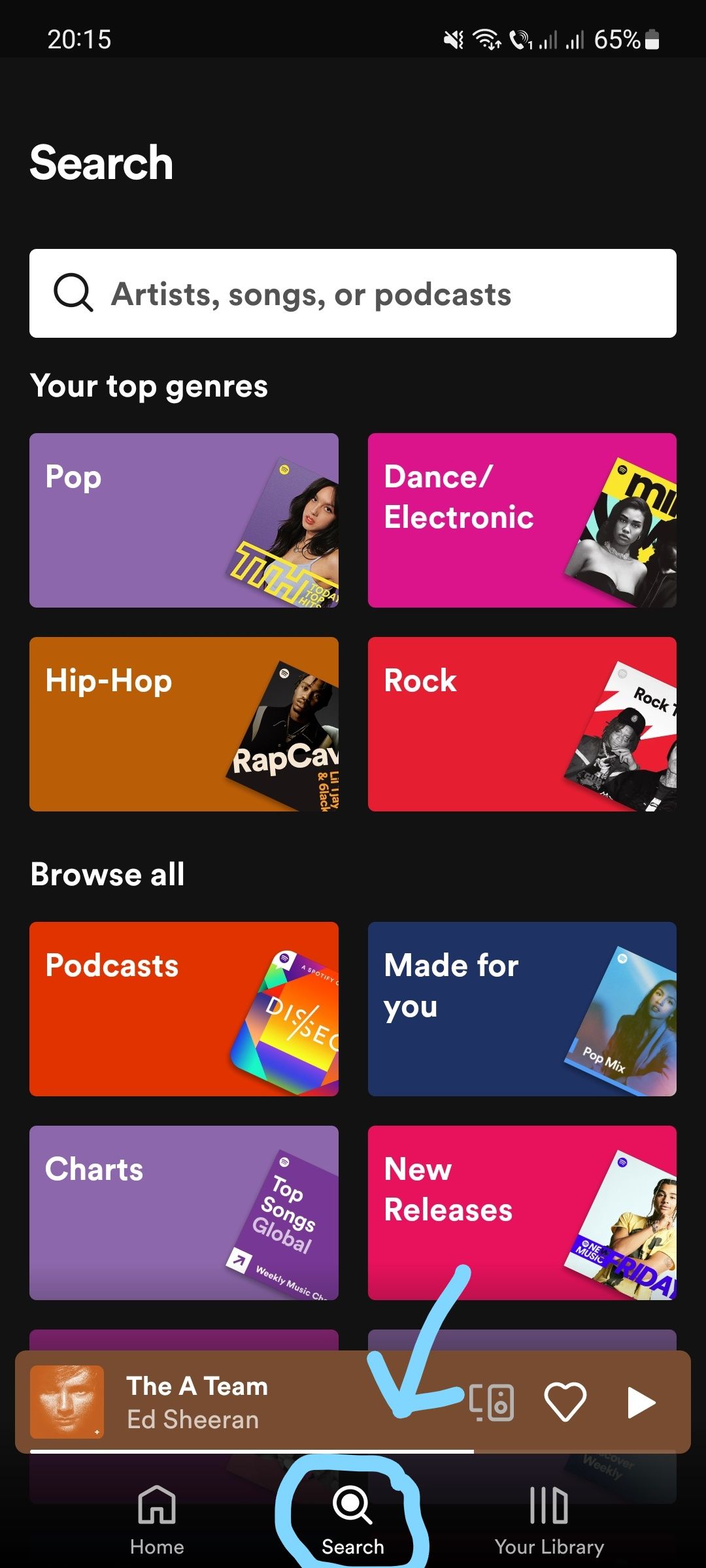 Home Screen
- In the Search query text box that just appeared, type 'the a team' and select Ed Sheeran's song (or any other song that has at least one space character in the title).
The selected item must be a song not an album!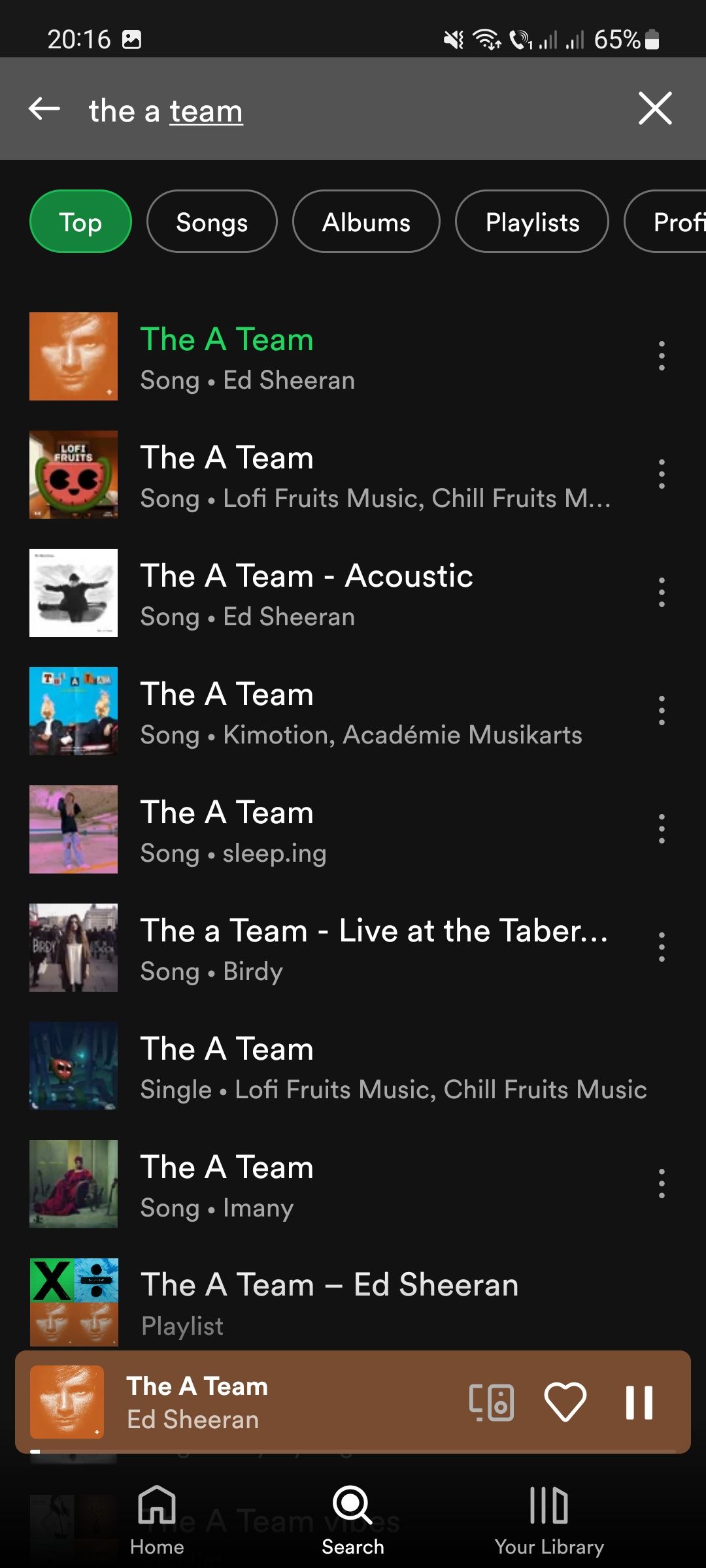
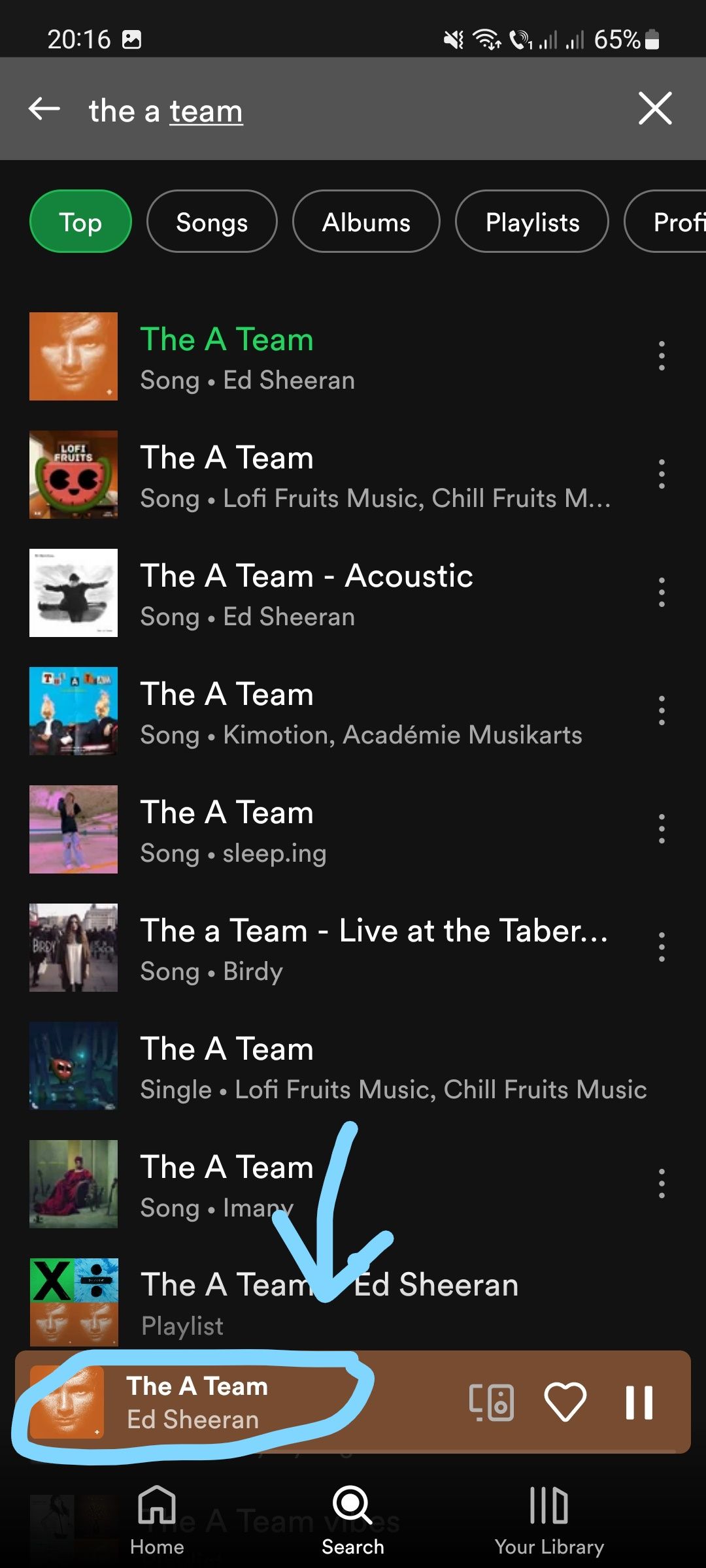
- After the selected song started to play, open the currently playing song modal by selecting the title/artist of the song
- In the newly opened modal, please observe that the original text that was used to search for the song appears as URL encoded. There is "the%20a%20team" instead of "the a team". In this case the space character has been encoded to %20.
The issues can be reproduced with other characters as well. Here is an example with the exclamation mark (!):
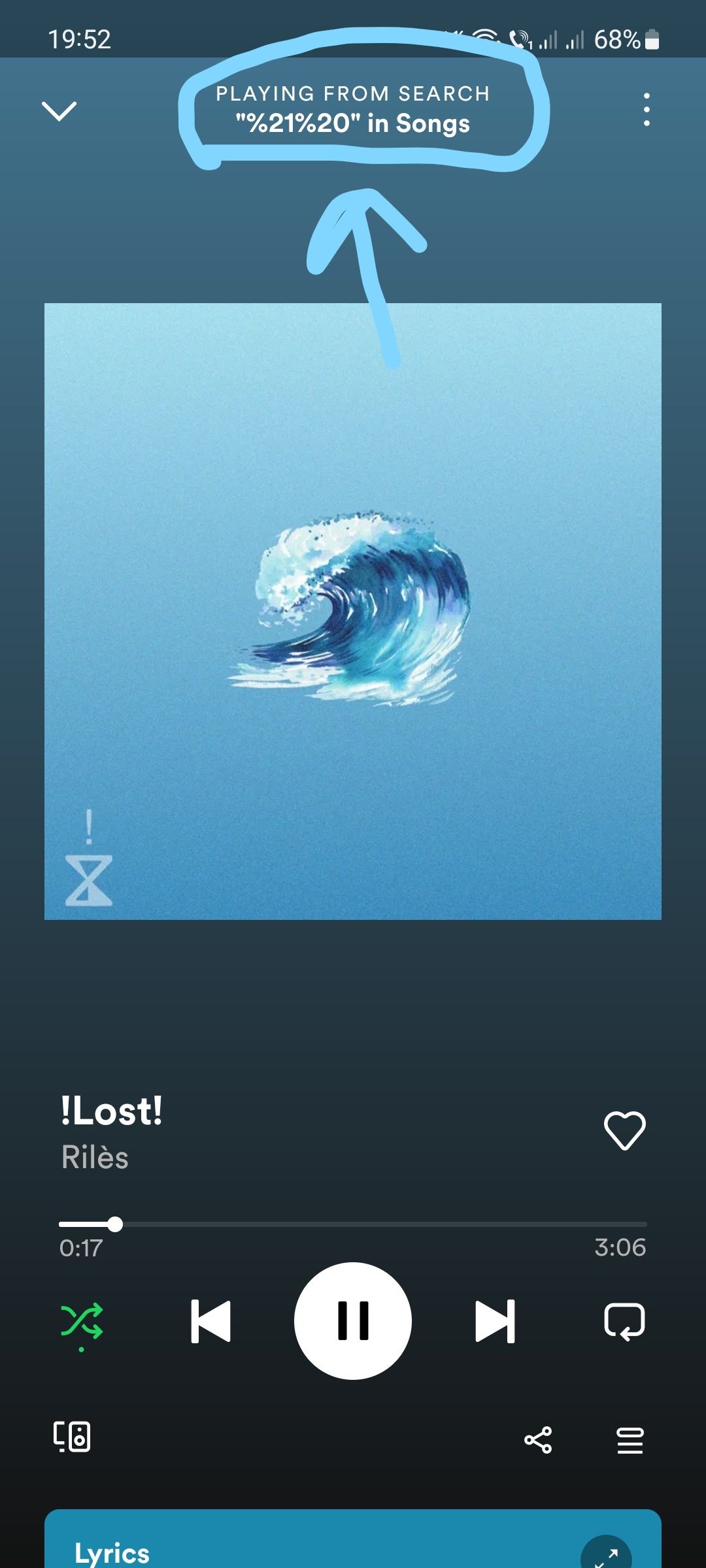
In the previous example I used the text "! " (exclamation mark followed by a space) to search for songs and selected any song. As a result the original text has been displayed as URL encoded "%21%20" where %21 is the exclamation mark and %20 is space.
Also reproduce the issue on a Samsung Galaxy Tab S7 with Android 12 and One UI 4.1 and Spotify version 8.7.36.923
Accepted answers
All comments

Plan
Premium
Country
Romania
Device
Samsung Galaxy Note 10 Lite
Operating System
Android 12
My Question or Issue
Upside in the "playing from..." label, the spaces from the searched string are replaced by %20.
To reproduce issue search for song with space în title, play song, expand song, look topside.
See attached screenshots.
Hi @random_placeholder,
Thanks for the post and for the detailed description of the issue.
This does seem a bit odd of an issue. I was able to reproduce this on my end and have reached out to the right internal teams at Spotify in order to check what might be causing this.
I'll keep you up to date here as soon as I have more info 🙂
Cheers.