Cannot link Spotify to Facebook for using "Friends activity"

Then, to buy premium, i preferred a email/password created account.
I asked the support and they migrated my "facebook created spotify account" to a new email spotify one without loosing data.
It worked perfectly but since, i cannot log in to facebook in the settings of the desktop app to share and see friends activity.
Once i'm logged in, when i go to the settings and clic on "connect to facebook", i enter my details, and it says "an error happened".
My details are good. I already uninstalled and reinstalled the app a few times, cleared cache, went to facebook app settings, remove the "old" approbation to my old account, retried and uninstalled etc... same behavior.
It happens since migrati
Accepted answers
All comments
Thanks for the answer but sadly that's not the issue.
The view is already enabled, but it keeps saying on the left panel : Authorize your friends and followers on Spotify to see what's your listening.
Things is, the box is already ticked, even if unticked and ticked back again, the behavior is the same.
My friends activity was from Facebook friends, and i cannot connect under "settings" to facebook, as it says "An unexpected error happened"
Tried on several desktops, same thing. A spotify 'friend" (not related to facebook) followed me and i did the same, and we cannot see each other activity even with the setting ticked. And no, we're not on private session or anything else. My friends activity feature is broken since the migration.

Hey @FTT-Prod,
Thanks for the reply,
It may very well be account related, so here are a few things to check:
- do you see the activity of your test buddy, if you use a different account and he follows that account, has enabled the activity sharing and you have followed his account? (no Facebook involved)?
- could you set the connection to Facebook from the ground up by removing the 3rd party app from the aps on your Spotify account page?
Also a screenshot of the error message would be great.
Keep us posted,
Cheers!
I've just succeeded to connect my facebook account.
I think the M2FA has issues.
BUT, same behavior.
If i use 2 tests accounts, i can see each other activities.
If i use my account, absolutely no activity shows up (see screenshot) so with a test account (no fb) of course we can't see activity.
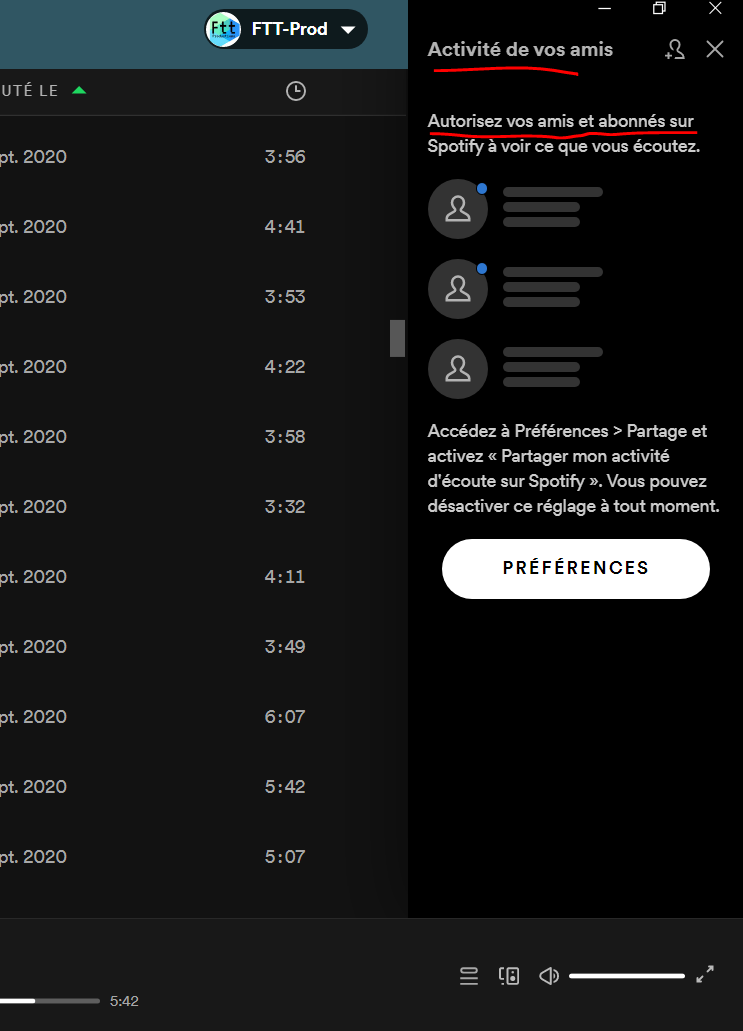
It asks to share, but ...
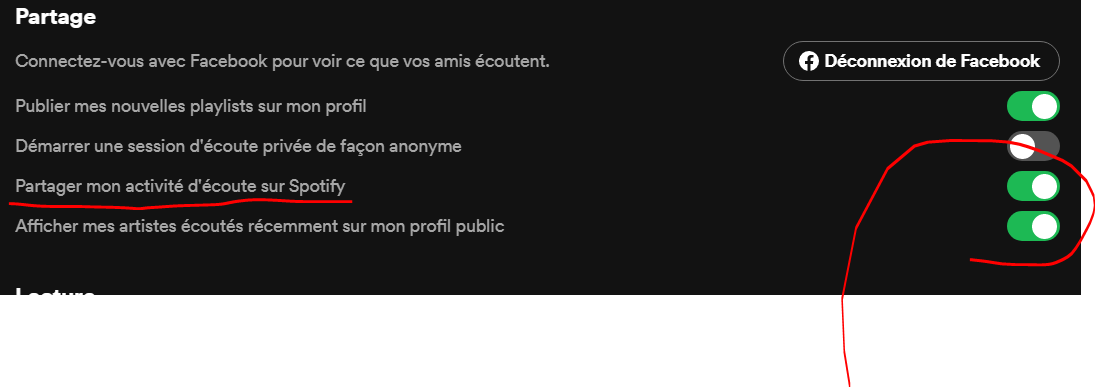
I have already unticked & ticked, delog, log in again uninstalled etc... same behavior.
And yes, my friends share their activity because i saw theirs before the migration.
My gf is listening non stop & i can't see anything.
Fun thing, when i click on "add" i can see my FB friends and it even says "Followed" 🙂
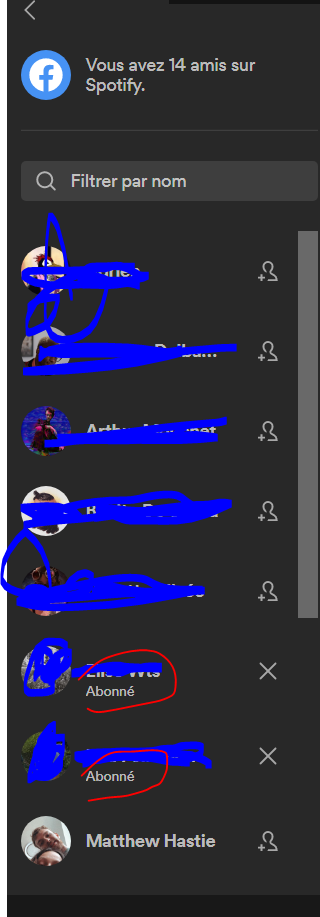

Hey there @FTT-Prod,
Thanks for getting back to us and sending us this info.
Would you mind logging out and then logging back in to your account twice in a row? This will trigger a sync between your account and your PC.
If this doesn't do the trick, could you check with your friends that appear as "followed" for you that they're sharing their listening activity? (They can check that from the app Settings > Share my listening activity on Spotify)
Keep in mind that if they don't have toggled that option on, you won't be able to see their listening activity even though you activated yours.
Keep us posted on how it goes.
Hi, the issue resolved by itself after a while..
Thanks for your suggestions
Hey @FTT-Prod,
Thanks for posting and welcome in the Community!
We get that you've moved to a new account after discontinuing your old Facebook created one. Please keep in mind that to enable the view of Friend Activity feed you need not reconnect to Facebook, but to select the option from the 3-dotted menu under View>Friend Activity in your desktop app. Then you should be able to see all the followed profiles you have, but be aware that the owners of those followed profiles must have allowed their listening activity to be shared from their own settings as well. After selecting the setting you might want to also log out and log back in, so the desktop app can refresh the info received from our servers.
More info on how the Friend Activity feature works can be read in this thread, where we have also provided our top answers on the subject.
Hope this helps clarify things. Don't hesitate to give us a shout if there's anything else we can help with.