Player controls (in-app) and other icons (settings, home) do not appear

Free Plan
India
Redmi Note 10s
Android 12
The player controls in my Spotify app just disappeared. I have rebooted, cleared cache, reinstalled Spotify and even tried installing Spotify Lite. Nothing worked. Notification and lock screen controls work fine.
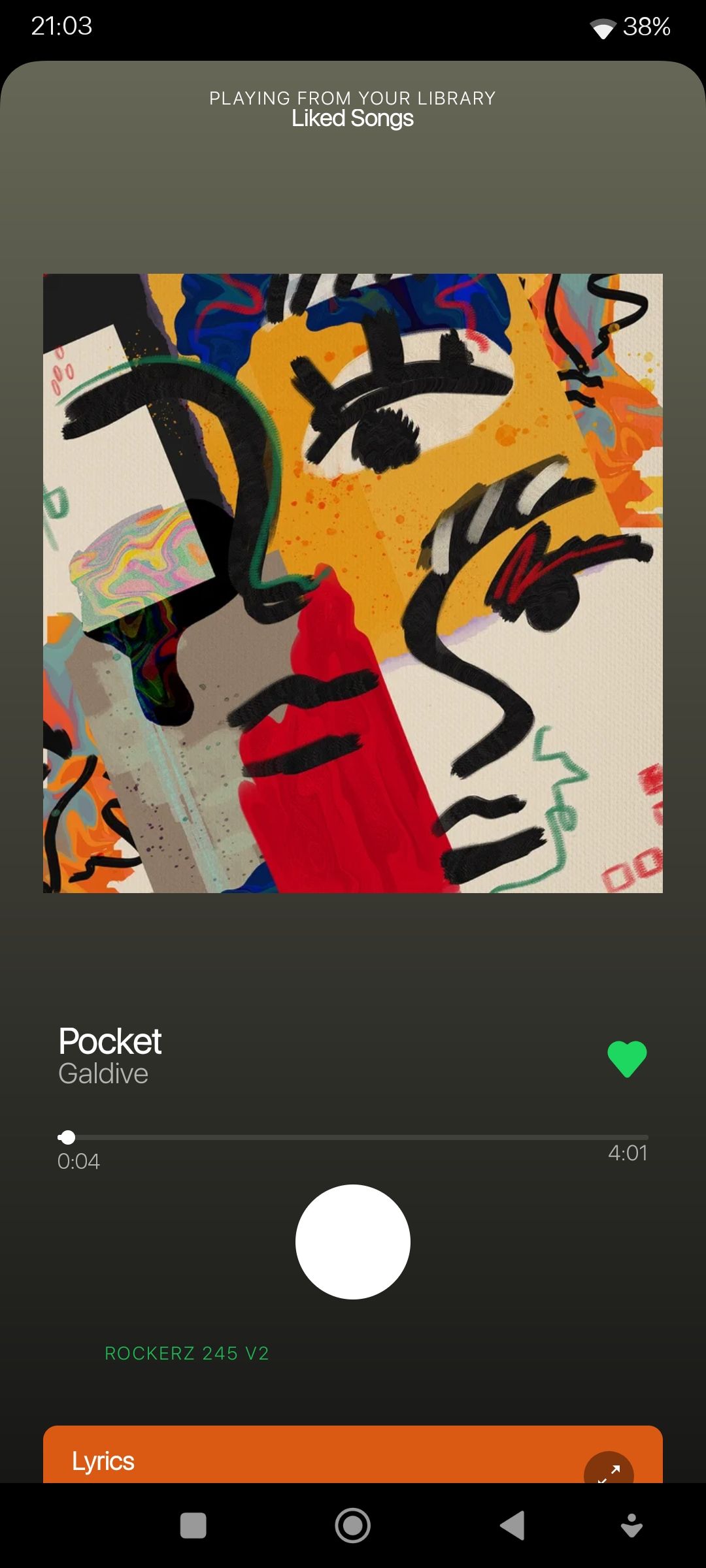
Here's what I noticed is missing:
Play/Pause (even in the playlist)
Spotify connect icon (bottom left)
Queue icon
Next/Previous icon
Settings icon
Notifications icon
Search icon
Library icon
Recently played icon
Minimise icon
Three dots/more options everywhere
Accepted answers
All comments



Hey @NakulBhat,
Thanks for posting in the Community.
This is a strange experience indeed. Are you using the app downloaded from an official source like the Google Play Store? What's the app version you're using?
Keep us posted,
Cheers!
Hello Dian! It is indeed the version from the Playstore.
However, the app also fixed itself without any apparent cause.
The version was 8.7.66.534. However, the problem originally occurred in an earlier version. The screenshot is also from the earlier version.
Hey @NakulBhat,
Thanks for the confirmation.
It's important to always have the app up to date, yes. Some issues are caught directly by our developers and are swiftly taken care of, while others need some more time. I guess your issue is resolved now.
If you need anything else, we're here,
Cheers!
Hey @NakulBhat,
Thanks for the confirmation.
It's important to always have the app up to date, yes. Some issues are caught directly by our developers and are swiftly taken care of, while others need some more time. I guess your issue is resolved now.
If you need anything else, we're here,
Cheers!