You have filters on that may hide some results ?

Accepted answers
All comments

Did you ever fix it? I’m having this same problem and can’t find answers anywhere

Welcome to the Community and thank you for joining the conversation.
This is a new feature that is not available in all markets yet. You can see the available countries and additional info in this article or by checking out this thread.
However, if you're in one of these markets, would you mind confirming if you've already performed a clean reinstall using the steps mentioned on the previous post? If so, could you include all the troubleshooting you've done so far to avoid repeating suggestions?
Lastly, to continue investigating the case, remember to include in your next response the make, model and OS version of your device, along with the Spotify version you're currently running.
We'll be on the lookout.

I did. all of it and it didn’t work

Hey @Noodle122,
Thanks for trying.
We've recently reached out to our tech folks and they are currently investigating this behavior. We have an Ongoing Issues thread about this here where we'll be posting updates as soon as we have any new info to share, so check it out and Subscribe to stay tuned.
Cheers!

Removing the app from my iphone and reinstalling seems to have worked. Still downloading all these songs to my phone, which will take a while. 3 thousand.

I have uninstalled the app multiple times, cleared cache and data, signed out and back in and it still won't let me pick the genre in my liked songs again. I'm using the android version on a samsung galaxy zfold 4.
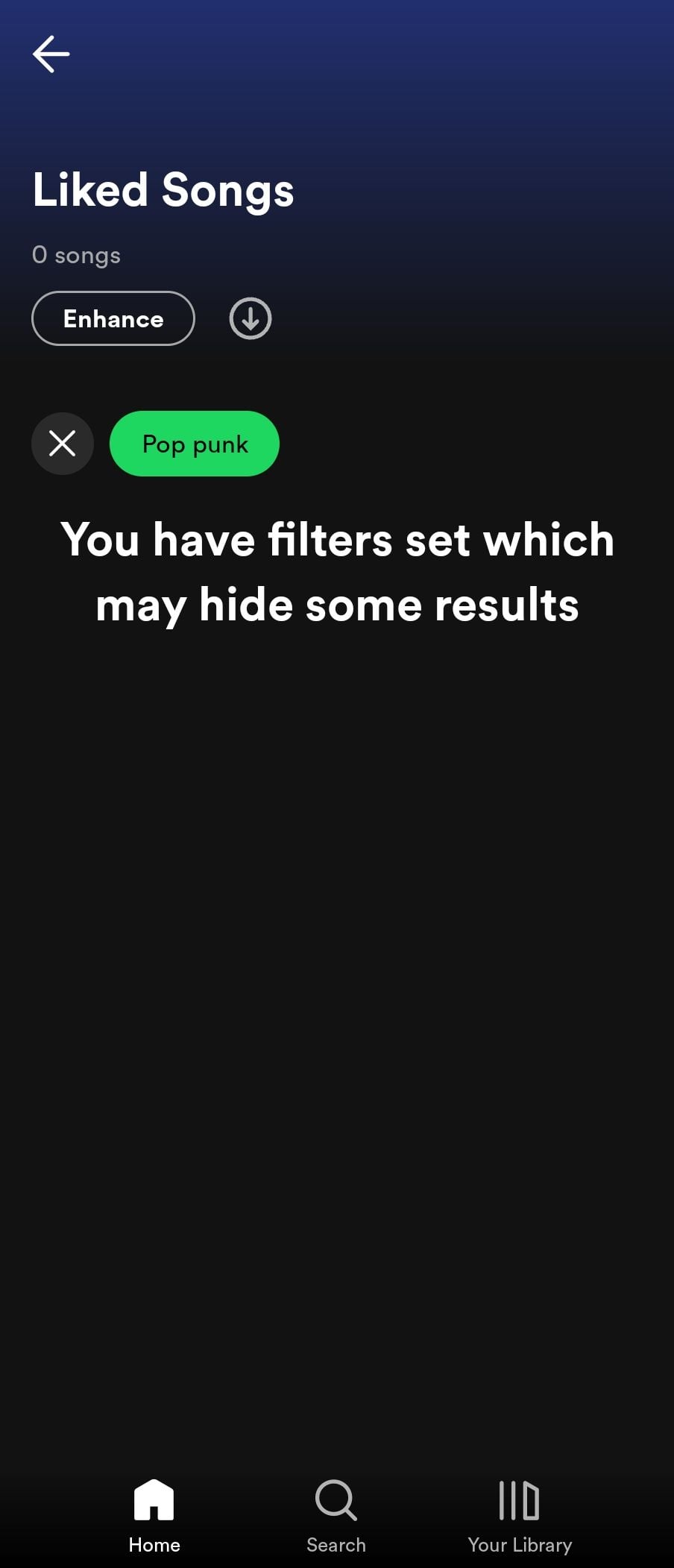

i have done all the steps multiple time and its still not working im using my phone it a oppo a54 my os is 12 and iv reinstalled Spotify 3 times

I have a Pixel 7 Pro and I am still getting this error after clearing cache and uninstalling and reinstalling the app

Just tries the clear cache/reinstall and now I don't even have the genre option anymore
Actually genre is back, but still not working. Same error.

Yeah I can't use my genres it says I have filters on

I am unable to select the genre I am looking for. I have a Samsung lg Stylo as well. I have tried logging out and logging back in, uninstalling and reinstalling the app and it still says I have filters on.

I did the suggested steps to clear cache and uninstall/reinstall multiple times. Still having the same issue. Please help as I use this quick filter daily. I am using a galaxy s21 ultra.

Hey there,
Thank you for reaching out to the Community and welcome.
This type of issue is commonly related to some damaged cache stored on your device. In this case, we'd first recommend performing a clean reinstall of the app by following the steps in this article. This is often an overlooked step, but it's more thorough than a quick one and can be helpful in getting rid of any cache that might be causing trouble.
If the issue persists, would you mind including in your next response more info about your issue? For example, you can include if the filters are missing within a playlist or in your liked songs; if it's happening on a cellphone, tablet or PC; etc.
Lastly, include also the OS version of your device, and the Spotify version you're currently running to continue with the investigation.
We'll be on the lookout.