Automatically switches device but only when I'm listening podcast

I have spotify on my work laptop which I listen to music while working.
If I leave spotify on (in laptop) and then go to my car and start listening to Joe Rogan podcast from mobile phone, Spotify constantly switches to the laptop device and stops playing it. I can keep manually switching to mobile phone device, but it will after a few seconds or minutes stop and switch to laptop again.
Strange thing is that if I play music in my mobile it doesn't switch back to laptop. I'm really losing my patience with Spotify as the only solution is to remember to turn off Spotify on my laptop before going to the car...
Accepted answers
All comments
Hi,
Thanks for the reply.
I only hear this podcast so I don't know if it happens with others. This is really strange. Yesterday after reading your reply I did the clearing of the cache on both laptop and mobile phone and later when I went to the car, put the podcast on and it only lasted 30 seconds or so. Same situation again. I tried on both Android car and via bluetooth and same problem happening so it's definitely an issue on Spotify.
Not sure what to do to fix this.

Hey @brunoleal,
Thanks for getting back to us with that info.
As a next step, we'd recommend performing a clean reinstall on both devices as described in this guide. Please note that you'll need to re-download your playlists for offline listening after that.
Let us know how it goes.

I started having this issue within the last few weeks myself. I'll be driving and suddenly the playback switches to one of my desktops at home with Spotify running. It has to be related to some sort of recent change as I'm seeing a lot of people start to mention this issue on this old Reddit thread Spotify Connect Keeps Switching Devices Randomly : spotify (reddit.com).
I hope there's a fix soon because it's incredibly frustrating and frankly, dangerous to have to constantly try and switch devices while driving.

Hey @mmcternen,
Thank you for joining the conversation.
To continue investigating this case, would you mind confirming if you already followed the clean reinstall process in both of your devices as mentioned previously by @MihailY?
If so and the issue persists, could you include in your next response the OS version and Spotify version you're currently running on both devices?
We'll be on the lookout.
Hi again,
Sorry for the late reply. I did try this and it didn't work.
On my laptop I'm running 1.1.99.878.g1e4ccc6e and on my Android phone I'm running 8.7.88.496
It's a really strange issue but it is still happening as explained. If I don't turn off my laptop I can't listen to the podcas on my phone without it constantly switching the device to my laptop. If I change to music, this doesn't happen.
Thanks,
Bruno
Does it happen to you with music? For me it only happens when listening to the podcast which is incredible strange... 🙂
For whatever reason, my replies are not showing. I presume they are moderated or something. I've done what was asked and the problem still happens.
To add to this, I was sitting here with Spotify open on my desktop. Phone sitting idle, and Spotify open on my laptop in the other room. Nothing was playing and I was watching the desktop app update to say that Spotify had moved to my laptop. I'd switch it back and sometime later it would switch again.

Hey there,
Thanks for the replies.
It's also worth securing your Spotify account to exclude a 3rd party intrusion. Here are the steps to do so.
Did this bring any change?
Keep us posted,
Cheers!

Plan
Family Premium
Country
United States
Device
Windows Computer/Android Devices (OnePlus 5T & Pixel 6 Pro)
Operating System
Windows 11/Android 13/OxygenOS 10.0.1
My Question or Issue
If I leave the Spotify application open, but not playing, on my Windows computer and listen to a particular podcast (The Best One Yet) using Android Auto on my Pixel 6 Pro, I almost constantly get a message interrupting it saying Spotify is being used on another device. This isn't caused by streaming music nor listening to other podcasts. I suspect it has something to do with The Best One Yet having video and the way the Windows application deals with that video podcast being listened to on my Android application.
Mods. Are the replies moderated? Three times I've attempted to reply with a lengthy description of my steps and version details following Oscar and Mihai's recommendation and they keep disappearing.
I did already log out from all devices before and logged in back again. Changing password will not fix this. As I explained this is a bug somehow as it only happens when I'm listening to podcast. If I put music there is no issue.

This is not a localized issue. I’m also having this same exact issue with the Joe Rogan podcast. It started roughly a month ago (Oct. 2022). After searching the internet, I several threads about spotify’s different “connectivity” issues, but this one is almost identical to my issue, except my spotify auto switches itself from my cell phone to any nearby computer that I have ever been near. It must be due to a recent update. I only listen to Joe Rogan. Everyday. I only listen on my cell phone. I travel for work. No matter where I am (driving, home, work, grocery shopping, visiting a friend), my spotify auto switches itself (without any prompting from me) to any nearby computer that I have ever been near, past and present. Literally, any nearby computer: my neighbor, my friends’ neighbors, my coworkers, a random grocery store computer. Sometimes I’m not even near a computer and my cell phone spotify auto switches to any computer that I was once near, but I’m not near at that particular moment when spotify auto switches to it. On average, spotify is auto switching about 15x every time I use the cell app before I become enraged, then I switch to an audiobook on the libby app. I do not want to cancel my spotify, but this issue is infuriating. I have uninstalled/reinstalled the cell app and computer app probably 7x. I have toggled every switch and clear the cache roughly 20x. I have done every suggestion on the threads 5x. I cannot troubleshoot anything to the other “not my” computers, so the issue is clearly the cell phone app. This is an issue on spotify’s backend. A recent update must be causing these “connectivity” issues. The simple fix should be for spotify to stop spotify from auto switching itself without any prompting from the end-user.
Or at least allow the user to define a default device from which it will not switch. But I agree, I don't understand the advantage of having an auto switch option...

Hi there @Orionis13,
Thanks for reaching out. Does this still happen if the app on PC is completely closed? Does it depend what was last played on PC? Also please send us a video of the behaviour, that would be very helpful.
Thanks in advance.
It does not happen if the PC application is completely closed. What are you specifically wanting to see in the video? My experience of it tends to be constantly having to press play again to listen to 5-45 seconds of podcast before it's interrupted again while driving to work.

Hey folks,
Thanks for all the info you've sent so far.
@mmcternen, would you mind checking if your replies keep disappearing if you try posting them from an incognito window or from a different device?
@swilcox-7, would you mind checking if the same happens while listening to a different podcast or when streaming music as well? Also, does the same happen if you turn Show local devices only on in the app settings?
@brunoleal, could you let us know if this started happening after a specific event such as an update? Also, would you mind checking if the same happens with other podcasts too?
We'll be waiting for your replies.
Gone again, here's of a screen shot of it being there a moment ago
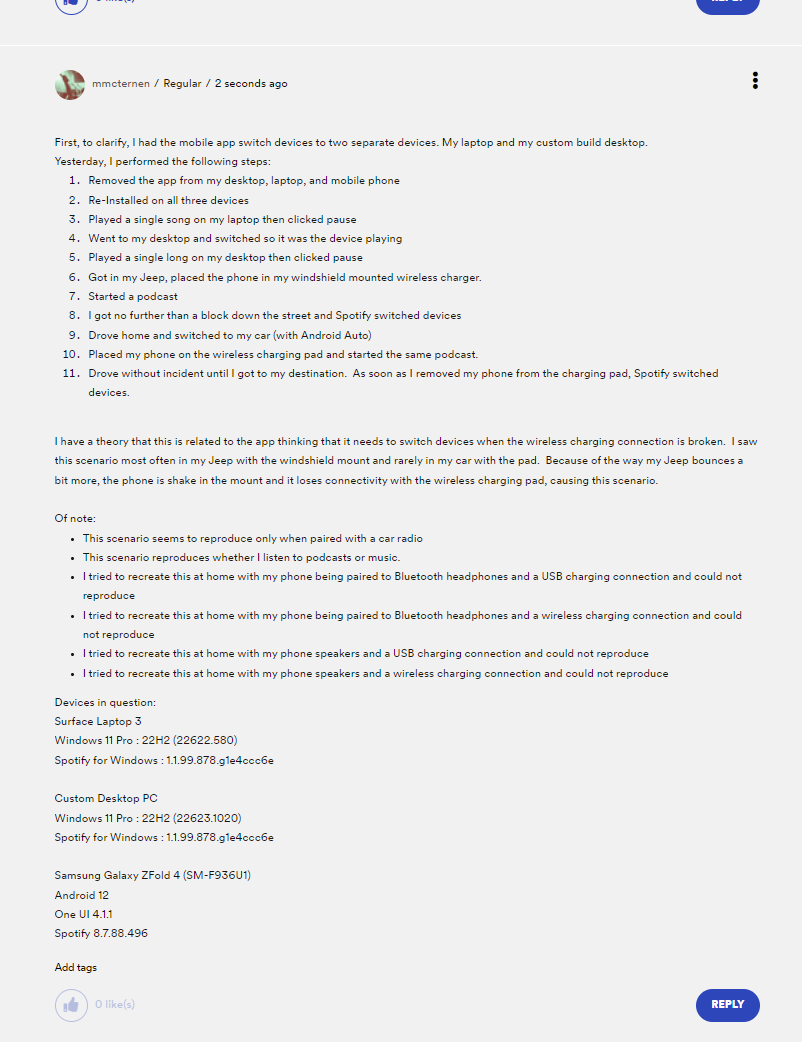
I need to test more, but on today's drive it seemed to be triggered as my phone tried to connect to "Xfinity" Hotspots.
Makes sense that this didn't reproduce in my car as wireless android carplay uses the wifi connection.
I can reproduce this on demand by connecting to wifi. You can see in the attached video that as soon as I connect to wifi, it switches to my desktop "No-Moon"
Of note, I can ONLY reproduce this with the Joe Rogan podcast. I tried with several of my music playlists as well as several podcasts. This only happens with Joe Rogan.
Spotify for Android 8.7.88.496

Hey @Orionis13,
Thanks for your reply and for the info shared.
It'd be really helpful if you send us the video recording or what you kindly mentioned, so it'll help us visualize better what you're experiencing in your side. You can attach it in your next reply in mp4 format, or you can also upload it to YouTube or Google drive and make it public, so we can visualize it.
On another note, did you notice if this is happening with a different podcast which contains video? It'd be awesome if you could check. Additionally, did you notice if this is happening with a specific podcast episode?
Lastly, just to confirm, has the app always been behaving like this or does it start to happen after a specific event such as an OS update? Please send us the details about it.
Keep us in the loop!

Plan
Premium
Country
US
Device
Google Pixel 6
Operating System
Android
My Question or Issue
Recently Spotify began switching to random devices, making it difficult to use my phone. It seems to be triggered by going on/off wifi. I start a podcast, head out the door, and when I reach the street, playback has switched to another device I own. Same happens when I come back indoors. Downloading the content makes no difference. Even worse, whatever I was listening to gets marked as "played" so I have to start it over again. So frustrating! It's become impossible to listen to podcasts on this app, because I have to keep starting over. It all used to work until ~a few weeks ago. What changed?
Here's a video that illustrates what I experience in my car when I'm trying to drive to work.
I don't know of any other podcasts with video to test offhand. The other two I frequently listen to do not include video and I've never had an issue with either of them. It has been 4 different episodes now. As far as timing goes, I can only say I've noticed it recently, but that is probably because I've started using Spotify more at work recently and subsequently have been leaving the application open on my work PC.
Hey folks,
Thanks for all the info you've sent so far.
We'd like to look into this further. In this case, could you provide us with the following info if you haven't yet?
- Device model + OS version
- Spotify version
- Troubleshooting steps you've already tried
- Does this only occur with podcasts or when listening to music as well?
- When did this start happening (we'd like to know if it started after a specific event such as an update)?
We'll pass this info on to the right team to be looked into.
We'll be waiting for your replies.
It started happening randomly. I don't recall any specific update. I don't listen to any other podcast as I don't spend too much time in my car. Unfortunately I gave up listening to Joe Rogan in the car as this is quite annoying...
I don't use wireless charging and in my car it happens like crazy. I just gave up on listening to Joe Rogan if I had left spotify open on my laptop at home. I really can't understand how hard it will be for Spotify to have an option to disable the auto switch...In my case I don't want to switch ever. If I play on my laptop I want to listen on my laptop, if I play on my phone I want to listen on my phone, period. I don't want to control other devices from the device I'm interacting with...
Hey @brunoleal,
Thanks for your reply and for the info shared.
In this case, can you share with us the Spotify version you have currently running on both your devices? We noticed you kindly sent us this info a couple of days ago, but we'll need to check if you have the latest version of the app already installed.
On another note, don't forget to send us the exact make/model of both your devices along with their OS.
Lastly, it'd be awesome if you could check if this is happening with another podcast. Also, it'd be really helpful if you send us a video recording of this behavior. You can attach it in your next reply in mp4 format, or you can also upload it to YouTube or Google drive and make it public, so we can visualize it.
Folks, don't forget to send us all the details @Eni mentioned above, so we can forward this behavior to the right team.
Keep us in the loop!
On my laptop I'm running 1.1.99.878.g1e4ccc6e and on my Android phone I'm running 8.7.88.496


Previously, I could simply load up spotify on the device I want, start listening. Great. It would stay on that device until I started listening on a different device and switch over.
Recently, if i leave my mac on (without spotify playing) but listen on my phone it will work for a period then constantly just stop as it reverts / defaults back to the mac. It doesn't play anything... just pulls it back forcing the device i am listening on to constantly stop. Its incredibly frustrating.
Please advise.
Hey @brunoleal,
Does this occur with all podcasts or just this specific one?
It's indeed not an expected behaviour and we're not seeing reports that it occurs on a global scale. I suspect it's an isolated issue, so let's try to troubleshoot it away.
I'd suggest we start with clearing the saved cache data on both devices.
You can do so by following the steps from this guide.
Let us know how it went!
We'll be on the lookout for your response 🙂