Discover weekly from another person

Plan
Premium
Operating System
Windows and ios
My Question or Issue
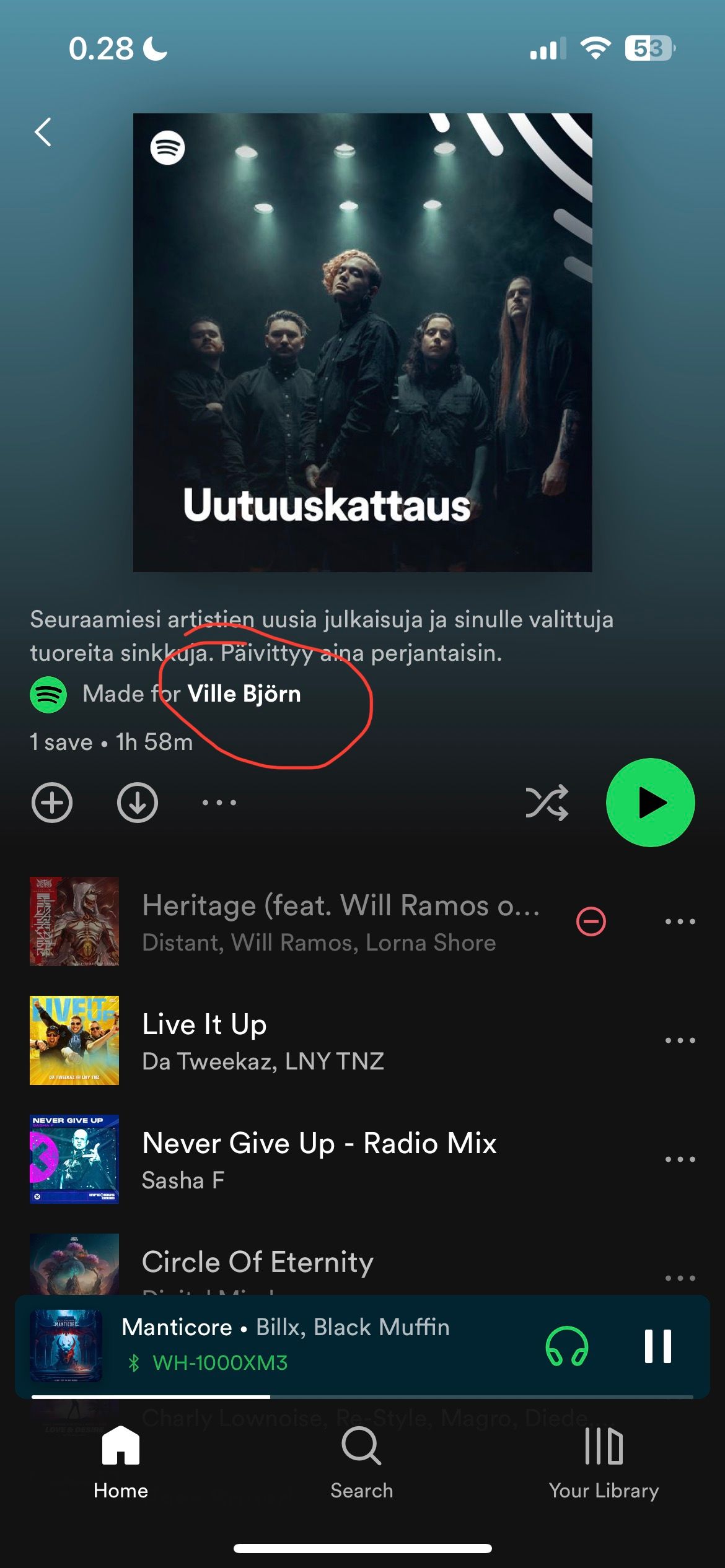
The Discover Weekly playlist on my account is from one that my son shared with me, and is not generated uniquely for me based on my preferences. I've tried to unfollow him and remove the playlist from my account. I've tried to log out and back in to the account, but it still shows up as "Made for <my son's name>". I've searched through the support pages, but did not find a solution that works. There should be an easier way to reset this.
Accepted answers
All comments
I found my DW playlist under "Your Library". When I listened to it from there, it then started to show up under my "Made for you" space.

Hey @micjmck,
Thanks for reaching out.
We're happy to hear that you were able to resolve the issue on your own 🙂 In general, you can find all of your personalized playlists under the Made For You tab in Search or by simply searching for the name of the playlist.
Let us know if there's anything else.

I have this same problem. I logged out and tried to block this other user I dont know. Any other ideas? 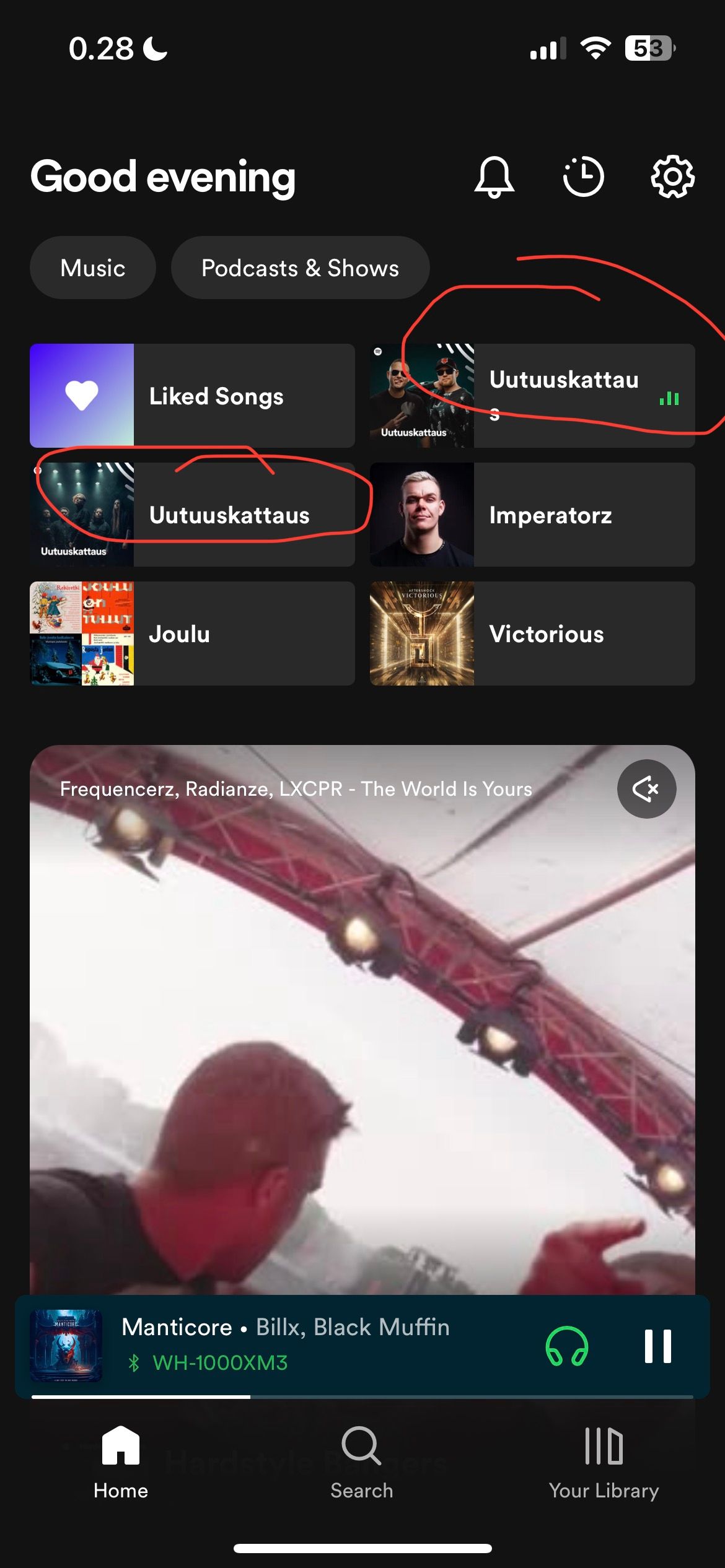

Hi there,
Thanks for the post.
Sorry to hear that you're seeing someone else's DW playlist on your landing screen.
The items on the landing screen update automatically, and can't be removed manually from there.
I'd suggest you try logging out everywhere and back only on devices you personally use. This could've happened if your account was logged on a communal device, like a smart speaker or TV to which other users have access, and they played this Discover Weekly.
It's also a good idea to find the one made for your under Your Library > Made for you and follow that one. This should force the algorithm to update the items on your landing screen in some time.
Hope this helps.

I'm running into the same issue. I've tried logging out everywhere. I found the user, blocked them on Spotify, but every single week, their Discover Weekly playlist continues to be front-and-center on my landing page. I do not interact with the playlist, there are no mutual interest overlaps within the playlist. I do not follow this person and they do not follow me. This issue persists across every device I own. I've restarted all my devices. Signed out. Signed In. Signed out from everything all at once. And still, this random person who I don't know has a discover weekly playlist on my landing page next to my discover weekly playlist. I spent 5+ hours in chat with support, but they keep treating the issue like I want my discover weekly playlist removed. It's actually pretty crazy how much time they've wasted and how every agent comes to the same mistaken conclusion. Any advice would be great. Thanks
I found my DW playlist under "Your Library". When I listened to it from there, it then started to show up under my "Made for you" space.