Scrolling doesn't work properly in playlists

Plan
Premium (but doesn't matter)
Country
Germany (but doesn't matter)
Device
OnePlus 3
Operating System
Android 7.1.1
My Question or Issue
In the Spotify Android App, when I use the scroll bar in playlists at the very right, the scroll bar and my finger touch position don't match: I need to pull my finger way more down than the scrollbar goes, so I cannot scroll to the bottom of a playlist until I already leave the screen area. Since the "back" touch button is below that area in my screen, oftentimes when scrolling to the end of a playlist, my finger touches the back button, Spotify leaves the playlist, so I have to go back to the playlist and try scrolling down again.
This is a mess.
Please fix it - finger touch position should be the scroll bar position, as it is in every other program in the universe.
Screenshot to illustrate:
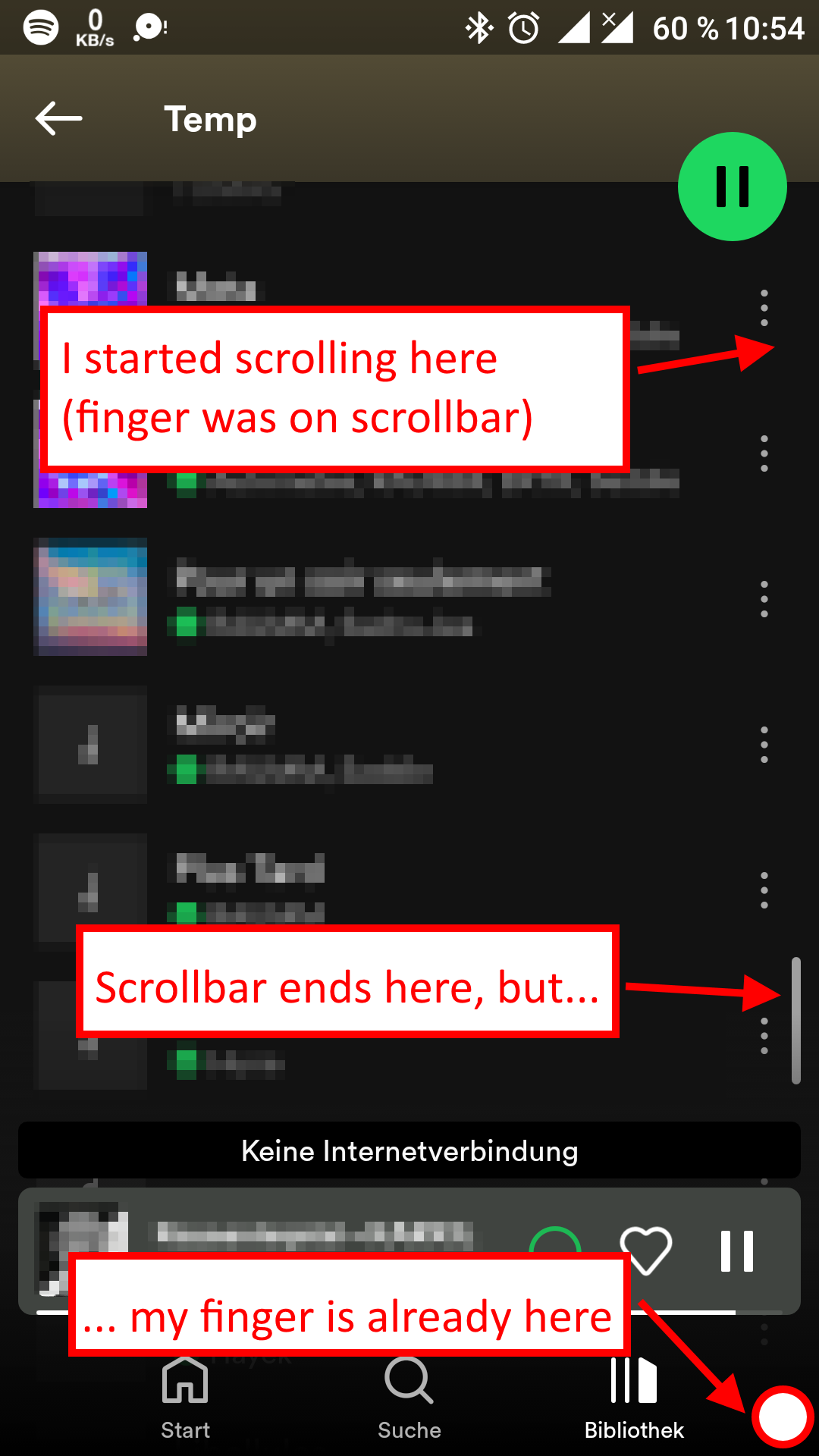
... so I can't reach the bottom of my playlists and have to "manually" scroll down using finger touch & swipe a couple of times which can be a pain in long playlists If you listen to music all day.
Hi there @matzel
Thanks for sharing this extensive description with us.
Sorry to hear that you're having such an experience with the app.
We'd recommend running a clean reinstall of the app. Please follow the steps from this Spotify Guide exactly, as this will assure that all app data is cleared completely, before reinstalling. This is most likely happening because there is some corrupted app data, which should be cleared from the clean reinstall.
Keep us posted on how you get on with this.
Cheers.