Setting Live Events location to Charleston, SC permanently crashes Live Events page

Plan: Premium
Country: USA
Device
iPhone 12 Pro
Operating System
iOS 16.2
My Question or Issue
On the iOS Spotify app, if you set the location for live events to Charleston, SC from some previous city, the page does not update to display Live events in Charleston. Instead it shows events from the previous city selected, as if no change was made.
Changing the city to other cities (Tested Charlotte, Columbia, Savannah, San Francisco) updates properly and does not cause this error.
If the last selection you made in the cities is Charleston, SC and you close the app. When you go back to the Live Events page it says "Something went wrong, Have another go?" with a reload button (see attached photo). Pressing reload does not resolve the issue.
Force quitting the app and restarting it does not solve the issue.
As of now, the Live Events page is permanently broken for me.
On the web app no such problem exists. I can see Charleston events, it seems to just be iOS or possible just not web.
Is there a way to resolve this on the user's end? If not, can we file a bug report with the proper team?
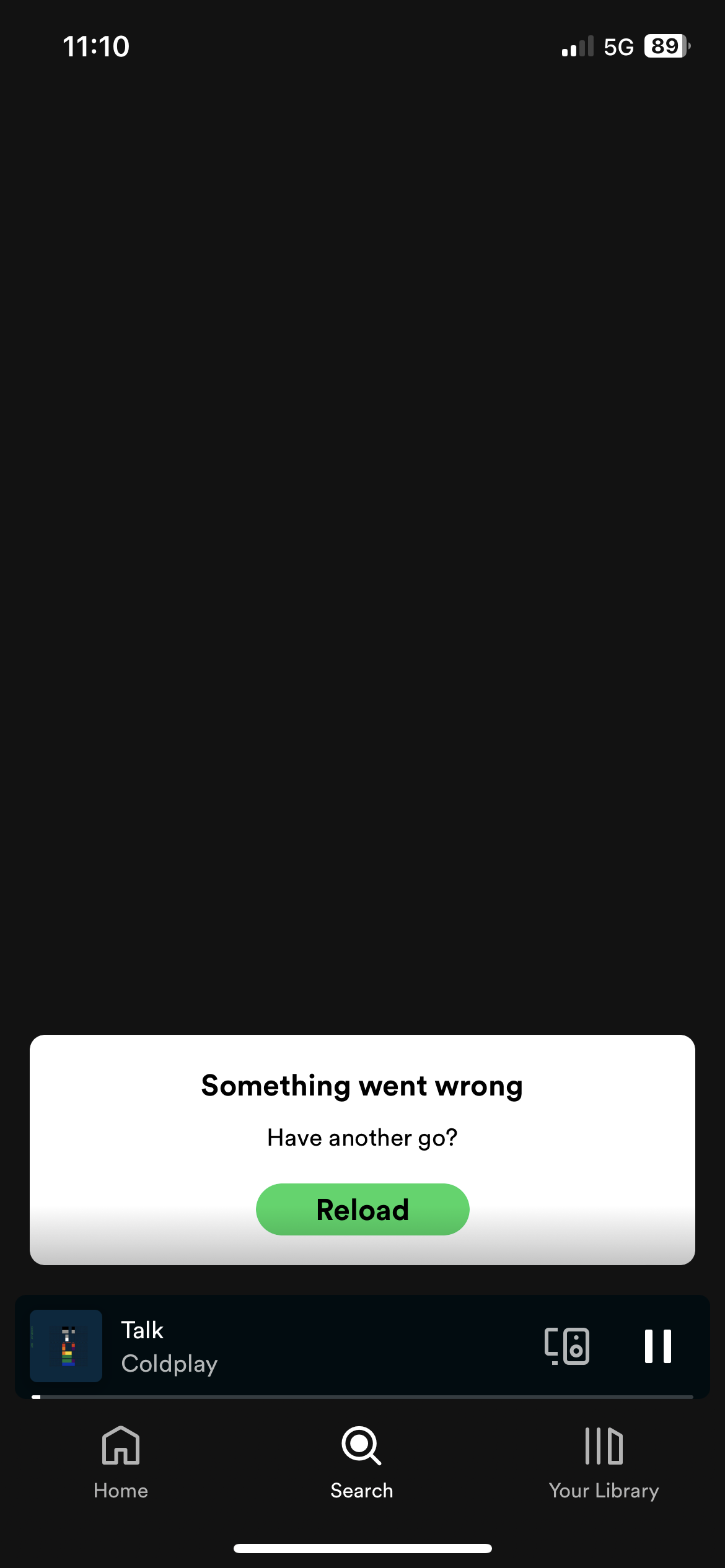 Live Events screen in its current broken state
Accepted answers
All comments
Hi @Jose_M,
Following the steps provided, I have deleted and reinstalled the app.
The issue still persists. This did not cause any change.

Hello @cgb223!
Thanks for your reply. Can you let me know what Spotify version this is happening on? Also, could you ask someone else to log into your device with their account to see if that makes any difference?
Keep me posted 🙂
Hi Jose,
I am using version 8.7.94.551
I do not have anyone I can have log into their Spotify from my device.
Hello @cgb223!
Thanks for your reply. Can you try changing the city of the live events to Charleston on a different device (e.g. desktop)? Then close the app and open it on your mobile device. This should refresh the info and display the live events page again in the current city selected.
Let me know how it goes!
Changing the city on the desktop app to a different city restores the page to show events in that other city.
Changing the city back to Charleston in the desktop app does not update the iOS app to show events in Charleston, but rather continues to show the previous city picked.
I am still unable to view live events in Charleston, SC in the iOS app.
Selecting it in the iOS app and restarting the app breaks it into the state previously mentioned.
Hello @cgb223!
Thanks for getting back to me. If you have any VPN, can you try turning it off? I'd also recommend trying this a different Wi-Fi network/mobile data to see if it makes any difference.
If the issue persists, it would be worth trying it on a different mobile device to see if it happens as well. If you don't have another mobile device, you can borrow one from a friend or family member to test this.
Make sure to keep me posted 🙂
I do not have a VPN so can confirm that's not an issue.
I have tested on Wifi and cellular and can confirm the issue still persists.
It also exists on an iPad in addition to iOS, just checked that.
At this point, can we escalate to the proper team at Spotify?
Hello @cgb223!
Thanks for taking the time to go through these steps. The relevant team at Spotify has been notified of this issue for further investigation. Hopefully this will be solved as soon as possible.
Thanks again for your patience, have a nice day 🙂
Thanks Jose!
Please let me know if there's anything I can do to help. Happy to work with the team if they need me.
Hello @cgb223!
Thanks for coming to the Spotify Community with your issue. I'll try to help you out. Can you try having a clean reinstall of the app to see if this does the trick? Just follow these steps.
Let me know how you get on!