I finally solved this problem. It was incredibly irritating and I read all the You tube posts etc which didn't apply to me. I figured it out yesterday. Relief!!!!!
Your random play icon that looks like two curved arrows that cross actually has 3 functions, not 2. When turned off, it will play your playlist in order. When turned ON, there are actually 2 ONS. One is to randomize your playlist and one is to randomize your playlist AS WELL AS adds recommendations. The two functions look almost exactly alike (they light up green when on) but one has a little dash on top of it and when you click on this option it actually does read that it will add recommendation.
good luck all. I was so relieved to figure this out and enjoy my own playlist again!
Hi there!
Which devices does this behavior occur on? Does it occur only on the desktop or also on the mobile app? Have you tried using the Web Player instead to see if there's a difference? A screenshot of what you're referring to would be greatly appreciated as we can get a clear idea of how things look on your end.
In general, if you're using the Free version of Spotify on your phone, and your playlist has less than 15 tracks in it, the app will automatically add new songs to the playlist so that its runtime increases and you don't get the same songs twice. This feature cannot be disabled, but if you add more than 15 songs, the additions from Spotify would disappear.
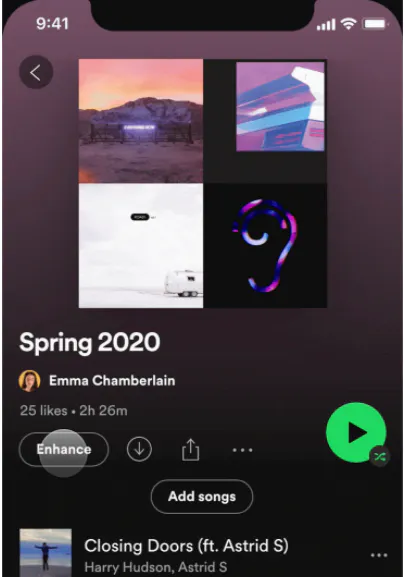
Premium users have access to the Enhance playlist feature, which automatically adds similar songs to your playlist as long as the feature is turned on. You can turn it off by clicking on the Enhance button at the top of your playlist.
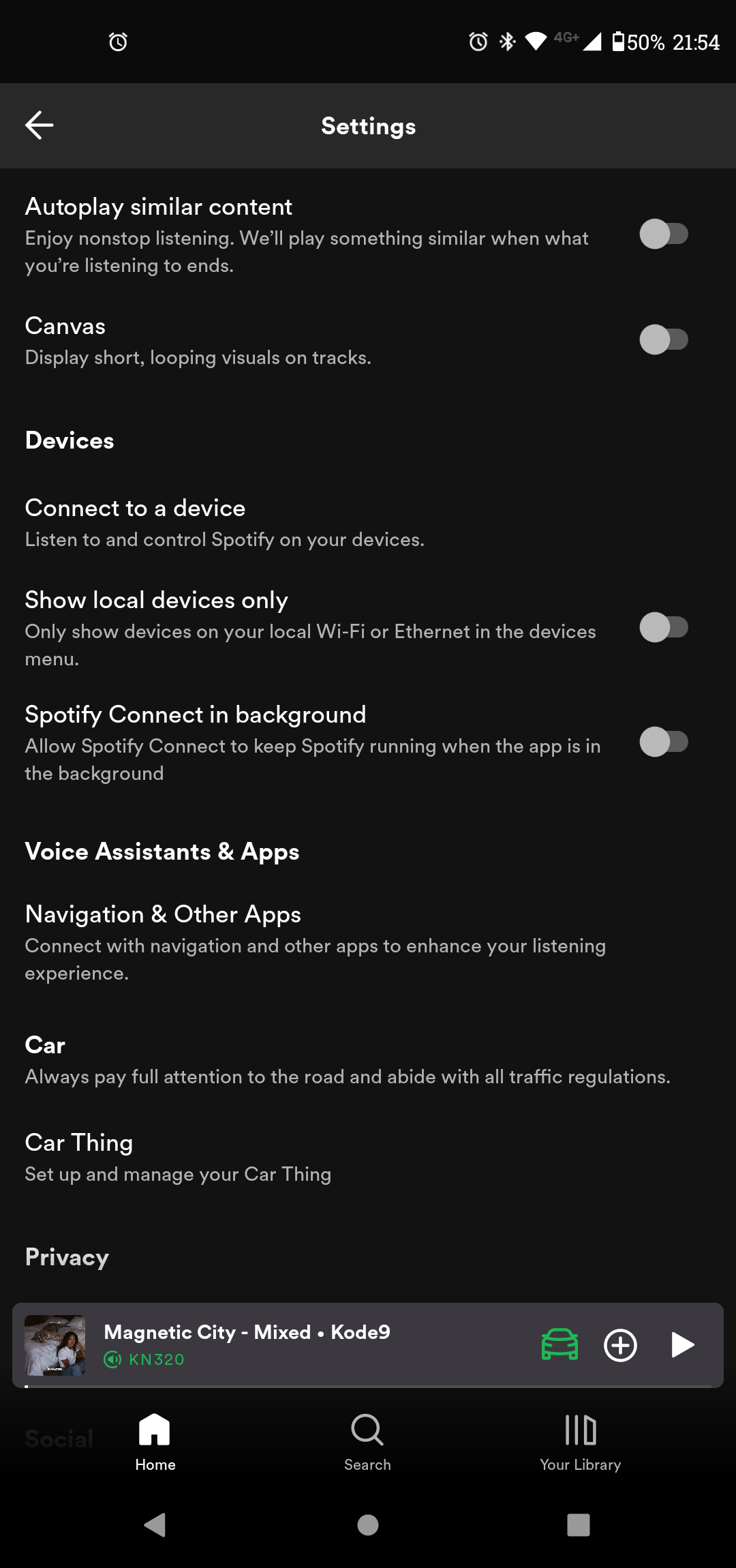
Something else that's worth checking out is if the Autoplay feature is toggled on in the app's Settings and toggle it off. Autoplay continues the playback with similar songs once your current music finishes playing. More info can be found here.
Let us know how it goes. We'll be on the lookout for your reply.
Cheers!
I am having this problem, where Spotify automatically makes recommendations to my Liked Playlist. Roughly every third song is a recommendation, and these recommendations are terrible choices for my tastes. I am on a premium family account, listening on an I Phone. I see no "enhance" button among the banner items for my Liked songs playlist. I have turned off autoplay. I have nearly 4,000 songs that combine many genres on this playlist and want it to shuffle through. It is substantially diminishing the value of Spotify for me.
Hey @pcmcdonnell,
Welcome to the Community and thank you for joining the conversation.
If you don't have the Enhance button, it's possible that the recommendations were added by the Smart Shuffle feature. This feature adds some recommended tracks to the playlist where it was activated and it's only available for Premium users.
To turn it off, you just need to tap the Shuffle button again to gray it out. In case you want to use the regular shuffle function, make sure to select the correct option when tapping the Shuffle button again. You'll find more info in this article.
Hope this helps. Let us know how it goes.
Thank you for keeping in contact.
We're glad to know that everything is working fine now. We appreciate the time you took following the process and sharing what works for you.
In case you need anything else, remember that we're just a post away.
I am not a premium member. Today I have had 8 straight songs that were recommended. I don’t want to listen to these. Have turned off auto play and have had 1 of my song choices play and now onto others that I don’t want to hear. This is on my iPhone. Been fine until half hour ago. Been listening to my choices Til then
This is trash. I should have to goto setting to add smart playlist features. I’m paying for a service and constantly having to make sure trash suggestion isn’t enabled. I just want my music. Maybe make this a completely separate toggle button. So annoying.
Turn this feature off completely if you can't get it right
Android. Fully updated.
Enhanced playlist off.
Playlist with over 200 songs.
Plays 3 songs on the playlist then switches to recommendations.
Ah, now I see, despite constantly turning off smart shuffle it turns back on. Which reinforces my point.
Hi!
I'm not a Premium member, but even this is not a reason for hearing, since days ago, ONLY recommended songs. NONE of the songs on my Playlist are playing. None.
How is it possible???
Using Android App.
Thanks.
Agreed. I detest this feature. I curate playlists for a reason!
I hate it too... Plz remove
I've noticed that recommended songs are now playing more than any in my playlist it is so annoying. I only want to listen to songs in my playlist !
Same problem here, mobile version Android 12, premium family, autoplay toggled off, enhanced playlist and shuffle off.
1. I get recommended songs queuing to play based on an album I was listening to, they just started playing right at the end of the album.
2. I tried reinstalling spotify, restarting my phone. Now I get the album radio playlist.
Please solve this.
Seems like we are all being forced to listen to stuff we don't want too... This is how Spotify makes money... Useless ads and bad artists... They have sold out, but I guess everyone gets greedy
This is happening to me as well, but I’m not a Premium user. The result is that songs I don’t like or want to listen to appear mid-playlist, and I’m not able to skip them.
I’m on mobile on iOS, not on a premium account, and I’m getting more “recommended” songs than ones I put in the playlist myself.
log out and in twice ( two times)
sorry but it did work at first and i got exited when i played last songs from few of my playlists and they ended as they should, but last night did not work and spotify kept on playing. we have to wait for a permanent solution
Hey folks,
"Playing recommended songs for you" is caused by the Autoplay feature. If Autoplay on desktop is controlling the feature's behavior across all platforms, try disabling it on the desktop app to see if that does the trick.
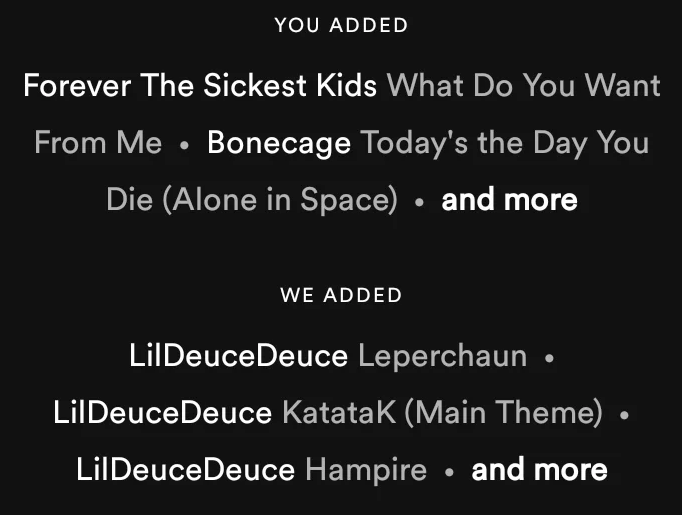
Smart Shuffle is another feature that keeps your listening sessions fresh by mixing in recommendations that match the vibe and if you've enabled it, Spotify will add tracks and personalized recommendations.
If you're still seeing songs in the queue that you don't recognize or haven't personally added, I'd recommend checking out this article, specifically the 'Why do I see songs in the queue I haven't personally added?' for more info on what to do next.
Hope this clears things up. Cheers!
Yordan,Yordan is my man ,if Yordan can't nobody can. So in order to disable autoplay in desktop app i had to install the app on my PC first and then i was able to disable the autoplay.so far so good. keep fingers crossed and see what happens.
thank you Yordan.
What if we don't have the desktop version of spotify? I can be listening to something other than my playlist, it don't matter, these random songs i don't care a thing about start playing. I'm on android, everything updated. I was listening to the rammstein playlist, and songs that are not even related to the same genre start playing as recommendations. I don't want recommendations period. It shouldn't matter how many songs are in our playlist. Maybe we want to hear the same 15 songs over and over. Keep your recommendations to yourself. If i want to listen to something different, i know where the search bar is. Quit forcing ppl to listen to **bleep** they want nothing to do with. Smh.
This is not helpful whatever so. Everything that support has suggested I have and yet, I STILL have a recommended option at the end of every playlist, even the podcasts. As someone mentioned, I have a playlist for a reason and that's because I want to listen to what I want to listen to - Spotify is not a radio and if I wanted to listen to a radio, I'd listen to a radio.
Remove this or make it an OPTION in SETTINGS where it belongs.
There is no enhance button on my playlist. Im a premium member and im on android.
hey i am also having this problem
and i am still having the problem. there are multiple "suggested songs" in a row and most of them are vaguely unrelated. id like this problem to be fixed tbh
Non premium user, playlist just dropped i really want to listen to and has 15+ tracks, so far have gotten recommended songs for over 30mins straight and not a single one in the playlist
Fix. **bleep**
Good thing i don't have this problem anymore
Free user
Apple
I have disabled everything and I still get the stupid recommended songs, they aren’t even song that I would like. Please just have an option to completely remove it in settings
The stuff you recommended I did and it still only plays recommended songs and not anything on my playlist
It is so frustrating
Hi Bro,
You can easily remove the playing recommended songs for you on Spotify By using the SpotifyErrors step by step on it from it's official website spotifyerrors.com.
Hope that this guide will be healpful for you and you will easily remove it.
Regards,