Hi there,
Thanks for posting in the Spotify Community, and welcome!
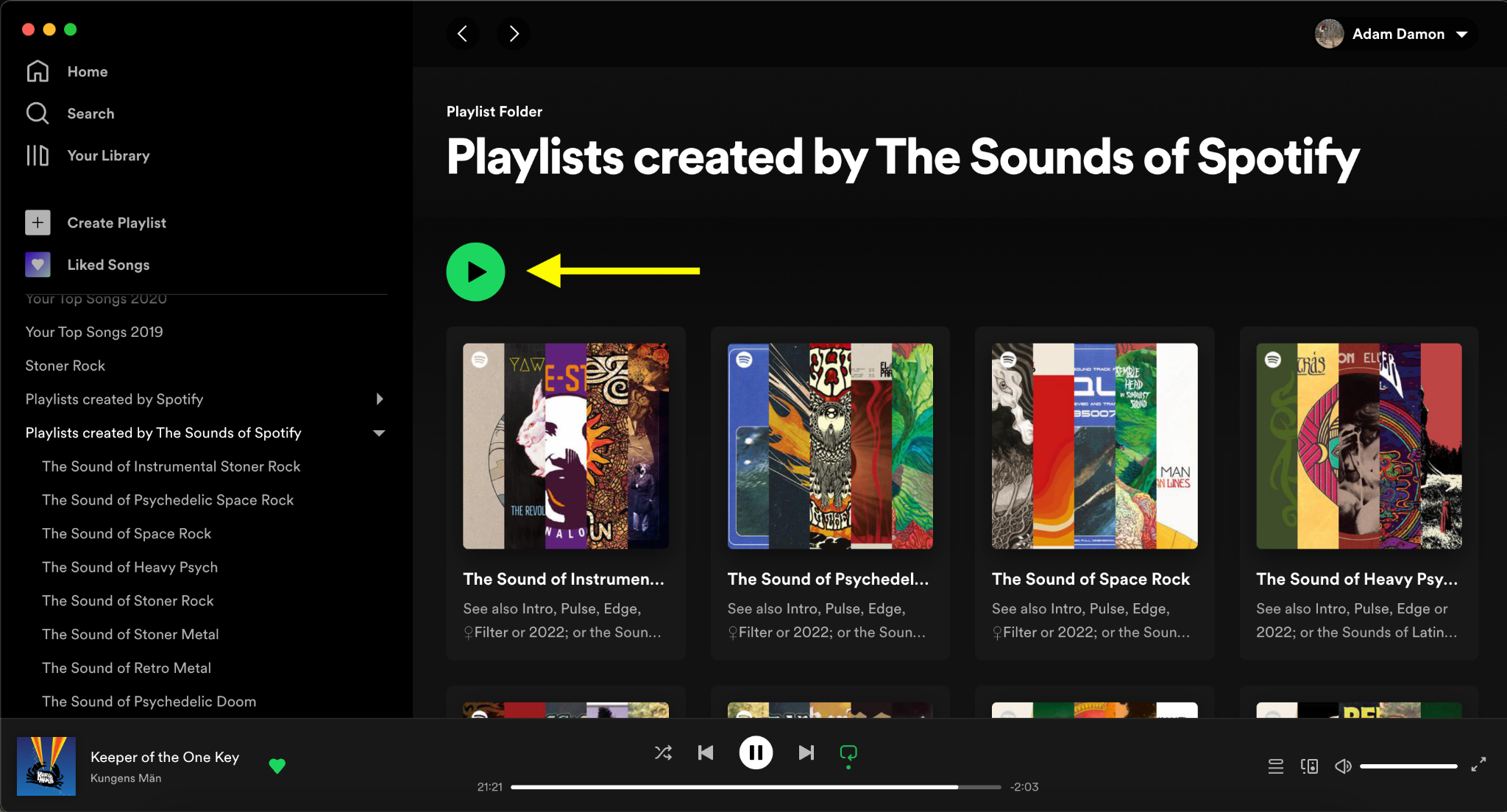
On the desktop app, you can shuffle songs from all your playlists by first adding them all to the same playlist folder. Then you can press the green “play” button at the top of the folder, and finally select the shuffle button located on the Now Playing bar at the bottom of the screen:
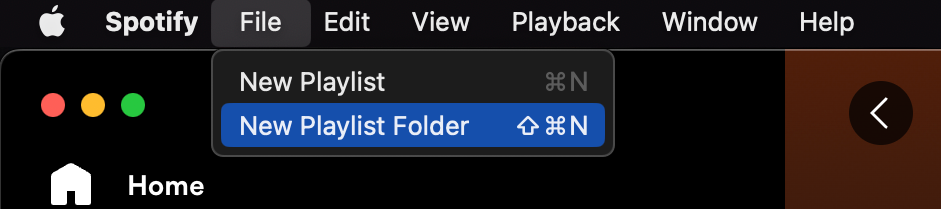
1. From the top of the screen, select File -> New Playlist Folder
2. Drag the playlists you'd like to shuffle inside the folder
3. Press the green Play icon at the top of the playlist folder
4. Finally, select the Shuffle button on the Now Playing bar at the bottom of the desktop app
This will let you shuffle songs from all the playlists that you dragged into the folder.
Let me know if you have any other questions, and have a good day!