Remove (new?) sidebar

Firstly, sorry if this is in the wrong section, I couldn't really fit it in any of the existing categories.
So since a couple of days/weeks, my Spotify has some sort of new activity window on the right side, with some stuff that I don't necessarily need to know. The problem is, it opens that window by default when I click a new song, which closes my playlist window on the left. I would much rather have my playlists on the left open by default and keep the stuff on the right, which I'm not interested in, closed at all times.
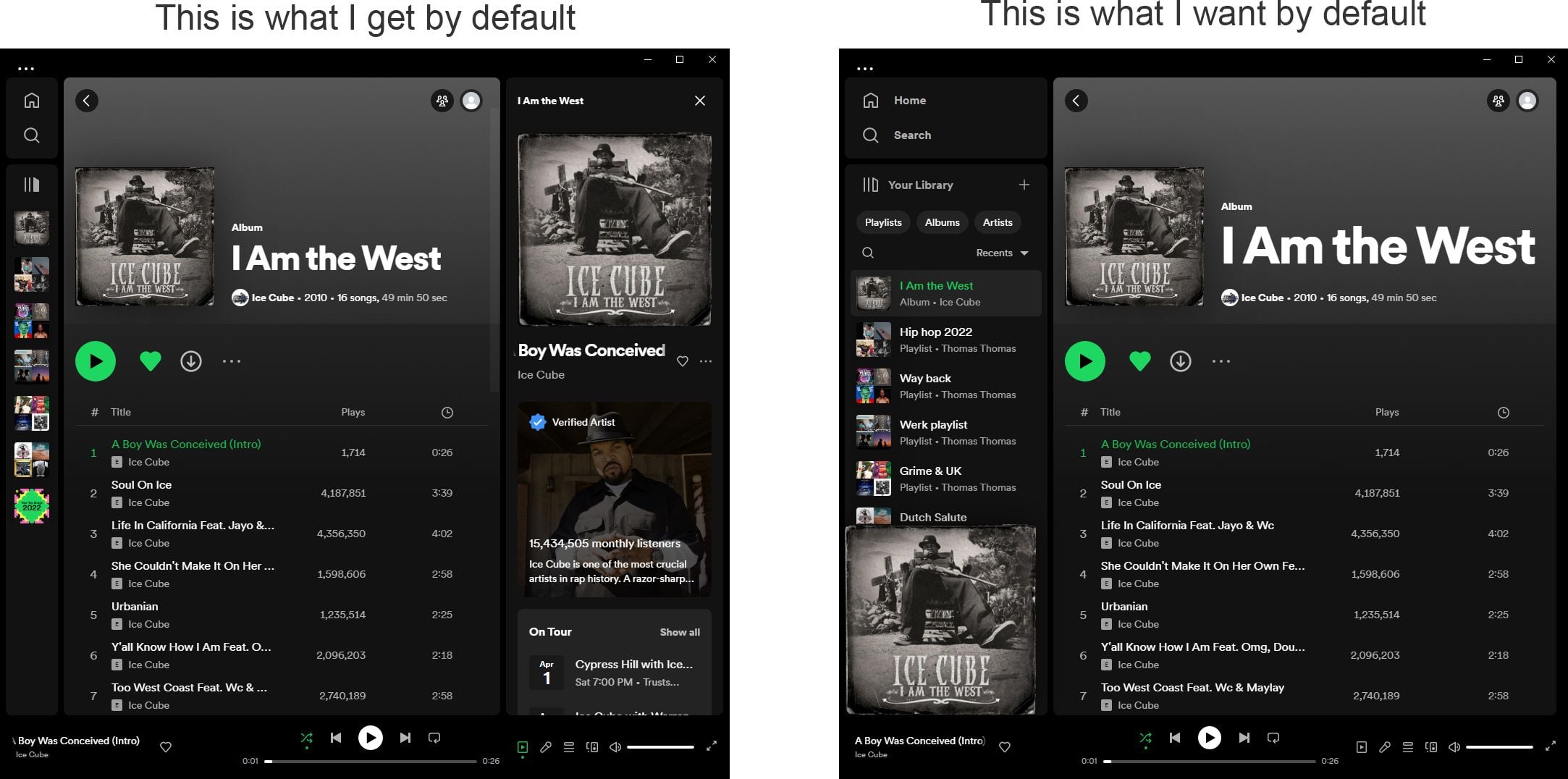
Does anyone know if there is a setting that I overlooked, that allow me to disable the right sidebar window? If not, I am going to have to downgrade, but I would prefer a better solution.
Thanks in advance!
Plan
Premium
Country
Device
PC (Windows 10)
Accepted answers
All comments

Hey @1149737717
Spotify is currently testing a new Desktop UI. This change will be rolled out slowly to users as it is tested, and eventually released.
You can leave feedback on these changes here.
I found this post on how to get the new sidebar to be more similar to the old one. I hope some of these steps will prove useful to you.
There's also another similar thread here.
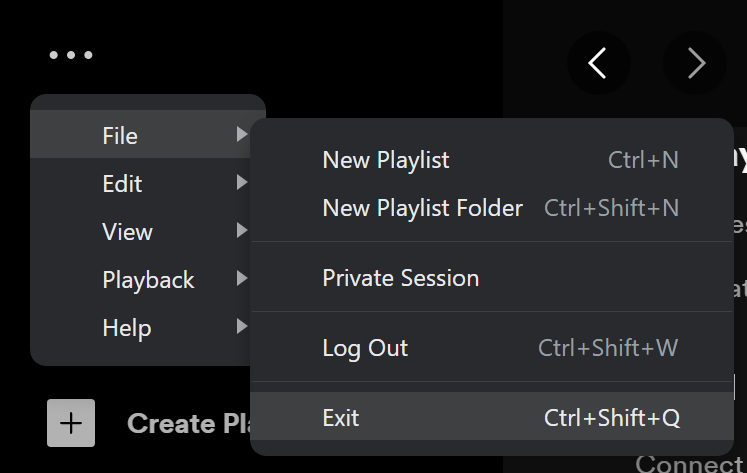
From what I've seen, Spotify should remember your current layout and apply it every time. Please restart Spotify by going to File > Exit (or Control + Shift + Q) and then reopen Spotify.
If my answer was useful, don't forget to give it a 'Like!' If my answer was the solution, don't forget to mark it as the solution! Thanks! 😇 | If you need anything else, please reply and ask, Feel free to follow my Spotify or Community profiles! Disclaimer: I am not affiliated with Spotify. |

I feel the opposite, I clicked it closed, and later wanted it open, but there is no way to bring it back and reinstalling the app didn't work.

Try toggling: Settings->Display->Show the now-playing panel on click of play

worked for me, thanks!

Is it possible to permanently disable the new side panel? It re-appears for every playlist or new band.

awesome, hope it sticks -- thank you 😀
Wasn't an option when I originally posted this, but it's under edit > preferences > display for me now.

Thanks!—that bar is SO annoying!

Plan
Premium
Country
South Africa
Device
Desktop
Operating System
Windows 10
My Question or Issue
How do i hide this right side panel? It's super annoying and only gets in the way. It makes using the app a considerably worse experience.
I NEVER used this panel before and now its permanently getting in the way.

It keeps reappearing on Spotify for macOS (Apple Silicon) 1.2.84.476.ga1ff6607 despite setting "Show the now playing panel on click of play" (is this proper English?) to off. It would be really cool if that right hand side panel could be completely nuked somehow. I didn't ask for it, and I'm running Spotify on a portrait monitor, so I need the horizontal space.


Thanks. lt us nuke it yes please
Try toggling: Settings->Display->Show the now-playing panel on click of play