New Your Library sidebar

Spotify is introducing a new Your Library sidebar in the desktop app and Web Player.
The new Your Library sidebar is rolling out to all desktop users now, so you will be seeing it soon if you haven't already.
The new Your Library sidebar improves navigation and makes it easier and faster to collect and retrieve all types of content, bringing new features to desktop that you're already familiar with in the mobile app. The new sidebar is also more customizable than before to meet different preferences.
To see what's new, ask questions, get help for issues you might have, as well as to share your feedback about the new Your Library sidebar for desktop, please check out the help guide here:
➜ Desktop: New Your Library sidebar

Tips to get started:
If you need a familiar experience to help you get started with the new Your Library sidebar, here's how to get it as close as possible to the old sidebar that previously only showed playlists:
- In the left "Your Library" sidebar, click on the "Playlists" filter at the top.
- Then, in the drop down menu select "Custom Order" under "Sort by". You will then see your previous playlist order and be able to move your playlists and folders like before.
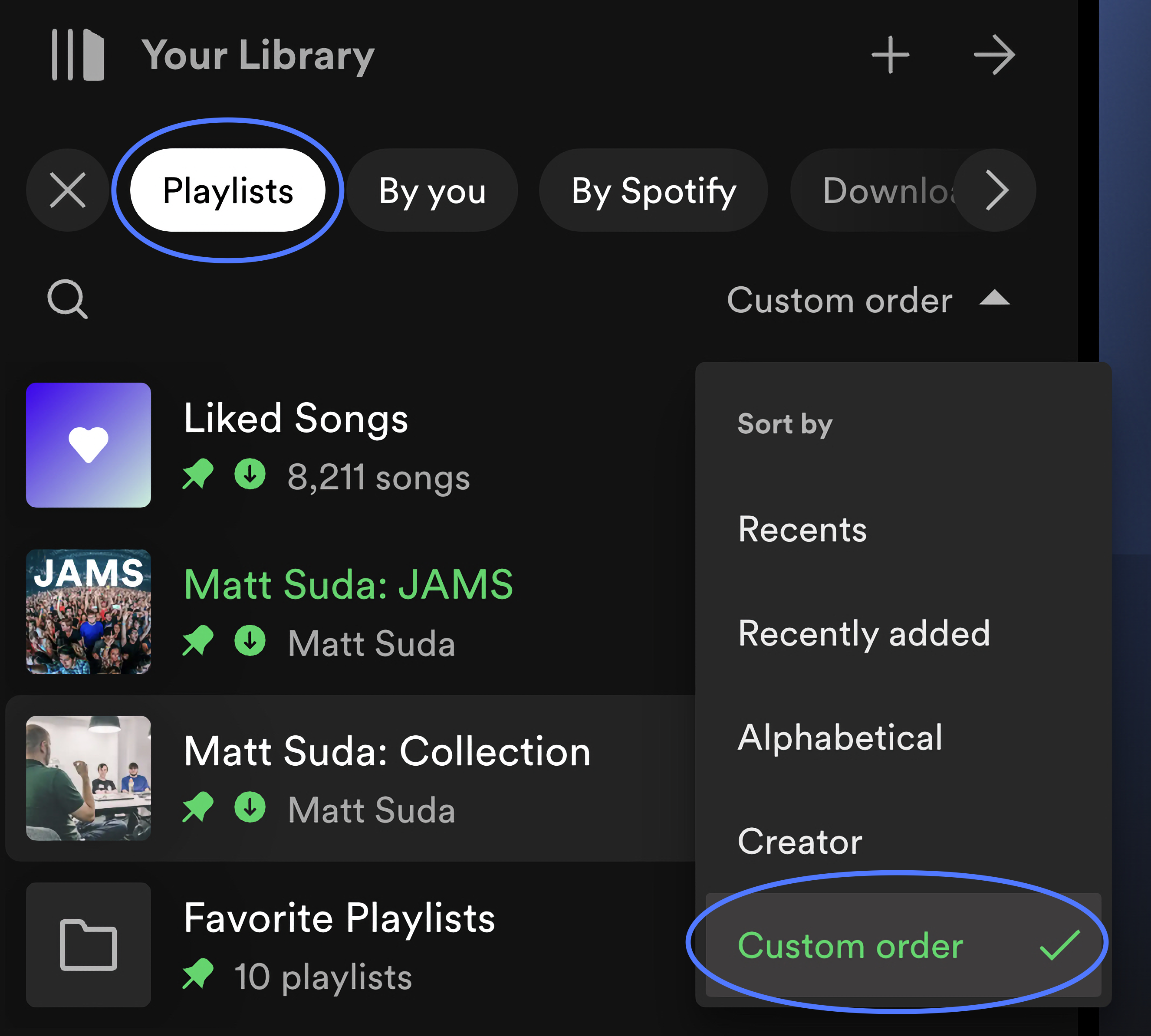
- Your currently chosen filters and sort options will be remembered across restarts of the desktop app.
- If you would like to only see text in the Your Library sidebar (no art covers), go to the drop down menu and at the bottom of the menu click on "Compact" under "View as".
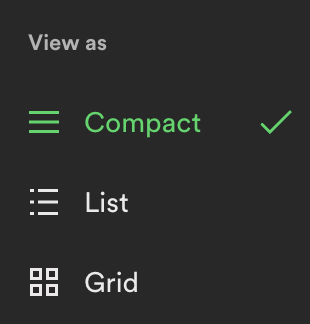
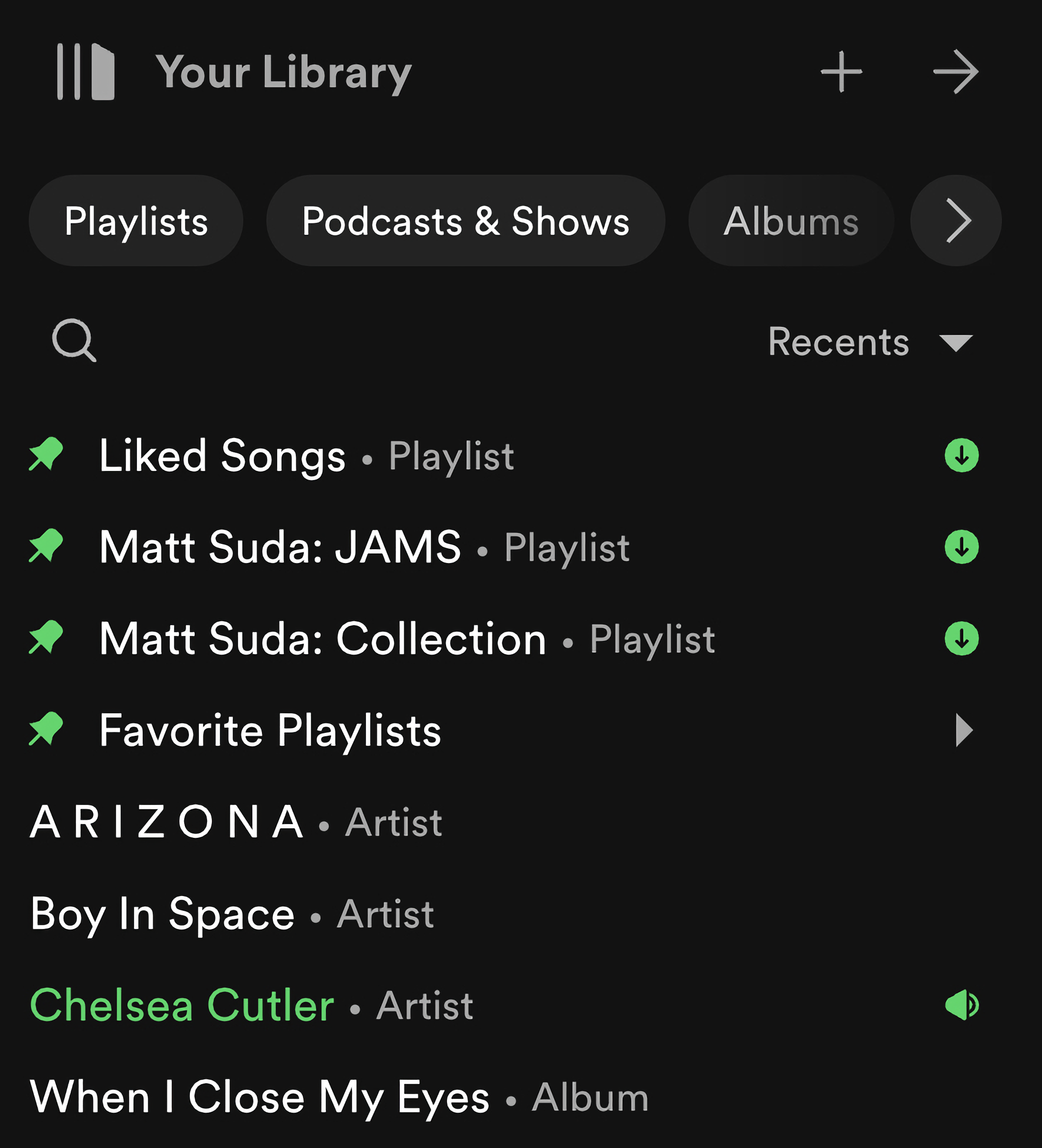
- Flexible Sizing: You can drag the Your Library sidebar to different sizes. Fully expand the sidebar by clicking the arrow button at the top, and fully collapse the sidebar by clicking on the "Your Library" heading to see only art covers.
- At the top, you can scroll through the different filters with your mouse scroll wheel for faster navigation when the sidebar is set to a smaller size.
To see what's new, ask questions, get help for issues you might have, as well as to share your feedback about the new Your Library sidebar for desktop, please check out the help guide here:
➜ Desktop: New Your Library sidebar