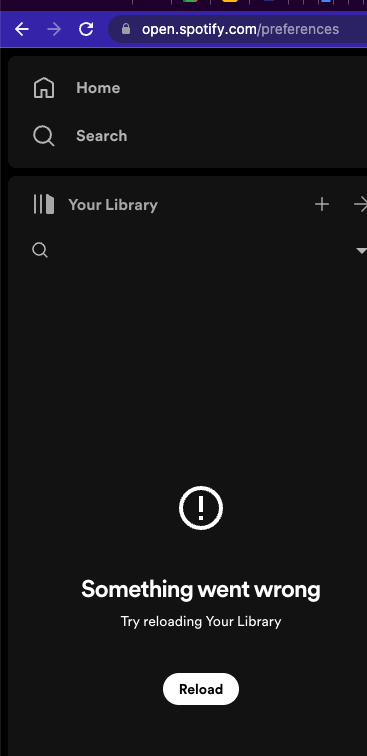
Something went wrong Try reloading Your Library

I'm on Spotify desktop (doesn't matter which browser). For over a week on the left it's said:
Something went wrong
Try reloading Your Library
Clicking Reload changes nothing.
I've already tried hard-refreshing the page, re-opening the browser, clearing cache and cookies, restarting the computer, logging out and back in, and checking it on my phone.
Accepted answers
All comments

I am having this problem as well. Happened when I closed out albums in my library. It never came back. I am using firefox.
I tried it in chrome and the problem does not appear.
It worked in chrome so I deleted site data in firefox and now it works in firefox.

Hey @haywire727-ca,
Glad it's fixed, thanks for letting us know! 🙌🏼
The Community is here for you should anything else come to mind 🙂
Cheers!

I had the same problem, and the tip worked! I use Chrome, and to fix it, all you have to do is go to "chrome://history", and delete all the cookies + site data. Then log back into Spotify, and you can see the library
Thank you!

No need to go to "chrome://history",
Just right-click on site-symbol on left side of adress-bar and delete cookies + site data from there 🙂

I've had this problem with my library for over 2 weeks and I still don't know how to fix it. I've been on chrome and I also have it downloaded on my computer, phone and iPad. Yet, my library won't work for any device. Some one please help!!!

Hi there @Princess_Liyah,
Thanks for reaching out and welcome to the Spotify Community!
Have you tried clearing your browser's cookies and site data as the other users mentioned in the thread? I'd also recommend opening the Web Player in a private window to see if that makes a difference, as well as checking your internet connection and trying with a different one (a hotspot, for example).
Since you mentioned this happening across all devices and platforms, I'd also recommend performing a clean reinstall of the desktop and mobile app. This will ensure you're running the latest version and remove any damaged cache.
Keep us posted.
Yes, it worked thank you for the help! It was very useful.

Hey @Princess_Liyah,
Thanks for getting back to us and letting us know.
Great news! If you need a hand with anything else, the Community is here for you.
Cheers!

I have the same issue. I've come across this before, but do not remember how I fixed it.
I've tried clearing site data, cache, cookies, history, refreshing, new window and in incognito. Nothing works.
Using Google Chrome.
Can anyone help?
Hey @turquoxic,
Thanks for posting in the Community.
Have you tried switching browsers? What's the current browser?
Does it work on the phone?
Also try switching networks.
Keep us posted,
Cheers!