When I play music at 'artist-popluar' section, the navigation bar at below doesn't work on mac app

Plan
Premium
Country
South Korea
Device
Macbook Pro 2021 (M1 Max)
Operating System
macOS Monterey
Spotify mac app version
1.2.17.834.g26ee1129 (newest version)
My Question or Issue

When I listen to music on the Spotify iPhone app, if I try to select a different music by pressing the play button on the 'Artist-Popular' tab in the Spotify Mac app, the navigation bar is disabled as shown in the picture above. (musician information is disabled also)
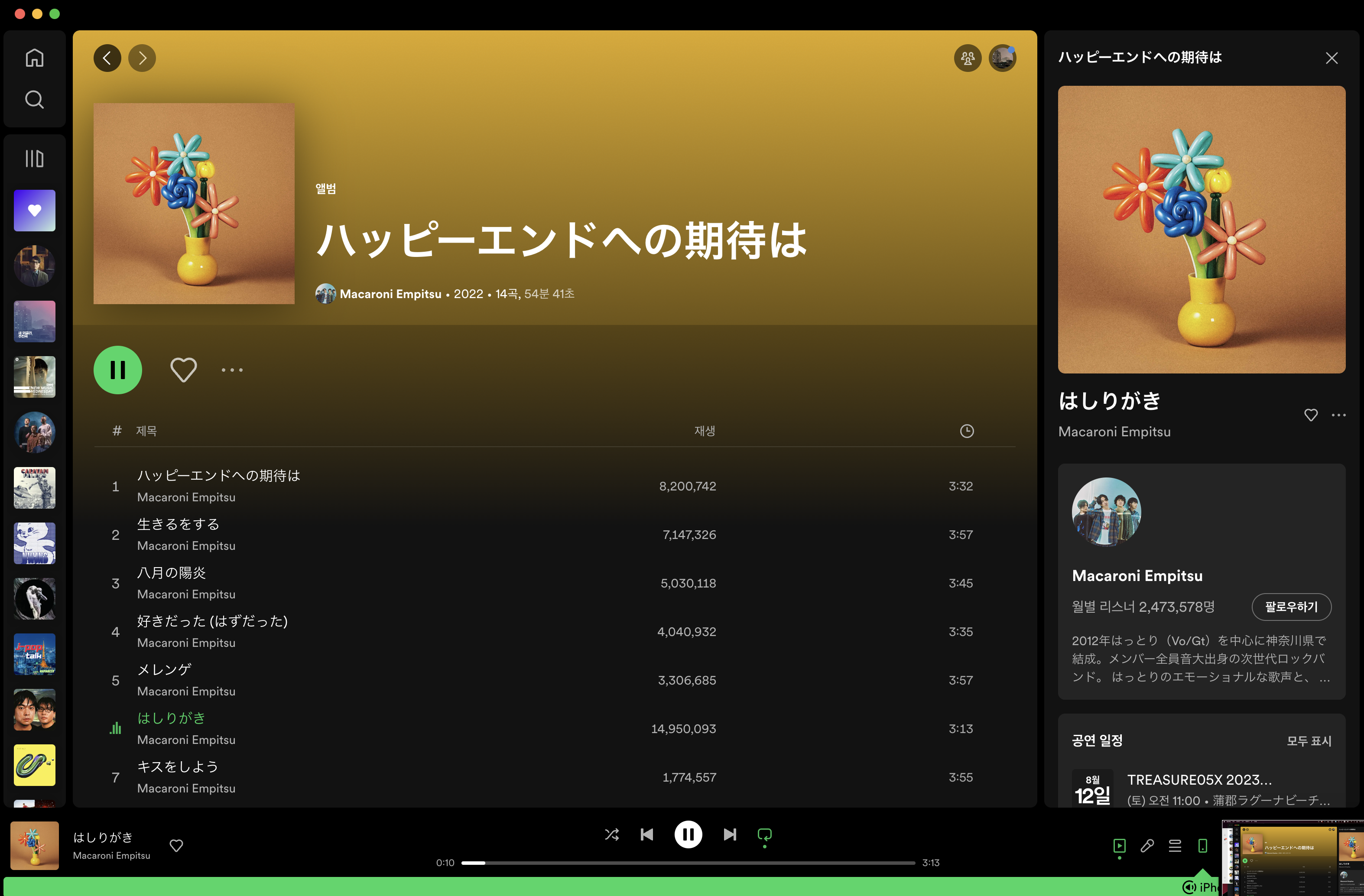
However, when I select an album and press a play button, the navigation bar and artist information are displayed perfectly.
(Oops, I chose the wrong category. It has to be "Desktop for Mac". Cannot find change category or delete topic...)
Accepted answers
All comments
Hello Joan,
Thank you for your kind reply.
1. This problem does not occur in my Windows desktop app. And it doesn’t happen in my friend’s macOS desktop app. (Probably an old MacBook Air).
2. This problem has been going on for months as far as I can remember, and it always happens. I’ve updated the macOS Spotify app several times after I noticed the problem was happening, but I still have the same problem.
3. This issue occurs on all artists’ pages.
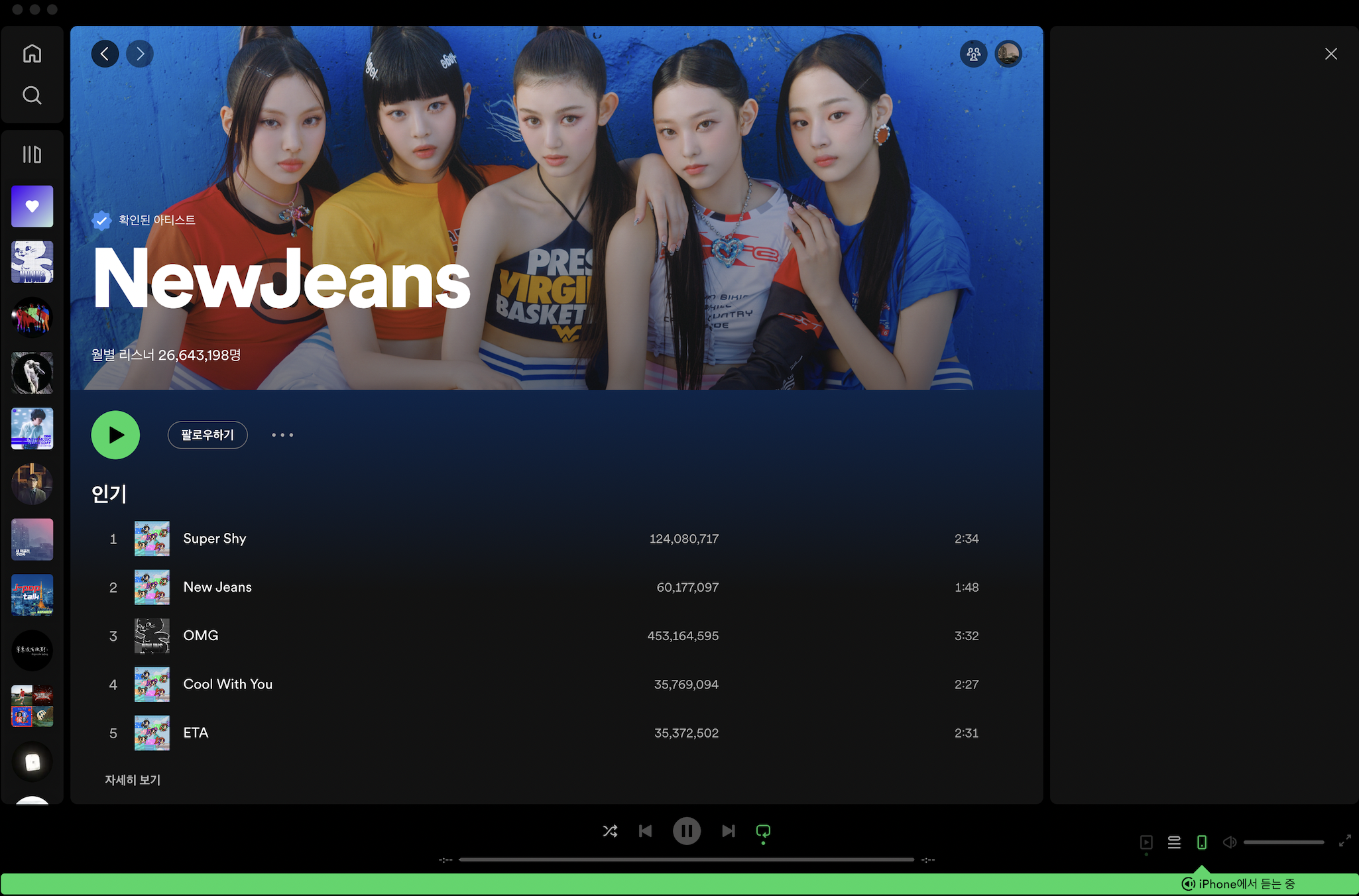

These screenshots are captured after pressing the green play button (and the play button for each songs in "popular" section also) on the page above.
4. The same problem occurs when connecting to another network like cellular hotspot or other wifi networks.
5. Sadly, the problem still continues even though I followed the clean reinstall guide correctly.

Hey @injeolmee,
Thanks for getting back to us.
It sounds like you've tried a couple of things already, but let's try some more troubleshooting.
First off, open the Desktop App's Settings and turn off "Enable hardware acceleration". This setting is located under Compatibility then restart Spotify. After you toggle it off, the setting should look like this.

As a second step, we'd suggest that you disable any antivirus or ad-blocking software that might interfere with the app's performance on your PC.
Lastly, it's worth checking your hosts files - steps for this can be found here.
In case the issue persists, we'd like you to try to reproduce this with a different account. If a family member has a Spotify account, could you ask them to log in on your device to see if the app behaves the same way?
Hope something here helps. Don't hesitate to reach out if you have further questions 🙂
Hello Lyubka,
Thank you for your response.
1. I disabled 'Enable hardware acceleration' option, but the problem still occurs.
2. I'm using the ESET antiivirus program, so I turned off the program's surveillance, shut the app down completely, and then restarted the spotify app. But the problem still occurs. I am not using the other antivirus or ad-block services.
3. My friend has a Spotify account, so I ask him login to the spotify app on my computer with that account and replicated the situation. The problem still occurs as follow:
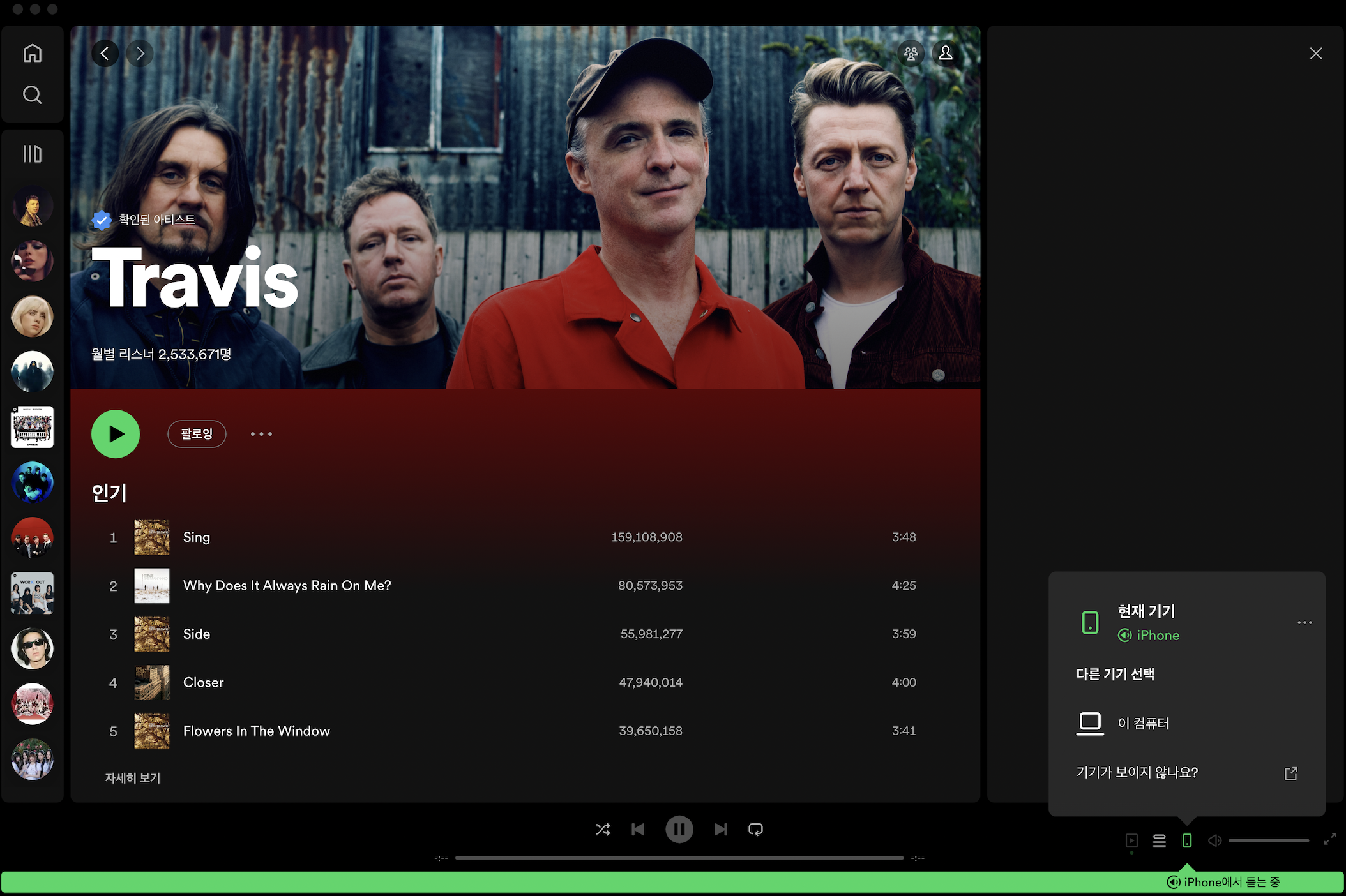
When I select music in this section of the macOS app, the command is sent to my iPhone app and plays properly on my iPhone app. And in addition, if I set the macOS app play music (not listen to it on the iPhone), the navigation bar is displayed properly.
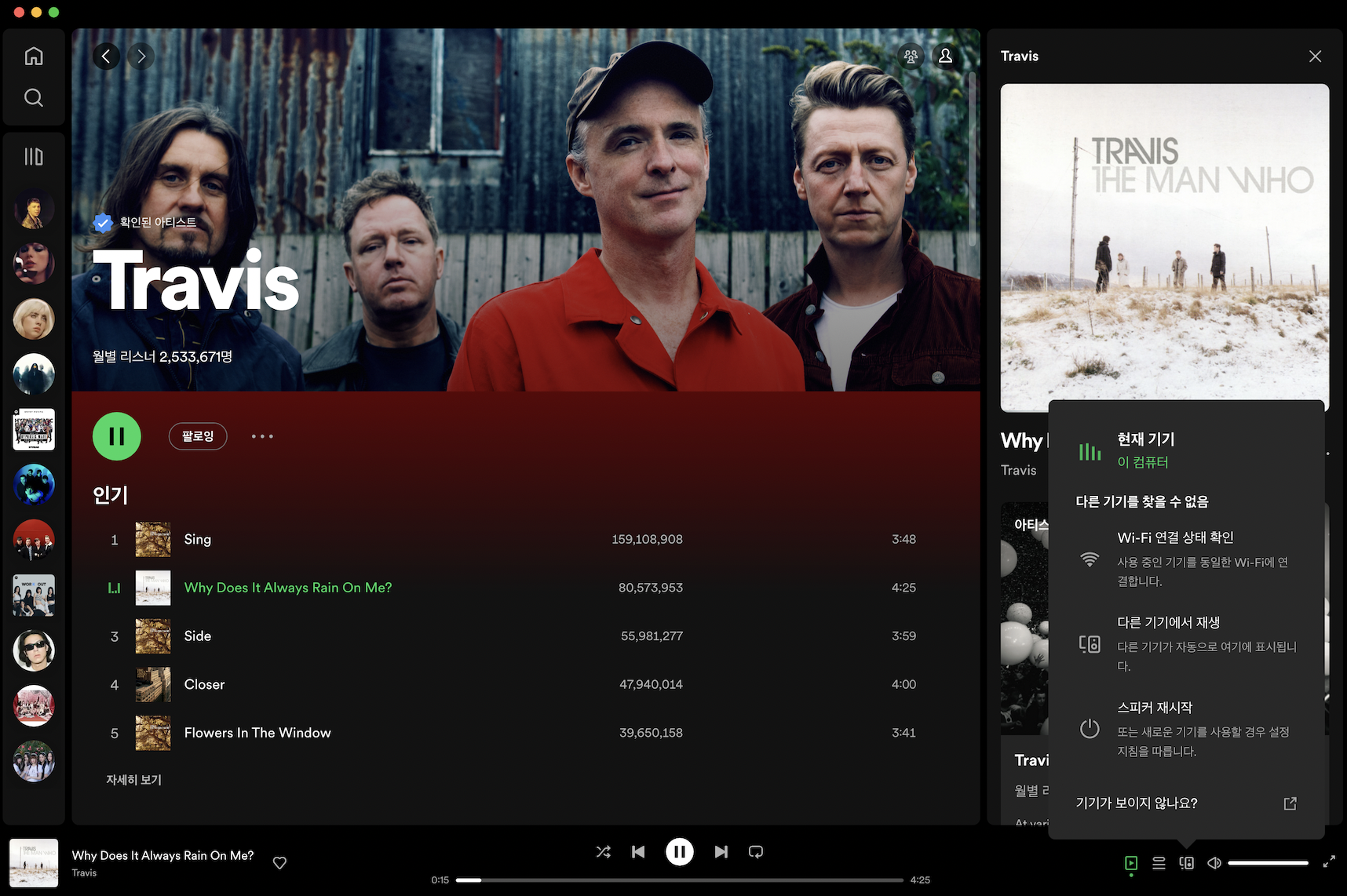
I hope this helps to figure out what is happening.
Hey @injeolmee,
Thanks for keeping in touch and for all the troubleshooting you've tried.
We really appreciate the time you took to post and report here. We've reported this issue to the right folks, who'll look into it.
We'll keep you posted as soon as we have any new information to share. In the meantime, make sure to always keep the app up to date with the latest version, so you don't miss out any fixes and stability improvements.
If anything else comes up, the Community will be here for you 🙂
Hi there @injeolmee,
Thanks for reaching out. Could you please provide us the following:
Let us know how it goes.