External monitors disconnect when opening Spotify

Plan
Premium
Country
United States
Operating System
Windows10
My Question or Issue
Whenever Spotify is active my monitors will constantly disconnect and reconnect (and my bluetooth mouse). This happens with the web player, the desktop app, and on webpages with embedded Spotify songs.
Accepted answers
All comments

Hi there @jackspencer,
Thanks for letting us know. We'll happily pass your feedback onto the appropriate team. Be advised however that we cannot say for certain at the moment when or if this is going to get implemented.
Cheers!

Exact same problem here. Philips 272B external monitor through a Dell WD19 USB-C dock.. Win10 HP ZBook w/ Nvda T1200 GPU. Any browser Edge/Chrome/Firefox. Doesn't happen with a AlienWare monitor I also have. I only see this with the Spotify Web player
Workaround is to put on earphones and use my phone!

Same here. Lenovo laptop. i7-13800H. External monitors connected via Lenovo Thunderbolt 4 Dock. Both monitors go completely gray. I have to sleep/unsleep my machine to recover.

On my desktop, running Windows 10, whenever Spotify's web client appears or I go to Spotify's website, one of my two monitors shuts off.
I can be browsing social media, and if someone linked to a song in Spotify, or on Discord, if it loads a mini spotify player, or when visiting the actual website, my monitor shuts off for a few seconds before turning back on.
I know I am not the only one with this problem, I have seen the issue posted about by at least two other people, with one offering an ongoing issue thread, but I could not access it (link to that thread for reference: https://community.spotify.com/t5/Ongoing-Issues/When-I-start-the-web-player-one-of-my-monitors-shuts-off-loses/idi-p/4583990 )
What can I do to make this stop? It happens all the time and is rather infuriating.
Gotta say, having my post moved to another thread that is eight months old with a reply that basically says "we cannot guarantee this is something we will ever look into" doesn't really fill me with confidence.
This is an issue that happens to me even when i am not using spotify, but when something is shared in social media. This is absolutely a problem that causes my experience within AND without spotify worse.

Absolute cr@p. I've had this problem for nearly a year. What an utterly baffling bug. I don't know what kind of incompetent site / app programming can create such a weird bug, but get it fixed for f''ck's sake.

I have the same problem from at least November 2023. It does not always make the external display switching off but it is happening quite often
Not even any acknowledgement after two more people arrived with issue, and i posted my distaste with having my post incorporated to an older one. Not feeling good about this one, friends.

Hello all. I have been having the same problem, but I am pretty sure I know the cause..
For at least two years now, when I open Netflix in any browser, and have my UCB C to HDMI adapter connected (I have a laptop, and use two external displays, so I convert my USB C to HDMI and two extra USB ports using a cheap, off-brand hub) - whichever screen is connected to the HDMI hub will go black and the remaining screen will lag, my whole system lags - actually.
I figured immediately, that this was due to the DRM protection Netflix was operating, and it was detecting my cheapo hub as some kind of capture device. No problem, when I am using Netflix - I only watch it on my large 4k screen, and disconnect my smaller "satellite" screen which I keep in portrait orientation and use mainly for spotify or other smaller windows while I am editing videos.
The exact same thing would happen if I opened Spotify on browser. Further adding to my hyppothesis that this was some kind of baked-in DRM protection running in-browser. It never happened with the Spotify desktop app, though. I figured, the DRM protection in-app must be more sophisticated/more updated and correctly views my HDMI hub as just that - an external HDMI hub.
HOWEVER, since yesterday, same thing happens with my Spotify app. This is extremely frustrating as I am a photographer/videographer and when editing photos specifically - not so much video - I keep Spotify open on my second monitor while editing. Now, I have had to disconnect my computer from my speakers and plug in an Amazon Echo device, and have to use Spotify from my phone. I cannot even open the app on my laptop to skip songs because my whole system freaks out and goes laggy as explained.
I am seriously considering signing up to some other services as a trial-run and seeing which ones have everything I need and cutting spotify out completely. I also have all my music backed up offline, and run it through an offline music player called MusicBee - so that is a plus. But I do enjoy the weekly mix's and the discover weekly, as well as the ability to easily switch the music playing to one of my Echo devices around the house when I get up from my desk in my office and go do something. This is not possible with my current MusicBee configuration, although I am sure it is possible.
Spotify engineers, FIX THIS. FAST. I estimate that you have around one week before I lose my patience and start hunting for other providers and move my whole family to a new provider. That's right - I pay for Spotify Family and have 5 users. And I have no problem putting my boot down and migrating every single one of us over to a different streaming solution.
I would not be surprised if you have done more to pinpoint the cause of this issue than the spotify engineers have. Thanks for calling them out!

Hello, I have the following problem, when I open the Spotify app, my 2nd monitor goes black. I have reinstalled all drivers. Seen and done various videos. but nothing helps. All cables are properly connected. Because I don't have this problem with other applications. So what could it be

Plan
Premium
Country
USA
Device
Lenovo P16s Gen2
Operating System
Windows 11 Pro
My Question or Issue
As of the last 2 weeks whenever i load or tab over to spotify, Web or App, the extended display on my laptop goes black, My lenovo p16 is connected to a docking station and is closed. Whenever i open or tab to spotify my samsung monitor goes completely black and will only return if i open the laptop or am quick enough to hit alt tab and move off spotify. Can anyone assist with the reasoning why this is happening? Ive disbaled hardware acceleration and reinstalled the app to no avail.
If this issue goes unresolved i guess ill be looking for a different music source.

Edit
Now this version detailed in the console command below is still greying out for me. Maybe it never actually worked, or Spotify is somehow catching the old version and auto-updating to latest prior to first launch. In any case, I've moved on to an alternative, open-source Spotify frontend.
Original post
For me as well, on Spotify 1.2.42.290.g242057a2, Windows 11, with two external monitors connected to a Dell Thunderbolt 4 dock (WD22TB4). With Spotify, the mechanism of failure is a bit sporadic, and manifests as two external monitors blanketed by grey. The monitor space is still navigable e.g. by mouse, so any windows on the blanked monitors have to be navigated blind. If you manage to exit the Spotify app or web player, the grey blanking goes away.
Minimal reproduction showing Widevine DRM as root cause
And of course the culprit would be DRM, specifically the Widevine DRM baked into Spotify's app offerings, as suspected by this Spotify Community comment. After some digging, I found a Widevine test page, where the same grey monitor blanking issue recurs.
Workaround: Continuously reinstall an older Spotify version...
A heads up that the usual suspects like "disable hardware acceleration", "use the official desktop app", and such do not apply here. This issue persists on web or desktop app, due to the DRM issue detailed below. This workaround for Windows machines invokes App Installer, aka winget from the command line in order to install an older version of Spotify. However, I haven't figured out how to disable Spotify auto-update, so I have to re-run this command daily to make sure Spotify doesn't sneak an update and brick my displays again.
You could run the following command in the window that pops up when pressing (Windows key)+R, for instance, or from a terminal window.
winget install --exact --force --silent --disable-interactivity --accept-source-agreements --accept-package-agreements --source winget --id Spotify.Spotify --version 1.2.36.959.g04bf500c
Other workarounds
- Use an open-source, alternative Spotify front-end
- Cancel your Spotify subscription if there is no demonstrated commitment by Spotify to restore service to legitimate Spotify users due to their chosen DRM vendor's heavy-handed attempt to curb piracy
Possible solution for Spotify
This has to do with Widevine DRM being too eager to circumvent piracy, suspecting legitimate Thunderbolt docks to be a potential audio/video capture device (probably due to poor heuristics on Widevine's part). Here's hoping the Spotify team can work upstream with Widevine, and if that's not working, perhaps reconsider their DRM solution.
I understand that getting rid of DRM is a pipe dream, but please, please consider empowering a DRM solution that doesn't handicap legitimate, paying, Spotify users for the sake of the piracy bogeyman.
Other similar reports
See this definitely related report and this early report which may or may not be related.
System details
Spotify 1.2.42.290.g242057a2

Edition Windows 11 Home
Version 23H2
OS build 22631.3880
Experience Windows Feature Experience Pack 1000.22700.1020.0

Processor 13th Gen Intel(R) Core(TM) i7-13620H 2.40 GHz
Installed RAM 32.0 GB (31.7 GB usable)
System type 64-bit operating system, x64-based processor
EDIT: Oops, I meant to cross-link my comment above to another thread discussing this issue. Oh well.
I gave a detailed reply about this over in the other issue discussion, including a minimal reproduction, suggested next steps, etc.

I experience the same as @master_share, and feel the frustration. It has been going on for a while, but only today did I notice that it happened every time the song changes for me. The monitors go black for some seconds, the keyboard and mouse still work, I just cannot see what I am doing. My laptop is connected to 2 monitors through a Lenovo Thunderbolt 3 Dock Gen 2. Some times the monitors stay grey, but turning them off and on again brings the signal back.
Thank you @master_share for pinpointing the issue in such detail. I have found that instead of downgrading the Spotify player there is another solution...
Workaround:
Though seemingly stupid is seems to help if minimizing the Spotify player. This seems to circumvent the issue for me. If it is open even though behind other windows/apps I experience the issue, but If I minimize the Spotify player to the taskbar - nothing happens.
My system:
Spotify for Windows (64 bit)
1.2.42.290.g242057a2

Edition Windows 11 Enterprise
Version 23H2
OS build 22631.3880
Experience Windows Feature Experience Pack 1000.22700.1020.0

Processor Intel(R) Core(TM) Ultra 7 155U 1.70 GHz
Installed RAM 32,0 GB (31,5 GB usable)
System type 64-bit operating system, x64-based processor

Same issue here - external monitor connected via HDMI->DVI convertor. Time to time Spotify makes this monitor go static. I use Shift+Ctrl+Win+B to restart video driver in this case, but it obviously not a solution!
Another workaround (not a solution) is to restart video driver using standard Windows shortcut Shift+Ctrl+Win+B.
Will try to keep Spotify window minimized to see if that helps

This just started happening to me today. Whenever I open spotify or the web app, 2 of my 3 monitors go grey and don't respond. The only way to get them back is to end task on spotify, and then use Windows + P and select a different monitor setup, then go back to "Extend". But if I open spotify again .. poof. I checked the Event Viewer to see if an error log pops up, nothing.
Windows 11, all up to date. wth is going on???
I've tried the video driver restart, and this only works for a few seconds before the monitors go crazy again. I was able to move the spotify window from my side monitor to the center monitor, and that seems to have stopped (for now).. super annoying I am restricted to keeping it on 1 monitor when I normally keep it on a side display...
This just started happening to me today. Whenever I open spotify or the web app, 2 of my 3 monitors go grey and don't respond. The only way to get them back is to end task on spotify, and then use Windows + P and select a different monitor setup, then go back to "Extend". But if I open spotify again .. poof. I checked the Event Viewer to see if an error log pops up, nothing.
Windows 11, all up to date. wth is going on???
I've seen other posts with MULTIPLE users having the same issue.. and yet crickets from Spotify! We demand answers!

Plan
Premium
Country
USA
Device
Processor AMD Ryzen 9 7945HX with Radeon Graphics 2.50 GHz
System type 64-bit operating system, x64-based processor
Operating System
Edition Windows 11 Home
Version 23H2
Installed on 8/3/2024
OS build 22631.3958
My Question or Issue
Whenever I open Spotify, whether it's the desktop app or the web app, all of my monitors (internal and external) go black. I've seen other posts about this issue, but none seem to offer a solution.
Here's what I've tried so far:
- Reinstalled the desktop app
- Cleared the cache on my web browser
- Turned off hardware acceleration
- Updated all GPU drivers and firmware for my external monitor
Unfortunately, none of these steps have resolved the issue. I’ve discovered that the problem is related to the looping small videos (Canvas) that play with some songs.
However, it seems the option to toggle Canvas off is no longer available.
Has anyone else experienced this? Does anyone know why the Canvas toggle button has disappeared, or how else I can turn off Canvas to fix this issue?
Still no response from Spotify on this issue. I posted it on their Reddit and they REMOVED the post. How slimy is that? Dare I say it is time we all start migrating away from Spotify. Lots of better options out there with developers that actually listen to their users. Deezer, Amazon Music, Tidal and even ... Apple Music...
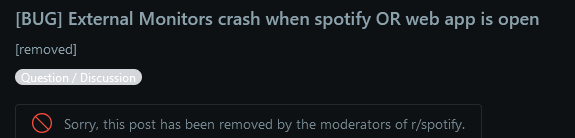

When is Spotify going to fix this obvious known and current issue? All drivers and firmware are up to date, uninstalled and reinstalled spotify and still no change. Please get it together and get this one resolved.

Hey everyone,
Our tech folks are still looking into this. In order to aid us in the investigation, could you please share the exact brand/model of the docking station / hub you're using (if you haven't already)? If you aren't using the built-in speakers for the monitor, could you try disabling the audio device in Windows' sound settings to see if that helps?
Keep us posted on this. Cheers 🤘

I am using a ThinkPad Universal Thunderbolt 4 Smart Dock - US Part #: 40B10135US and 2 of my 4 monitors gray out when opening Spotify on Windows 11, this just started this week. I have disabled the built-in speakers, uninstalled and re-installed Spotify and made sure all my drivers are up to date.
I just figured out that while playing music in the desktop app, if the Now Playing view is turned off, which is what shows the album cover or little video for each song, the screen flashing stops while in a session. The screen flashing was happening when a song with just an image was showing of the album, then going to a song with a visual loop (video) was playing in the now playing view. Still no change when opening up and I've turned off the settings for "show the now-playing panel" and "Display short, looping visuals". Video was sent to Kristel with Spotify support.

As everyone here is having problems with their second monitor, check the onboard HDMI settings and turn off CEC if availble.
Worth a shot.

Same here. Windows 11 and AOC external screen. Opening Spotify disconnects the screen from my computer. After 15 to 20 seconds it gets connected again and I can use Spotify.
LG 19M38A, connected directly to my laptop using HDMI cable. Speakers are connected to my laptop using the headphone jack, this happens regardless of whether i have speakers, headphones, or using built-in speakers.
I should not have to turn off my speakers to prevent spotify from blacking out my screen when i happen to scroll past a post on tumblr or twitter with a spotify widget on it, regardless.


This issue has gotten worse and has been happening to me for months now. It used to be that whenever I opened Spotify my external monitor crashed, but could be resolved by unplugging/plugging back in the HDMI cable, after doing it one time I was able to continue using Spotify.
Now however, even after unplugging/plugging in my HDMI cable, Spotify continues to crash the external monitor, both the application and the web version does it. I'm completely unable to use the Spotify app. I'll plug in the HDMI again, the screen will display for a second or two, then go black again so long as anything Spotify is open.
OS: Win11
Monitor connected via a USBC Hub with an HDMI cable plugged into it.
An update for anyone still having this issue. By way if introduction I do a bit of IT contracting and cyber security on the side, I am a full stack dev by day. I found that this only effected a monitor connected by an HDMI to USB-c converter. Specifically, an older converter that does not communicate the security level of HDCP it can handle. At runtime, the Spotify app, encrypting its video streams with HDCP, detected an unsecured display and Widevine DRM then masked the output to that device with 0,0,255 (straight blue). The same behaviour I'd been noticing from streaming services like Disney+. In those cases, my extended desktop still showed a preview of what should be on that screen on mouse-over, and a 0,0,255 mask is pretty unique behaviour that is different than being outright disabled. So, this seemed fishy to me.
Next I had to do more digging, apparently I and half the planet missed that W3C implemented DRM at the browser spec level, and now the browser can query your display interfaces to determine what HDCP level they satisfy. It can't actually mess with your displays in this way though, only Microsoft can expose that kind of vulnerability in your OS to whatever application happens to want it. To this end, they provide software called Widevine that does the enforcement side of this DRM solution in Windows clients. You've likely installed Widevine without thinking much about it because a while ago services like Netflix required you to or they wouldn't play on your desktop.
To test this hypothesis I turned Widevine off and the app behaved normally. Finally, I bought a newer converter that does communicate its HDCP level and the problem went away for good.
This leaves me feeling raw for a couple of reasons. 1, Microsoft has made no effort whatsoever here. 0,0,255 tells me nothing. I feel they least they could have done is put some text on the screen telling me what has done this and why. Second, I'm upset with Spotify because DRM is overkill for this use case and unlike Netflix they never prompted an opt-on for that DRM. They just updated their client to play video and bang, extended / mirrored desktop users are toast.
Pretty disappointed overall with this situation. It took a long time to solve and none of the parties responsible are being honest, they're gaslighting and redirecting this to drivers or other unrelated issues wasting everyone's time. It's not an issue with your monitors, your drivers or your OS. It's an issue with your cables that wouldn't be an issue if the video stres weren't encrypted or at the least, Spotify had been honest about the use of DRM.