Listening History Disappeared

Plan
Free
Country
UK
Device
ACER Nitro Laptop
Operating System
Windows 10
My Question or Issue - I cannot find Listening History anywhere on my Desktop App, or Chrome.
I have two screenshots here of my Home screen -
Desktop App - https://ibb.co/2h5cYRZ
Chrome - https://ibb.co/YPR58DS
I've tried clicking on all the available buttons on these screens and none have lead me to Listening History.
Thanks in advance!
EDIT: To be specific I am looking for a history of every single song I've played.
Accepted answers
All comments

Hi @mcnamee19,
Welcome to the Community and thanks for reaching out!
I'm unable to open the links you've sent. Would you mind uploading the screenshots elsewhere, like Google Drive, for example?
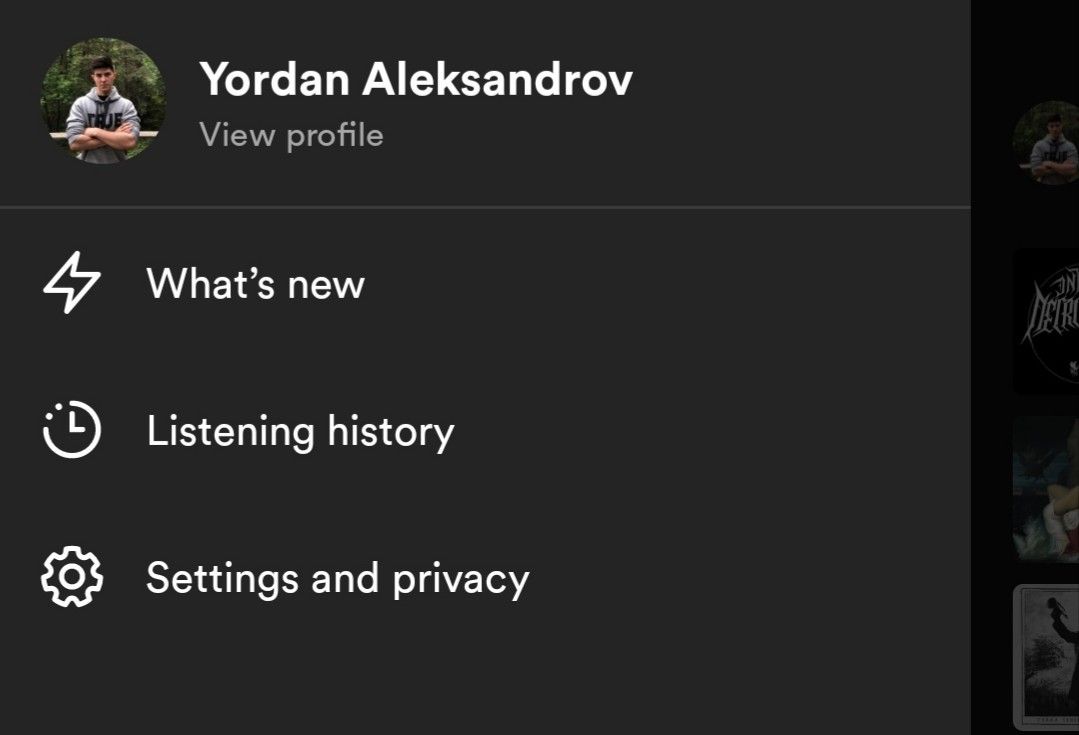
In any case, on the mobile app you can view your listening history by tapping your profile icon > Listening history. Alternatively, you can also swipe left on the Home screen to access this menu.
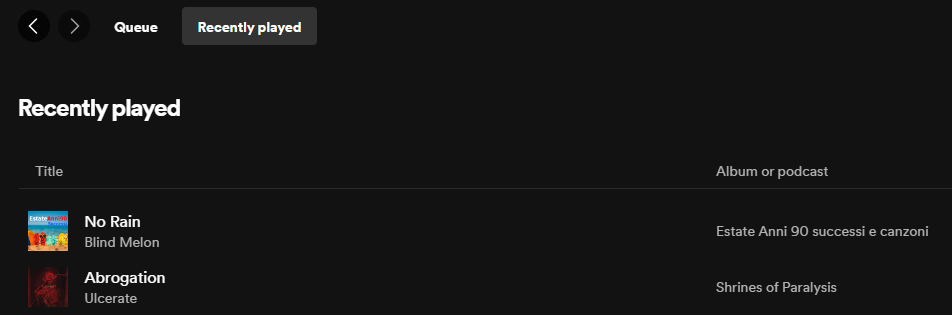
On desktop, you can open the queue and switch to the Recently played tab:
You can also download a copy of your personal data (which includes your streaming history) on your account page, if that's what you meant. For more details about the data categories in the packages check out this article.
Cheers!
Thanks Yordan, I eventually got it to appear on my mobile app  !

I have the same issue, . Last week I heard a number on one of the copious lists and suggestion prompts, and replayed it a few times but don't recall the artist or title. One would think you could go to history and be able to look through what u played, HOWEVER, that option is limited or NON existent. Surely your history is yours and one should be able to access this with ease...this is not the case. Can anyone advise if there is an alternative way in finding a complete history played.
Hi @mcnamee19,
Welcome to the Community and thanks for reaching out!
I'm unable to open the links you've sent. Would you mind uploading the screenshots elsewhere, like Google Drive, for example?
In any case, on the mobile app you can view your listening history by tapping your profile icon > Listening history. Alternatively, you can also swipe left on the Home screen to access this menu.
On desktop, you can open the queue and switch to the Recently played tab:
You can also download a copy of your personal data (which includes your streaming history) on your account page, if that's what you meant. For more details about the data categories in the packages check out this article.
Cheers!