Liked songs not being added to my liked playlist??

Plan
Free
Device
Samsung A20s
My Question or Issue
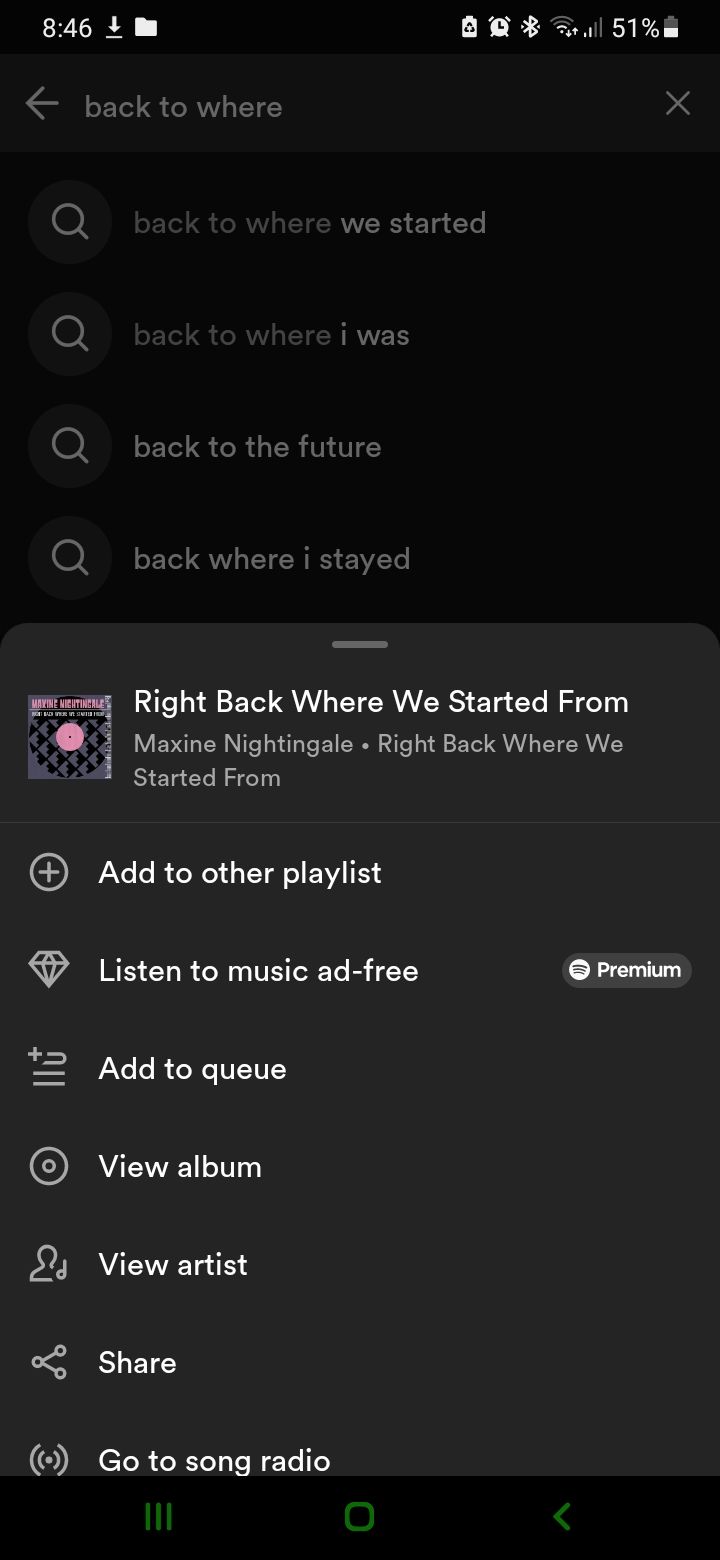
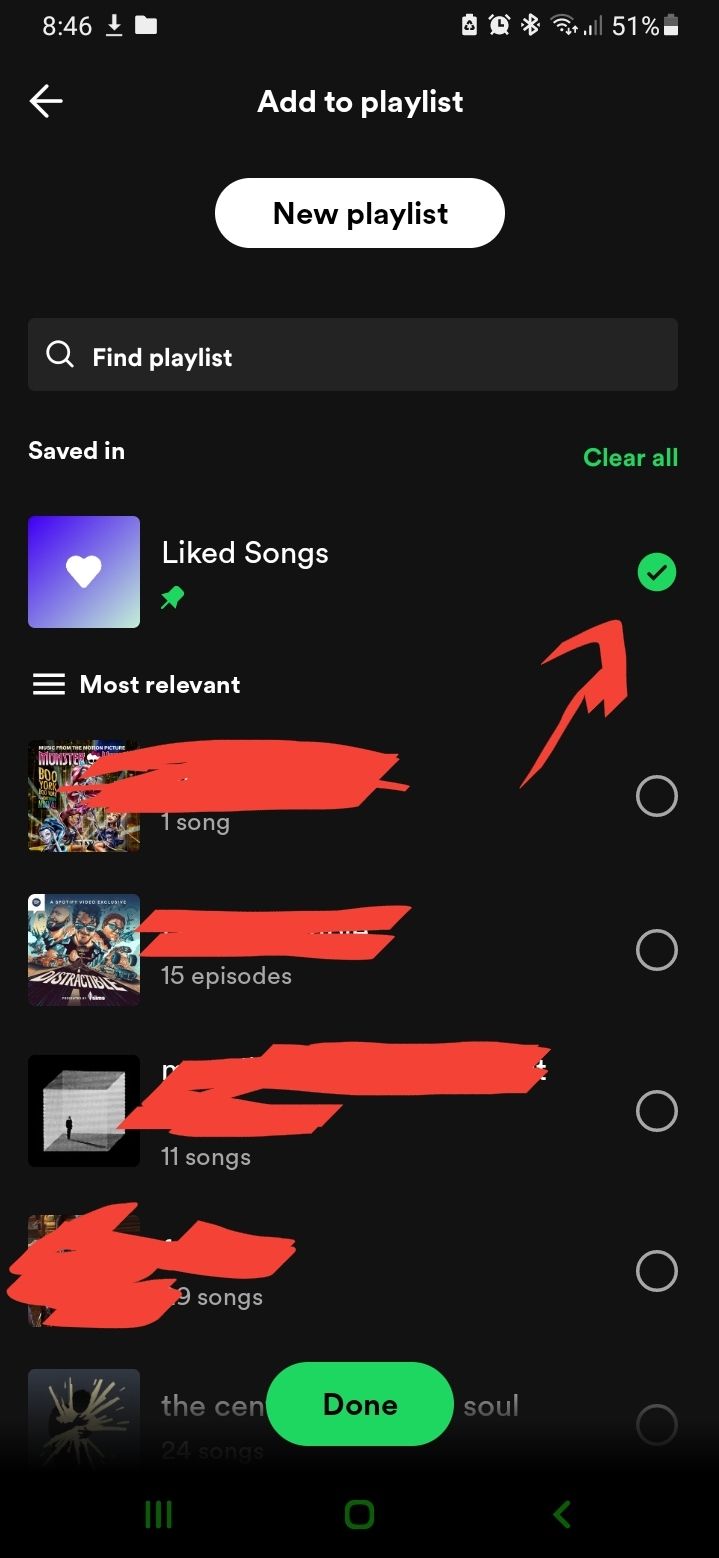
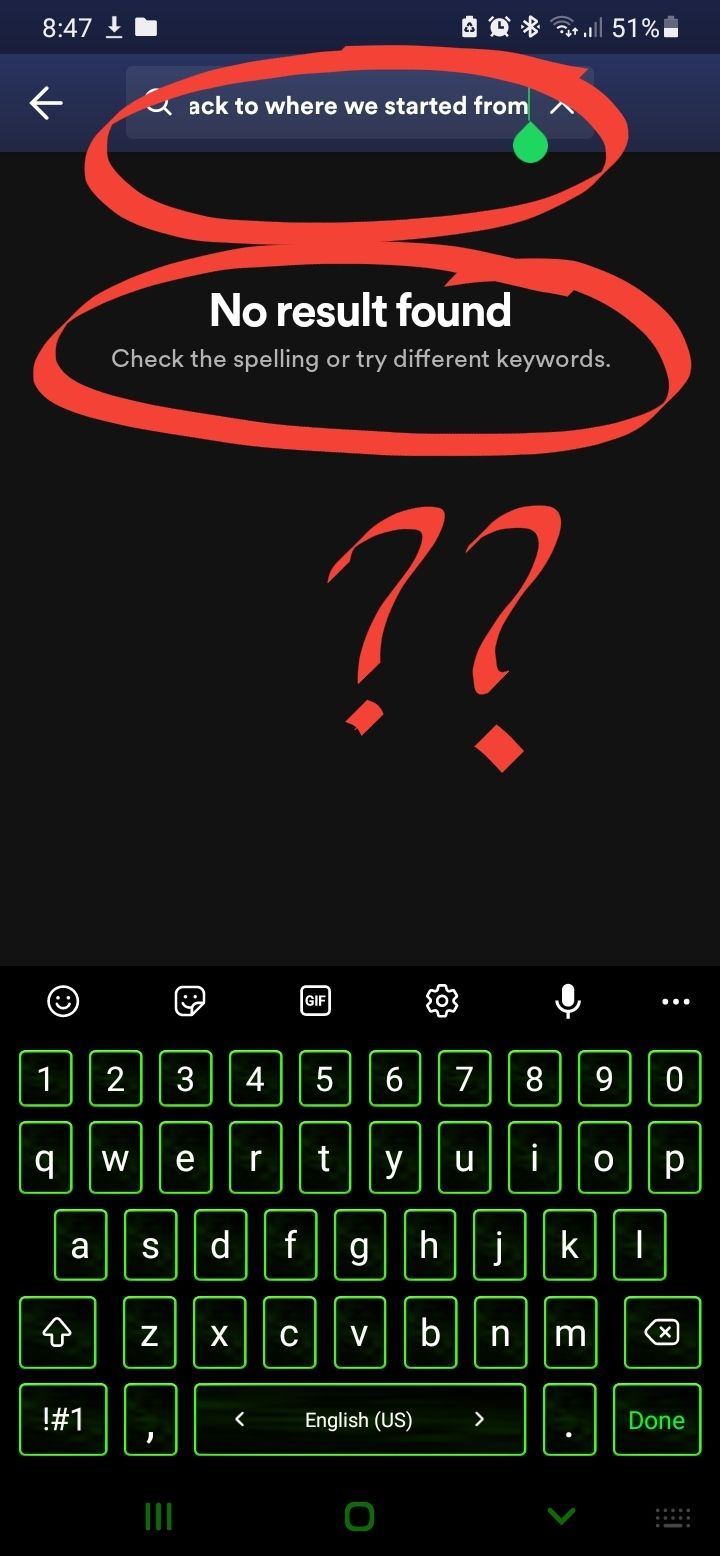
Recently, whenever i like a song (as in, tap the button that says "add to liked song playlist") it doesn't show up in the actual playlist. I have double checked that the song is added by tapping the three dots next to the song, and it indeed confirms that, but whenever i check the recently added/search for the song within the playlist, it doesnt show up. i dont think this is a syncing issue, because ive been doing this all on one device. whats going on? This has been happening for a few weeks now. I have a lot of songs ive liked and completely lost track of.
Accepted answers
All comments

Hey @peepee69,
Thanks for reaching out.
We've tested this on our end using an Android device and a free account, however, we couldn't reproduce the issue. Is it possible to check if this happens with the desktop app? It would also be helpful if you can check with a different account on your phone.
Let us know how it goes.
Checked on the desktop website, and the missing songs showed up there. It seems that it's not just songs I've liked recently that are disappearing, but random songs from weeks ago as well. All these songs show up on the web app, but not the mobile one. I've reinstalled the app and it seems to have fixed it, I just hope this doesnt happen again.

Checked on the desktop website, and the missing songs showed up there. It seems that it's not just songs I've liked recently that are disappearing, but random songs from weeks ago as well. All these songs show up on the web app, but not the mobile one. I've reinstalled the app and it seems to have fixed it, I just hope this doesnt happen again.