Artist radio is shuffled even when shuffle is turned off

Plan
Premium
Country
Europe
Device
Samsung Galaxy S9, Windows Desktop app
Operating System
Windows 10
My Question or Issue
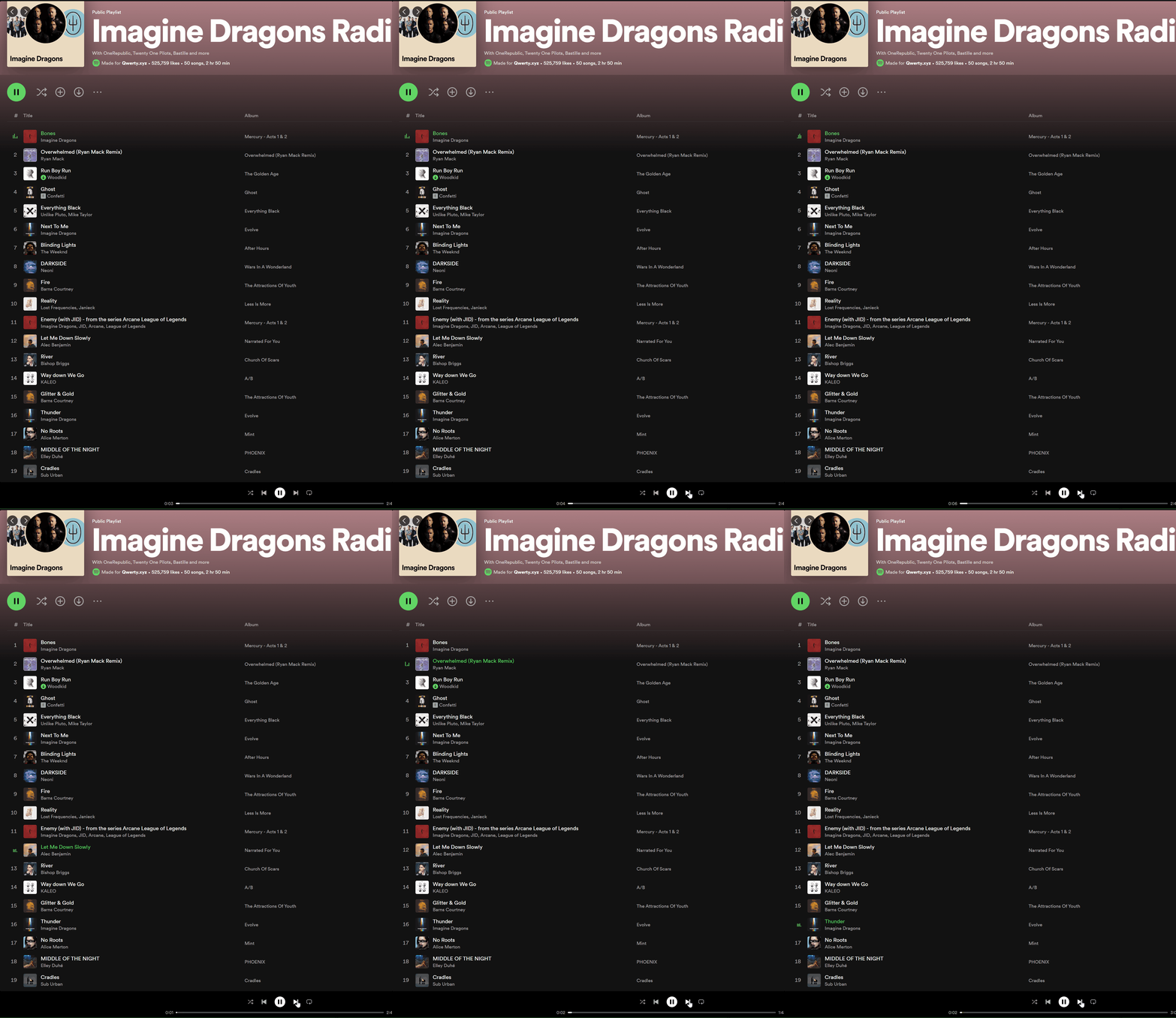
Even when shuffle is disabled, the artist radio plays in a shuffled order. What's strange is that when I start it again from the first song, the order is always the same, so it seems as if the internal track order was different from what is displayed.
When I enable shuffle, it plays in random order as expected.
Child Item
Child Item
Child Item
Accepted answers
All comments
Child Item
Child Item
Hi there @nimareq!
It's possible that the playlist's sort order was changed, or perhaps the radio updated its song list while you were still listening to it, with the songs from the previous update remaining in your queue. In any case, starting the playlist from the first song of the new list should resync it.
Cheers 🙂