Child Item
Added all Liked Songs to Liked Songs

Plan
Premium
Country
Canada
Device
(PC)
Operating System
(Windows 11)
My Question or Issue
I used ctrl+a select all and accidentally added all 'Liked Songs' to my
'Liked Songs' when I was trying to add them all to a playlist.
Now I have no chronological order, everything is randomized.
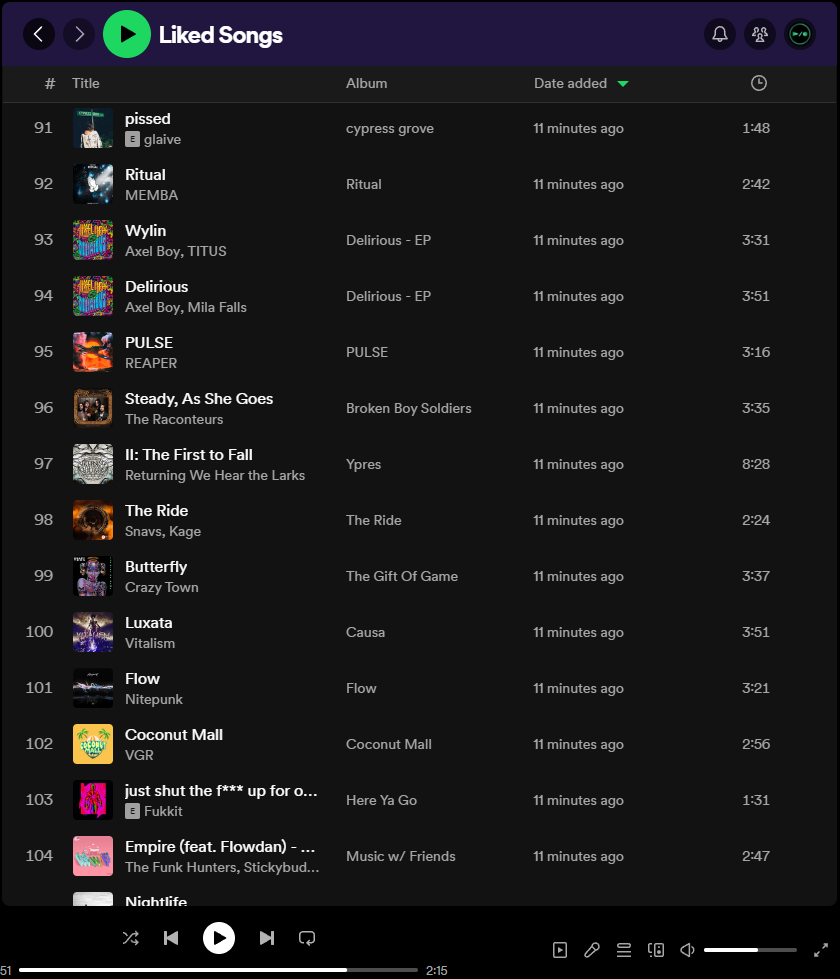
Is there any way to revert this? i've tried ctrl+z
Child Item
Child Item
Child Item
Accepted answers
All comments
Child Item
Child Item
Hi @Sekilos, sorry to know this happened to your library. I just experimented with this on my own computer by selecting a few liked songs and dragging them to the liked songs playlist in the sidebar and was able to recreate a similar scenario at a much smaller scale, but unfortunately it's not possible to revert this type of change in your liked songs.