Auto download toggle not showing

Plan
Premium
Country
Germany
Device
iPhone 11
Operating System
iOS 17.4.1
My Question or Issue
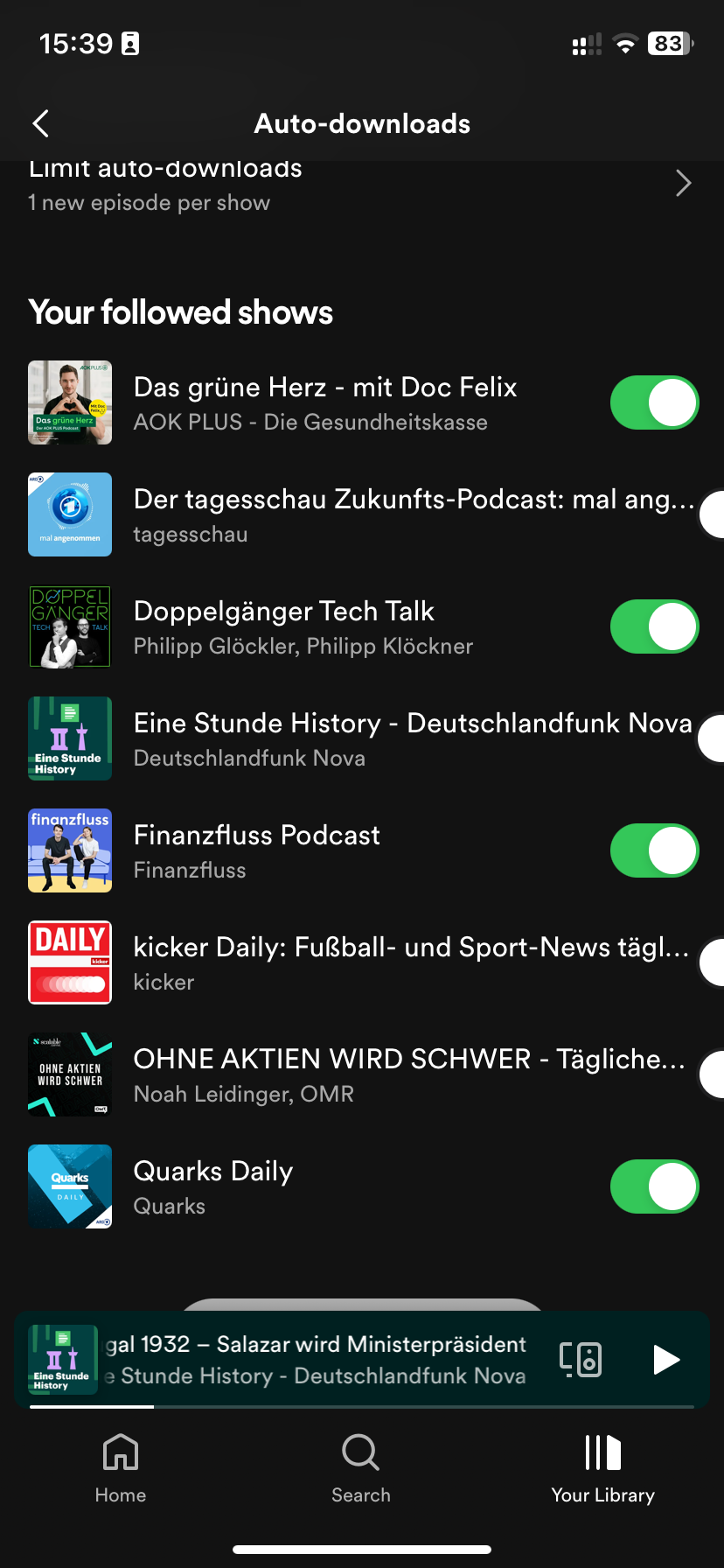
The Toggle for Auto Downloading a show isnt showing properly when the shows name is too long. Therefore it isnt possible to activate Auto-Downloads for these shows. Is there some other way to do this?
Accepted answers
All comments

I am also seeing this on iPhone 13 mini, noticed this about a month ago, fresh install and still happening today.

Thanks for reporting this too @rb238423!
Can you provide us with the iOS version along with the Spotify version your device is running?
We'll be on the lookout.
/Mateus
Hello Mateus, I was on the latest version (I think 8.9.34) at that time and did a clean reinstall before posting here.
Interestingly it got fixed for me in the latest update. So thanks for the help 🙂
it is basically fixed now, thanks! but still slightly off, here is my device info
iOS: 17.5.1 (21f90)
Spotify: 8.9.42.597
iPhone 13 mini
Thank you all for the info provided in the thread! 🙂
If anyone else still has the issue, please, send us the full info below:
- Device make and model;
- OS version;
- Spotify version;
- Screenshots of the issue.
We'll be on the lookout.
/Mateus
It happened again...
Plan
Premium
Country
Germany
Device
iPhone 11
Operating System
iOS 26.3
Spotify Version
9.1.22.1632
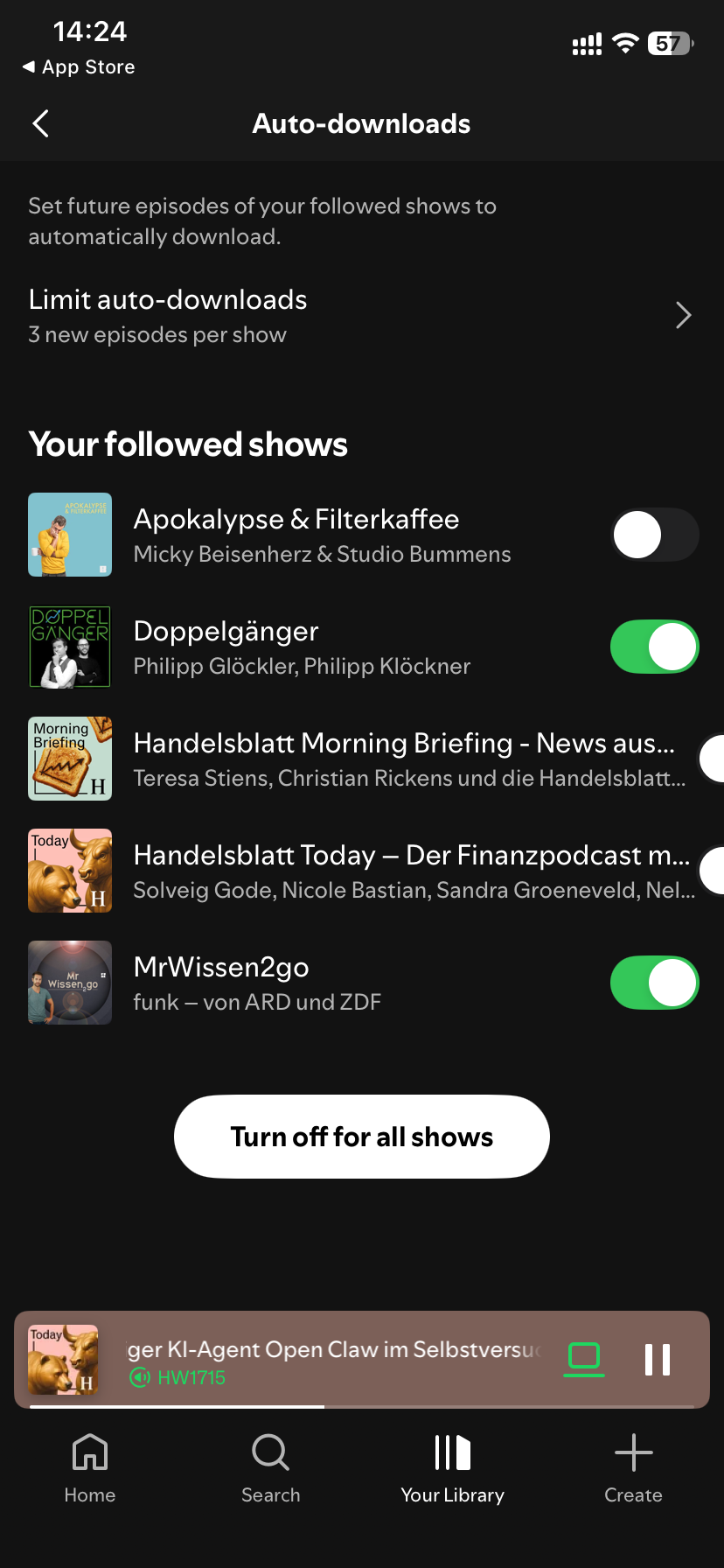

Hey there @jonasmen,
Thanks for getting in touch about this here in the Community.
First up, we suggest that you log out and then log back in twice in a row. This will help trigger a sync between your account and iPhone.
If this doesn't make any difference, it's well worth running a clean reinstall of the app to get rid of any cached files that might be causing trouble.
Should the issue persists, would you mind checking if the OS of your iPhone has any pending updates? We'd also like to know if this issue started happening after a specific event such as an update.
We'll be waiting for your reply.
Unfortunally both of your suggestions didnt help.
My phone´s operating system is up to date (except beta updates). I dont know if the issue started happening after a certain event because I dont use this future that often.

Hi @jonasmen,
Thanks for the reply.
We'll be looking into this further on our end. Be advised though that we can't give an exact ETA as to when or if this is going to get addressed.
So that we can investigate, please send us the exact Spotify Version you're on right now.
Cheers!
Hi,
here are my Infos:
Device
iPhone 11
Operating System
iOS 26.3
Spotify Version
9.1.22.1632



Hi @jonasmen,
Thanks for the patience!
We can confirm that this should be fixed with the newest version, so it'd be great if you can make sure your app is up-to-date and check.
Keep us posted.
Hey there @jonasmen! Thanks for posting here in the Community, I'm happy to help you! 🙂
This is a very odd behavior for sure. I tested on my end and I couldn't reproduce the same issue with the second podcast episode that shows up on the screenshot.
In this case, can you try a clean reinstall of the app by following these steps? If that doesn’t do the trick, can you let me know the Spotify version your device is running?
Please keep me posted.
/Mateus