Now Playing bar is hiding the latest row of an artist's discography

We've received reports that the Now Playing bar is hiding the very bottom release in an artist's discography. When users scroll down the discography, they can't see the last entry as it's covered by the Now Playing bar.
Comments
Hey @funkrockwarlock,
Thanks for reaching out!
Could you let us know the exact version of Spotify you're running? If you haven't already, try logging out and signing back in to your account - this will force a resync of the app that may help here.
If possible, try logging in to your account on another mobile device to see if the issue would persist there. It would also be great if you can ask someone to log in to their account on your phone and check if they're experiencing the same behavior.
Let us know how it goes.

Version 8.9.64.548
Android
Huawei VOG L29 (bought before all of the trade BS so it's perfectly usable with Google play which I used to download the app.)
I already did every single step you're suggesting including, deleting the app, reinstalling, and logging into a test account provided by Spotify. Nothing fixes the issue.

Hi @funkrockwarlock,
Thank you for the info and all the steps you've tried.
We understand how this behaviour can be inconvenient, so we'll make sure to forward your input onto the right people. Be advised however that we cannot say for certain at the moment when or if this is going to get addressed.
Cheers!

I am having this same issue on Android, the play bar is obscuring the bottom of album and song lists, meaning you can't see it or click on it with out hitting the play bar. Tried all the troubleshooting suggestions.
Hey everyone,
In case you're experiencing this issue, make sure to give it a like and provide us with the following info (if you haven't already):
- your device's make, model and OS version
- the version of Spotify you're running
Thanks! We'll pass the info on to our tech folks so they can look further into this.
As always, rest assured we'll keep you posted here as soon as we have any new information to share, so Subscribe to the thread from the three dots menu to stay tuned.
@Yordan Hi there, here's the info
- Device: HUAWEI Mate 20 Pro
- Model: LYA-L09
- EMUI Version: 12.0.0
Running on Spotify Version 8.9.68.456

- @Yordan
- Device: Samsung
- Model: Galaxy S9+
- OS: Android 10
Running on Spotify Version 8.9.68.456
Same issue
+ When clicking the now playing bar toward the bottom, there's an area of the overlaid content that is clickable that interferes with my action/intention. So that, it ends up playing a song instead of opening the media player.
Its a tiny space, maybe 1px, between the bar and the menu (home,search,library)
Let me know if you'd rather have this as a separate issue.
Thank you !
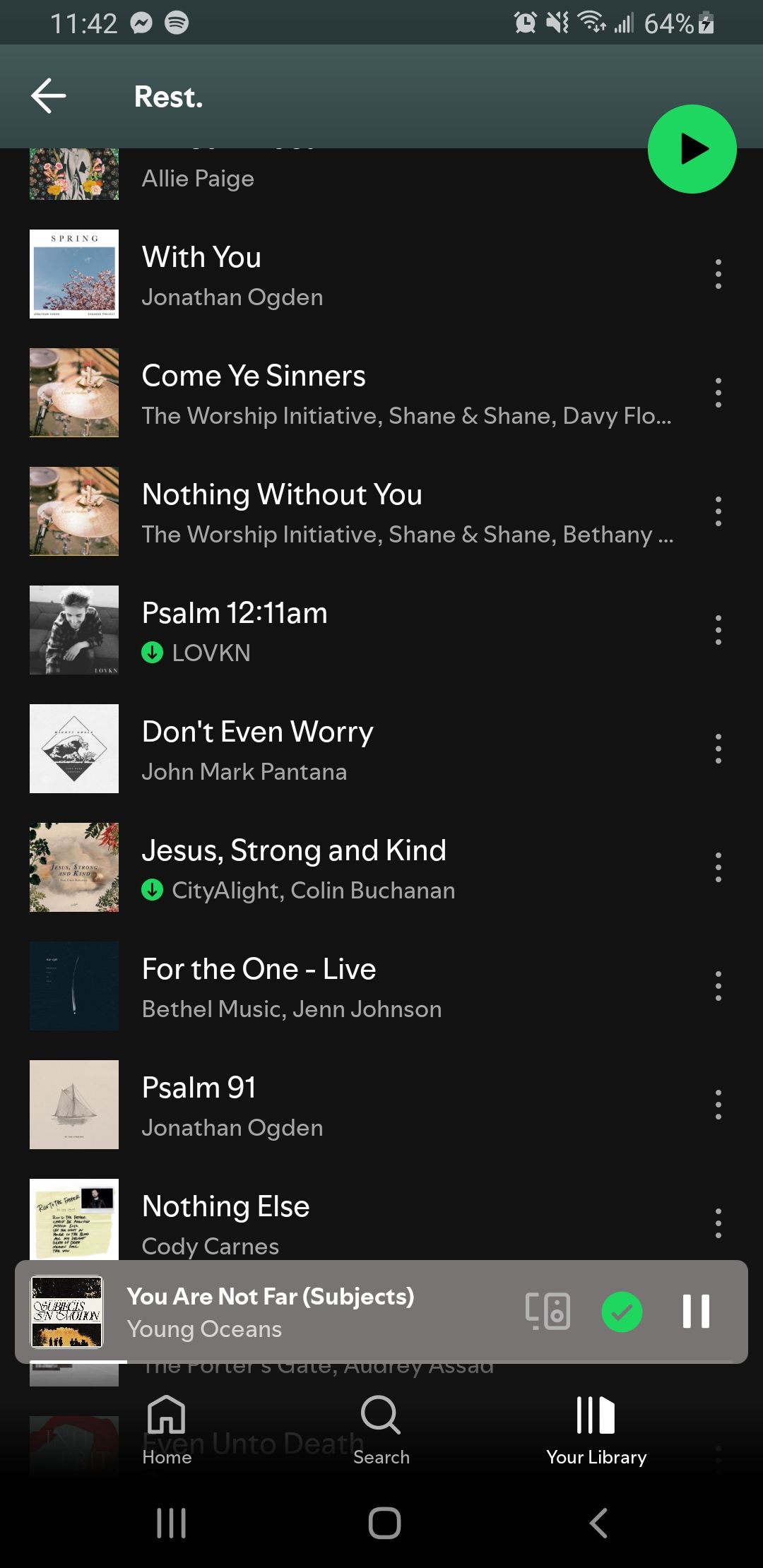
Hey folks,
A new version of Spotify should be out now. Could you update the app and let us know if everything looks good on your end now?
Keep us posted on this.
JJust checked, app updated and issue still there. Have deleted cache and app data, and then uninstalled and reinstalled app and issue still present.
Version is 8.9.70.556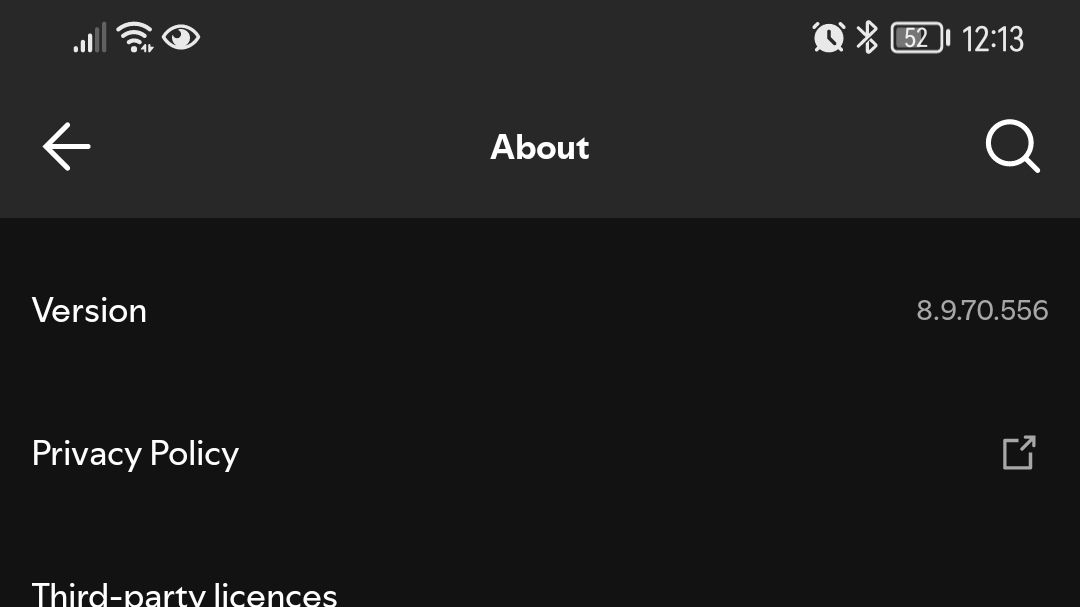
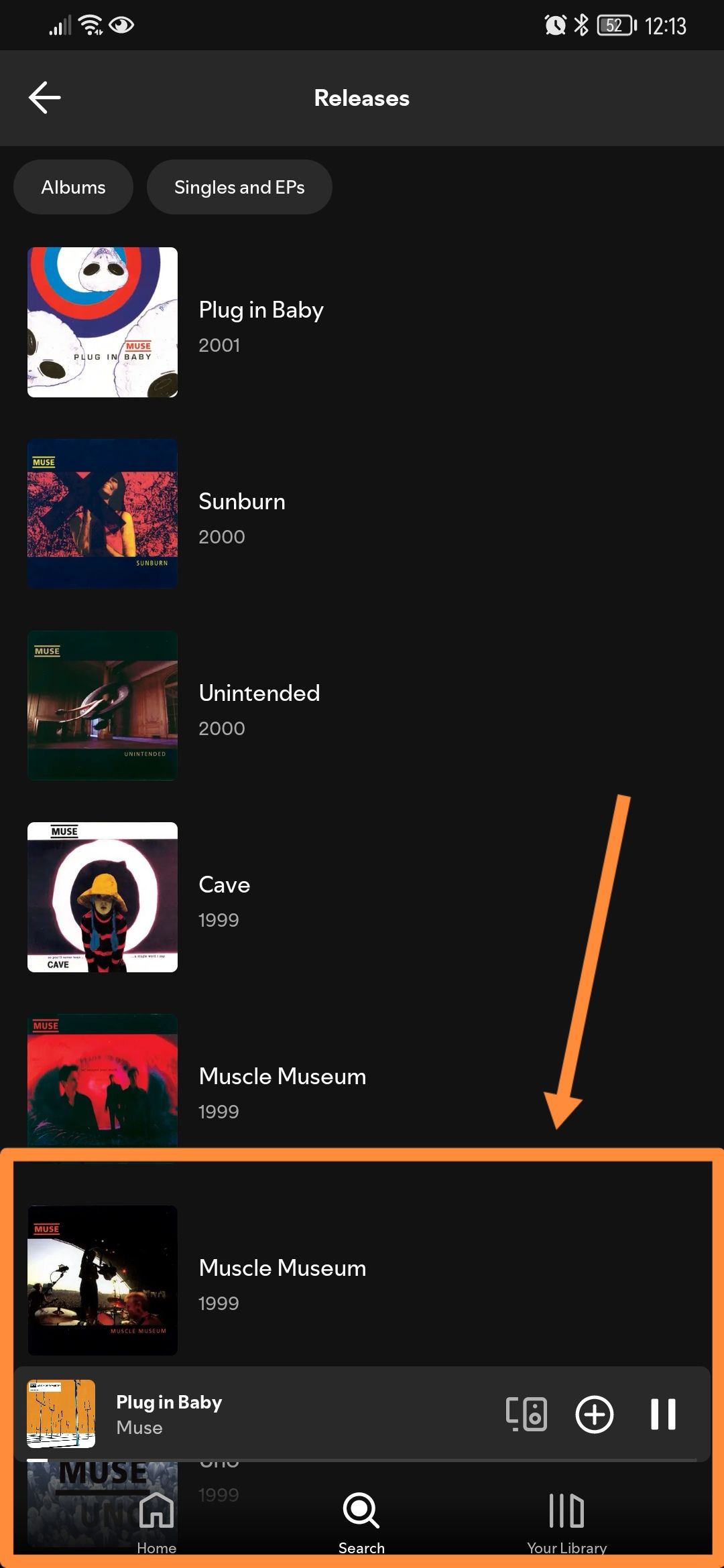

Same problem here.
Samsung Galaxy A7
Android 10
Spotify Version 8.9.74.56
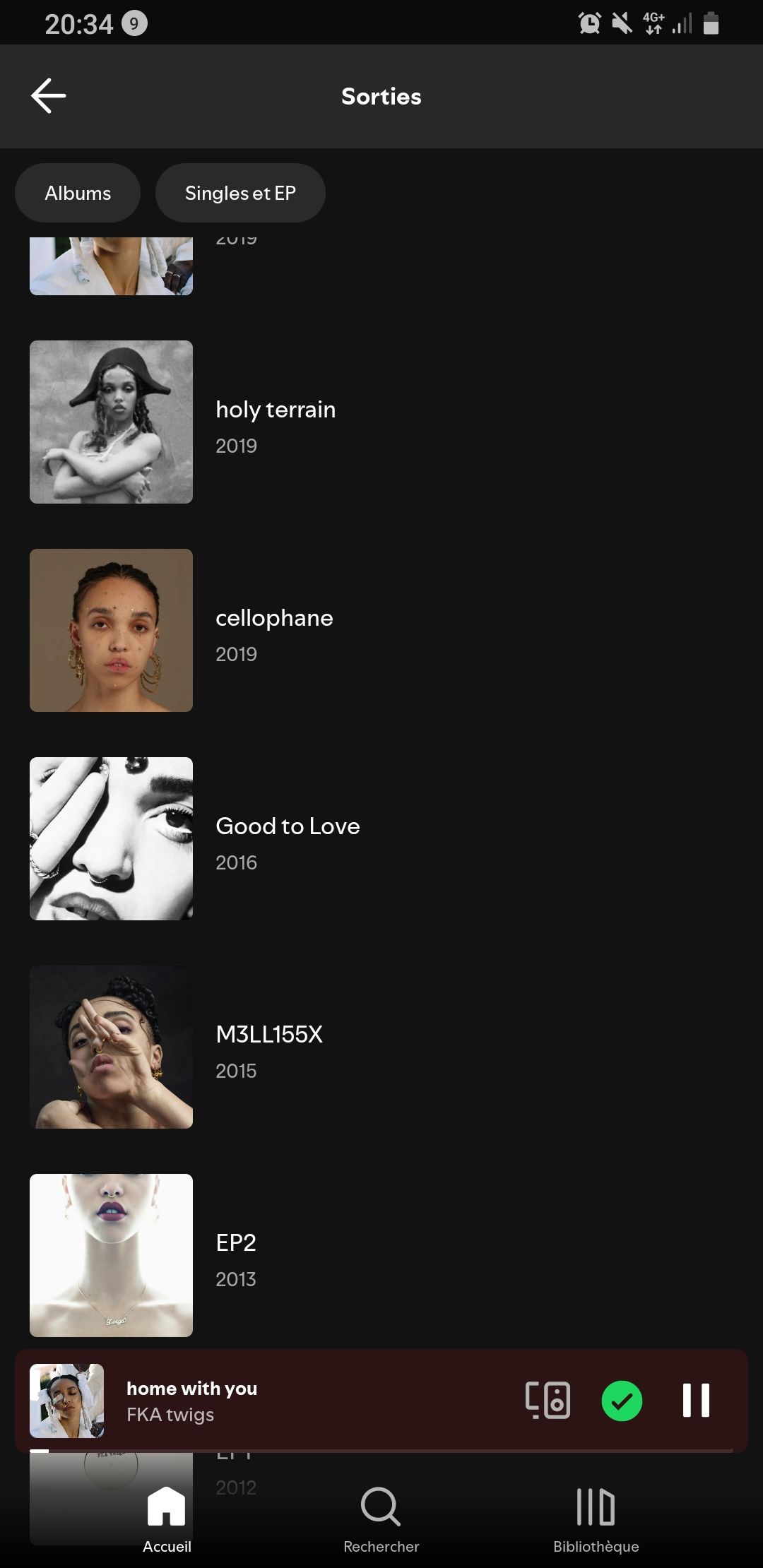

Another issue, if i open favorite tracks list, by default it's plays in smart shuffle. I click first track, and after that switch to no shuffle, and track plays to the end and just stop, even playbar is hides.
Hi everyone,
Thank you for your patience and input so far.
We're setting this issue to Not Right Now as we're unable to provide an exact timeline for a fix at this moment. However, rest assured this will remain on our internal teams' radar and we'll check back in here with a new status when we have any new information to share.
In the meantime, make sure to always keep the app up to date.
Take care.


Operating System
Android 9
My Question or Issue
When I tap on "See Discography" on artists page and scroll down, I can't tap on the last album. The last album is blocked by now playing button.
This happens with every artist page I looked.

Device
Samsung Galaxy S9
Operating System
Android 10
Issue
If you go to an artist's discography to view all their releases (albums, singles, etc.), scroll all the way to the bottom and you'll see in the screenshot that I can't click the bottom release (called "Road Trip") because it is blocked by the phone's bottom home buttons and current playing song, and I can no longer scroll down. This will happen on any artist that has enough releases to fill up the discography screen. However I can click the release in landscape mode.
Still unable to scroll to the bottom of an artists discography. Is there any way to add an extra area of blank space so you can just keep scrolling past the last item on the discography, so that it scrolls past the now play controls?
Hopefully Spotify can find a fix for this. Cheers.
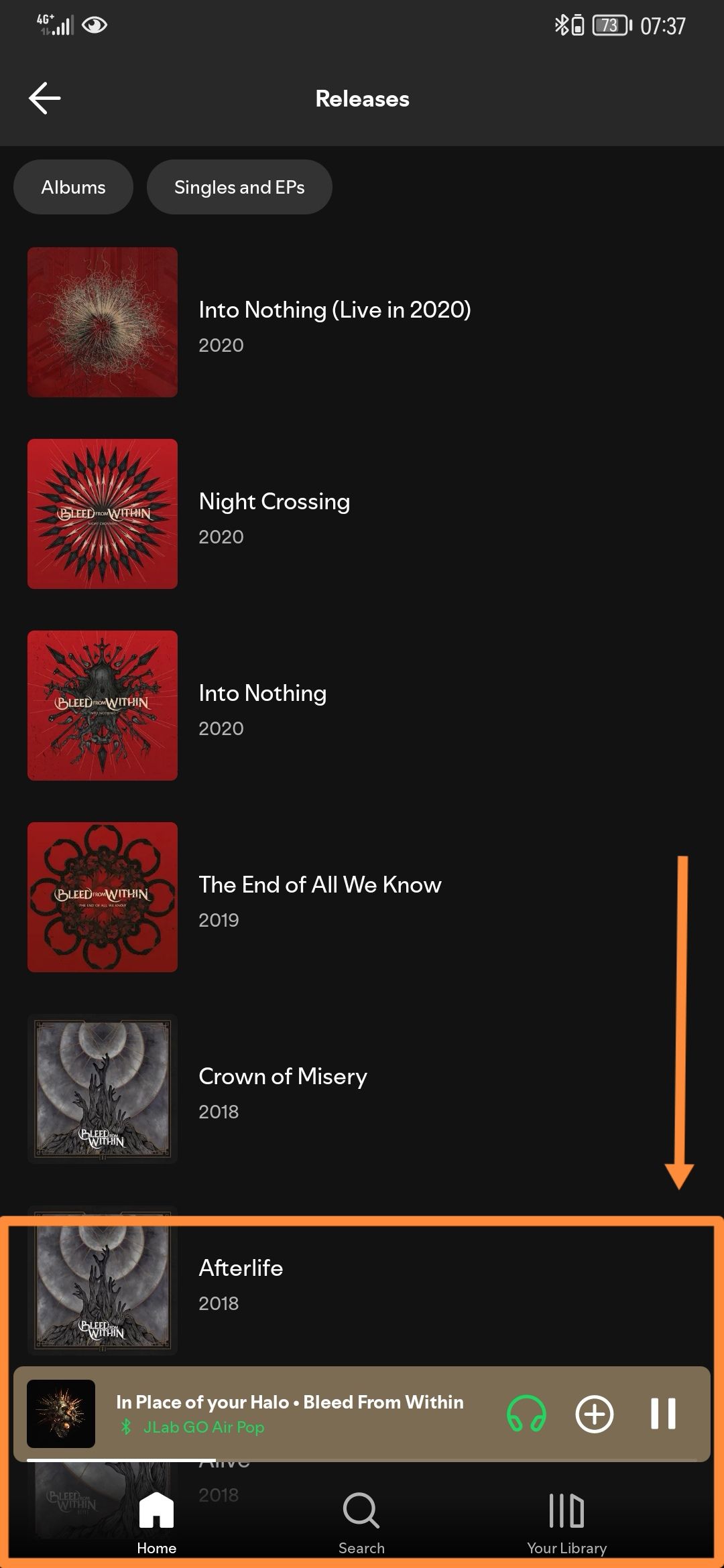
This is also affecting artists Playlist. Still unable to select the last item(s) due to being covered by the Now Playing Bar. 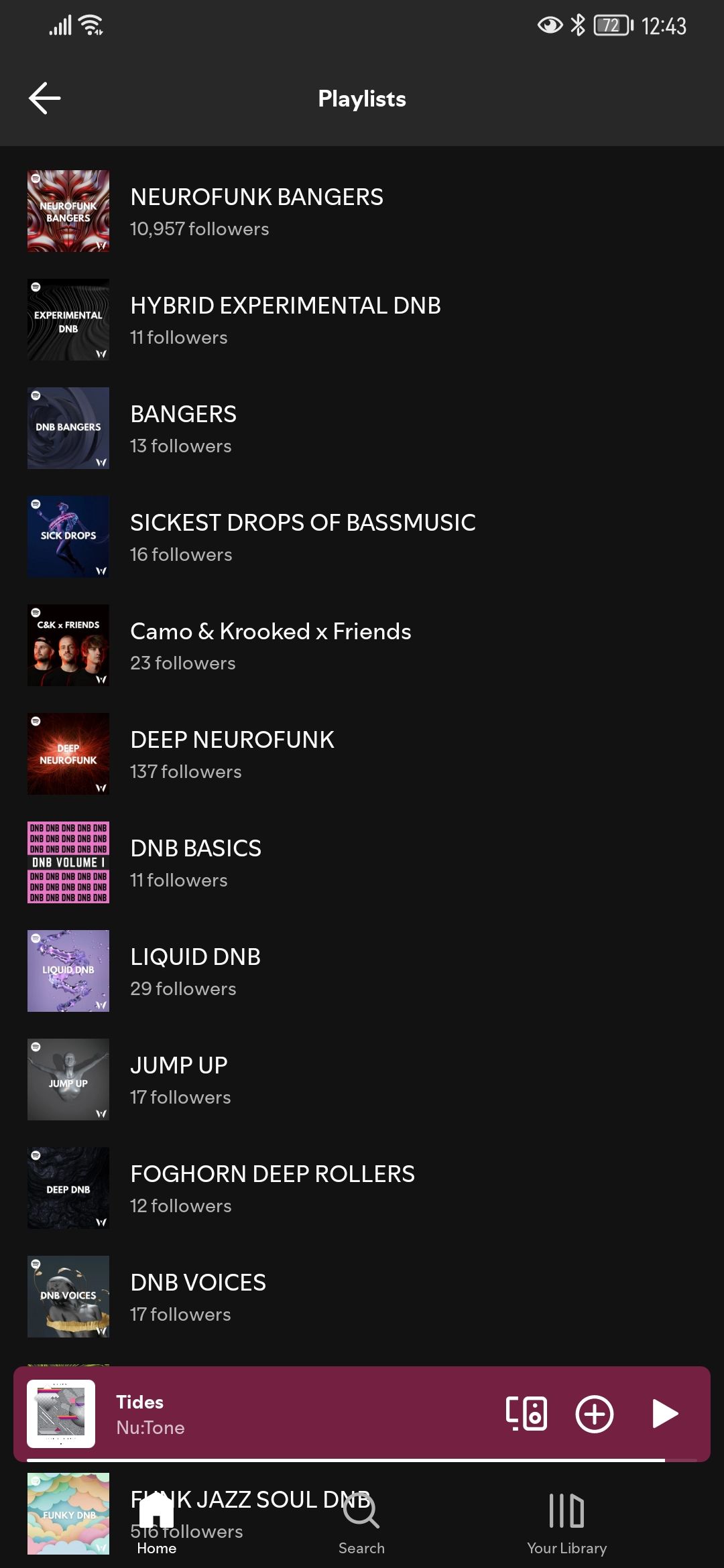

Hi guys I'm here to ask for help 🆘
What should I do if this happens
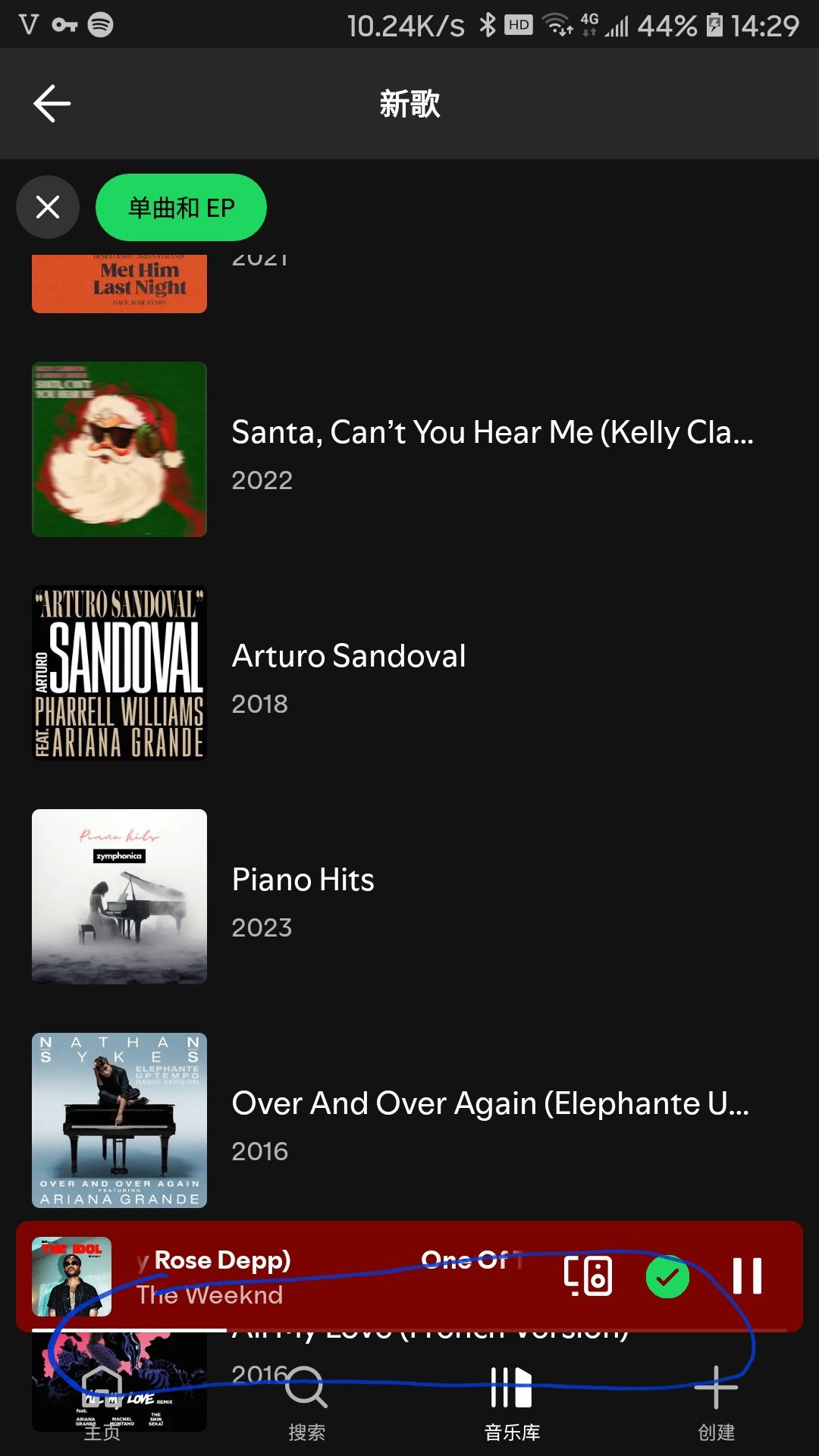
As the picture shows, I can't click on the album below, which is blocked.
I use Samsung Galaxy C9 pro(Android 8. 0)
I tried to give feedback to developers in Google play, but it didn't work out.
What should I do? Please!
Help me plz
- Thank u 🥰

Plan
Premium
Country
Germany
Device
Motorola Moto G8+
Operating System
Android 10
My Question or Issue
When opening a podcast's list of episodes, the lowest one is covered by the main menu (Start, Search, Library, +) and thus faded out. Moreover, the currently playing song/podcast box is on top of the last episode's box.
This layering does not look good, but above all, I am not able to press the buttons of the lowest episode and cannot see much more than the title. Please fix that bug.

Hi,
I'm only here to comment that this issue also applies to when trying to select the last playlist on a person's profile.
Maybe an even bolder statement could be made that any last item on the bottom of a list is blocked firstly by the navigation buttons and then possibly the now playing bar too.

how can this not be a priority? your UI is literally broken and it's been an issue forever now... just stop with the dumb changes no one asked for and fix what's broken first.

Issue persists. Can't even get to the bottom of my Spotify Wrapped playlist.
(Yes, my taste in music is odd)
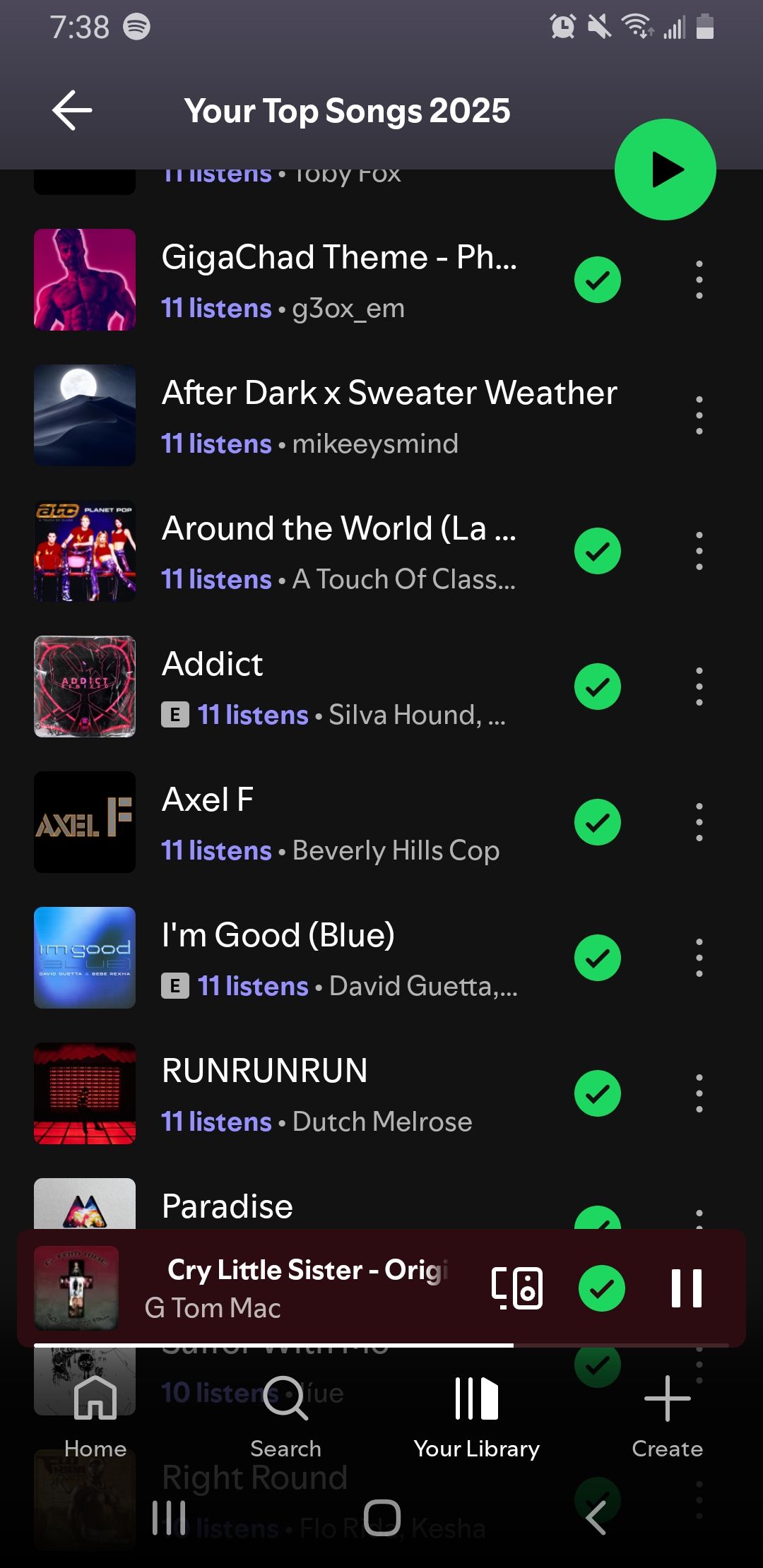

Apparently the issue with the UI is still persisting.

I’ve noticed a UI issue with the Spotify mobile app. When viewing a playlist, the “Now Playing” bar at the bottom of the screen overlaps the playlist content. Because of this, the last one or two tracks in the playlist are partially or completely hidden behind the Now Playing bar.
When I scroll to the bottom of the playlist, it doesn’t allow enough spacing to fully display the final tracks above the Now Playing bar. As a result, I can’t clearly see or select the last tracks unless I tap into another screen.
Expected behavior:
There should be automatic bottom padding or spacing added to the playlist so that when scrolling to the end, the last tracks are fully visible above the Now Playing bar.
Suggestion:
Please consider adding dynamic bottom spacing or adjusting the scrollable area so that the Now Playing bar does not cover playlist content. Or you can make it hidden while scrolling up a playlist.


Plan
Premium
Country
Germany
Device
Samsung Galaxy S23 Ultra
Operating System
Android 16, One-UI 8.0
My Question or Issue
When searching in a playlist for e.g. an artist and more results appear that can be shown, the last results are unreachably hidden behind the now playing bar. Also the songs filtered songs won't be addes to the queue when one is clicked but I don't know if that's a wanted behavior.
Plan
Family Premium
Operating System
(Android)
My Question or Issue
Just as it says and the image shows. The now playing always blocks the bottom album. Does anyone else have this issue?
I had a chat with support a while back, did full reset, uninstall whole deal and didn't fix. It's still not fixed and I'm about done with this. I have have to close the whole app to remove the now playing to see the bottom album for any artist. It does not interfere with tracks or anything else just the lowest album, single or compilation.