'Made For You' Hub disappeared

In the past, I could navigate to all the made for you playlists and mixes by going to the search page on desktop or my phone, and then by tapping one of the tiles called 'Made For You'. This hub would show all the made for you playlists and mixes, including 'On Repeat', previous Spotify Wrapped top songs playlists etc. This tile has gone and is no longer visible. How do I go to the Made For You hub? Where did it go?
Plan: Premium
Country: Australia
Operating System: iOS 17, macOS Sonoma
Accepted answers

Glad that the link worked @maxk00.
You can try one more thing: browser the Music Hub and scroll a bit to see if the made for you hub is there by any chance.
All comments
Hey @maxk00 thanks for reaching out to the Community!
Could you please try the same on the Web Player and see if the "Made for You" hub appears there?
You can also scroll through all the tiles to see if the "Made for You" hub has been moved to a different location.
Keep me posted.
Spotify web player also no longer shows the ‘Made For You’ hub.
I have scrolled on all phone, computer and web browser tiles and the Made For You hub is not at any location.
Thanks for the help
Thanks for the reply @maxk00.
Could you try opening this direct link to the made for you hub? See if that makes any difference.
Glad that the link worked @maxk00.
You can try one more thing: browser the Music Hub and scroll a bit to see if the made for you hub is there by any chance.


I just made a post about this exact issue. I've clicked on that link and I do not get to the made for you hub.... Well I do, but all that is there is some random stuff - no daily mixes / release radar e.t.c
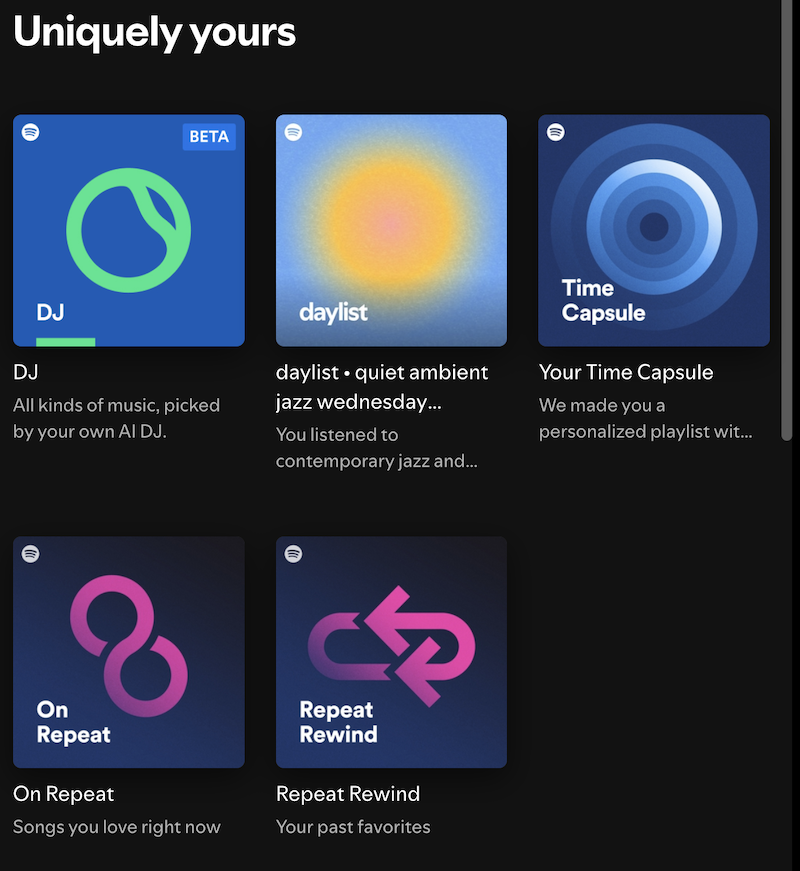
I had the same issue with the link. What worked for me is if you go on the search page of the app. And then tap the ‘music’ tile. A new page with more tiles appears, and the Made for You tile is there.
It appears they’ve moved the Made for You tile off the first screen and now under the ‘Music’ section.
lol so they've taken my most used feature from my home screen and placed it behind 3 clicks, and also made sure to not tell anyone about it! Never change Spotify, never change!
Thanks for the reply @maxk00.
Could you try opening this direct link to the made for you hub? See if that makes any difference.