[iOS] Adjust the volume

in one of the last updates the way of adjusting the volume of another device was changed. for example, I use my phone to adjust the volume of the streamer. previously, even on a locked phone, it was enough to press the volume button and the streamer would react accordingly.
recently adjustments using a displayed bar were added. the previous method was the simplest for the user that it could be. now we have a few additional actions:
1. unlocking the phone
2. entering the spotify application
3. pressing the volume button which does not adjust the volume, but shows a sliding bar
4. sliding the bar or clicking on the volume icons.
I think that the previous way of adjusting the volume should either come back because it was the fastest, most convenient, or at least in the settings there should be an option to choose how I would like to adjust the volume.
Comments

I am also interested in knowing the rationale behind.
I don't know why a very simple and useful feature is now removed.... hoping it is not linked to the apple/spotify current tensions :X

I didn't even know they removed this, no wonder I've been standing there like an **bleep** just pressing my volume buttons over and over hoping it will finally connect. This was one of the best features of spotify connect why do they keep ruining great things

If this can not be reverted due to iOS constraints, please change the GUI to have the volume switch on the app's start screen and in the widget, when not logged in on the iPhone!

Just to add my voice to the request to restore this basic functionality. If this doesn’t happen, then I will assume that Spotify doesn’t give a damn about my custom.

Totally agree on the GUI change! If it’s out of their hands, you would think they’d have come
up with a simpler alternative solution and explanation as to why they had
to make the change for something that’s a core functionality of music/audio
apps (volume control!).

This is absolutely horrible. Please fix this!

This needs to be re-added ASAP please!

This is unbelievable that it has been removed when this functionality still exists on Tidal Connect. It absolutely cannot be removed permanently. Figure it out Spotify!

This is incredibly frustrating because I use Spotify for casting to my Chromecast Audio setup around the house which Apple Music can't do from an iPhone. If this isn't fixed I'll need to cancel my family plan.
Solved with Spotify 8.9.44 update
Amazing. It is indeed actually fixed with 8.9.44. Thank you Spotify for listening to us or noticing at least.
That’s good news re the volume control.
It appears to be kinda working with the latest update 8.9.44. However Album artwork still flickers with volume change for some reason. Please complete fix this aswell.

I use Spotify on my PC at work and I used to be able to control the volume on my iPhone. Now, with this new update I can’t! This is so annoying to have to walk clear across the room to control the volume. Not only did they raise my premium price but, they took away a very helpful feature! Is there a way to undo this and go back to my original app?

I really like and love Spotify guys, but this new update with the volume is not an upgrade for me. Actually I have choose Spotify because I didn’t had to get in and change the volume, I could use the side buttons. Please give it back, or a setting where I can choose if someone needs this one. Thank you in advance
Attila

Spotify now tells me to use the app slider for volume of external speakers instead of using volume buttons. This is suuuuper annoying when listening music at home.
Also just being able to change this in the settings would be amazing!

I totally agree, I’ve just came in here to see if anyone else had raised the issue & it appears others are just as unhappy by it.
It appears to makes no sense to have the volume adjust with a slide bar in the app. It’s very frustrating, in practical and time wasting.
if I need to turn the volume down quickly you can’t and must ever the app.
I really hope this gets changed back to be adjusted by your phone buttons like every other app out there…

I was about to post for the same topic !
I mostly use Spotify through my Google nest speakers. The iPhone app used to let us control the volume throughout the volume buttons on our phone. Before that last update I was able to ajust the volume of the speakers even if my photo was locked, in my pocket. The volume buttons were controlling Spotify music on my google speakers by default.
Since the last update, I now need to unlock my phone, open the app and then activate the virtual buttons to control the volume of my speakers. This new fonction adds in some useless steps. Adding to this the fact that no one else can control the volume since my phone needs to be unlocked to access in app virtual buttons.
I’d like to get back the possibility to adjust the volume right trough the physical buttons of the phone when Spotify is casting music to the speakers.

Previously: change my speakers volume using phone's volume controls without unlocking the phone.
Now: Unlock the phone, open Spotify app, open Volume controls, manually tap on display to change volume.
This is such a frustrating change! Imagine you are cooking and don't won't to get your phone's screen all messy. Or you are working on something and focusing and the music is just a bit too loud - now it completely breaks your focus as you have to fiddle with your phone. Please bring the previous way of controlling your external speakers back, not sure who thought this was a good idea!

Please give up back the ability to control the volume from our volume buttons, this is absolutely horrendous
This is so painful I want to throw my phone across the room every time I have to change volume😢

I have no words for how annoying this is. Seriously considering moving to another streaming service 🤯
Can't believe this simple change still hasn't been addressed despite the obvious user fury. It makes Spotify unusable when home (which is most of the time)🥲😭

This is awful. Also, I'm not even getting the notification from Spotify when I'm trying to change the volume by pressing on the physical volume button. I have notifications enabled. How do I get the volume notification to pop up?
@mtollhouse - Same here. For some reason the option to change volume doesn't even come up anymore.

What an incredible annoying example of backwards evolution of a very basic usage function in the user experience design. I guess it's because those big tech companies are more fighting each other then helping. And of course on the expense of us, the loyal paying customers. Well, if this doesn't change I will finally start looking for alternatives and make sure it's a platform that respects musicians as well. Good luck fixing this Spotify.
A volume slider bar like on the Apple Music player would be really nice. Not being dependent on the volume buttons all the time.
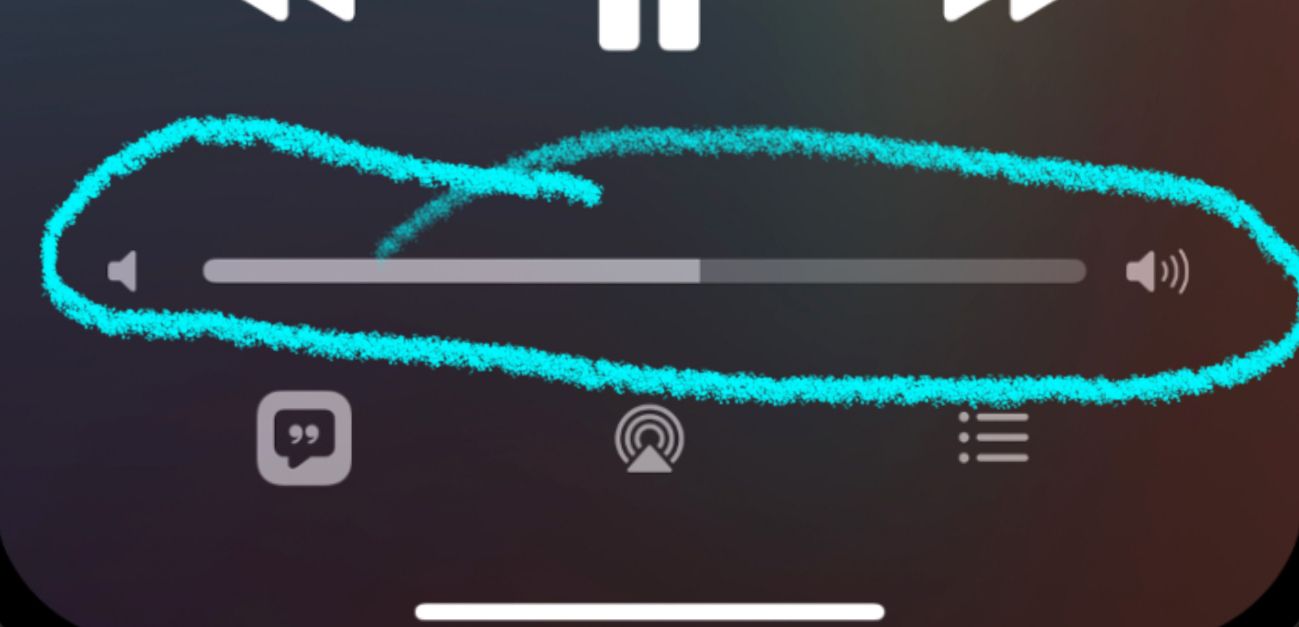


Spotify used to adjust the Sonos or Bose volume by using iPhone volume buttons. A few updates ago it is now two steps to fix the volume making the experience much worse.
please revert to the old way.
Not sure if it's because of an update from Spotify or the Bluesound firmware. But since about 2 weeks I can now only connect with my Powernode using Airplay in Spotify. And when connected this way I can use the volume buttons on my Iphone again, even when my Iphone is locked. For me this works great because it far more user-friendly. I guess I connected using Spotify Connect before without really realising it. Maybe Airplay also has disadvantages compared to Spotify Connect, but for now this works great!
So I guess this could have solved my problem as well 4 weeks ago.
But still the ability of using your volume buttons when using Spotify Connect suddenly disappeared I guess, which is still weird.
With the latest update Spotify removed the ability to control the volume of connected speakers via physical volume rocker on iOS. On social media they’ve been instructing people to go into the app and use the software volume rocker that’s buried underneath multiple clicks. Why remove very simple volume control in favor of something that’s unnecessarily complex for a simple task??