What does the MacOS Background Process Do?

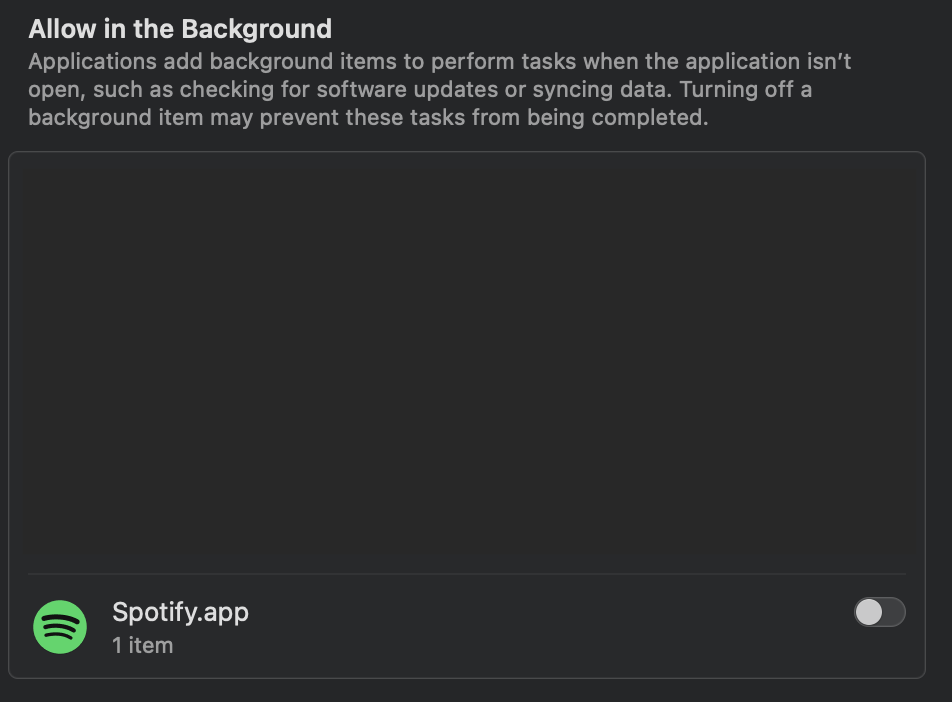
What does the Spotify.app background process that shows up under "Allow in Background" under "Login Items" do? What happens if I disable it?
Accepted answers
All comments

Hi!
Your answer made me curious, so I went ahead to test what happens if I untick "Allow in Background" for Spotify. I've quit and restarted Spotify after unticking this option and nothing has changed at all:
Play music in the background -- no change. I've clicked "Window -> Close (⌘-W)" and music didn't stop. I can't think of any other "music in the background". It's not possible (nor logical) to play music without Spotify being open and sitting on the Dock. Not even Apple Music can do that.
- Handle media controls (play, pause, skip) from your keyboard or Control Center -- still working.
- Receive notifications like song changes or messages -- Spotify doesn't have such feature. Only third-party tools can send notifications about song changes.
- Start up faster when you open the app again -- According to Apple's official specifications regarding "App Background Activity", I doubt that this feature could make Spotify start up faster. It's not meant for that.
wrote:If you disable this background process, Spotify won’t be able to run or update itself unless you explicitly open the main app. That means no background playback, slower startup, and potentially missed notifications or controls outside the app.
This is the only thing I couldn't verify yet but I'm on it. If my memory serves me well, Spotify prompts me to restart the app to update it. It's not happening automatically in the background.
Therefore, my conclusion is that this permission is requested by Spotify due to a programming mistake. The app never actually utilises this feature.
Hi there!
The Spotify background process that appears under "Allow in Background" in your Mac’s Login Items is responsible for keeping Spotify running and ready even when the main app isn’t open in the foreground. This lets Spotify continue to do things like:
Play music in the background
Handle media controls (play, pause, skip) from your keyboard or Control Center
Receive notifications like song changes or messages
Start up faster when you open the app again
If you disable this background process, Spotify won’t be able to run or update itself unless you explicitly open the main app. That means no background playback, slower startup, and potentially missed notifications or controls outside the app.
So, turning it off saves some system resources but limits Spotify’s background functionality. If you mostly use Spotify actively and don’t mind it running in the background, it’s usually best to leave it enabled.
Hope this helps!