Spotify Jam is now available on TV

Spotify is bringing Jam to the TV app! Until now, you could only start a Jam from the Mobile or Desktop app. But now Spotify is introducing Jam as a native feature of the TV experience!
If you’re not familiar with Jam, in Spotify’s words it’s “a personalized, real-time listening session for your group to tune into together”.
So, a super nice way to listen in person with your mates!
I’ve had the opportunity to test it out, and I wanted to share my impressions
My favorite part of this new update is how I can see who I'm listening with on-screen! There’s a nice feature in the update that shows everyone’s pictures, as well as little portraits next to tracks in the queue. Yep, that means I can finally see who added only Taylor Swift songs to the queue, and my guesses weren’t wrong.
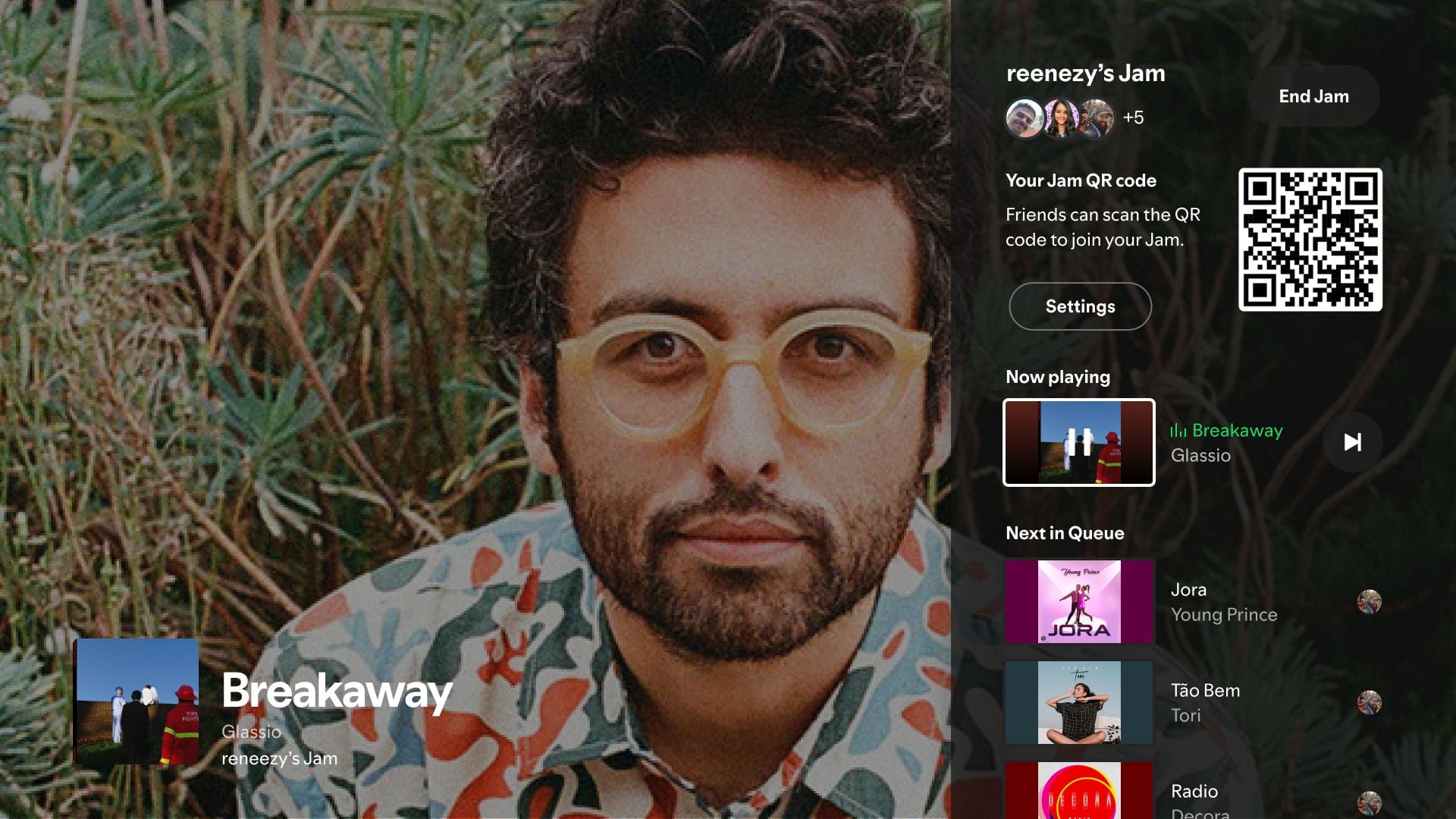
Before this update, using my TV for a Jam meant the TV worked like any other speaker. Invitations had to be sent via the Spotify app on my phone. But with this update, Jam is built into the Queue! From there, anyone in the room can join the Jam by scanning a QR code, making it a breeze to add your tracks to the queue–no invites needed!
So What’s New?
- The Queue button is now called “Queue & Jam”, combining the two and letting you control the Jam experience.
- You can join a Jam directly through the TV by scanning a QR Code on the screen. You don’t even need to be on the same WiFi network to join;
- You can see who’s taking part in the Jam as their profile pictures are shown in the queue;
- When someone adds a song to the queue, their portrait is shown next to it so that you can see who’ve added it;
- When hosting a Jam you have a new Settings panel where you can enable/disable automatic invites and control the participant’s permissions.
How to try it out
The update is being released worldwide gradually, so keep an eye on your TV app store to keep your Spotify up-to-date to get the latest updates. However, at this point, the Jam will not be available on Samsung Tizen OS 2015/2016.
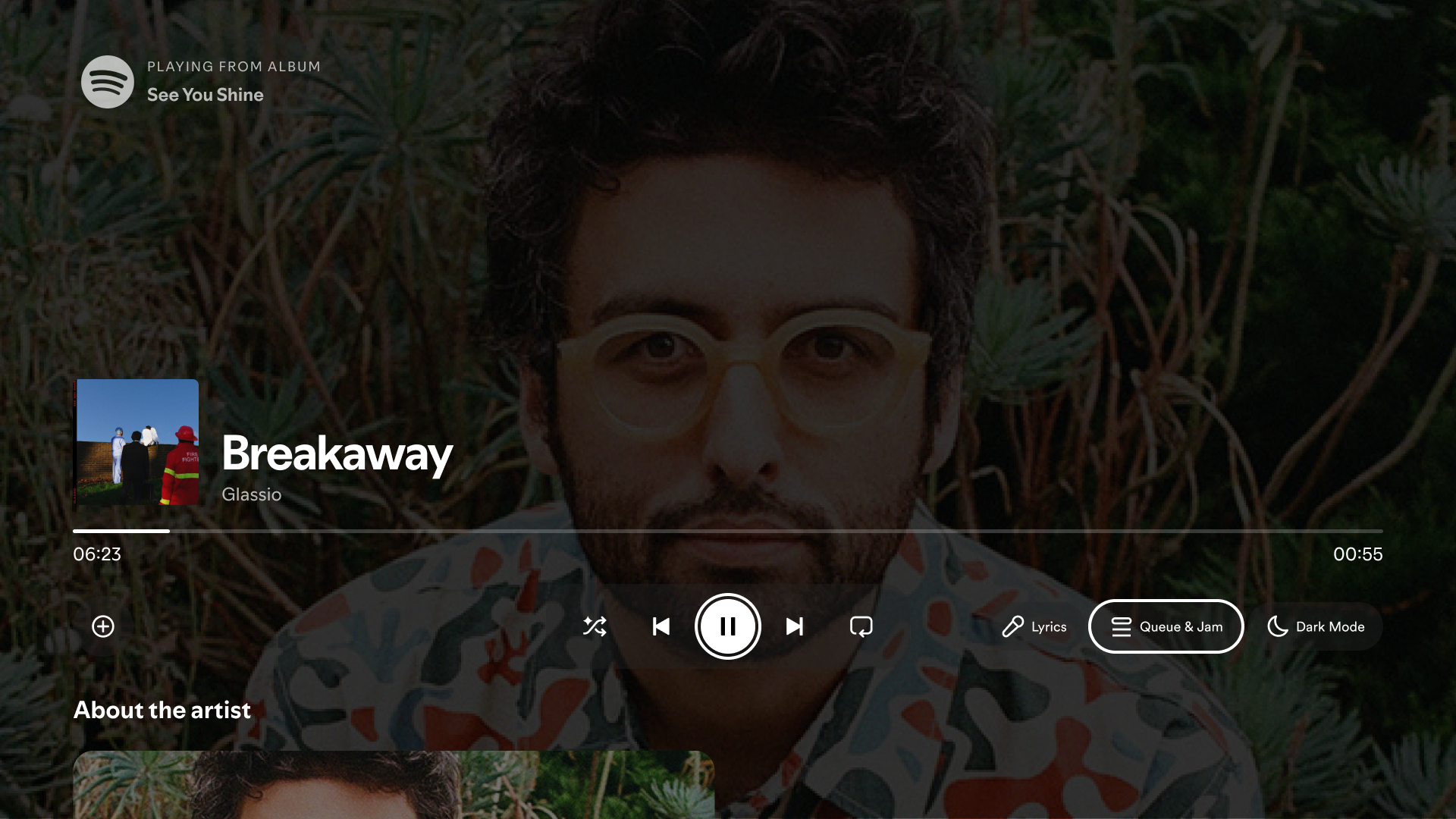
To start and host a Jam, the user needs to be on Premium, but Free users can still join and add songs to it. Jam on TV is an in-person experience, meaning that audio will be played from the TV. Just open Queue & Jam to get started.
With this amazing new update, hosting and enjoying listening parties with friends is easier than ever! Try it out, but don't forget to invite me...
Comments

The start a jam popup ruins the music video. Please let me remove it.

For us that we don't care for the Start a JAM option, this pop up is disturbing.
Please update the app with an option to have it disabled so that it won't show up on our TV screen.

Hey, sorry for the confusion here.
Looks like you can dismiss the QR code notification for the current session by pressing the back button on your remote or gaming controler.

Ok for the current session, but what about a permanent solution?

Yes, Spotify Jam is now available on TV!
This means you can now start a Jam directly from your TV app, making it easier to enjoy a shared listening experience with friends and family.
Here's how it works:
- Start a Jam: You can initiate a Jam from within the Spotify TV app.
- Invite Others: Share a QR code displayed on your TV screen with those you want to join.
- Join the Jam: Others can scan the QR code using their Spotify app on their phones to join the Jam.
- Collaborative Listening: Everyone can add songs to the queue, creating a dynamic and interactive listening experience.
This new feature brings a more seamless and social experience to Spotify Jam, making it even easier to enjoy music together.

Wooo! Congrats on the launch Community & Product Teams & Stars!

I don’t care about jam and would like to disable this popup.
But how about you update these features on the outdated tvOS app?

เรื่องราวของการรับฟัง

Spotify "Queue & Jam" Option on TV Apps
Why has Spotify made it so that we can no longer see our queue unless we allow others to see it too?
I don't wanna start a dam jam. I just want to view my queue like I used to.
You should be able to add new functionality without removing existing functionality.


Muito esse artigo ** beep **

¡Únete a mi playlist Gratis y descubre una poderosa fuente de inspiración en las alabanzas cristianas!
👇

I am happy to hear that

Yet more bloat that is forced upon us. Hey Spotify, why can't you ever implement something without shoving it down the throat of every user that does not want the feature? It seems it is soon time to leave Spotify.
^ Exactly this. Bloating the app with a feature (jam) that I might use once in 20 years…
It’s ridiculous how Spotify has zero respect for the customers and everything feels forced

The start a jam popup ruins the music video. Please let me remove it. magis tv

Good new feature 😄

Finally, it's here... the best feature you must have on your TV!!

cool

That was amazing

When will support be added for the Apple TV app?

Happy to know that and I'm excited to use this feature on my TV because I'm a Spotify addicted.

Loving this new Jam feature—super fun to use during hangouts! Reminds me of how easy group gaming is now too, especially with options like Minecraft download making it simple to set up multiplayer sessions. Great update, Spotify!

This is a fantastic update from Spotify! Having Jam built directly into the TV app makes group listening much smoother.
Way to go! So excited to have a Jam with my friends and family, especially this holiday season. ❤️ 🙂