Issues connecting to Facebook, cannot find friends, cannot follow other users

Hi everyone
Since signing up for Spotify a week or so ago I've been having issues with almost all of social features. When I try to connect to Facebook through the desktop app, it opens the popup window, I login to my account and assign the permissions, but the box closes with no evidence that it's linked.
When I check on the Spotify website I can see my Facebook avatar and my real name, yet in the desktop app on my home and work PC, and on the iOS app I just see the default avatar and my username.
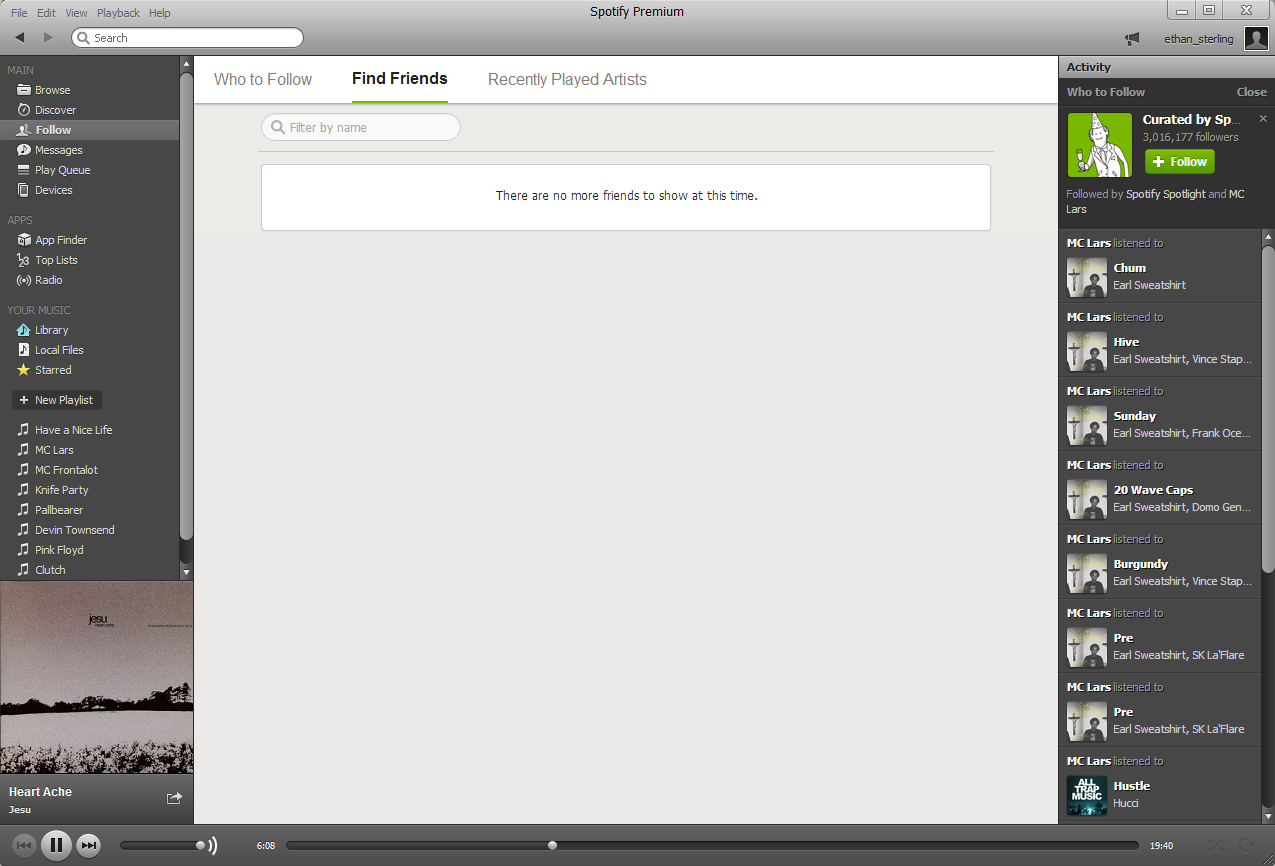
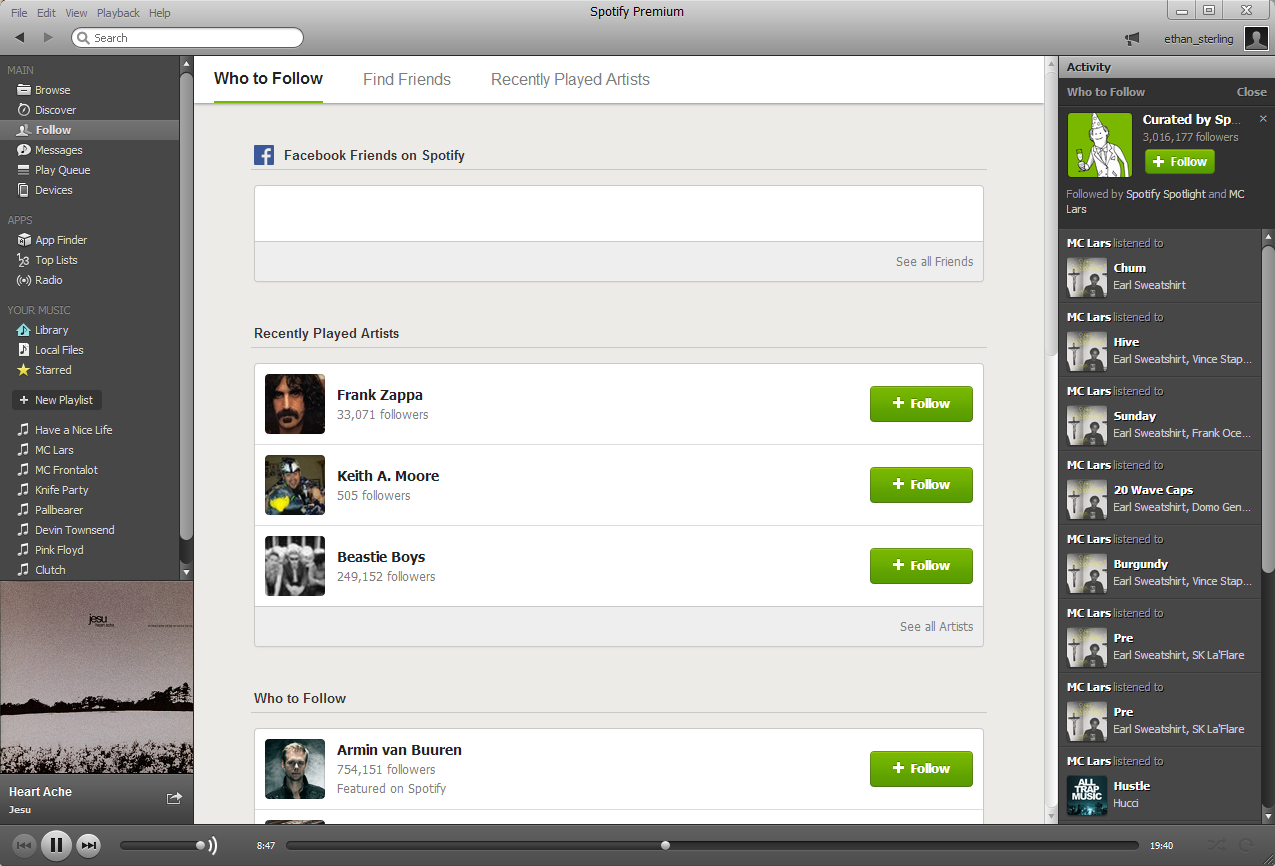
I've tried forcing the connection through on the spotify website at the URL 'https://www.spotify.com/account/overview/' and clicking "manually enable Facebook" but it tells me that "You’ve already imported your Facebook friends into Spotify. Have fun.". When I check in the app I can see that this is not the case, see the screenshot below. Also the second screenshot below shows what I can see if I open the "Follow" section, the "Facebook Friends on Spotify" section is just blank.
Accepted answers
All comments

Hi @user-removedand welcome to the community 🙂
Have you tried fully logging out and back in again? File->Log Out.
Liam

Hi Liam, thanks for your reply. it looks like my account on the forum has been borked aswell as I've had to sign up with a new username. But nevermind, the support team unlinked my Facebook account last night and everything is working fine now. I appreciate the reply though 😄

having the same issue and i have logged and back in. my friends want to follow each but there is no facebook files etc. as this picture above is how mine looks.
Hi Liam, thanks for your reply. it looks like my account on the forum has been borked aswell as I've had to sign up with a new username. But nevermind, the support team unlinked my Facebook account last night and everything is working fine now. I appreciate the reply though 😄