Family members have adds

Plan
Premium
Country
The Netherlands
Device
IPhone 14 / Samsung S21
Operating System
iOS(18.1.1)and Android (up to date)
My Question or Issue
Hey so 2 of the new family members that joined recently have been receiving adds while we have Premium. Me and 2 others, 1 new 1 was in my family for some time, do not get adds.
Accepted answers
All comments
Each member has their separate account and they joined my family through the link I manually sent them.
The adres is the exact same as well.
We do not use wifi at home ever, we all have unlimited cellular data. Can this really be an issue?
King regards.

Hey @Erik96,
I believe the advice from @osornios has been in regard to the possibility that the other accounts may be failing to accept the Family plan invite 🙂 In case they have all accepted their invitations and their account shows Premium though, we might be looking at something different here.
Premium should provide uninterrupted music listening, so you folks shouldn't be hearing any ads during the playback of any song. However, do keep in mind that this does not apply to podcasts, where it's up to the podcasters themselves if they're going to promote anything or if they choose to use Spotify ads instead.
With this being said, if the ads are appearing during music playback, could you send us a screenshot of any that appear? We'd love to take a look!
Many thanks! We'll keep an eye out for your response 🙌🏼
Hey there Vasil,
As you can see from the screenshots they are in fact in the family plan yet another screenshot shows an add that starts when they start an all music songs playlist.
I have removed and re-added them but the issue stays present. The issue occurs for the bottom 2 members, others have no issue.
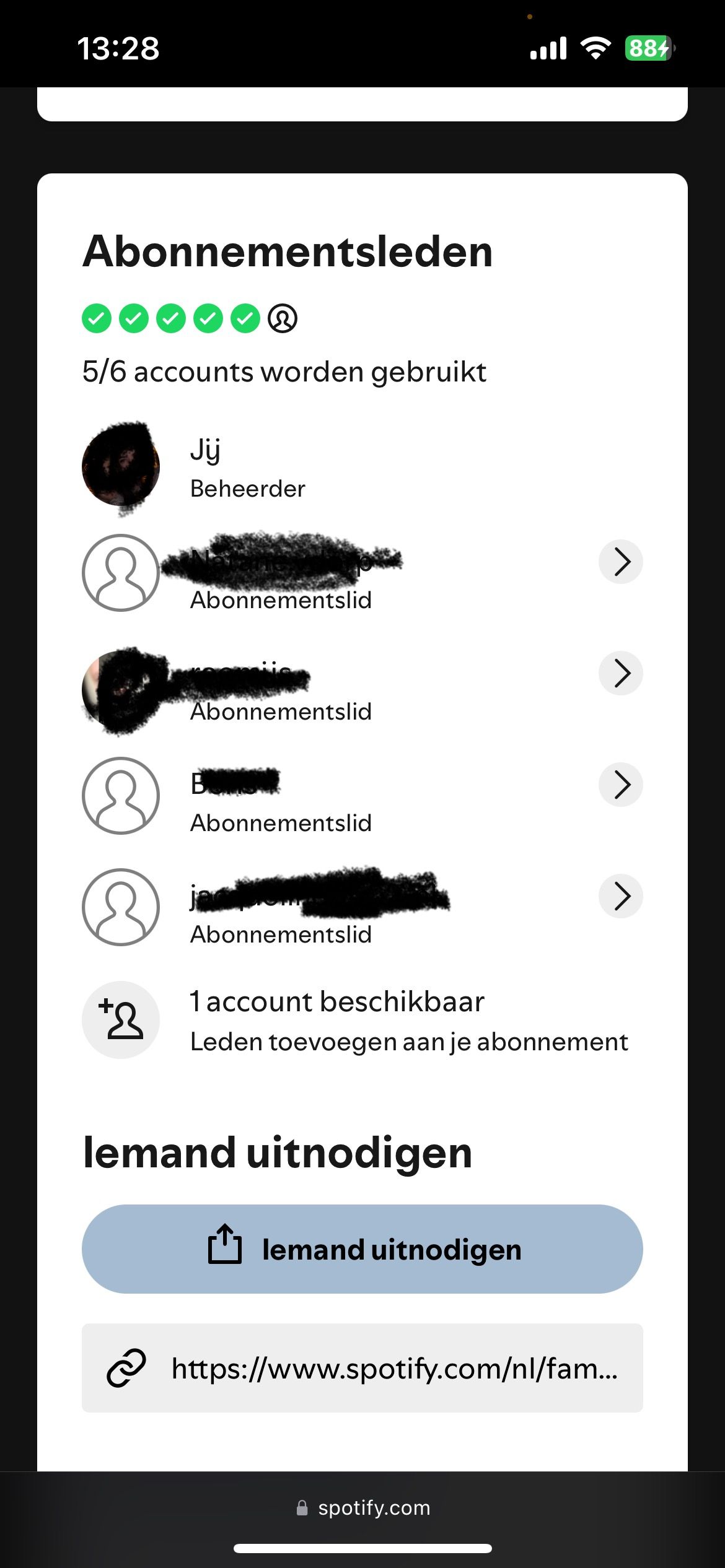

Hey @Erik96
Each family member has to have a separate username and password, so the first step is to create new accounts for each new member (if they haven't already).
I suggest creating it with an email address (not the one used for Facebook, if possible), since they'll be able to get a Spotify username / password. Using Facebook will not let you do that.
Each member will now have a Free account, so the next step is for them to join your Family plan through your account.
Send by yourself the link generated through INVITE WITH LINK, instead of letting the system send the mail.
Let them accept the invite logged in with their own username in the app and in the website. They should make sure to type the address exactly as the Admin did when he created the Family Plan, and also be sure all Family members use the same Internet connection (Home network) regularly.
Each will be able to listen to music at the same time, and will have separate libraries, playlists and friends.
Hope it helps. 🙂