Spotify widget won't load

My Question or Issue
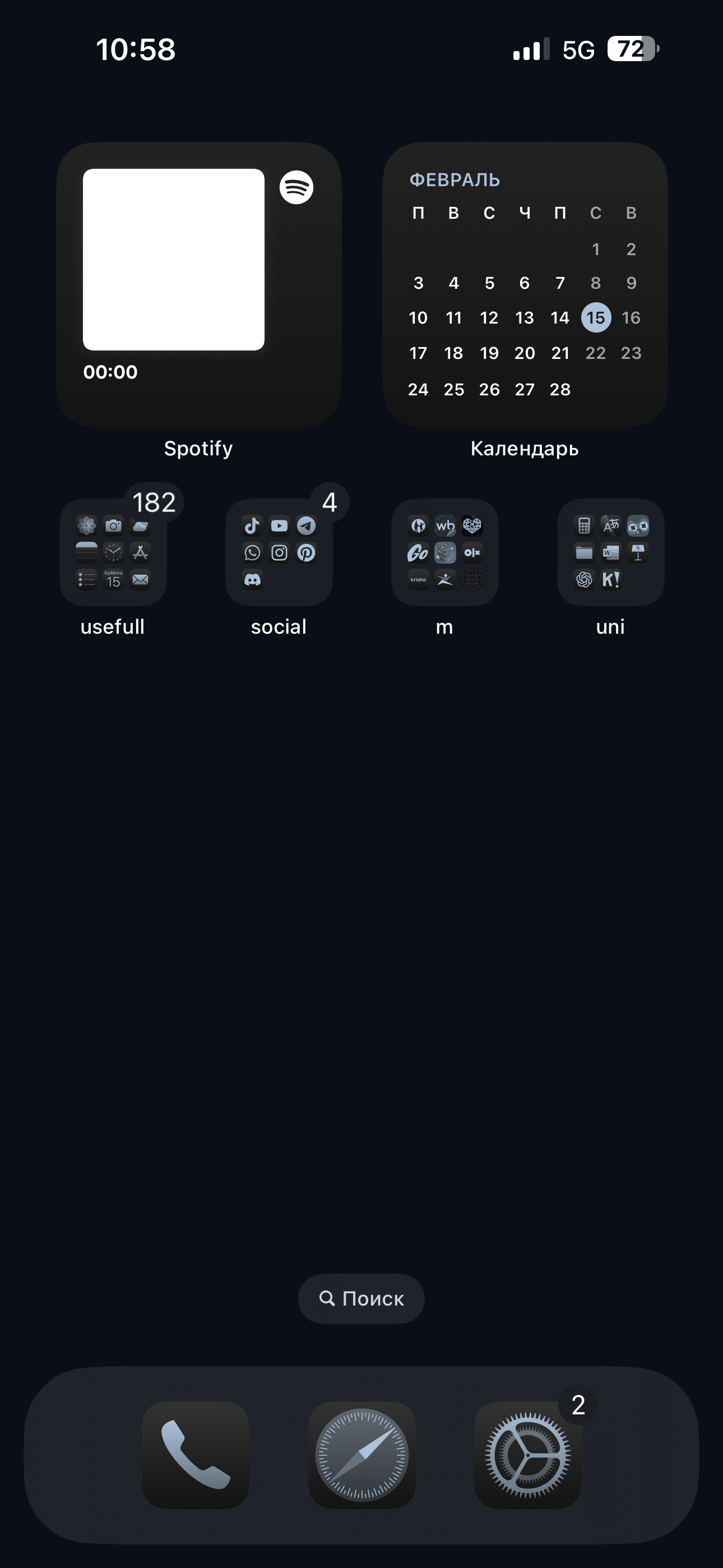
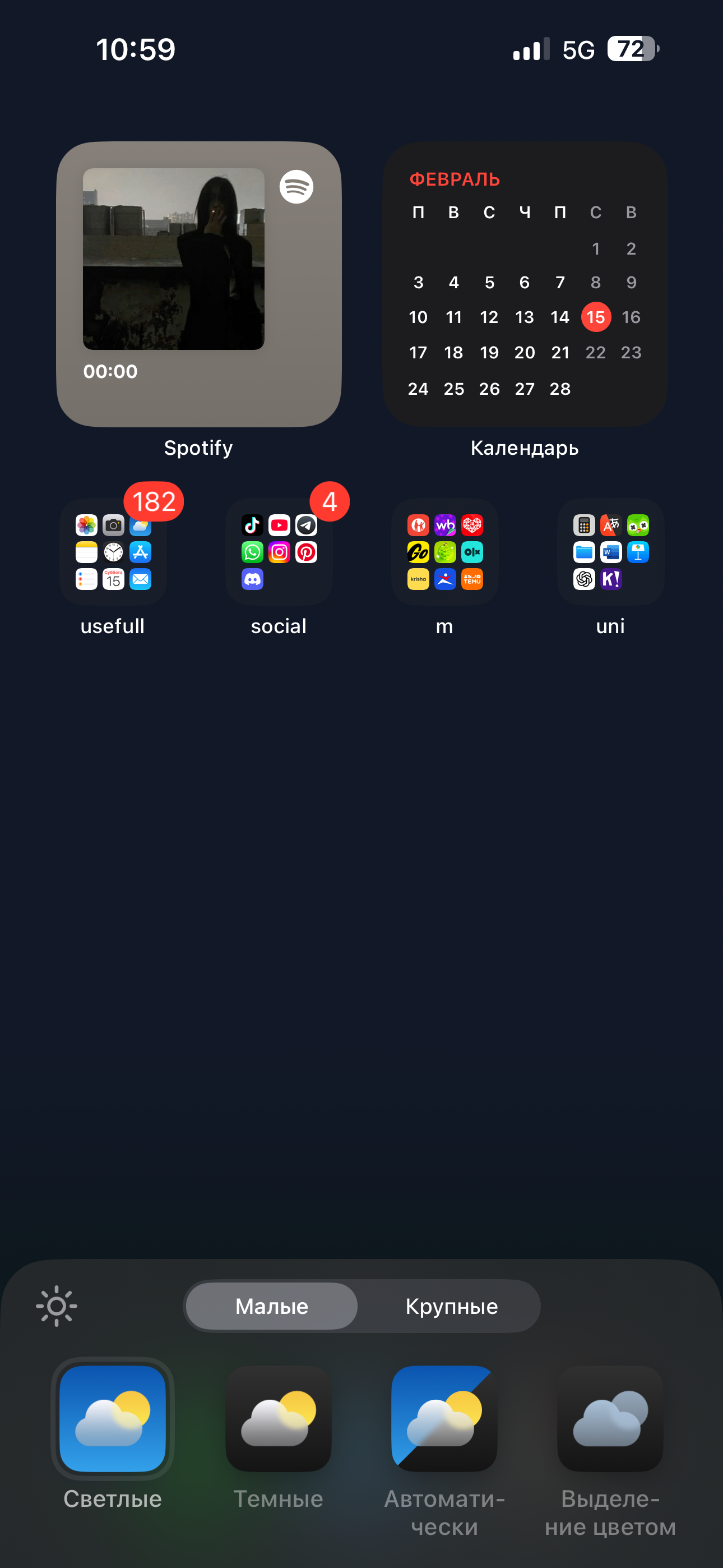
Spotify widget doesn't load completely (it used to) when customized by color. As you can see, it works fine in light/dark mode. Any ideas? 🥲 I've tried deleting the app, updating it, and changing the colors.
Plan
Premium
Country
Brasil
Device
(iPhone 11)
Operating System
(iOS 18.3)
Accepted answers
All comments
Hey, Joan!
Version: 9.018.548

Hi @belisssaa,
Thanks for the quick reply.
We've forwarded the info to our team to begin investigating this. We'll keep you posted on new info.
In the meantime, please let us know all of the exact troubleshooting steps you've tried so far. If you haven't done a full clean reinstall, please do so.
Cheers!

I also have this issue with my iPhone 16 Pro (iOS 18.3.1). I tried reinstalling the app, restarting my device, logging out, and even updating my iOS to the latest software, yet the albums for the widget are blank on the tinted home screen. I tried reaching out to Apple Support, and they said that this issue must be confirmed first in Spotify before they make decisions. Moreover, I never had an issue with other app widgets, except for this... I hope you can help me!


I also have this problem
Version: 9.0.18.548
Hi there folks,
We can confirm that this should be fixed in the latest version. Please test if this is the case for you, making sure your app is up to date. A clean reinstall is also worth a shot to get everything back in order. If the issue persists, please provide us the Spotify Version you're using so that we can continue the investigation.
Fingers crossed that everything works.
Cheers!
Hi there @belisssaa,
Thanks for reaching out. We'll be glad to help you get the widget working properly again.
We tested this on our end and can confirm that we can indeed reproduce this, so there's definitely something going on here that we'll get to the bottom of. To look into it further, please provide us the Spotify Version you're using.
Thanks in advance!