App crashes when opening podcast

Plan
Premium
Country
Australia
Device
Google Pixel Pro 9
Operating System
Android
My Question or Issue
My issue is that whenever I try to access a specific playlist that I follow the app always crashes. I have seen others ask similar questions but in their questions it always seems to be a custom made playlist. The playlist that is causing me an issue is a podcast that I follow - not a curated song playlist with local tracks.
I have tried:
Uninstalling/reinstalling the app
Restarting my phone
Clearing app cache
Changing battery optimisation to unrestricted
Changing from wifi to mobile data
Accessing the podcast playlist in different ways (ie via search results as opposed to my own library)
So far nothing seems to work and no other playlists/podcasts seem to be effected except this specific one.
Any ideas?
Accepted answers
All comments
Thanks very much for your reply! The podcast in question is https://open.spotify.com/show/4yeAtraRF7HUqp9SpCKDhb?si=897f821d49af4d54
I don't have any trouble accessing it via PC, I haven't seen or heard anyone else having issues with this particular podcast either on their phones.

I'm having the same issue but only with certain podcasts. I have a Samsung S25 Ultra.
Forgot to mention I'm on a Premium Family account.
One of the podcasts is The MeidasTouch and I'm using Bluetooth earbuds
I've tried everything (including removing and reinstalling) with no luck.
Forgot to mention I'm on a Premium Family account.
One of the podcasts is The MeidasTouch and I'm using Bluetooth earbuds
Has there been any update on this?

Hi folks,
Thanks for reaching out!
@Dean_Oz, can you send us a link to a podcast episode, which crashes on your end, since we weren't able to reproduce the issue? We also wanted to check if this only happens when connected to your earbuds? If possible, it'd also be great if you can test this out on a different device and with a different account - you can ask a friend or relative to log in their own account on your device to check what's causing this.
@Charlie85, can you also give the above a try and share the requested info in this reply? That would help us a lot!
Keep us posted.
I can't play any episodes in two of my podcast subscriptions. All the other podcasts seem to work without any issue. When I tap on one of the problem podcasts then Spotify immediately closes.
I tried my wife's iPhone and it doesn't have the problem and works fine. I also tried my Samsung tablet using my account and it also works without any issue.
The problem still occurs on my phone even when I have my Bluetooth turned off.
The problem only started a few days ago
Below is a link to the latest episode of the podcast that crashes Spotify. I had to use my tablet to get the link.

Thanks for the details @Dean_Oz.
Do you see any error messages when the app closes?
Since this is only happening on your phone with your account and regardless if you're using your Bluetooth earbuds or not, then the issue seems to be device-related.
You did mention reinstalling Spotify, but if you have an SD-card and there's corrupted cache stored there, this can also cause performance issues. I recommend that you remove it and give the app another clean reinstall with the steps here just to be on the safe side. After that, please test without the SD-card and let us know if the behavior persists.
Something else that comes to mind is to download the podcast episodes and try playing them in Offline mode.
We'll be on the lookout.
Hey @thepokey,
Thanks for sending over the podcast and for the info!
I couldn't reproduce the issue on my end, so can you let me know if you're trying to play the podcast directly from the podcast page you sent or from a playlist you've created and have added episodes from it to? Just wanted to double-check, since you mentioned a playlist in your original post.
If this doesn't happen on a different device and it plays fine for others, then there might be something wrong with your device. You've mentioned reinstalling the app, but have you tried a clean reinstall? It's more thorough and will ensure that any damaged cache would be removed. Another thing that's worth trying is logging out and back in a couple of times in a row to make sure everything's synced.
Let us know how it goes.
I think I misspoke when I mentioned playlist. This is when I go directly to the podcast page itself from my phone. Not a custom playlist.
Just tried following the steps for clean reinstalling it and the problem persists
I don't have an SD-card. I tried the clean reinstall but it didn't work. I didn't have the com.spotify folder.
I downloaded the latest episode using my tablet then went to the downloads section on my phone and I can play it.
There are no error messages. It seems that Spotify just minimises and is actually still running. Not sure how to add a photo to this thread.
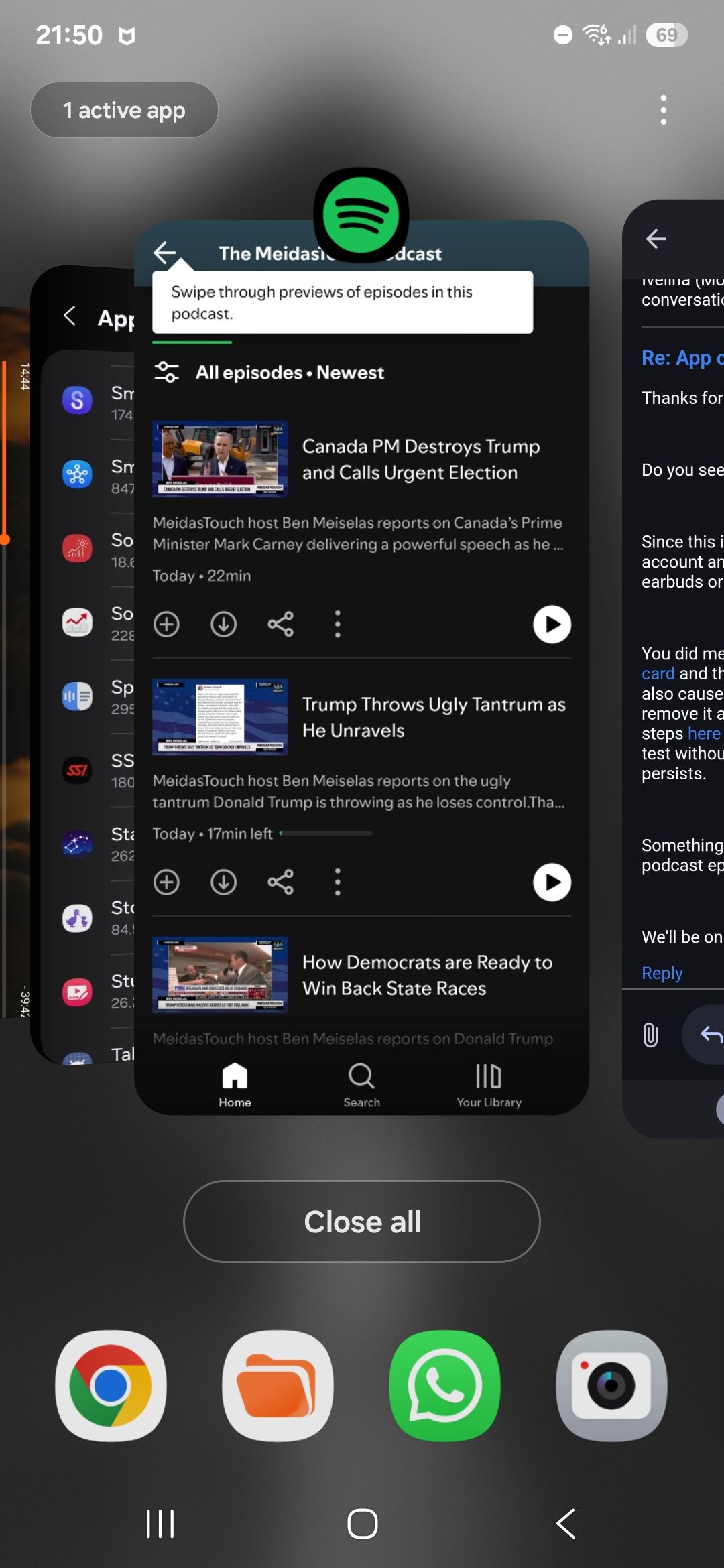
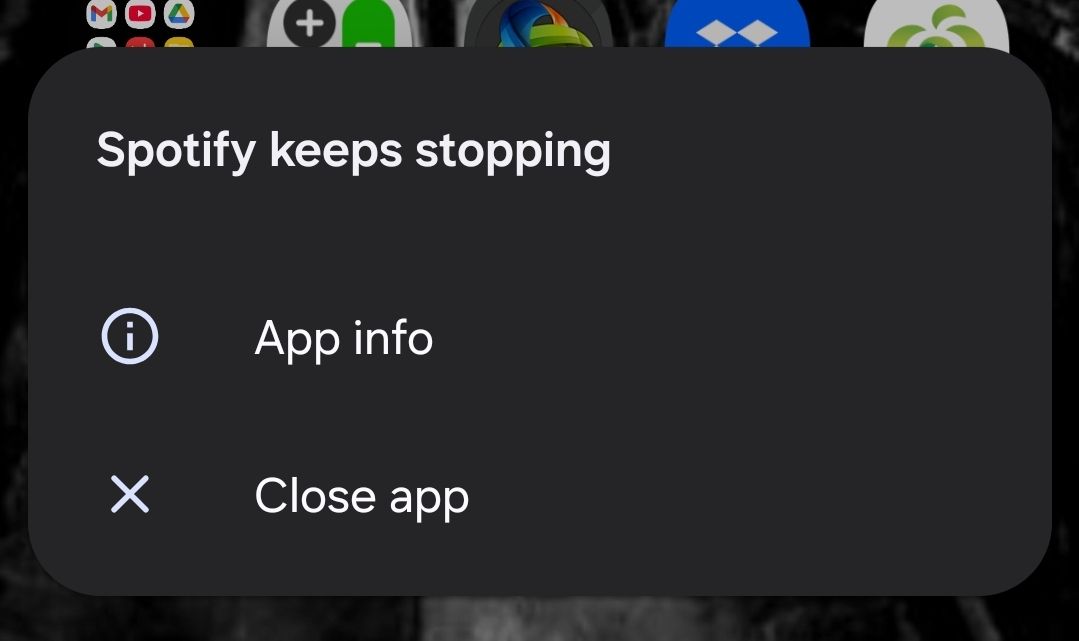
Appreciate the quick response and cooperation @Dean_Oz.
As far as I understand, you're able to play the podcast episodes on your phone if you've downloaded them and there aren't error messages.
The error message that you see is when you're streaming the episodes and the app closes on the phone. Is that right? But when you mention that the app closes, does it actually continue to play the episodes in the background (you hear sound)?
The more details you provide, the better idea we'll have of the situation so we can continue troubleshooting it together.
In the meantime, you can also make sure that you've allowed Spotify to play in the background on your phone and to check for any battery-optimization settings or apps.
Keep us posted.
Hey @thepokey,
Thanks for the quick reply and the clarification!
Does your device happen to be connected to an external one when this happens, for example Bluetooth headphones? If yes, then can you try disconnecting from it to see if that makes a difference? A different network would also be worth trying - if you're currently connected to a WiFi network, try switching to mobile data or to a different WiFi, if available.
To check if this really is device-related, it'd be great if you can ask a friend or relative to log in their account on your phone and play the podcast to see if the app crashes.
Keep us posted.
I have tried both when connected to bluetooth and while bluetooth is disconnected. Also, both on wifi and on mobile data - in each instance the same crash happens.
No one I have asked has had similar issues, so I assume it mustn't be a problem with the podcast page itself or others would mention the same issue.
The only "fix" I have found was logging into spotify on desktop and then creating my own playlist. Then importing all the episodes from the original podcast onto the playlist. My phone will then access the newly created custom playlist, but still not the original podcast.
Hey @thepokey,
Thanks for the cooperation!
You mentioned creating a playlist in the desktop app to add the podcast episodes to as a workaround, but have you tried that in the mobile app as well to see if that works? If it doesn't, it'd be great if you can send us a screen recording of what happens and how the app crashes so that we can take a closer look and investigate this further. If the file is too large to attach, you can upload it to Google Drive (make sure to allow general access to the file) or as an unlisted YouTube video.
We'll be on the lookout.
I am able to access the newly created playlist that I made on the desktop via my phone, but I am not able to create a playlist via my phone because when I open the podcast to add a file to the playlist is instantly closes the app.
Here is a link to a google drive file that shows a screen recording of what happens https://drive.google.com/file/d/13uT_j7ppQrYN4k_XZ1rYHwLhHtml3qOE/view?usp=drivesdk

Have already contacted Spotify Support. Their team is aware of the issue.
When trying to access a JRE Podcast, it crashes the Spotify App on Android S24 Ultra.
I've tried all of the following.
In the Spotify App, tried 3 times to access a JRE podcast, each time crashes the app.
Deleted the Cache/Data in the app, retried JRE in the Spotify App, crashed.
Deleted the Spotify App, cleared cache/data again, retried a JRE podcast, crashed.
With Spotify App open, nothing playing, tried switching to a different podcast, then back to a JRE podcast, app crashes.
NOTE:desktop app works fine.
Tried switching to the Desktop app, preloading/playing a JRE podcast, then switching back to the phone Spotify app, then trying to access the JRE podcast home page to select a different podcast, Spotify app crashed.
My only workaround is to preload a JRE podcast on the Desktop app, then switch to the Spotify Phone App, and hit play. As long as I don't try to switch to a different JRE Podcast it plays fine and the app stays open. Once I try to switch to a different JRE podcast, the phone app crashes.

I am having the same issue with my S25 ultra. But I thought I was the only one. A friend has and older Samsung and his opens fine. Tried all the same things with no luck. Did they offer an explanation?

Im getting this too on the s23
Good to know I am not the only one either.
They didn't offer any solution yet.
My guess is that once this issue gains some traction they will address it and hopefully have an update to the App.
Last week was when this started for me. I wonder if there was an update last week, that I wasn't paying attention to when I update all my apps daily, and this is what started the issue.
Hopefully we'll have a solution soon. If I hear anything I'll respond back here.
Good to know! Interesting you're also getting this, similar phone, yet same issues with the App.
If I hear anything I'll respond back here.
Hopefully this thread starts to get some traction.
crashes as soon as I try to open the podcast subscription. I don't get to
see the list of episodes.

S25 user... JRE crashes Spotify every time, now, but no other podcasts cause this problem.
Just a reminder that only two of my podcast subscriptions are causing the issue. All the others work as they should.
I have noticed though that the two subscriptions that are causing the issue have video as well.

The same problem as Dean_Oz: two subscribed podcasts keep crashing the Spotify app on my Android 15 (Samsung App Store) S25 Ultra. Reinstalling the app doesn't help.

Hey folks,
@Dean_Oz, since you mentioned that the podcasts have video, could you check if switching to mobile data and activating Audio-only streaming for video podcasts in the app's "Settings" > "Data-saving and offline" has any effect on this?
@pamap, could you share a link to the podcasts in question as well? You can use a browser or another device to get them.
We'll also need the exact version of Spotify you're running in order to investigate further, so make sure to include it in your next reply 👍
Keep us posted.
I set Spotify to Audio Only and switched to Mobile Data and now I can play the podcasts. When I turn my WiFi back on then it crashes like before.
Hey there @thepokey,
Thanks for reaching out via the Community and it's great to hear that you've already performed some troubleshooting steps. It really helps us with the investigation.
Have you tested accessing the said podcast from your account on another device (PC for example)? You could also ask a relative or a friend to open it to see if the same behavior persists for them.
Lastly, to check if there's a possible issue with the content itself since you already tried troubleshooting, it would be very helpful if you could send us a link to the podcast so we can also take a look.
We'll be on the lookout.