A new way to preview Albums, Artists, and Playlists on Desktop & Web

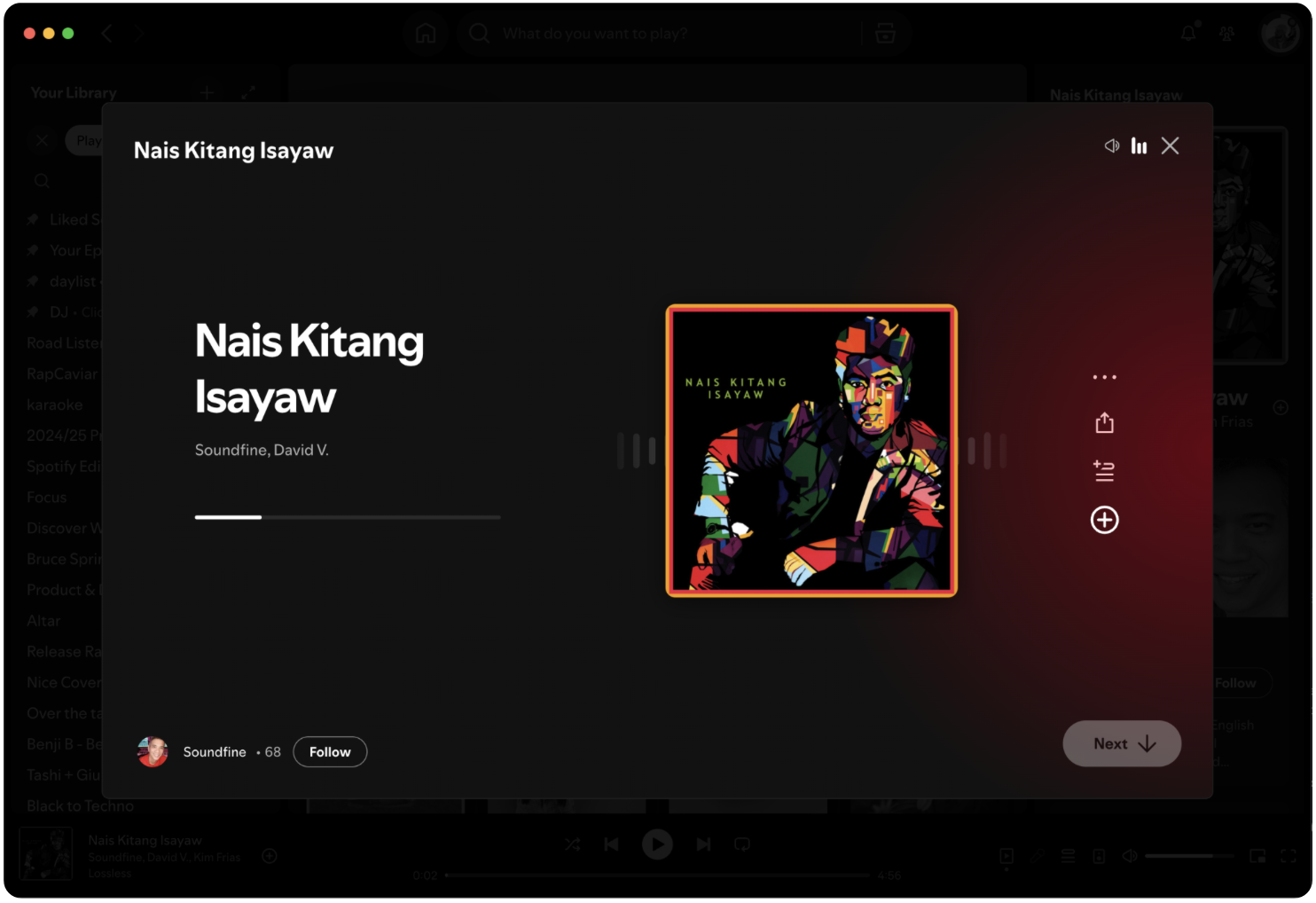
Have you ever found yourself curious about an artist, album, playlist or genre, but you weren’t ready to commit to a ‘full listen’ or deep dive just yet? Spotify Desktop has a new feature that lets you sample preview tracks from playlists, albums, and artists. This feature has been available on mobile for a while, but I’m really excited that it’s finally making its way to desktop—optimized for the big screen so that videos, artwork, and the essentials are all beautifully presented in one place.
Here’s what you need to know about this new experience on desktop:
Want to give it a go?
Look for the small animation next to the play button on albums and playlists main page.

Discover new music with short previews
Whether you're diving into a new release, checking out a fresh playlist, or discovering an artist for the first time, this feed helps you sample their most relevant tracks at a glance—so you can decide if it's a vibe or not.
Smooth and easy navigation
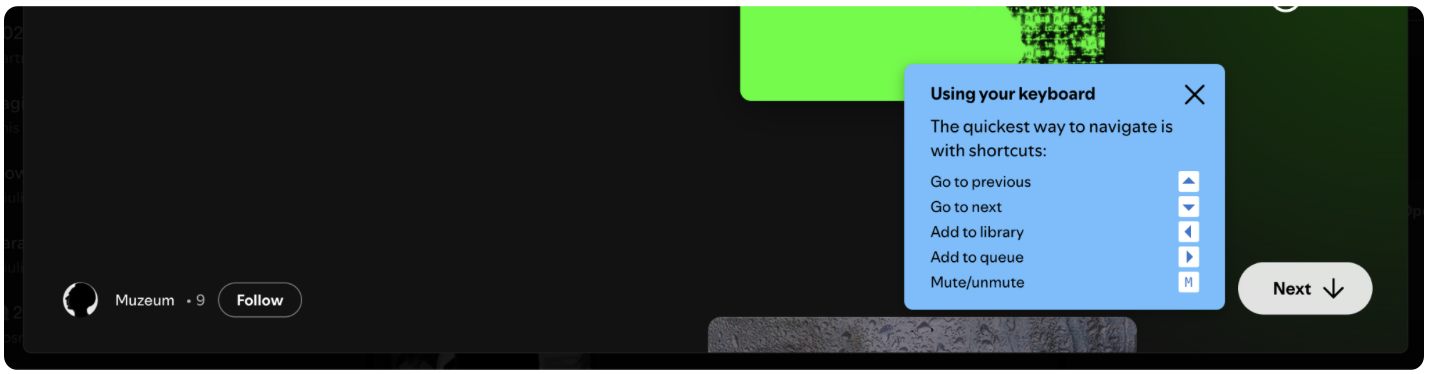
Designed to work seamlessly with both mouse and keyboard, this experience adapts to your needs and allows you to scroll through content in the way you find most comfortable. Browse in whatever way feels best for you! You can:
- Scroll with your mouse or trackpad gestures
- Click the navigation arrow icons
- Use your keyboard’s arrow keys
Take action as you explore
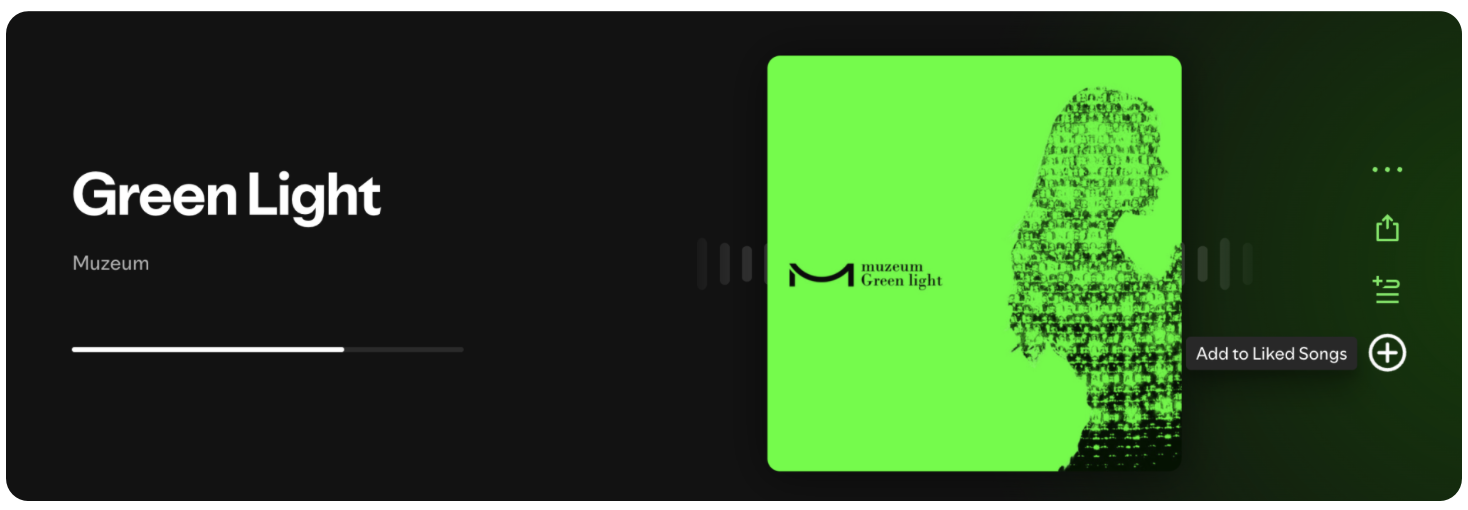
As you preview tracks, you can:
- Save to Your Library
- Add to Queue
- Share with friends
- Open more options via the context menu
If the song is from an artist you don’t follow yet, just hit the Follow button in the bottom corner to keep them on your radar. Need a quick break? There’s a mute button in the top corner too.
Your queue stays intact
If you’re worried about losing your place in your current session, don’t be! The previews won’t disrupt your queue. You can check out new tracks and, once you're done, pick up right where you left off. If however, you do want to start a session based on a song you discovered, just click its title!
Rolling out now!
It’s gradually becoming available to both Free and Premium users, with full rollout happening across more markets in the coming months. Keep a look out for the small animation next to the play button on the main page of a playlist or album.
Happy exploring! 🎵✨
Comments

Just tried the new preview feature — it’s actually a great time-saver. Being able to quickly check out an album or playlist without fully opening it makes browsing way smoother. Hope they keep improving this!

Nice


xX

Thanks for this!

Really looking forward to this desktop feature since announced last month. Unfortunately I still don't have it on my premium account. Must be patient.

So great feature.

Can list view in the library be returned as an option, PLEASE?

Have you tried the new Spotify desktop preview feature to sample tracks before adding them to your queue on mineapkhub?

15 second Preview feature removed. The small triangle preview button has been removed!
WE now have a video snippet to scroll through music, it was much more better to preview tracks by clicking now we can only start from the top track scrolling to get to the bottom instead the old preview we could click anywhere listen to new music previews by press the small triangle!
HORRIBLE UPDATE REVERSE THE PREVIEW FEATURE THIS IS AWFUL!!!
The Preview panel is welcome addition