Artwork and Artist Images Missing in Expand Now Playing View

I'm experiencing an issue where artwork, canvas, and artist images are not displayed when using the "Expand Now Playing view" feature.
Issue Details
- When entering "Expand Now Playing view", artwork, canvas, and artist images fail to load
- This issue consistently occurs on Chrome, Arc browsers, and the desktop application
- The feature works correctly on Safari browser
- Content displays properly on other devices
Troubleshooting Steps Attempted
- Cleared browser cache
- Reinstalled the desktop application
Test Environment
- Spotify for macOS (Apple Silicon - macOS Sequoia 15.4.1)
- App version: 1.2.63.394.g126b0d89
I would appreciate your assistance in resolving this issue.
Thank you.
Accepted answers
All comments



Hi there @Happy-Leo,
Thanks for reaching out and for the detailed info provided. We'll be happy to help you get the full screen working as expected.
Firstly, consider performing a full clean reinstall if you haven't already. Try testing if the same happens across different networks and if you have any kind of VPN active, disable it as it may be interfering with server communications.
Let us know how it goes.
Hello JoanModerator,
Thank you for your response. I've tried all your suggested solutions, but unfortunately, the issue persists.
Additional Troubleshooting Steps Completed
- Performed a complete clean reinstall as suggested
- Tested on different network environments (home, office, mobile hotspot)
- I don't use any VPN services
New Observations
I've noticed several interesting differences:
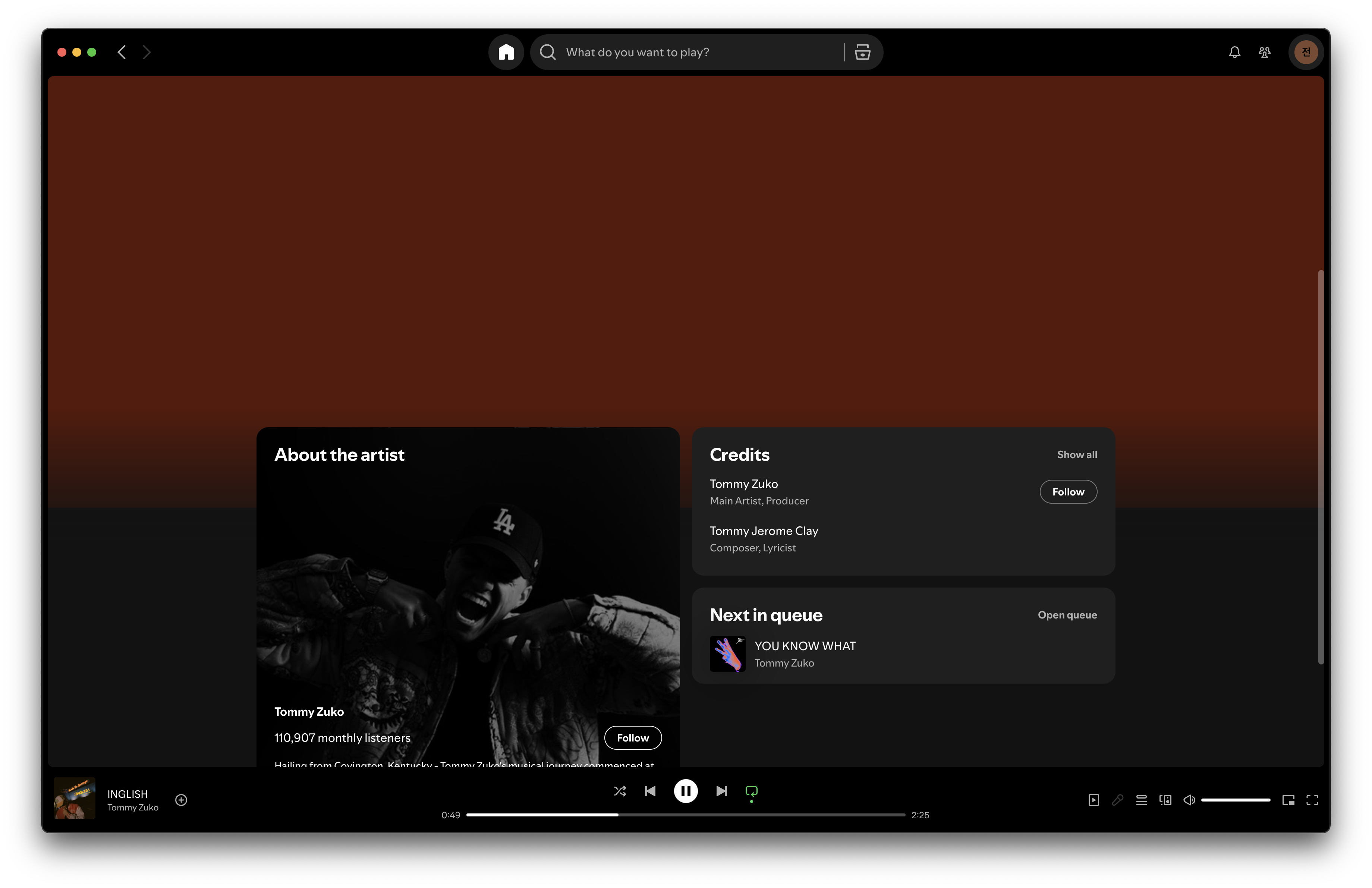
- In Arc, Chrome, and the desktop app, there is a scrollbar present when using "Expand Now Playing view"
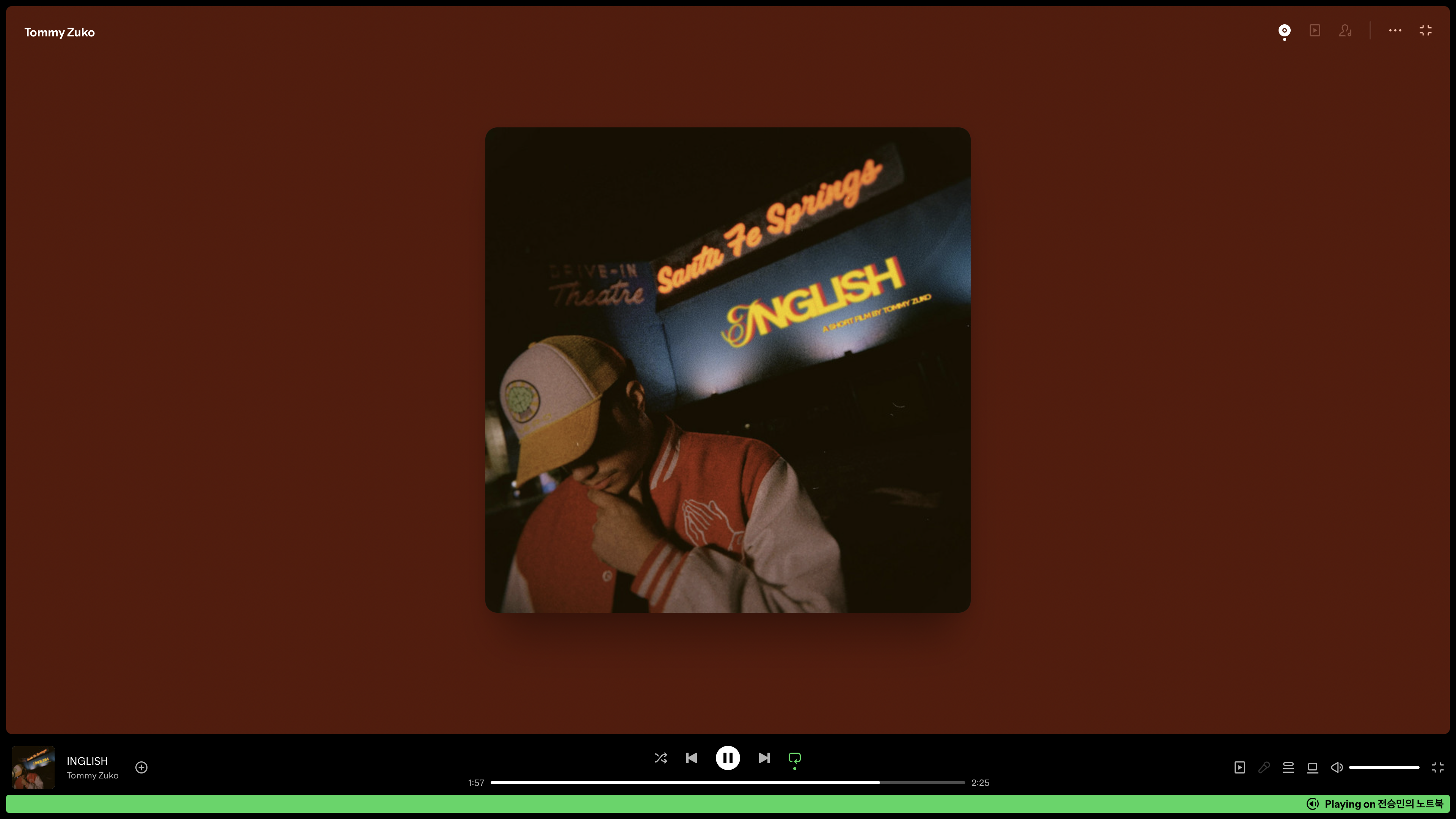
- In Safari, there is no scrollbar in the same view
- In Chrome and Arc, not only are artwork and canvas missing, but artist details (biography, popular tracks, etc.) are also not displayed
- Meanwhile, in Safari, all of this content displays correctly
These differences suggest there might have been a recent update causing compatibility issues. Could you please check if there are any known compatibility problems or recent updates that might be affecting this functionality?
Any additional suggestions for resolving this issue would be greatly appreciated.
Thank you for your continued support.
Desktop App


Safari Browser
Hi @Happy-Leo,
Thanks for the reply and all the info provided.
I was able to find this thread which seems to discuss the same issue and several users have said that the issue was solved for them using the following steps suggested by another user:
- Type "edit the system environment variables" in the search bar, then click on it
- Below the Performance tab click on Settings
- Click on "Let Windows choose what's best for your computer", then click apply
Additionally, enabling the setting "Animate controls and elements inside windows" seems to help too.
Try those out, hopefully you can add yourself to the list of solved instances of this.
Let us know how it goes.
I've solved the issue!
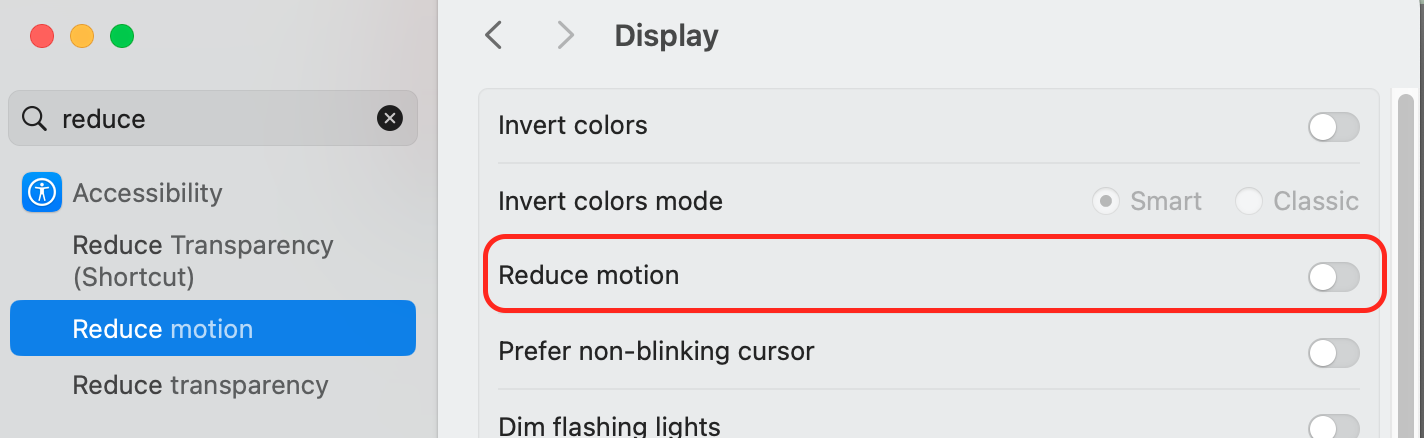
The problem was with the "reduce motion" setting, and everything is working well now! While it would be ideal if it worked properly even with reduce motion enabled, this is good enough for now!
Thank you for your help!
Hi @Happy-Leo,
Thanks for the reply and all the info provided.
I was able to find this thread which seems to discuss the same issue and several users have said that the issue was solved for them using the following steps suggested by another user:
Additionally, enabling the setting "Animate controls and elements inside windows" seems to help too.
Try those out, hopefully you can add yourself to the list of solved instances of this.
Let us know how it goes.