Can I shut off the tiny window that appears when I switch from Spotify to another tab on Mac?

Plan
Free/Premium
Country
USA
Device
iMac 24-inch M1 2021
Operating System
Sequoia 15.5
My Question or Issue
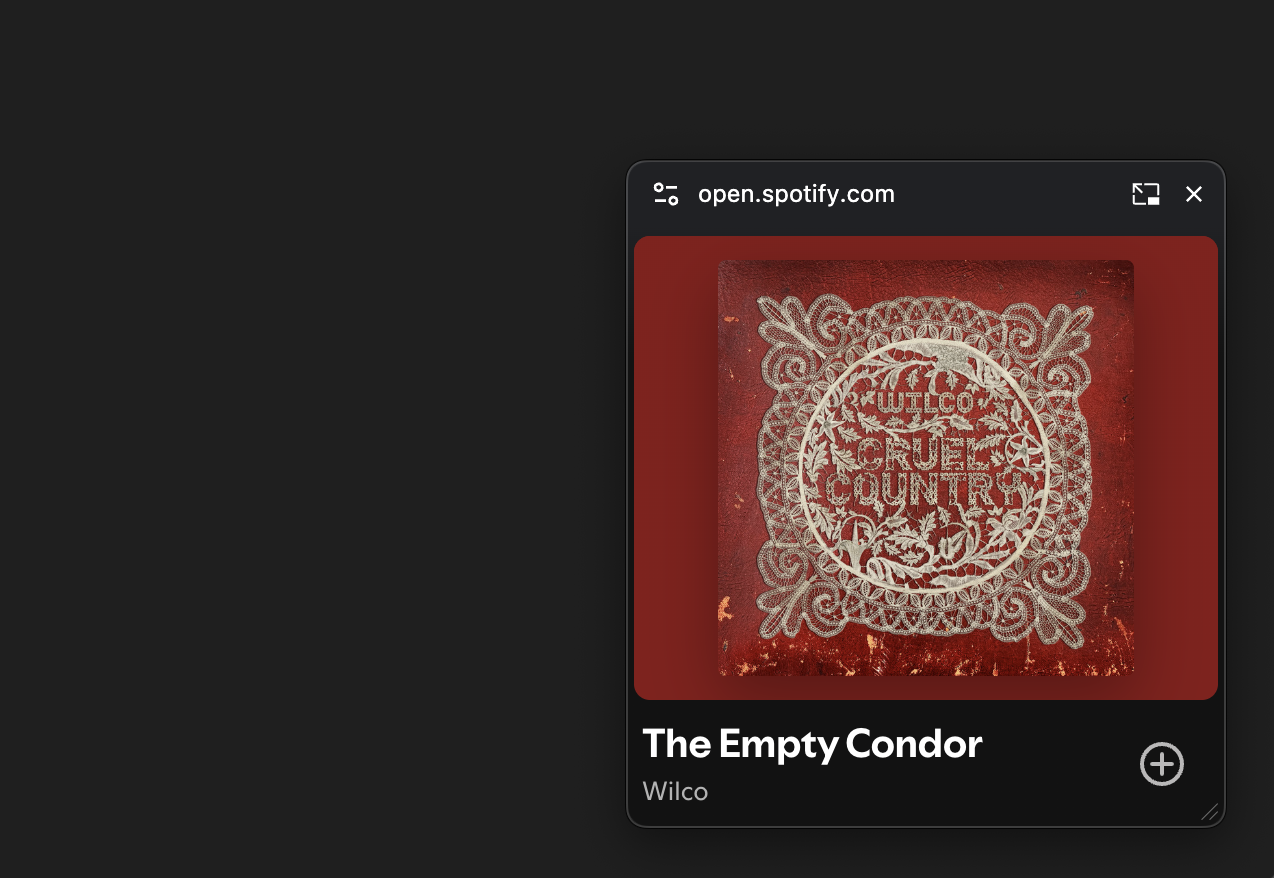
How do I stop this from happening every single time I switch to a different tab? I can hear what's playing -- I don't want a tiny window to show up. This should be optional.
Accepted answers

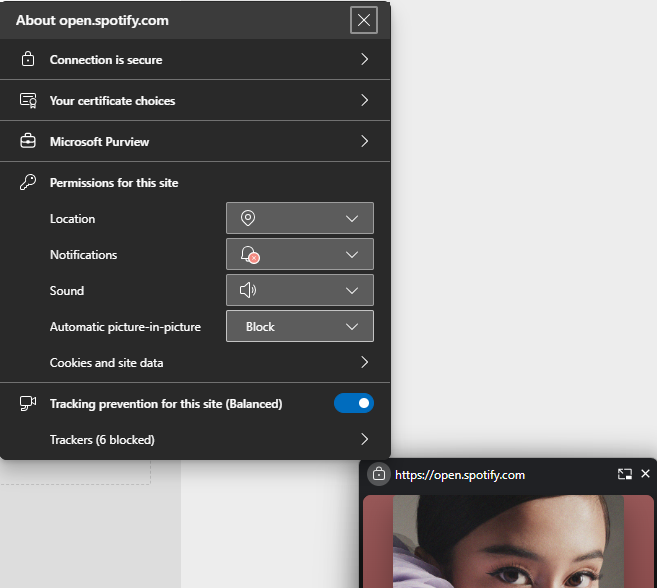
From the pop-up window, there is a "view site information" icon on the top left. Click the symbol and you will see the setting to turn it off. Turn off the 'Automatic picture-in-picture.
All comments

Hey @slatertater, that's the macOS Now Playing overlay, not a Spotify feature. There's no official way to turn it off right now. You can try checking System Settings, Control Center, but the options are limited.

Hey @slatertater,
Thanks for reaching out via the Community!
It sounds like the Spotify Miniplayer automatically opens up for you when you're using the Web Player and switching between tabs. Can you confirm if this is the case and you're not opening it manually?
If the Miniplayer reopens even after you close it, I recommend clearing your browser's cache and cookies as they can cause different issues - let us know if this makes any difference and also feel free to include the browser this is happening with.
Additionally it would be helpful if you could also test with a different browser.
Keep us posted 🙂
Thanks!

That does not solve this issue. Once I selected to have the annoying little window appear there seems to be no option to go back. If this isn't resolved soon I will just cancel our account. We work at a front desk and this music is intended to be soothing, not an on screen distraction. Add a darn option in settings to turn this off....
From the pop-up window, there is a "view site information" icon on the top left. Click the symbol and you will see the setting to turn it off. Turn off the 'Automatic picture-in-picture.

This is the right answer!
Thank you very much.

Did not resolve issue
Hey @slatertater,
Thanks for reaching out via the Community!
It sounds like the Spotify Miniplayer automatically opens up for you when you're using the Web Player and switching between tabs. Can you confirm if this is the case and you're not opening it manually?
If the Miniplayer reopens even after you close it, I recommend clearing your browser's cache and cookies as they can cause different issues - let us know if this makes any difference and also feel free to include the browser this is happening with.
Additionally it would be helpful if you could also test with a different browser.
Keep us posted 🙂