when playing my playlist the next song will start up before first one is done, so 2 songs playing at

Plan
Free/Premium
Country
Device
(iPhone 8, Samsung Galaxy 9, Macbook Pro late 2016)
Operating System
(iOS 10, Android Oreo, Windows 10,etc.)
My Question or Issue
Accepted answers
All comments

I am also experiencing this on both laptop app and phone app. Android phone S24 FE, 8.0 One UI version Android version 16. I've disabled all of the features mentioned, clearing cache as well as logging out and back in and the problem still persists. Very annoying. Please fix.

Hey there @21kk2pkqmhagxaslqlf6,
Thanks for joining the conversation!
Would you mind sending over a video or a screen recording where we can take a look at what's happening exactly? You can attach it to your next response or upload it to another platform like YouTube or Google Drive and send a link to it. Make sure to hide any personal or sensitive information, and to give it the relevant permissions if you decide to upload it somewhere else.
Also, let us know the exact Spotify version running on the affected devices.
We'll be on the lookout for your reply.
Here is a video recording of what is happening. The first song does not end, but the next song begins playing 15 seconds in. Both songs play at once. As you can see, all fading and gap are off.

Thanks for your reply and for the video!
We just wanted to double-check what the content you're listening to is, since we weren't able to get that from the recording - is it one of your own playlists or someone else's. If the Mixed Playlists feature was used for it, then this might be related to the report in this thread about not being able to turn off the "Mix" option on desktop. It might be worth opening the app on your phone and checking if this feature really is enabled for the playlist in question and tapping on Mix again to turn it off to see if that makes a difference.
Hope this helps.

Thank you for allow me to be part of the Community. I’m having issues as above when playing my playlist, next song will start before first one is done. Tried setting cross fade to zero, automix off, gapless playback off. There’s a green cube with black diamonds inside with the word auto and an arrow beside it, these weren’t there a couple days ago

Hey there @2fhodies,
Thanks for posting in this thread, and welcome to the Community!
It sounds like you might have the Mixed Playlists feature switched on. Could you double-check the playlist(s) you notice this behavior with? 🙂 You can find the exact steps under Turn Mix off on this page.
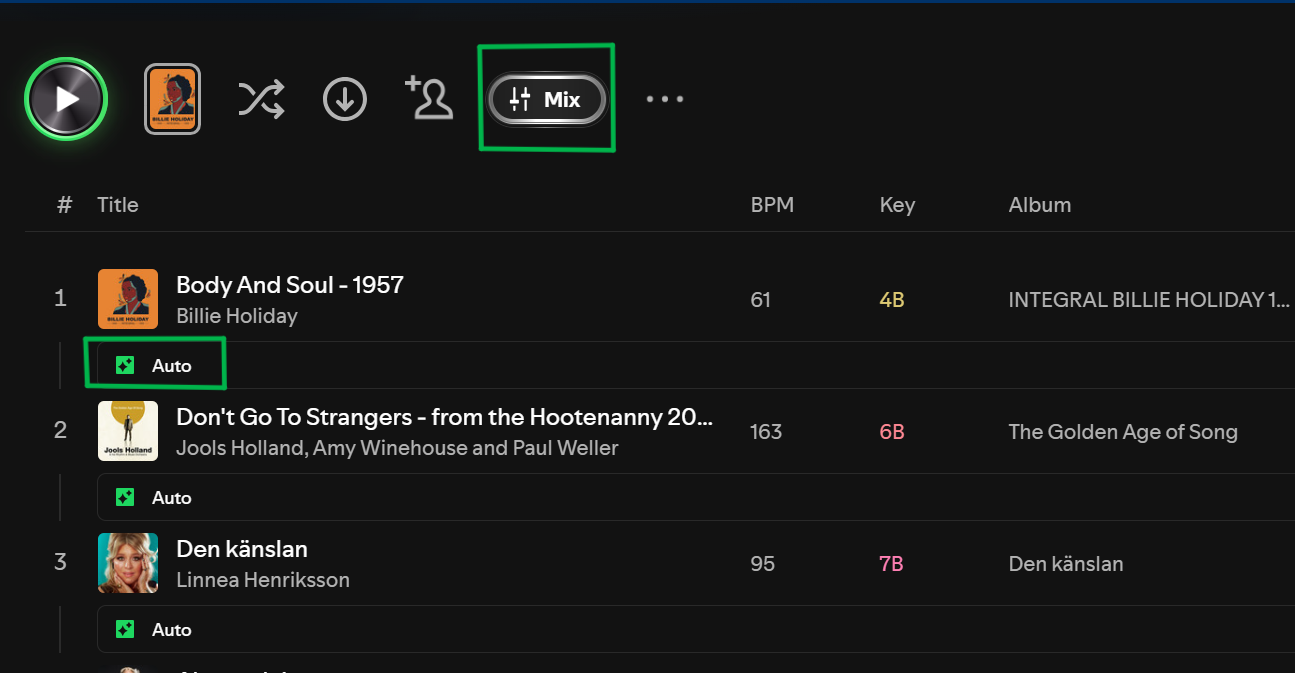
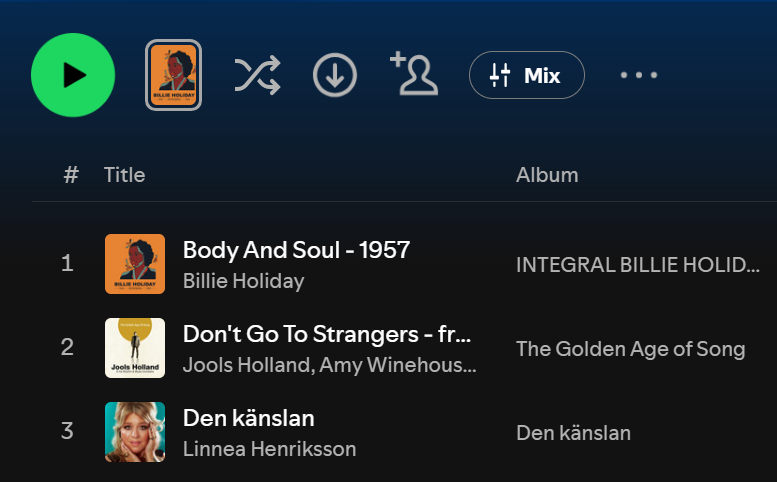
Mix switched on Mix switched off
Shouldn't that do the trick, or if what you're experiencing is different, feel free to include a screenshot showing how things look from your end. Just make sure it doesn't include any personal info, as this is a public forum.
Let us know how you get on!
Hi Maria,
Thank you for the reply and sorry for the silence. Check and Mixed playlist is currently turned off, attached is a screenshot of what I now have, thanks.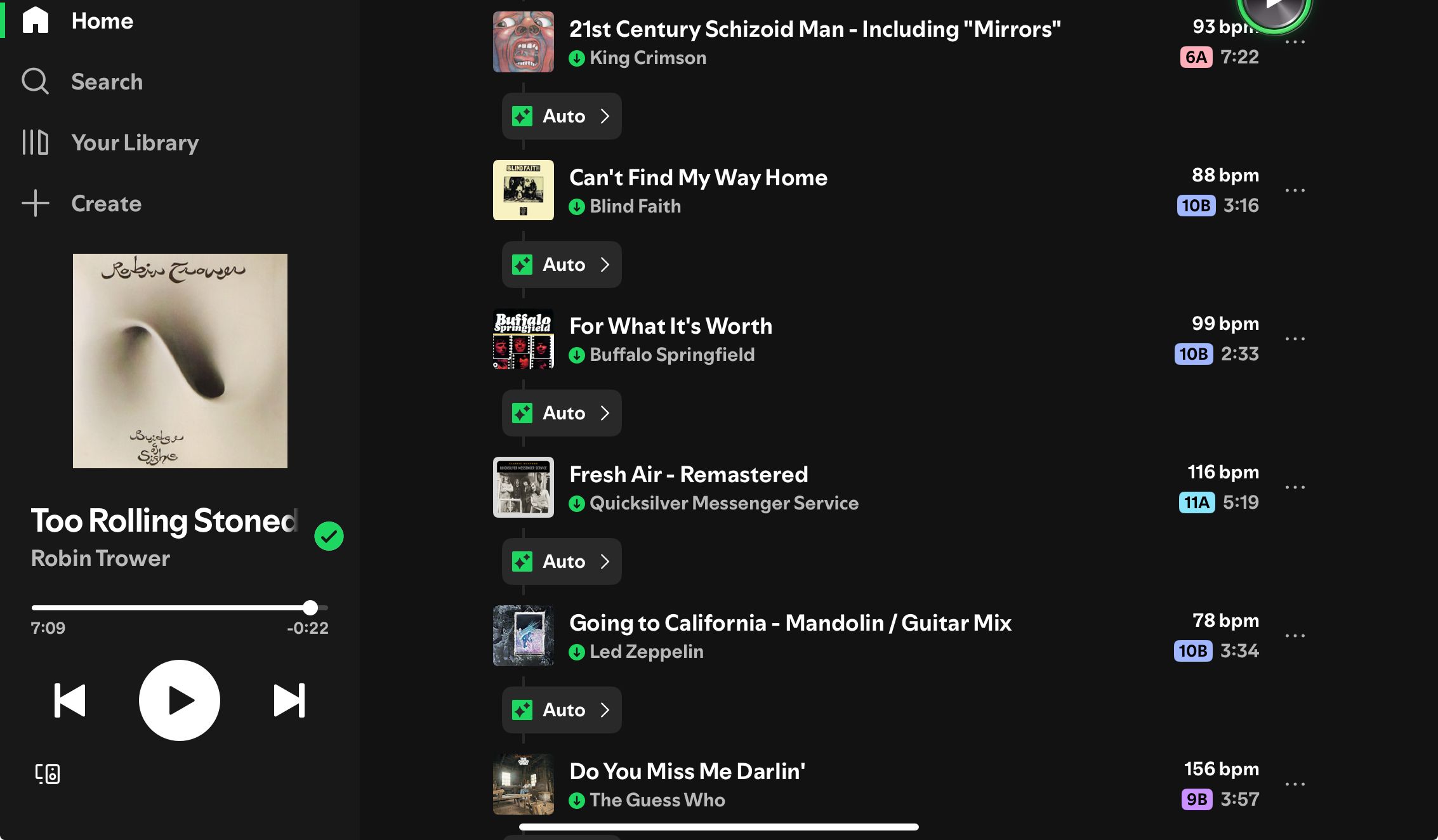

Hey @2fhodies,
Thanks for the response and provided screenshot!
Would you mind clicking on the Mix button as shown on the first screenshot by @Maria in this post in order to ensure that it's switched off? It seems that the feature might still be enabled for you, make sure that the playlist looks like the second screenshot in Maria's response and that the green symbol with black diamonds is no longer visible under each track.
You may need to log out > back in if Mix is not turning off in order to refresh the app.
Keep us posted 🙂
Good morning Ivelina,
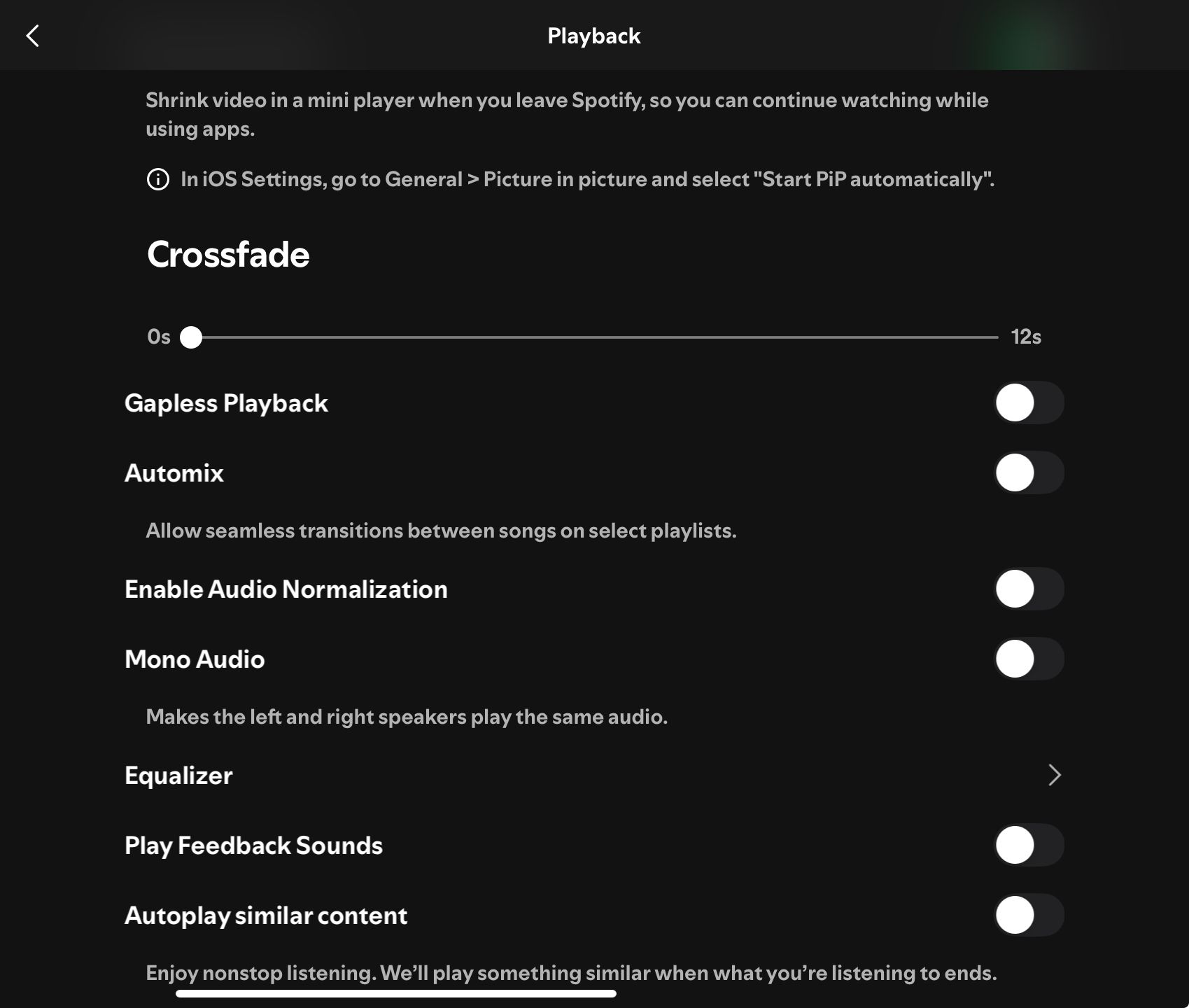
I’ve tried toggling a number of times with no luck, also tried logging out and logging back in. It has me stumped but it doesn’t take much anymore as a senior, lol. Attached is a screenshot, thank you.
Hi there @2fhodies,
Thanks for your reply and for the cooperation so far!
No worries at all, let's go through the process of turning Mix off step-by-step so you're able to play your playlist without any issues. On the first screenshot you provided where your playlist is visible, there are transitions between songs (it says Auto under each one) and the play button in the top right corner is surrounded by a green circle, which indicates that the Mix feature is indeed on.
Here's how you can turn it off:
- Open the playlist in question.
- Under the playlist's name you should be able to see options like Add, Mix, Sort, etc.
- Mix should be surrounded by a grey line - click on it once and wait for the change to take effect.
You can take a look at these screenshot so it's easier to tell the difference between when it's on or off:
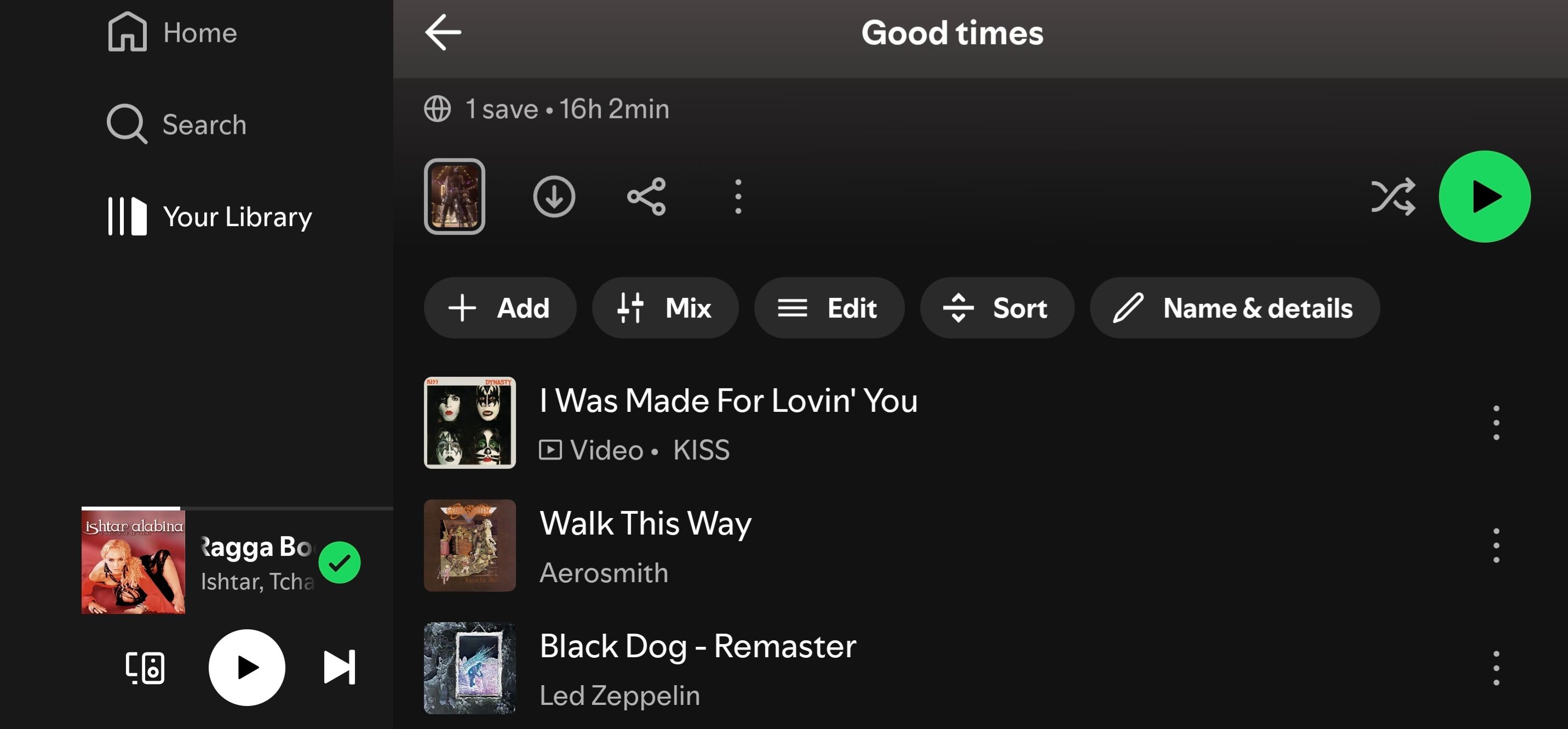 Mix is off
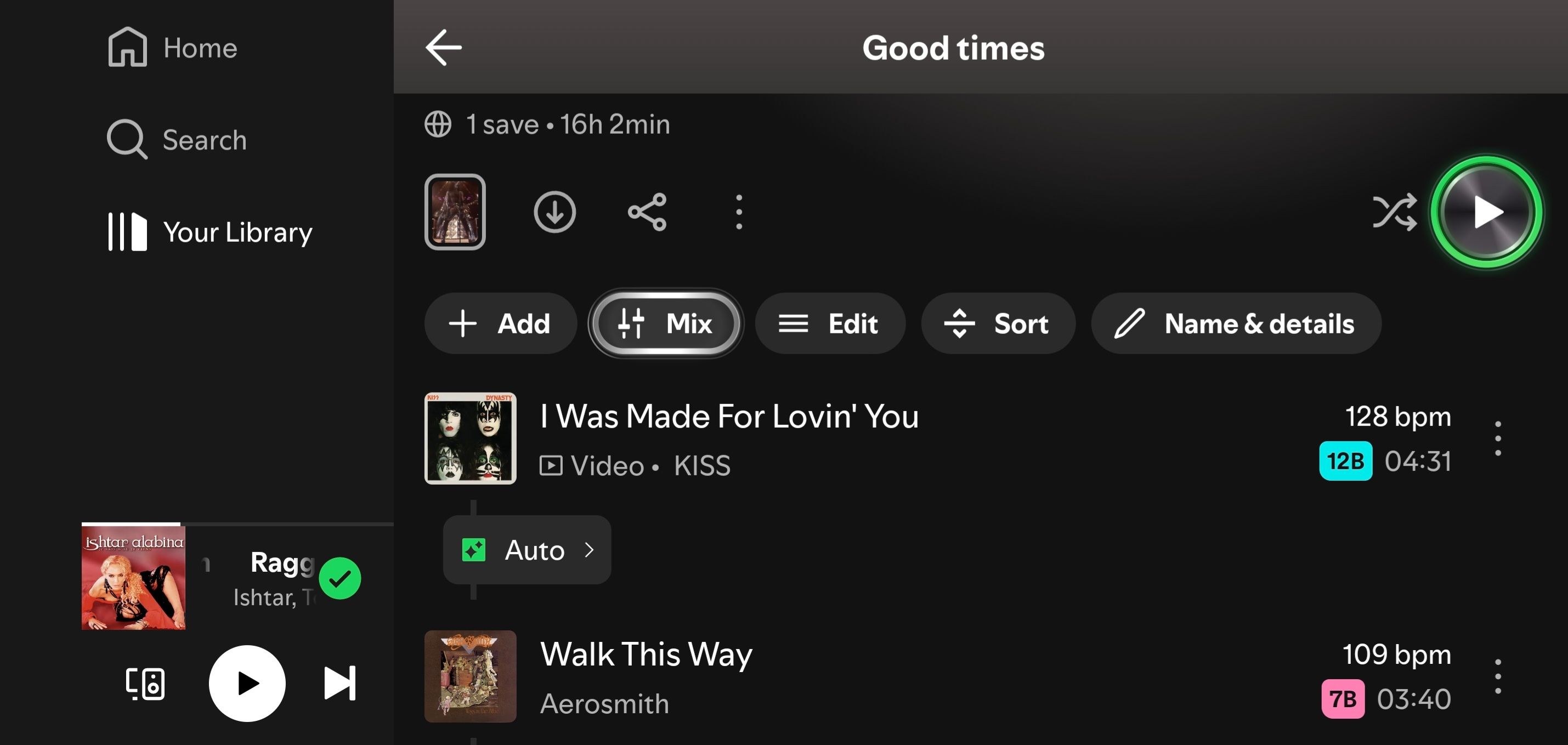 Mix is on
Hope this helps, but we're here in case anything else comes up.
Success! I would like to thank you and the community for helping me with this, now I can get back to listening to my hippie music uninterrupted.
Hey there @DeeDESIGN,
Thanks for posting in the Community!
There are different functions within Spotify that allow 2 tracks to overlap, such as Crossfade, Automix and Gapless playback. You can find more info in this help article.
If you've not already done so, I recommend disabling them to see if the same behavior would persist (you might need to log out > back in for a refresh of the app).
However, if there's no difference it'd be very helpful if you could share as many details as possible - is this happening across devices, does it affect all playlists etc.
Hope this helps and keep us posted 🙂