Can’t view ‘new releases’ on mobile app

on New Releases, it says that browse isn’t working right now. It’s been saying this for months - I first noticed it in August.
Rest of the categories in the search are working fine.
im on iphone16 and its in the app that its not working.
Accepted answers
All comments
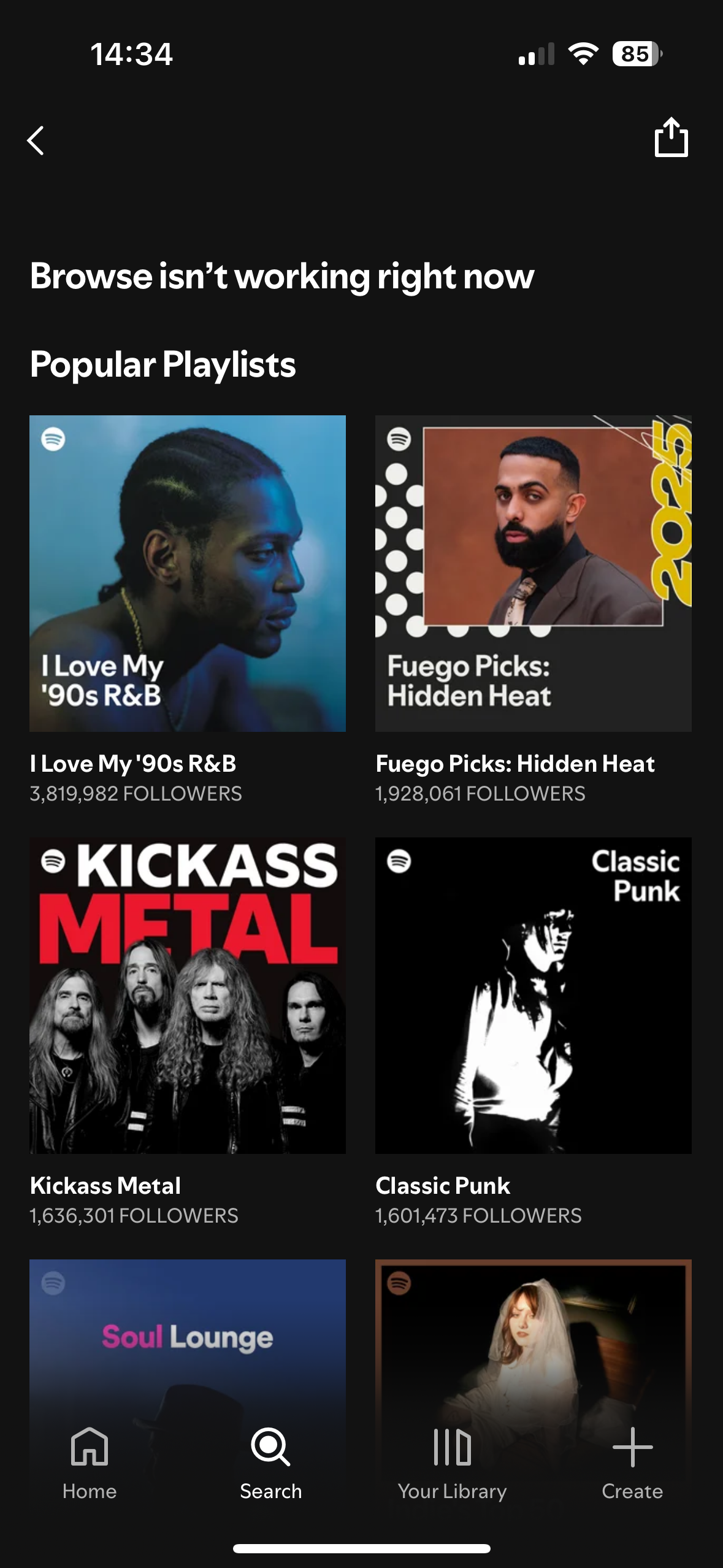
I’ve deleted and reinstalled but still same issue unfortunately. When I click on New releases in the browser all section, this is what it’s showing me.

Thanks for the info @Mkat91.
Would it be possible to test this on another mobile device or perhaps on desktop with your account as previously suggested by @Dessi? On your iPhone in the meantime, you could also check how things look like in the Web Player and this link should work. If the link takes you to the Home page, click on Search and New Releases should appear under Browse all (you could include a screenshot if you'd like).
Make sure to also disable any VPNs that you may be using on your phone and try connecting to another internet connection if you've not already done so.
We'll be on the lookout.

Have the exact same issue. Screenshot looks the same as my New Releases section.

Hi there, @gezitsme
Thanks for reaching out and welcome to the Spotify Community!
Include in your next response the make, model and OS version of the device involved to investigate further.
In the meantime, you can try checking the New Releases section on a different device or using other internet connections (a different WiFi network, mobile data, mobile hotspot) to see if it makes any difference.
Keep us in the loop!
The connection to a different network doesn’t help (tried WiFi and phone signal). I haven’t tested on another device since I only use my phone, which is the issue.
Using IPhone 16 Pro. iOS 26.2. But it’s been an issue on multiple OS.

Same happening to me. Been like this for some time now. Really annoying! iPhone 17 pro iOS 26.3 WiFi and data tried makes no difference.

Hey @gezitsme and @flex3sixtyspot,
Thanks for your replies.
This has been forwarded to the relevant team for further investigation. We'll let you know in this thread once we have news to share.
Cheers,

Hey @Mkat91, @flex3sixtyspot, @gezitsme,
Thanks for all the info you've sent so far.
This issue should be fixed now. Could you check if you're still experiencing it? If so, make sure to perform a clean reinstall of the app again.
Keep us posted on how it goes.
Now all working. ✅
Hi there @Mkat91,
Thanks for reaching out and welcome to the Spotify Community!
We weren't able to reproduce the issue on our end when clicking on Search and then on New Releases under Browse all, so it'd be really helpful if you can send us a screenshot of what you see on your end and the error you're getting. It'd also be useful to check if this happens on a different device - a PC or a friend or relative's phone. Another thing we recommend doing is performing a clean reinstall of the app to make sure any corrupted cache is removed and that you're running the newest version.
Keep us posted.