Desktop Mac App Can't Connect to Bluetooth Speaker

Plan
Premium
Country
USA
Device
Macbook Air 2025
Operating System
Tahoe 26.6
My Question or Issue
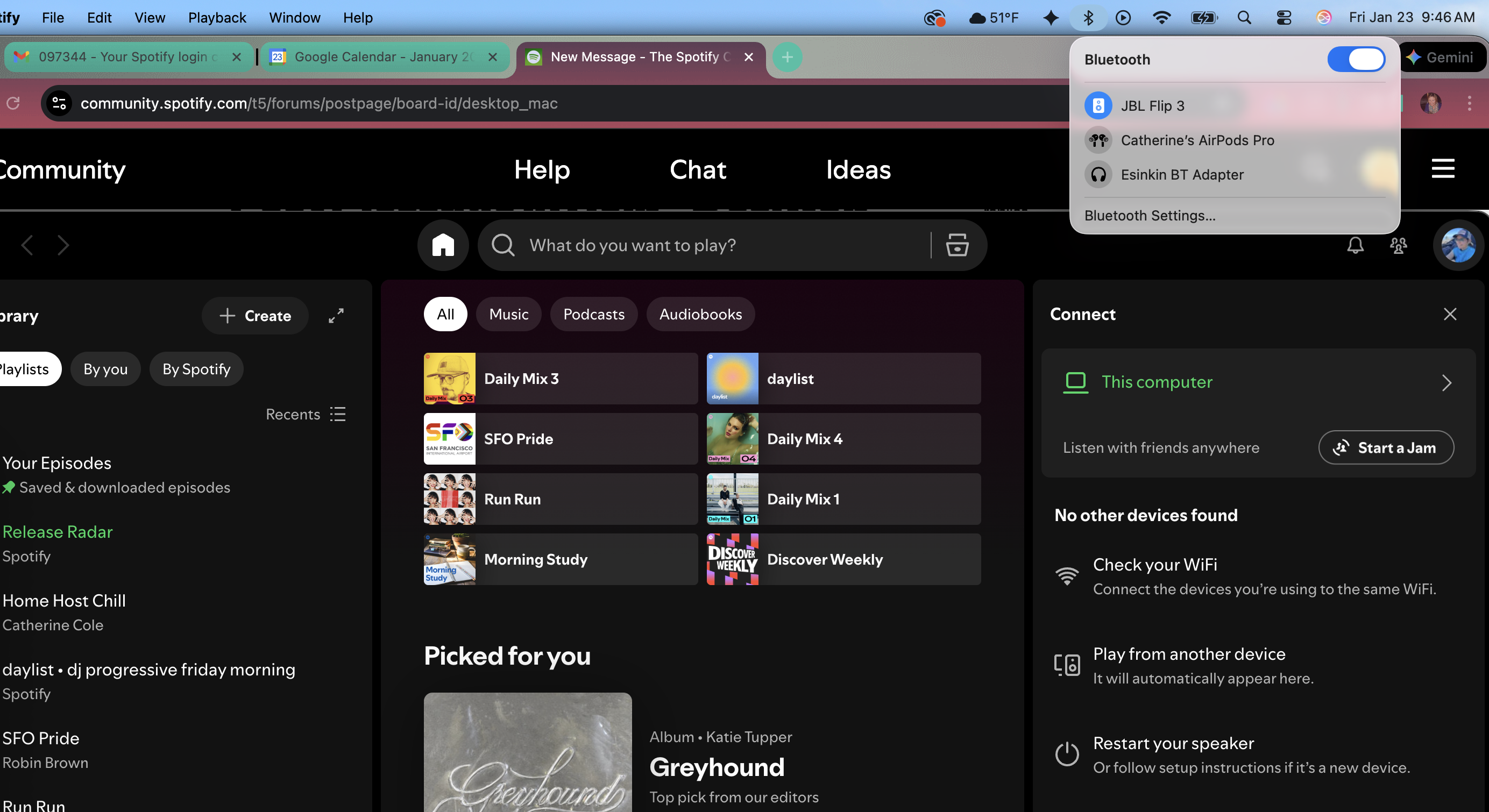
Everything is up to date; Spotify app, Mac OS, restarted 5x both JBFlip Bluetooth Speaker, App, Machine and will not find speaker
Accepted answers
All comments

Hey there @StrayCatHere,
Thanks for getting in touch about this here in the Community.
We checked the screenshot you sent and we can see that the JBL Flip 3 is already paired and visible in your PC's Bluetooth settings. Just to confirm, is there another speaker that is not showing up in that list or the issue is that the app is not switching to the system audio output?
If it's the latter, we suggest that you click the Bluetooth icon in the MacOS menu and make sure the JBL Flip 3 is connected > click the speaker icon in the MacOS menu > select JBL Flip 3 as the sound output > open the app and play any track to see it it's now playing through the speaker.
Let us know how it goes.
Nice work ! Getting into my Sound Settings did the trick - all is well now, the Bluetooth speaker is being seen by Spotify thanks for your fast help
Hey there @StrayCatHere,
Thanks for getting in touch about this here in the Community.
We checked the screenshot you sent and we can see that the JBL Flip 3 is already paired and visible in your PC's Bluetooth settings. Just to confirm, is there another speaker that is not showing up in that list or the issue is that the app is not switching to the system audio output?
If it's the latter, we suggest that you click the Bluetooth icon in the MacOS menu and make sure the JBL Flip 3 is connected > click the speaker icon in the MacOS menu > select JBL Flip 3 as the sound output > open the app and play any track to see it it's now playing through the speaker.
Let us know how it goes.